
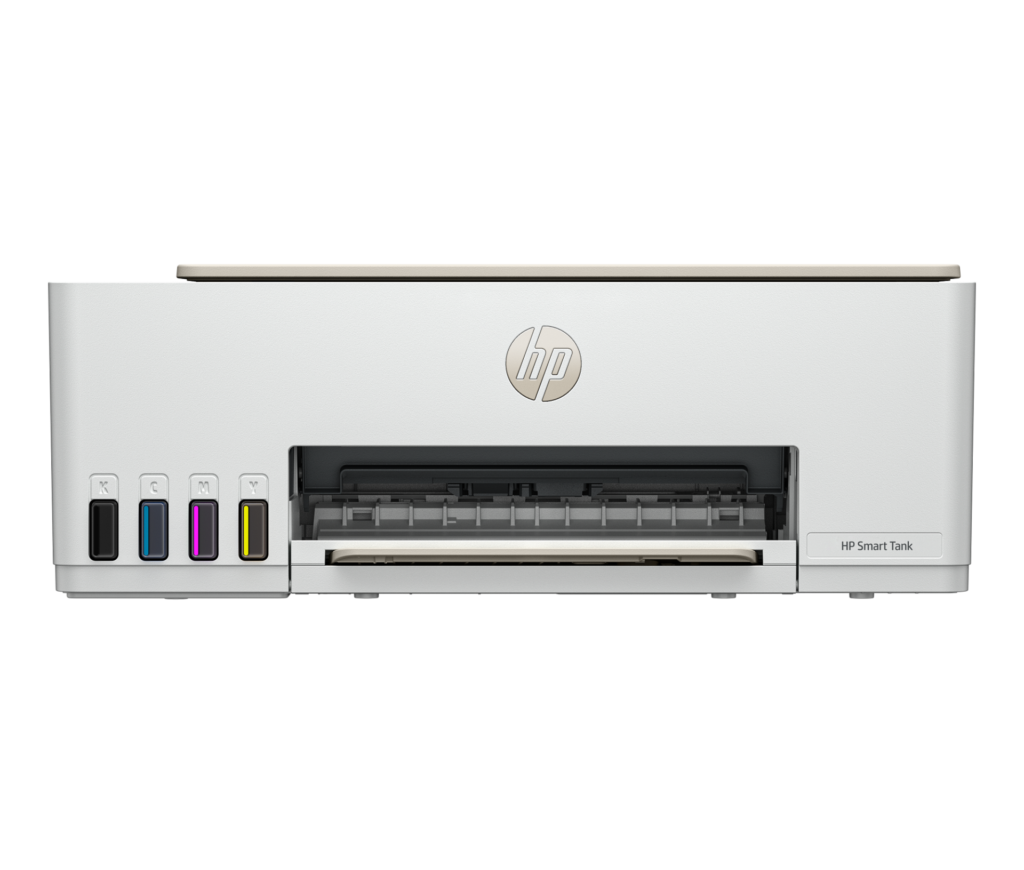
HP Smart Tank 5100: Specs, Features, Pros & Cons
This one does not ask for an HP account. The Smart Tank range sits outside the HP+ program entirely: no enrollment, no permanent internet requirement, no lock to genuine cartridges for the life of the machine. On a printer this cheap, that absence is a feature, and it is the first thing worth knowing about it.
What replaces the cartridge is a set of sealed reservoirs behind a window on the front, filled from keyed bottles that physically will not fit the wrong tank. The design is deliberately hard to spill and hard to get wrong, and the remaining ink is visible at a glance rather than reported by a software estimate that may or may not be generous.
Above the ink system, everything is HP's least expensive chassis. A flatbed scanner with no feeder, a small monochrome panel with buttons instead of a touchscreen, one paper tray, and Wi-Fi as the only way onto a network. Two-sided printing is possible, but you are the mechanism that turns the paper over.
The scanner deserves its own warning. Flatbed-only means every page of a multi-page document goes on the glass by hand, which is fine for an occasional form and tedious for anything longer than a few sheets. If scanning is a regular part of your week, this is the wrong machine regardless of what its ink costs.
Where it makes sense is a household that prints unpredictably: nothing at all for a two weeks, then a sudden pile of something. Cartridge printers punish that pattern, because ink dries out and cartridges expire whether you use them or not. A tank machine is largely indifferent to it, and that indifference is the actual purchase.
Category strengths
Where the HP Smart Tank 5100 beats the median
- Has supertank / refillable ink ?
- A lighter build ?5.03 kg vs 7.98 kg (median)
Where the HP Smart Tank 5100 trails the median
- No automatic duplex printing ?
- No automatic document feeder ?
- A lower print speed (black) ?12 ppm vs 16 ppm (median)
- No ethernet ?
- A lower print speed (color) ?5 ppm vs 9 ppm (median)
- A lower input tray capacity ?100 sheets vs 150 sheets (median)
- A much lower monthly duty cycle ?3,000 pages vs 10,000 pages (median)
- A much lower output tray capacity ?30 sheets vs 67.5 sheets (median)
How this VS Score was computed
Score 26: each known spec is measured against the median of all printers (65 products), then weighted; 50 means level with that median. In classes of six or more, a value beyond the class’s 10th–90th percentile range counts as that limit, so one extreme product cannot set the scale. 63% of the scoreable weight could be used; unknown values, features not applicable to this class and proxies (battery capacity where a rated life exists) add or remove nothing.
| Specification | This product | Cohort median | Score weight | Points moved |
|---|---|---|---|---|
| Automatic duplex printing | No | 73% of the class have it | 1 | −48.0 |
| Automatic document feeder | No | 55% of the class have it | 1 | −48.0 |
| Supertank / refillable ink | Yes | 30% of the class have it | 0.5 | +25.0 |
| Print speed (black) | 12 | 16 | 2 | −24.0 |
| Duplex scanning | No | 23% of the class have it | 0.5 | −24.0 |
| Ethernet | No | 54% of the class have it | 0.5 | −24.0 |
| Touchscreen display | No | 45% of the class have it | 0.5 | −24.0 |
| Print speed (color) | 5 | 9 | 1 | −22.0 |
| Input tray capacity | 100 | 150 | 1 | −17.0 |
| Monthly duty cycle | 3,000 | 10,000 | 0.3 | −10.5 |
| Fax | No | 35% of the class have it | 0.2 | −9.6 |
| Weight | 5.03 | 7.98 | 0.3 | +8.7 |
| Output tray capacity | 30 | 67.5 | 0.3 | −8.4 |
| Print resolution | 4,800 | 4,800 | 0.5 | +0.0 |
Not scored: Color printing (standard for the class (88% have it)); All-in-one (standard for the class (85% have it)); ADF capacity (unknown: not scored); Wi-Fi (standard for the class (97% have it)); Wi-Fi Direct (standard for the class (90% have it)); USB (standard for the class (100% have it)); Apple AirPrint (standard for the class (97% have it)); Mobile app printing (standard for the class (100% have it)).
Editor’s note
The Smart Tank 5100 is the entry point to HP's refillable-tank range, and it is built to one brief: the cheapest possible page from a small, quiet printer. In the box are an HP 32XL black bottle (135 ml) and 31-series cyan, magenta and yellow bottles (50 ml each), which HP rates at roughly 6,000 pages black and 6,000 pages color composite: years of household printing before you buy ink again.
Everything else is subordinate to that. Print speed is 12 ppm black and 5 ppm color by ISO measurement, which is slow. The 30 and 24 ppm figures on the box are draft-mode numbers and describe a different quality setting. There is no automatic duplex (two-sided printing is a manual flip through the driver), no document feeder, since the scanner is flatbed only, and no fax. The control panel is a 1.2-inch icon LCD with physical buttons and no touchscreen.
Paper handling is domestic in scale: 100 sheets in, 30 sheets out, Letter and Legal sizes, and a 3,000-page monthly duty cycle that tells you what HP intends this for. Connectivity is Wi-Fi and Wi-Fi Direct with AirPrint, Mopria and the HP app. There is no Ethernet port, so it lives on your wireless network or not at all.
Measured against what it costs to run, none of that is a complaint. It is the deal on offer. You accept a slow, manual, feature-light printer and in exchange you stop thinking about ink for a very long time. If those omissions would irritate you every week, the money is better spent one tier up.
Specifications
Quality bars show where each figure sits between the lowest and highest of the 65 printers this VS Score is measured against.
Printing
Scanning & copying
Paper handling
Connectivity
Design
Sources and verification
Where the specifications come from
- Official product pagehp.com
- Retailer listing (cross-check)amazon.com
Verification
- First published
- Specifications last checked
- Sheet completeness
- 23 of 24 specifications verified; the rest show as Unknown and are never estimated or scored
- Page type
- Product specification page — Compiled from the manufacturer’s published specifications and the cited sources; this is not a hands-on test.
- Basis
- Research-based: specifications and editorial text were compiled from the documents listed here and the manufacturer’s published data. We have not tested this unit ourselves; where independent measurements are mentioned they belong to the linked publication.
Printers with similar specs to the HP Smart Tank 5100

Ratings & reviews
No reviews yet. Be the first to share your experience.
The bottom line
The HP Smart Tank 5100 earns a VS Score of 26, below the median of the 65 printers it is measured against (a score of 50 is level with that median).
- Who it’s for
- Households and home offices that print in bursts and resent buying ink: the bottles in the box last for years, and refills are cheap.
- Who should look elsewhere
- Anyone printing two-sided regularly (duplex is manual), scanning stacks (flatbed only, no ADF), or needing Ethernet, fax or a touchscreen.
- The trade-off that matters
- The lowest running cost in HP's range in exchange for 12/5 ppm ISO speeds and a printer stripped of almost every convenience feature.
- The main alternative
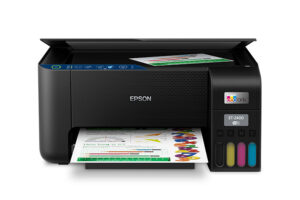
- Epson EcoTank ET-2400: the same refill-and-forget logic at 10/5 ppm ISO, if you prefer Epson's bottle system and supply prices.
The VS Score is calculated from the weighted specifications above, each measured against the median of comparable printers — a shortlisting guide, not a substitute for your own priorities. See how we score.




