Logitech’s post about Googlebook support names six products, but the Logi Options+ app it points to lists 31. Googlebooks reached US stores on October 4, and a day later Logitech said the MX Master 4, MX Anywhere 3S, MX Keys S, MX Keys Mini, Mobi Fold and Keys-to-Go 2 can map their buttons to Gemini features on Google’s new laptops. The Google Play listing for Logi Options+ for Googlebook, updated the same day, adds the MX Master 3S, the Lift, the Signature mice, the Wave Keys and more. If your Logitech mouse or keyboard is on that longer list, you can put Magic Pointer on a button today.
What the app adds to a Googlebook
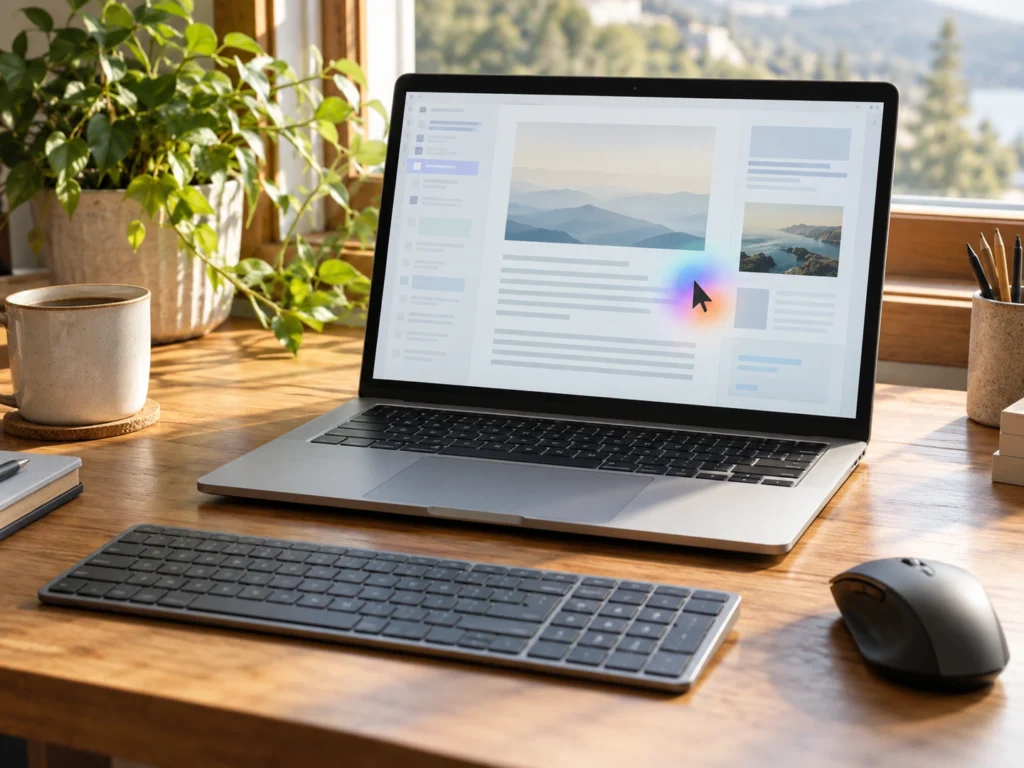
Magic Pointer is Google’s name for the Gemini cursor on Googlebook OS. Google says it wakes when you wiggle the pointer, then works on whatever sits under it, such as a training plan on a web page that Gemini turns into calendar entries, or a set of images it combines into one. Any mouse or touchpad can wiggle, so Magic Pointer itself needs no Logitech hardware.
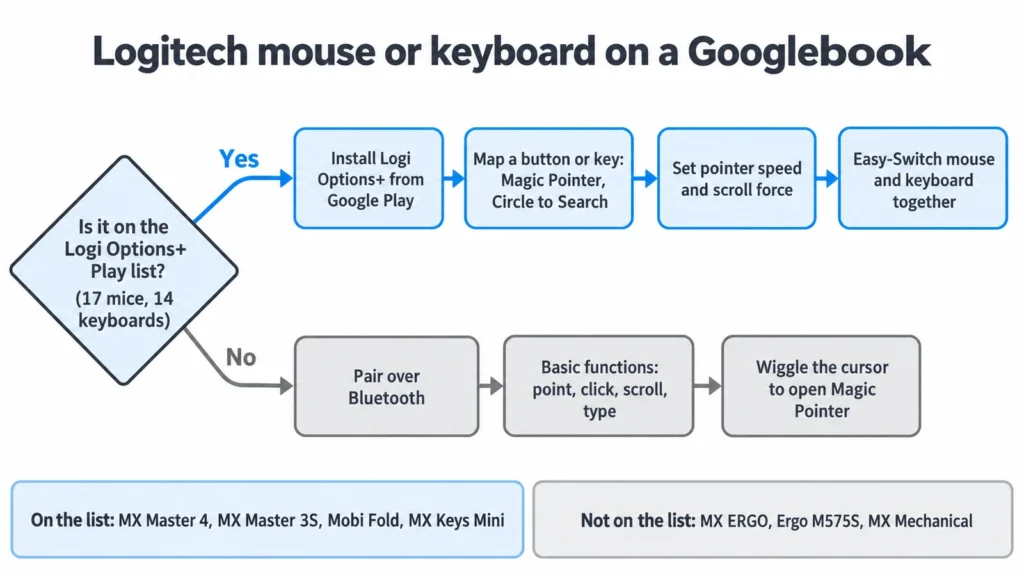
With Options+, Magic Pointer and Circle to Search can sit on a mouse button or a keyboard key in place of the wiggle. The Play listing also lets you set pointer speed and scroll force, and use Easy-Switch, including the version where one key press on a supported keyboard moves the mouse and the keyboard to another computer together. Logitech’s blog post also names Gemini Dictation and Gemini Text as targets for a button.
Googlebook prices start at $899. Google says the laptops went on sale in Canada, the UK, Ireland, France, Germany and Australia on October 5, a day after the US.
Two lists from the same company
Logitech’s October 5 post calls its six devices the ones compatible “at launch” and the products “recommended for Googlebook”, sold at the retailers that carry the laptops. The Play listing names 17 mice and 14 keyboards. Some entries are versions of one product, such as the “for Mac” and “for Business” models, but the list still reaches well past six.
On the mouse side it adds the MX Master 3S, the Lift and Lift Left, the Signature M550, M650 and M750, the Signature Comfort Plus M850 L, the Pebble Mouse 2 M350s and the Pop Mouse. The keyboards add the Wave Keys, the Alto Keys, the Signature Slim K950 and Signature Slim Solar+ K980, the Signature Comfort Plus K880 L, the Pebble Keys 2 K380s and the Pop Icon Keys.
Our reading is that the blog names what Logitech is selling next to the new laptops, and the Play listing names what the software supports. If you own an MX Master 3S, you do not need its successor to get Gemini buttons, because the 3S is on the app’s list.
Logitech’s product pages had not caught up with either at launch. The MX Master 4 spec sheet lists “ChromeOS and Googlebook” under both Bluetooth and the Logi Bolt receiver, yet its footnote still says customization needs Options+ on Windows or macOS and that other systems get basic functions without software. By October 9, 2026, the same spec sheet’s customization row listed basic Options+ support on Googlebook and said the haptic feedback and Actions Ring work only on recent versions of Windows and macOS. The Options+ download page shows a Googlebook button beside the Windows and Mac installers while its system requirements still stop at Windows 10 and macOS 14. Of the three, the Play listing is the document written for the Googlebook app itself.
Which button to give up
Every Gemini shortcut takes a button away from something else. The Mobi Fold has two programmable inputs, its forward and back buttons, so putting Magic Pointer on one costs you browser back or forward. The MX Master 3S has seven buttons and the MX Master 4 has eight, enough to hold Magic Pointer and Circle to Search with back and forward left alone.
The MX Master 4’s headline feature, the Haptic Sense Panel under the thumb and the Actions Ring menu it opens, does not appear in the Play listing. Logitech advertises the panel’s native integration on Windows 11, so on a Googlebook expect the MX Master 4 to behave as a mouse with eight buttons and a fast scroll wheel.
On a keyboard, the MX Keys Mini already has a dictation key among its media keys, which makes it the obvious key for Gemini Dictation. Its microphone-mute and emoji keys are the next candidates if you would rather keep dictation where it is.
Logitech devices left off the list
The MX ERGO and Ergo M575S trackballs are missing from the list, as are the MX Mechanical, the original MX Keys and the ERGO K860 split keyboard. None of Logitech’s G gaming mice or keyboards appear either.
A Bluetooth mouse does not need an app to point, click and scroll, and a Bluetooth keyboard types without one, so these still work with a Googlebook in the basic sense Logitech describes on the MX Master 4 spec sheet. The wiggle still opens Magic Pointer. What you give up is the button mapping, the pointer and scroll tuning, and the one-key Easy-Switch between computers. On a trackball, the wiggle means rolling the ball back and forth with a thumb or fingers until Magic Pointer wakes.
Chromebooks and the next update
Logitech describes the app only for Googlebook, and it has not said whether ChromeOS Chromebooks will get it. Gemini Dictation and Gemini Text appear in the blog post but not among the app’s listed features, so check the app’s button menu for them after installing. Logitech can add devices to the Play listing with any app update, so that list is the page to check if your mouse or keyboard is missing today.