
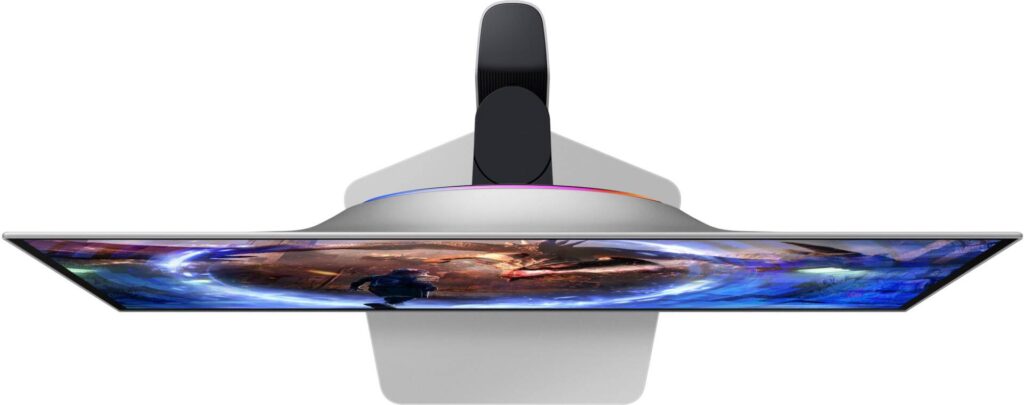
Samsung Odyssey OLED G60SD S27DG602S: Specs, Pros & Cons
At the small end of Samsung's OLED gaming range, below the large high-resolution flagships, sits this: a compact QHD model built for one job, feeding very high frame rates from a single PC. It is the most focused screen in the Odyssey OLED family, and the easiest way to understand it is through what it does not try to be.
It is not primarily a work monitor. Pixel density at this size and resolution is ordinary, and the subpixel layout of this panel type can leave faint color fringes on thin text, so it suits a desk where spreadsheets are occasional rather than constant. Nor is it a hub for several devices. What it concentrates on is motion: the refresh rate is high enough that few games or graphics cards will ever reach it, OLED pixel response removes the smearing LCDs struggle with, and variable refresh keeps frame delivery smooth when the game cannot hold the maximum.
The finish is the deliberate twist, and it shapes who the monitor suits more than any single number does. Samsung went against the usual glossy look for this class of panel, which makes the room the monitor sits in part of the buying decision.
Its natural buyer plays competitive shooters or other fast titles on a graphics card that can deliver those frame rates at this resolution. That qualifier matters. In slower single-player games, or on a mid-range card, the top of the refresh range goes unused, and a cheaper high-refresh OLED would look much the same. Owners should also accept the usual OLED housekeeping around static content. Nothing in the specification removes that.
Category strengths
Where the Samsung Odyssey OLED G60SD S27DG602S beats the median
- A much higher refresh rate ?360 Hz vs 240 Hz (median)
Where the Samsung Odyssey OLED G60SD S27DG602S trails the median
- Fewer HDMI ports ?1 vs 2 (median)
- A lower contrast ratio ?1000000:1 vs 1500000:1 (median)
- No USB hub ?
- A slightly lower pixel density ?109 ppi vs 111 ppi (median)
How this VS Score was computed
Score 46: each known spec is measured against the median of OLED gaming monitors, 27 to 31 inches (16 products), then weighted; 50 means level with that median. In classes of six or more, a value beyond the class’s 10th–90th percentile range counts as that limit, so one extreme product cannot set the scale. 70% of the scoreable weight could be used; unknown values, features not applicable to this class and proxies (battery capacity where a rated life exists) add or remove nothing.
| Specification | This product | Cohort median | Score weight | Points moved |
|---|---|---|---|---|
| Refresh rate | 360 | 240 | 1.2 | +30.0 |
| USB-C | No | 33% of the class have it | 0.5 | −24.0 |
| HDR | HDR10 | True Black 400 | 0.5 | −20.0 |
| Motion blur reduction | No | 22% of the class have it | 0.3 | −14.4 |
| Contrast ratio | 1,000,000 | 1,500,000 | 0.6 | −10.2 |
| HDMI ports | 1 | 2 | 0.4 | −10.0 |
| Headphone output | Yes | 75% of the class have it | 0.2 | +10.0 |
| USB hub | No | 73% of the class have it | 0.05 | −2.2 |
| Pixel density | 109 | 111 | 0.5 | −0.5 |
| Screen size | 27 | 27 | 1.2 | +0.0 |
| Resolution | 1440p | 1440p | 1.2 | +0.0 |
| Panel type | OLED | OLED | 0.8 | +0.0 |
| Color depth | 10 | 10 | 0.3 | +0.0 |
| Response time | 0.03 | 0.03 | 0.8 | +0.0 |
| Peak brightness | 1,000 | 1,000 | 0.8 | +0.0 |
| DCI-P3 coverage | 99 | 99 | 0.6 | +0.0 |
| Adaptive sync | G-Sync Compatible | G-Sync Compatible | 0.6 | +0.0 |
| DisplayPort inputs | 1 | 1 | 0.4 | +0.0 |
Not scored: Local dimming (not applicable: only 0% of this class have it); Local dimming zones (unknown: not scored); Variable refresh rate (standard for the class (100% have it)); Input lag (unknown: not scored); Height adjustment (standard for the class (94% have it)); Tilt (standard for the class (100% have it)); Swivel (standard for the class (88% have it)); Pivot (standard for the class (81% have it)); USB-C power delivery (unknown: not scored); Built-in speakers (not applicable: only 0% of this class have it); KVM switch (unknown: not scored); Webcam (unknown: not scored); Microphone (unknown: not scored); Ethernet (unknown: not scored); Picture-by-picture (unknown: not scored).
Editor’s note
The Odyssey G60SD is the matte QD-OLED, and that single choice is the reason to pick it over the glossy panels it otherwise matches.
Nearly everything else lines up with its rivals: 27 inches, 1440p, 360 Hz, 0.03 ms response, 99% DCI-P3, 1,000 nits peak, G-Sync Compatible. What differs is the finish. A matte coating diffuses reflections instead of mirroring them, which makes it the sensible choice for a desk facing a window or under office lighting, the situation where a glossy OLED shows you the room. The trade is a slight loss of the deep, wet-looking black that glossy panels are prized for.
One certification is worth reading properly. HDR here is listed as plain HDR10 rather than the VESA True Black 400 its competitors carry. The panel is physically similar, so the practical difference is smaller than the labels suggest, but it is not a like-for-like badge and a spec-table comparison will not tell you that.
Connectivity is the thin part: one HDMI 2.1, one DisplayPort 1.4, no USB-C and no USB hub at all. This is a monitor to plug a single PC into. The stand does adjust in every axis including pivot.
Buy it if you want QD-OLED speed in a bright room and connect one machine. Buy a glossy panel if the room is dark and you want maximum contrast, or something with a hub if the desk has more than one source.
Specifications
Quality bars show where each figure sits between the lowest and highest of the 16 OLED gaming monitors, 27 to 31 inches this VS Score is measured against.
Picture
Gaming
Ergonomics & design
Connectivity
Features
Sources and verification
Where the specifications come from
- Official product pagesamsung.com
- Independent testingrtings.com
Verification
- First published
- Specifications last checked
- Sheet completeness
- 32 of 42 specifications verified; the rest show as Unknown and are never estimated or scored
- Page type
- Product specification page — Compiled from the manufacturer’s published specifications and the cited sources; this is not a hands-on test.
- Basis
- Research-based: specifications and editorial text were compiled from the documents listed here and the manufacturer’s published data. We have not tested this unit ourselves; where independent measurements are mentioned they belong to the linked publication.
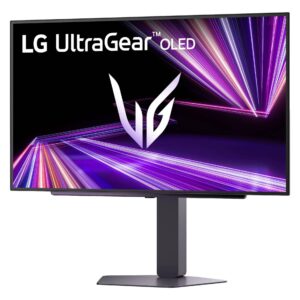
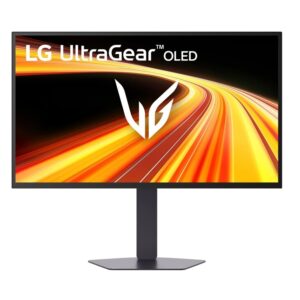
Monitors with similar specs to the Samsung Odyssey OLED G60SD S27DG602S


Ratings & reviews
No reviews yet. Be the first to share your experience.
The bottom line
The Samsung Odyssey OLED G60SD S27DG602S earns a VS Score of 46, below the median of the 16 OLED gaming monitors, 27 to 31 inches it is measured against (a score of 50 is level with that median).
- Who it’s for
- A competitive player with one gaming PC that can push very high frame rates at QHD, whose desk faces a window or sits under office lights.
- Who should look elsewhere
- Players of slower single-player games who will never approach its top refresh rate, and anyone who needs a hub or more than one input of each kind.
- The trade-off that matters
- Choosing matte means choosing the room over the showroom: blacks lose a touch of depth against glossy rivals, but reflections stop competing with the picture during daytime play.
- The main alternative
- Dell Alienware AW2725DF: a glossy rival in the same size and speed class, the better pick for a dim room and for buyers who want the deepest possible black.
The VS Score is calculated from the weighted specifications above, each measured against the median of comparable OLED gaming monitors, 27 to 31 inches — a shortlisting guide, not a substitute for your own priorities. See how we score.




