
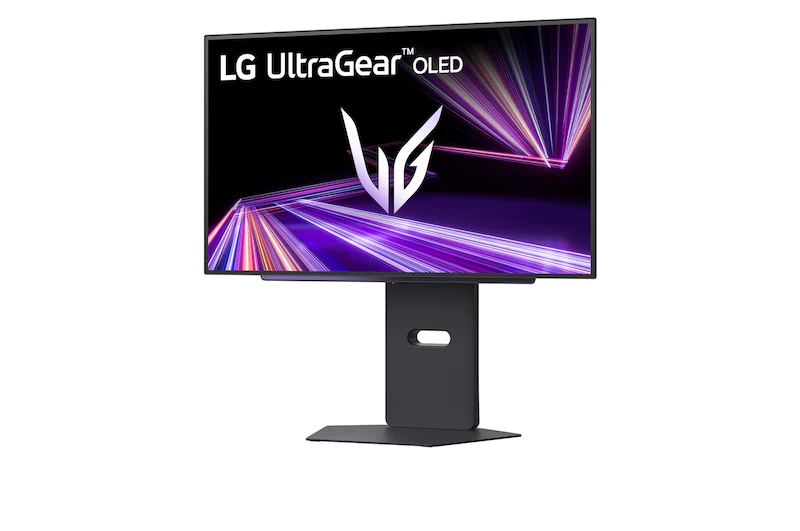
LG UltraGear 27GX700A-B: Specs, Features, Pros & Cons
Two panel technologies compete for OLED gaming monitors, and LG builds its own. This UltraGear uses LG Display's WOLED, which adds a white sub-pixel to the usual red, green and blue, while most rival brands buy Samsung Display's QD-OLED. The practical differences are real. WOLED tends to hold a deeper black in a room with daylight or lamps on, and it pushes small highlights hard, while QD-OLED usually shows richer saturated color at high brightness.
Within LG's own range this model sits in the middle of the OLED line: faster than the older, cheaper UltraGear OLEDs and below the esports flagships that trade everything for refresh rate. At this size and resolution, a current mid-to-upper graphics card can feed it properly, so the motion clarity the panel is capable of turns up in real games rather than only in benchmarks.
It suits PC players who split their time between fast shooters and dark, atmospheric single-player games, and who want one screen that handles both without compromise on contrast. Anyone moving from an IPS gaming monitor will see the difference first in night scenes and in how cleanly fast movement resolves.
Static work is where it struggles. An OLED asks for some care over the years with fixed taskbars, trading layouts and game HUDs, so it belongs on a desk that mostly plays. The matte finish controls reflections at the small cost of a less glassy look. There is no single-cable laptop connection and no switching between computers either, which rules it out as a work hub for a laptop.
Category strengths
Where the LG UltraGear 27GX700A-B beats the median
- Much higher peak brightness ?1,500 nits vs 1,000 nits (median)
- A higher refresh rate ?280 Hz vs 240 Hz (median)
How this VS Score was computed
Score 52: each known spec is measured against the median of OLED gaming monitors, 27 to 31 inches (16 products), then weighted; 50 means level with that median. In classes of six or more, a value beyond the class’s 10th–90th percentile range counts as that limit, so one extreme product cannot set the scale. 68% of the scoreable weight could be used; unknown values, features not applicable to this class and proxies (battery capacity where a rated life exists) add or remove nothing.
| Specification | This product | Cohort median | Score weight | Points moved |
|---|---|---|---|---|
| USB-C | No | 33% of the class have it | 0.5 | −24.0 |
| Peak brightness | 1,500 | 1,000 | 0.8 | +20.0 |
| Headphone output | Yes | 75% of the class have it | 0.2 | +10.0 |
| Refresh rate | 280 | 240 | 1.2 | +9.6 |
| HDR | True Black 500 | True Black 400 | 0.5 | +5.0 |
| USB hub | Yes | 73% of the class have it | 0.05 | +2.3 |
| KVM switch | No | 33% of the class have it | 0.02 | −1.0 |
| Screen size | 27 | 27 | 1.2 | +0.0 |
| Resolution | 1440p | 1440p | 1.2 | +0.0 |
| Panel type | OLED | OLED | 0.8 | +0.0 |
| Color depth | 10 | 10 | 0.3 | +0.0 |
| Response time | 0.03 | 0.03 | 0.8 | +0.0 |
| Contrast ratio | 1,500,000 | 1,500,000 | 0.6 | +0.0 |
| DCI-P3 coverage | 99.5 | 99 | 0.6 | +0.0 |
| Pixel density | 111 | 111 | 0.5 | +0.0 |
| Adaptive sync | G-Sync Compatible | G-Sync Compatible | 0.6 | +0.0 |
| HDMI ports | 2 | 2 | 0.4 | +0.0 |
| DisplayPort inputs | 1 | 1 | 0.4 | +0.0 |
Not scored: Local dimming (not applicable: only 0% of this class have it); Local dimming zones (unknown: not scored); Variable refresh rate (standard for the class (100% have it)); Motion blur reduction (unknown: not scored); Input lag (unknown: not scored); Height adjustment (standard for the class (94% have it)); Tilt (standard for the class (100% have it)); Swivel (standard for the class (88% have it)); Pivot (standard for the class (81% have it)); USB-C power delivery (unknown: not scored); Built-in speakers (not applicable: only 0% of this class have it); Webcam (not applicable: only 0% of this class have it); Microphone (not applicable: only 0% of this class have it); Ethernet (not applicable: only 0% of this class have it); Picture-by-picture (unknown: not scored).
Editor’s note
The 27GX700A-B targets players who want OLED motion clarity without committing to a 32-inch 4K screen. Its 27-inch QHD format is easy for modern graphics cards to drive at high frame rates, while the 280 Hz refresh rate and 0.03 ms-class pixel response keep fast movement exceptionally clean. Perfect blacks and wide color coverage also make single-player HDR games and dark films look far richer than on a basic IPS monitor.
The headline 1,500-nit figure applies to small highlights under specific HDR conditions, not a full white screen. OLED brightness varies with scene content. The panel also includes automatic protection behavior. Static desktop elements can contribute to burn-in over long periods, so taskbars, fixed HUDs, and all-day spreadsheet use deserve sensible mitigation. The matte coating controls reflections but slightly softens the pristine look of glossy OLED.
Two HDMI 2.1 inputs and DisplayPort 1.4 cover consoles and PCs, with VRR, FreeSync Premium Pro, and G-Sync compatibility. The stand offers height, tilt, swivel, and pivot adjustment. A USB hub and headphone output are included, but there is no USB-C video/power, KVM switch, speakers, webcam, microphone, or Ethernet. Anyone with a laptop who wants one-cable docking should look elsewhere.
Choose this model for competitive and cinematic PC gaming at QHD, particularly if that refresh rate is realistic for the games and GPU involved. Skip it for color-critical static work, bright-window offices, or a USB-C laptop desk. Buyers should also check LG's current OLED warranty terms in their region and confirm the exact 27GX700A-B suffix, since similar UltraGear names can hide different panel generations and refresh rates.
Specifications
Quality bars show where each figure sits between the lowest and highest of the 16 OLED gaming monitors, 27 to 31 inches this VS Score is measured against.
Picture
Gaming
Ergonomics & design
Connectivity
Features
Sources and verification
Where the specifications come from
- Official product pagelg.com
- Independent testingrtings.com
Verification
- First published
- Specifications last checked
- Sheet completeness
- 35 of 42 specifications verified; the rest show as Unknown and are never estimated or scored
- Page type
- Product specification page — Compiled from the manufacturer’s published specifications and the cited sources; this is not a hands-on test.
- Basis
- Research-based: specifications and editorial text were compiled from the documents listed here and the manufacturer’s published data. We have not tested this unit ourselves; where independent measurements are mentioned they belong to the linked publication.
Monitors with similar specs to the LG UltraGear 27GX700A-B

Ratings & reviews
No reviews yet. Be the first to share your experience.
The bottom line
The LG UltraGear 27GX700A-B earns a VS Score of 52, above the median of the 16 OLED gaming monitors, 27 to 31 inches it is measured against (a score of 50 is level with that median).
- Who it’s for
- A PC gamer who plays fast shooters and dark single-player games on one screen, in a room that sees daylight, and who wants OLED motion without the graphics load of a higher-resolution panel.
- Who should look elsewhere
- Anyone whose screen shows the same taskbar, spreadsheet or trading layout for most of the day, and laptop owners who need one-cable docking. Look elsewhere for color-critical static work.
- The trade-off that matters
- OLED motion and contrast come with care rules. Static elements need managing over the years, which is easy on a gaming desk and a chore on a work one.
- The main alternative
- Dell Alienware AW2725DF, a QD-OLED rival at the same size with a higher refresh ceiling, for players who put raw speed ahead of LG's brighter highlights.
The VS Score is calculated from the weighted specifications above, each measured against the median of comparable OLED gaming monitors, 27 to 31 inches — a shortlisting guide, not a substitute for your own priorities. See how we score.





