
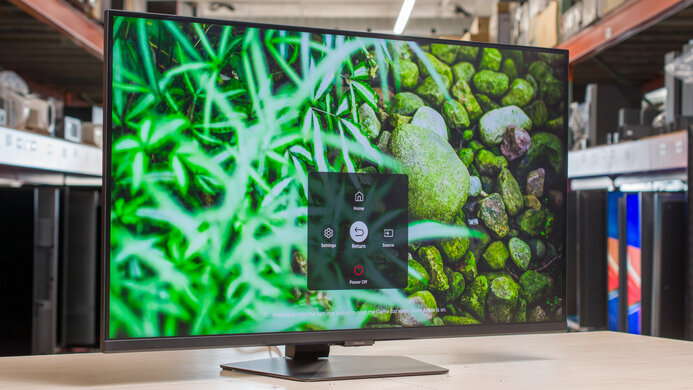
Samsung Odyssey G70D S32DG70: Specs, Features, Pros & Cons
Samsung's Odyssey G70D can run without a computer attached. Its smart-TV platform streams from apps on the screen itself, and it has an Ethernet port and built-in speakers of its own. So one 4K panel can serve as a PC monitor, a console screen and a small television in a room that has space for only one of them.
It belongs to Samsung's Odyssey gaming range, and the S32DG70 is the shortened model code that retailers use for it. The panel is IPS, a size step up from the usual 27-inch gaming screen, and it runs at a refresh rate high enough for console and PC games at 4K. A USB hub, two HDMI inputs and one DisplayPort input cover the sources, and the stand adjusts for height.
The size is part of the decision. A screen this large needs some desk depth, since sitting close makes the corners harder to scan, and a graphics card has to work hard to hold a high frame rate at this resolution.
It gives up the picture quality of more expensive panels. IPS contrast leaves dark scenes gray, and without strong local dimming the HDR badge is a basic one. The refresh rate trails faster gaming screens at lower resolutions, which competitive players will notice before anyone else. There is also no headphone output, an odd gap on a screen that plays films and games on its own.
The room it suits is a bedroom, a dorm or a small apartment where a separate television would not fit. In a room that already has a television, the smart platform becomes a set of menus and updates on a screen that only ever shows a PC.
Category strengths
Where the Samsung Odyssey G70D S32DG70 beats the median
- Has built-in speakers ?
- Has ethernet ?
- Has USB hub ?
Where the Samsung Odyssey G70D S32DG70 trails the median
- A lower refresh rate ?144 Hz vs 180 Hz (median)
- No headphone output ?
How this VS Score was computed
Score 53: each known spec is measured against the median of IPS gaming monitors (38 products), then weighted; 50 means level with that median. In classes of six or more, a value beyond the class’s 10th–90th percentile range counts as that limit, so one extreme product cannot set the scale. 61% of the scoreable weight could be used; unknown values, features not applicable to this class and proxies (battery capacity where a rated life exists) add or remove nothing.
| Specification | This product | Cohort median | Score weight | Points moved |
|---|---|---|---|---|
| USB-C | No | 22% of the class have it | 0.5 | −24.0 |
| Height adjustment | Yes | 79% of the class have it | 0.4 | +20.0 |
| Resolution | 4K | 1440p | 1.2 | +15.6 |
| Refresh rate | 144 | 180 | 1.2 | −12.0 |
| Swivel | Yes | 62% of the class have it | 0.2 | +10.0 |
| Built-in speakers | Yes | 32% of the class have it | 0.2 | +10.0 |
| Ethernet | Yes | 3% of the class have it | 0.2 | +10.0 |
| Headphone output | No | 84% of the class have it | 0.2 | −9.6 |
| HDR | DisplayHDR 400 | DisplayHDR 400 | 0.5 | +3.0 |
| USB hub | Yes | 42% of the class have it | 0.05 | +2.3 |
| Pivot | Yes | 68% of the class have it | 0.02 | +1.0 |
| Screen size | 32 — capped at the class’s upper range (27) | 27 | 1.2 | +0.0 |
| Panel type | IPS | IPS | 0.8 | +0.0 |
| Response time | 1 | 1 | 0.8 | +0.0 |
| Contrast ratio | 1,000 | 1,000 | 0.6 | +0.0 |
| Adaptive sync | G-Sync Compatible | G-Sync Compatible | 0.6 | +0.0 |
| HDMI ports | 2 | 2 | 0.4 | +0.0 |
| DisplayPort inputs | 1 | 1 | 0.4 | +0.0 |
Not scored: Color depth (unknown: not scored); Peak brightness (unknown: not scored); DCI-P3 coverage (unknown: not scored); Pixel density (unknown: not scored); Local dimming (unknown: not scored); Local dimming zones (unknown: not scored); Variable refresh rate (standard for the class (100% have it)); Motion blur reduction (unknown: not scored); Input lag (unknown: not scored); Tilt (standard for the class (100% have it)); USB-C power delivery (unknown: not scored); KVM switch (unknown: not scored); Webcam (unknown: not scored); Microphone (unknown: not scored); Picture-by-picture (unknown: not scored).
Editor’s note
I would judge this screen against Samsung's own M-series Smart Monitors before any gaming rival. Those carry the same streaming apps and TV-style menus at office refresh rates. The G70D is what you buy when that screen also has to run games smoothly, and that is the whole case for paying for the Odyssey badge.
At 144 Hz the panel sits in a sensible place for 4K. Current consoles top out at 120 Hz in the games that offer it, so the monitor never holds them back, and a PC with a strong graphics card gets some headroom above that. Players who chase frame rates in shooters will find faster screens at lower resolutions, and they were never the buyer here.
Text is the pleasant surprise of this size. At roughly 138 pixels per inch it is sharper than QHD at the usual gaming size and less dense than 4K squeezed onto a smaller panel, so you can run Windows at a modest scaling setting and still fit two documents side by side.
The picture has a ceiling. HDR on a panel with an entry-level badge and no local dimming lifts brightness a little and does almost nothing for contrast, so a film at night looks like good SDR. If film nights count for more than games, Samsung's OLED G80SD is the better screen, and it costs a good deal more.
Watch the model code when you buy. Samsung has sold the older G70B and the curved Mini LED Neo G7 under very similar names, and retailers shorten this one to S32DG70. The full US code is LS32DG702ENXZA, and a listing that does not match it may be a different screen.
Specifications
Quality bars show where each figure sits between the lowest and highest of the 38 IPS gaming monitors this VS Score is measured against.
Picture
Gaming
Ergonomics & design
Connectivity
Features
Sources and verification
Where the specifications come from
- Official product pagesamsung.com
Verification
- First published
- Specifications last checked
- Sheet completeness
- 26 of 42 specifications verified; the rest show as Unknown and are never estimated or scored
- Page type
- Product specification page — Compiled from the manufacturer’s published specifications and the cited sources; this is not a hands-on test.
- Basis
- Research-based: specifications and editorial text were compiled from the documents listed here and the manufacturer’s published data. We have not tested this unit ourselves; where independent measurements are mentioned they belong to the linked publication.
Monitors with similar specs to the Samsung Odyssey G70D S32DG70
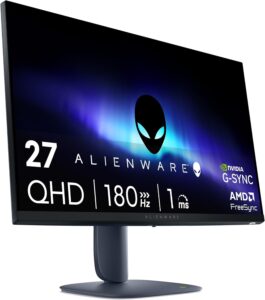
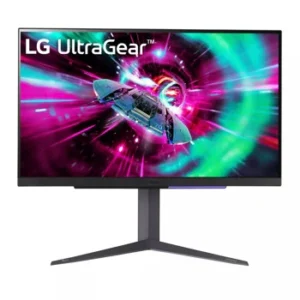
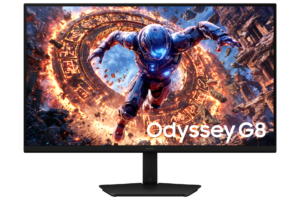
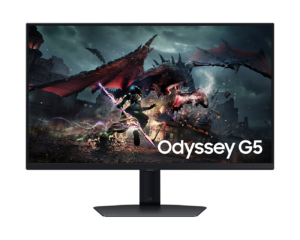
Ratings & reviews
No reviews yet. Be the first to share your experience.
The bottom line
The Samsung Odyssey G70D S32DG70 earns a VS Score of 53, above the median of the 38 IPS gaming monitors it is measured against (a score of 50 is level with that median).
- Who it’s for
- A bedroom or dorm where one screen has to be the PC monitor, the console display and the streaming TV.
- Who should look elsewhere
- Dark-room cinema fans, HDR enthusiasts and esports players. The IPS panel lacks strong local dimming, and resolution is prioritized over top speed.
- The trade-off that matters
- The smart platform saves buying a separate TV and adds menus, updates and processing that a plain monitor never asks you to manage.
- The main alternative
- Samsung Odyssey OLED G80SD S32DG80: Samsung's OLED of the same size and resolution, for deep black and faster motion at a higher cost.
The VS Score is calculated from the weighted specifications above, each measured against the median of comparable IPS gaming monitors — a shortlisting guide, not a substitute for your own priorities. See how we score.





