
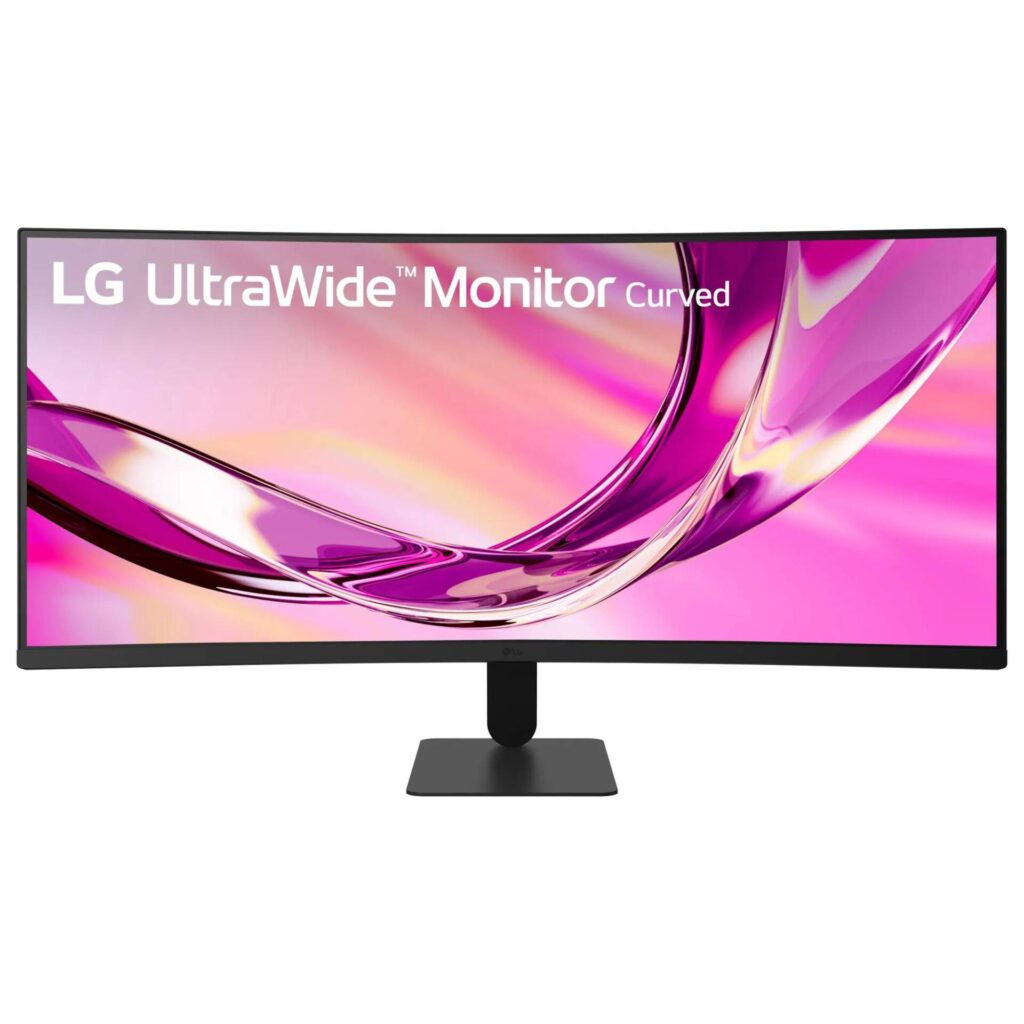
LG 34U60ZB-B UltraWide WQHD Curved: Specs, Pros & Cons
The 34U60ZB-B is LG's plain-clothes ultrawide: a 34-inch 3440 by 1440 curved panel with a 120 Hz refresh rate and no gaming branding, sold on the premise that a wide, fast, inexpensive screen is useful to more people than gamers. It sits at the bottom of LG's curved ultrawide range, and the choices LG made to get it there are the whole story.
The panel is VA rather than IPS. That buys a 3000:1 contrast ratio, roughly three times what LG's IPS ultrawides manage, and costs some viewing-angle consistency and the slower pixel response VA is known for. LG rates it at 5 ms gray-to-gray in its fastest overdrive mode. Brightness is a modest 250 nits, color coverage is 99 percent sRGB with no wider gamut claimed, and the HDR10 badge is a signal-processing feature with no real HDR display behind it at that brightness.
The 1800R curve is gentle, the refresh is a genuine native rate, with variable refresh support, and the pixel density works out to about 110 per inch, which suits an ultrawide well. Text is crisp without scaling.
Connectivity is where the price shows: one DisplayPort 1.4 and one HDMI 2.0, no USB-C, no USB hub, no KVM. The stand tilts and does nothing else, though there is a 100-millimeter VESA mount for an arm. LG's Switch app handles window tiling and there is a one-year warranty.
Category strengths
Where the LG 34U60ZB-B UltraWide WQHD Curved trails the median
- A lower refresh rate ?120 Hz vs 172.5 Hz (median)
- Lower peak brightness ?250 nits vs 400 nits (median)
- No height adjustment ?
- No swivel adjustment ?
- A lower contrast ratio ?3000:1 vs 3500:1 (median)
- A lower color depth ?8 bit vs 10 bit (median)
- No USB hub ?
How this VS Score was computed
Score 42: each known spec is measured against the median of VA gaming monitors, 32 inches and up (6 products), then weighted; 50 means level with that median. In classes of six or more, a value beyond the class’s 10th–90th percentile range counts as that limit, so one extreme product cannot set the scale. 60% of the scoreable weight could be used; unknown values, features not applicable to this class and proxies (battery capacity where a rated life exists) add or remove nothing.
| Specification | This product | Cohort median | Score weight | Points moved |
|---|---|---|---|---|
| Height adjustment | No | 50% of the class have it | 0.4 | −19.2 |
| Refresh rate | 120 | 172.5 | 1.2 | −18.0 |
| Peak brightness | 250 | 400 | 0.8 | −15.2 |
| Swivel | No | 50% of the class have it | 0.2 | −9.6 |
| Contrast ratio | 3,000 | 3,500 | 0.6 | −4.2 |
| Color depth | 8 | 10 | 0.3 | −3.0 |
| USB hub | No | 50% of the class have it | 0.05 | −2.2 |
| Pivot | No | 33% of the class have it | 0.02 | −1.0 |
| Screen size | 34 | 34 | 1.2 | +0.0 |
| Resolution | 1440p | 1440p | 1.2 | +0.0 |
| Panel type | VA | VA | 0.8 | +0.0 |
| Response time | 5 — capped at the class’s upper range (1) | 1 | 0.8 | +0.0 |
| HDR | HDR10 | HDR10 | 0.5 | +0.0 |
| Pixel density | 110 | 110 | 0.5 | +0.0 |
| HDMI ports | 1 — capped at the class’s lower range (2) | 2 | 0.4 | +0.0 |
| DisplayPort inputs | 1 | 1 | 0.4 | +0.0 |
Not scored: DCI-P3 coverage (unknown: not scored); Local dimming (unknown: not scored); Local dimming zones (unknown: not scored); Adaptive sync (unknown: not scored); Variable refresh rate (standard for the class (100% have it)); Motion blur reduction (unknown: not scored); Input lag (unknown: not scored); Tilt (standard for the class (100% have it)); USB-C (not applicable: only 0% of this class have it); USB-C power delivery (unknown: not scored); Built-in speakers (unknown: not scored); Headphone output (unknown: not scored); KVM switch (not applicable: only 0% of this class have it); Webcam (not applicable: only 0% of this class have it); Microphone (not applicable: only 0% of this class have it); Ethernet (not applicable: only 0% of this class have it); Picture-by-picture (unknown: not scored).
Editor’s note
The honest way to describe the 34U60ZB-B is that it is a very good panel bolted to a very basic monitor, and whether that is a bargain depends entirely on what you were going to plug into it.
The panel is the part I like. VA depth gives dark scenes and dark-mode interfaces a richness no IPS at this price can match, the refresh makes scrolling and window-dragging noticeably smoother than the office ultrawides it competes with, and the density is exactly what I would pick for text on a screen this wide. For a home-office user who also plays games in the evening, that combination is hard to beat for the money.
The monitor around it is where the compromises live. The two inputs cover a desktop and a console and nothing more. A laptop that expects to charge and connect over one cable gets no help here, and there is no hub to save you a dock. The stand is the other tell. Plan on a VESA arm, and count it as a real cost on top of the price.
VA's known weakness is smearing in fast dark transitions, and LG's response figure is quoted at the most aggressive overdrive setting, so competitive shooter players should look at the IPS or OLED alternatives. Everyone else will not notice.
The part that would make me hesitate is the modest brightness in a bright room, and an HDR badge that means very little at that level. Treat it as an SDR monitor and it is honest, but expect HDR and it disappoints.
I would buy it for a desktop-based home office or a mixed work-and-play desk on a budget. I would pay more for LG's USB-C models if the main machine is a laptop.
Specifications
Quality bars show where each figure sits between the lowest and highest of the 6 VA gaming monitors, 32 inches and up this VS Score is measured against.
Picture
Gaming
Ergonomics & design
Connectivity
Features
Sources and verification
Where the specifications come from
- Official product pagelg.com
- Retailer listing (cross-check)amazon.com
Verification
- First published
- Specifications last checked
- Sheet completeness
- 30 of 42 specifications verified; the rest show as Unknown and are never estimated or scored
- Page type
- Product specification page — Compiled from the manufacturer’s published specifications and the cited sources; this is not a hands-on test.
- Basis
- Research-based: specifications and editorial text were compiled from the documents listed here and the manufacturer’s published data. We have not tested this unit ourselves; where independent measurements are mentioned they belong to the linked publication.
Where to buy
Prices and availability may change. Check the retailer before buying. We may earn a commission on purchases.
Price history
Monitors with similar specs to the LG 34U60ZB-B UltraWide WQHD Curved
Ratings & reviews
No reviews yet. Be the first to share your experience.
The bottom line
The LG 34U60ZB-B UltraWide WQHD Curved earns a VS Score of 42, below the median of the 6 VA gaming monitors, 32 inches and up it is measured against (a score of 50 is level with that median).
- Who it’s for
- A desktop-based home office or work-and-play desk that wants the ultrawide workspace, deep contrast and a genuinely smooth refresh for the price of an ordinary 27-inch monitor.
- Who should look elsewhere
- Laptop owners who need USB-C power and docking, color-critical work that needs a wide gamut, and competitive shooter players who will notice VA's dark-scene smearing.
- The trade-off that matters
- A better panel than the price suggests because LG stripped the monitor around it. The screen is the bargain, and the inputs and ergonomics are the bill.
- The main alternative
- LG 34WQ60C-B: the IPS sibling at similar money for buyers who prefer IPS viewing angles and color consistency over VA contrast, and can accept its slower refresh.
The VS Score is calculated from the weighted specifications above, each measured against the median of comparable VA gaming monitors, 32 inches and up — a shortlisting guide, not a substitute for your own priorities. See how we score.





