
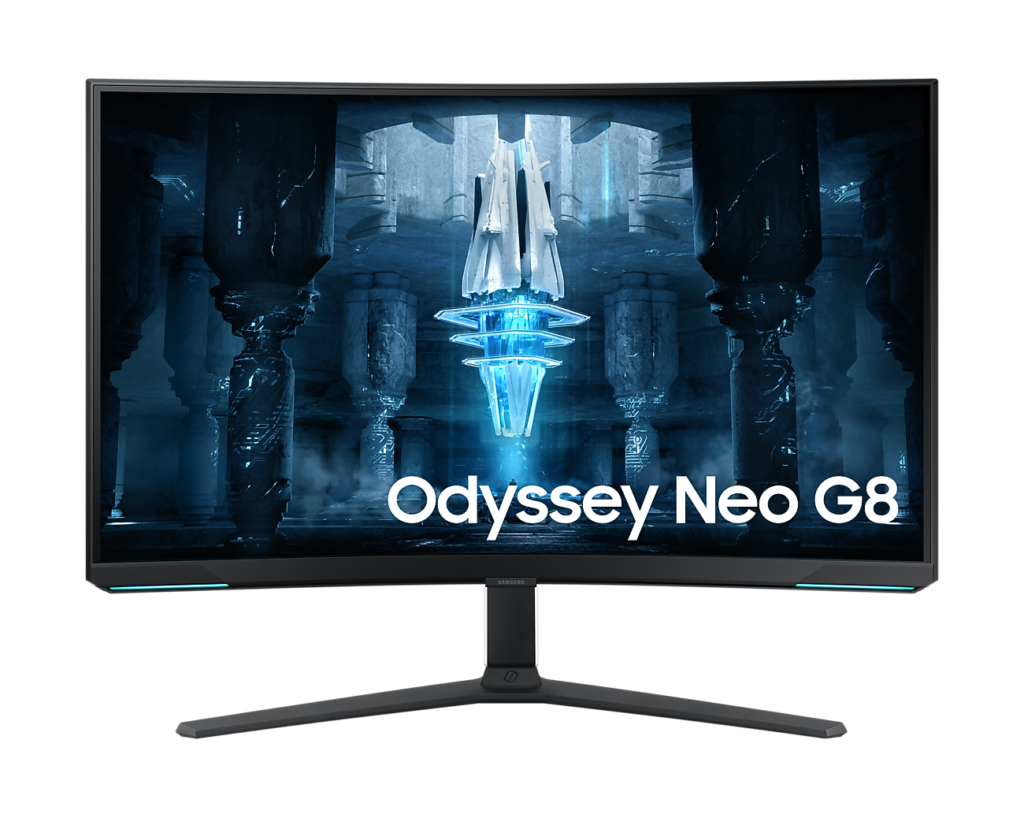
Samsung Odyssey Neo G8 S32BG85: Specs, Features, Pros & Cons
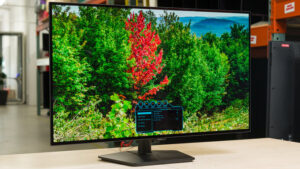
Before OLED took over the top of the gaming-monitor market, Mini-LED was the expensive route to bright HDR, and the Neo G8 is one of the best-known examples of it. It still answers a question OLED struggles with: how to show punchy HDR in a room full of daylight.
Mini-LED is an LCD at heart. Behind the panel sits a grid of very small LEDs split into many zones that dim and brighten on their own, so a sunlit sky gets full backlight while the shadows beside it go dark. The more zones a screen has, the more precisely it can light a small object, and this one has well over a thousand. Highlights hit hard, and because the light comes from a backlight there is no risk of a static taskbar burning in over months of desk use.
Samsung pairs that backlight with a 4K VA panel. VA has the deepest native blacks of the LCD types, and the zones deepen them further. Resolution at this size is high enough for sharp text and detailed games, and the screen suits both a PC and a current console on the same desk. Variable refresh works with current graphics cards, so motion stays smooth when a demanding game dips below the panel's top speed.
Its weak spots come with the technology, and the curve is the one that divides people. It wraps tightly for a screen of this shape, which pulls you into a game and makes the straight lines of a spreadsheet or a floor plan bow.
The Neo G8 rewards a player who sits close to the screen, games in a bright room and wants HDR that stays vivid with the curtains open.
Category strengths
Where the Samsung Odyssey Neo G8 S32BG85 beats the median
- A much higher contrast ratio ?1000000:1 vs 3500:1 (median)
- Much higher peak brightness ?1,000 nits vs 400 nits (median)
- A higher refresh rate ?240 Hz vs 172.5 Hz (median)
- Has local dimming ?
- Has height adjustment ?
- A higher pixel density ?140 ppi vs 110 ppi (median)
- Has swivel adjustment ?
- Has USB hub ?
- Has pivot adjustment ?
Where the Samsung Odyssey Neo G8 S32BG85 trails the median
- A slightly smaller screen ?32" (81.28 cm) vs 34" (86.36 cm) (median)
How this VS Score was computed
Score 71: each known spec is measured against the median of VA gaming monitors, 32 inches and up (6 products), then weighted; 50 means level with that median. In classes of six or more, a value beyond the class’s 10th–90th percentile range counts as that limit, so one extreme product cannot set the scale. 70% of the scoreable weight could be used; unknown values, features not applicable to this class and proxies (battery capacity where a rated life exists) add or remove nothing.
| Specification | This product | Cohort median | Score weight | Points moved |
|---|---|---|---|---|
| Resolution | 4K | 1440p | 1.2 | +60.0 |
| Peak brightness | 1,000 | 400 | 0.8 | +40.0 |
| Contrast ratio | 1,000,000 | 3,500 | 0.6 | +30.0 |
| Adaptive sync | G-Sync Compatible | FreeSync | 0.6 | +30.0 |
| Local dimming | Yes | 40% of the class have it | 0.4 | +20.0 |
| Height adjustment | Yes | 50% of the class have it | 0.4 | +20.0 |
| Swivel | Yes | 50% of the class have it | 0.2 | +10.0 |
| Refresh rate | 240 — capped at the class’s upper range (200) | 172.5 | 1.2 | +9.6 |
| Pixel density | 140 | 110 | 0.5 | +7.0 |
| Screen size | 32 | 34 | 1.2 | −3.6 |
| USB hub | Yes | 50% of the class have it | 0.05 | +2.3 |
| Pivot | Yes | 33% of the class have it | 0.02 | +1.0 |
| Panel type | VA | VA | 0.8 | +0.0 |
| Color depth | 10 | 10 | 0.3 | +0.0 |
| Response time | 1 | 1 | 0.8 | +0.0 |
| DCI-P3 coverage | 95 | 95 | 0.6 | +0.0 |
| HDR | HDR10 | HDR10 | 0.5 | +0.0 |
| HDMI ports | 2 | 2 | 0.4 | +0.0 |
| DisplayPort inputs | 1 | 1 | 0.4 | +0.0 |
Not scored: Local dimming zones (too few comparable peers (2, need 3)); Variable refresh rate (standard for the class (100% have it)); Motion blur reduction (unknown: not scored); Input lag (unknown: not scored); Tilt (standard for the class (100% have it)); USB-C (not applicable: only 0% of this class have it); USB-C power delivery (unknown: not scored); Built-in speakers (not applicable: only 0% of this class have it); Headphone output (standard for the class (80% have it)); KVM switch (unknown: not scored); Webcam (unknown: not scored); Microphone (unknown: not scored); Ethernet (unknown: not scored); Picture-by-picture (unknown: not scored).
Editor’s note
The Neo G8 was the first 32-inch monitor to combine 4K with this refresh rate, and it remains the brightest way to get both. A Quantum Mini-LED backlight with 1,196 dimming zones pushes 1,000 nits, which is roughly four times what a QD-OLED sustains and the reason this panel still makes sense for HDR in a lit room.
The curve is the decision that will divide people. At 1000R this is aggressively curved for a 16:9 screen. It wraps noticeably at 32 inches, which draws you into single-player games and works against anything involving straight lines. Spreadsheets, CAD and photo editing all show the bend. Look at one in person before committing.
The panel is VA, and it behaves like VA. Native contrast is excellent at a million to one with local dimming engaged, but dark-scene response is slower than IPS or OLED, so fast movement on dark backgrounds smears. Blooming around bright objects is present, though 1,196 zones keep it better controlled than most.
Connectivity is aimed squarely at gaming. Two HDMI 2.1 ports run a PS5 or Xbox Series X at 4K 120, DisplayPort 1.4 handles the PC, and there is a two-port USB hub and a headphone jack. There are no speakers. The stand adjusts for height, tilt, swivel and pivot, with a 100 by 100 VESA bracket included.
One practical note: reaching that refresh rate at 4K needs DisplayPort 1.4 with Display Stream Compression and a graphics card that can push those frames. On anything short of current high-end hardware you will spend most of your time well below the panel's ceiling.
Buy it if you want maximum brightness and refresh rate together and the curve appeals. Take the Neo G7 instead if 165 Hz is enough. It uses the same backlight and the same zone count for meaningfully less money.
Specifications
Quality bars show where each figure sits between the lowest and highest of the 6 VA gaming monitors, 32 inches and up this VS Score is measured against.
Picture
Gaming
Ergonomics & design
Connectivity
Features
Sources and verification
Where the specifications come from
- Official product pagesamsung.com
- Independent testingrtings.com
Verification
- First published
- Specifications last checked
- Sheet completeness
- 31 of 42 specifications verified; the rest show as Unknown and are never estimated or scored
- Page type
- Product specification page — Compiled from the manufacturer’s published specifications and the cited sources; this is not a hands-on test.
- Basis
- Research-based: specifications and editorial text were compiled from the documents listed here and the manufacturer’s published data. We have not tested this unit ourselves; where independent measurements are mentioned they belong to the linked publication.
Monitors with similar specs to the Samsung Odyssey Neo G8 S32BG85
Ratings & reviews
No reviews yet. Be the first to share your experience.
The bottom line
The Samsung Odyssey Neo G8 S32BG85 earns a VS Score of 71, above the median of the 6 VA gaming monitors, 32 inches and up it is measured against (a score of 50 is level with that median).
- Who it’s for
- A player with a top-end graphics card who wants HDR that holds up in a lit room, and who likes a strongly curved screen.
- Who should look elsewhere
- Spreadsheet, CAD and photo work, where the tight curve bends straight lines, and anyone bothered by smearing on dark backgrounds.
- The trade-off that matters
- The top refresh rate needs current high-end hardware at this resolution, so most systems pay for headroom they never use.
- The main alternative
- Samsung Odyssey Neo G7 S32BG75: the same backlight and zone count at a lower refresh ceiling, for noticeably less money.
The VS Score is calculated from the weighted specifications above, each measured against the median of comparable VA gaming monitors, 32 inches and up — a shortlisting guide, not a substitute for your own priorities. See how we score.





