Review · Keyboards

Apple Magic Keyboard with Touch ID and Numeric Keypad Review: Built for One Mac

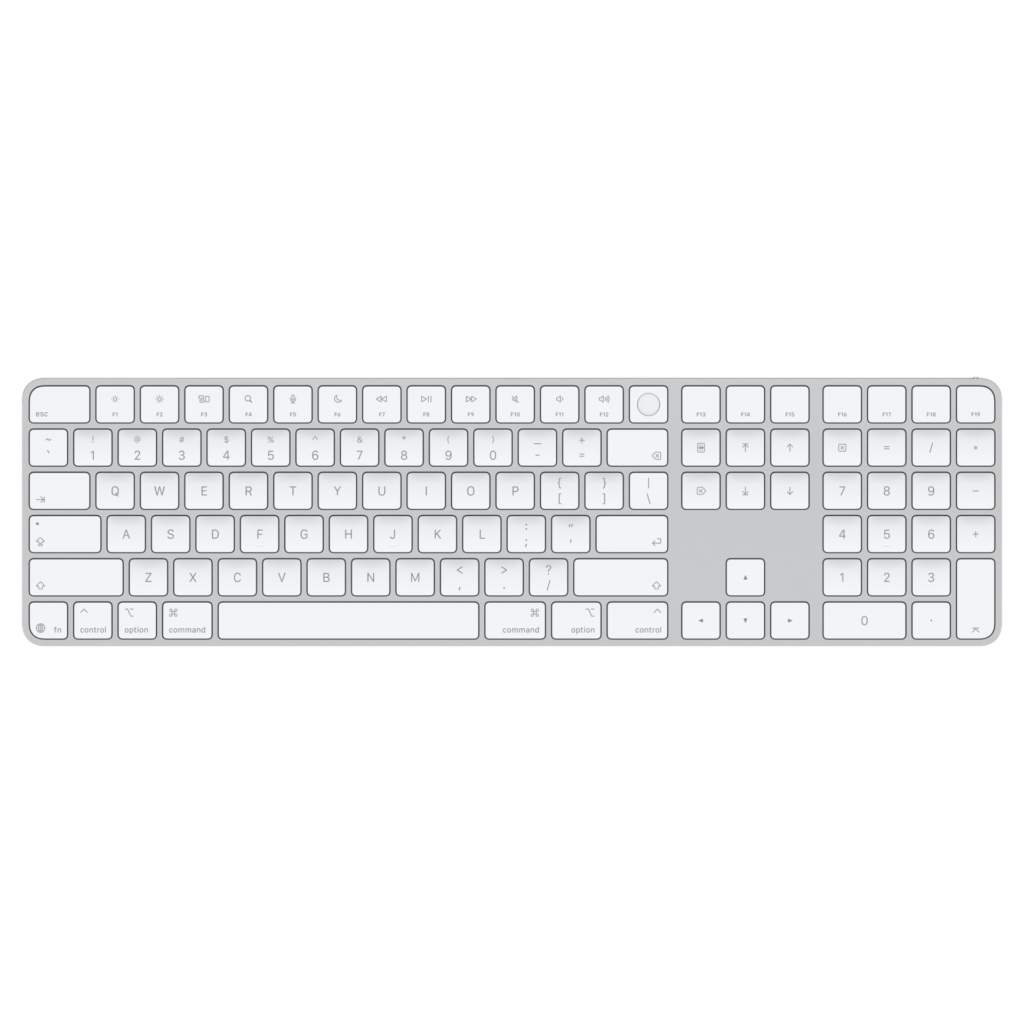
Apple changed the labels on this keyboard in August without changing its name. The refreshed Magic Keyboard with Touch ID and Numeric Keypad prints symbols instead of words on tab, caps lock, shift, return and delete, and on the home, page up, page down, end, clear and enter keys of the extended block, MacRumors reported on August 25, 2026. Retailers still stock the earlier text-labeled version, so two editions of the same keyboard can sit side by side on a shelf.

It is the largest of Apple's three desktop keyboards, above the compact Magic Keyboard with Touch ID and the plain Magic Keyboard, and its nearest rival is Logitech's MX Keys S. No third-party keyboard has its fingerprint sensor.

Nobody at this site typed on one, so the assessment rests on Apple's specifications and security documentation, RTINGS' lab review of this keypad model and published reviews from people who used it.

Buy it for an Apple silicon desktop Mac that one person uses. Once the keyboard has to serve two computers, the fingerprint key stops being a reason to pay for it.
By Published Research-based assessment

Affiliate disclosure: the price links on this page may earn us a commission at no extra cost to you. Retailers cannot pay for placement or influence the score. How we stay independent

Quick verdict

Apple Magic Keyboard with Touch ID and Numeric Keypad for Mac models with Apple silicon (USB-C), US English, white keys
Apple Magic Keyboard with Touch ID and Numeric Keypad (USB-C) specifications
7.2/10
Editorial ratingGoodWeighted average of 5 rated sections.

Touch ID pays off for one person approving passwords and Apple Pay all day at an Apple silicon desktop Mac.

Strengths

  • Fingerprint unlock, password autofill and Apple Pay approval on an Apple silicon desktop Mac
  • Navigation block, full-size arrows and a numeric pad
  • Quiet

Weaknesses

  • Pairs with one device at a time, and moving it to another Mac means pairing Touch ID again
  • No backlight
  • Fixed typing angle

Key specifications

Model
Magic Keyboard with Touch ID and Numeric Keypad for Mac models with Apple silicon (USB-C)
Part numbers (US English)
MXK73LL/A white and MXK83LL/A black (text labels). Refreshed symbol-label edition from August 2026, part numbers starting MJM
Layout
Full-size with navigation block, full-size arrow keys, numeric pad and F13 to F19
Touch ID
Mac with Apple silicon on macOS 15.1 or later. Securely paired with one Mac at a time
Connection
Bluetooth, one device at a time. USB-C for charging and pairing
Battery
About a month or more per charge (Apple's automated test). Usable while charging
Backlight
None
Dimensions
41.87 x 11.49 cm, 0.41 to 1.09 cm high (16.48 x 4.52 x 0.16 to 0.43 in)
Weight
369 g (0.81 lb)
In the box
Keyboard and a woven USB-C charge cable
Colors
White keys or black keys
Also works with
Recent iPhone and iPad models as a Bluetooth keyboard, without Touch ID

Full specification sheet and comparisons →

How we reviewed it

Basis
Research-based: assessed from the manufacturer’s published specifications, documentation and the independent sources listed at the end. We have not tested this unit ourselves; any measurement quoted belongs to the cited source.
Method

Specifications, box contents, the battery test conditions and the compatibility list were read from Apple's tech specs page for the Magic Keyboard with Touch ID and Numeric Keypad (USB-C). Touch ID behavior and the pairing limits come from Apple's Platform Security guide. Setup, charging and the battery display come from Apple Support articles. Typing quality, noise, flex, incline and single-device pairing come from RTINGS' review of this keypad model. The August 2026 relabeling comes from MacRumors' report and Apple's current store listings. Impressions from long use come from Cult of Mac's review of the USB-C version and Macworld's guide to Mac keyboards.

Evidence

RTINGS is the only lab that has tested this model. Its measurements sit behind a membership, so only its verdicts are public. Apple documents the Touch ID design, the one-Mac pairing rule, the battery test and the list of compatible devices. Cult of Mac and Macworld add typing impressions from people who wrote on it for long stretches.

Limitations

RTINGS tested the 2021 version, which charges over Lightning, and no lab has published measurements of the USB-C version or of the August 2026 relabel. Nobody has run a battery down independently, so the endurance figure is Apple's. Latency and incline figures are members-only. Apple publishes no key travel or actuation force.

Touch ID, and the one-Mac rule

8.0/10Excellent
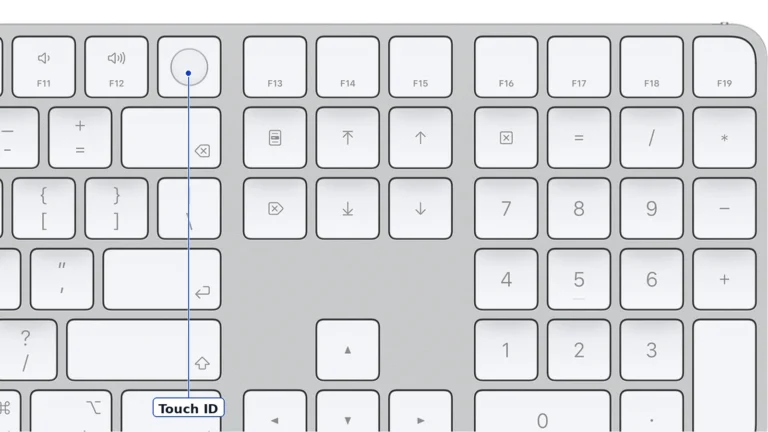
Close view of the white Magic Keyboard with Touch ID and Numeric Keypad showing the round Touch ID key after F11 and F12, the F13 to F19 keys, the navigation keys with symbol labels and the numeric pad, with a Touch ID label
Apple's top-down render of the refreshed white-keys model, cropped to the Touch ID key and the extended block. The pixels are unmodified, and the label marks the key Apple identifies as the Touch ID sensor. Apple product imagery (Apple Store render, MJM64)

The round key after F12 is a fingerprint reader. On a desktop Mac it does what the sensor on a MacBook does: it unlocks the Mac, fills in passwords and passkeys, and approves Apple Pay. Cult of Mac adds a smaller use, a single press that locks the screen, and notes that the key needs more force than its neighbors, so a stray finger rarely triggers it.

Apple's platform security guide explains the design, and the design sets the limits. The keyboard only reads the finger. Enrollment, matching and the security rules run in the Secure Enclave of the Mac, and the two sides are paired with keys held in hardware. A finger enrolled on a MacBook's built-in sensor works on the keyboard too, and the other way round.

The same guide contains the rule that decides who should buy it. The keyboard can be securely paired with only one Mac at a time, while one Mac can hold pairings for up to five of these keyboards. Move it from a work Mac to a home Mac and Touch ID has to be paired again, and the first new enrollment asks you to confirm by pressing the Mac's power button twice or by matching a finger that Mac already knows.

Touch ID also needs a Mac with Apple silicon running macOS 15.1 or later. On an Intel Mac, an iPad or a Windows PC the round key does nothing useful.

How it types

7.0/10Good
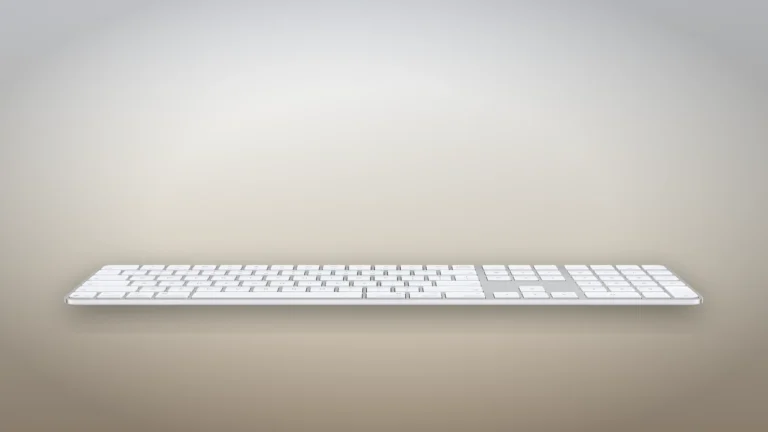
White Magic Keyboard with Touch ID and Numeric Keypad seen from the front at a low angle, showing its thin wedge profile on a neutral backdrop
Product illustration based on manufacturer imagery: Apple's low front render of the keyboard on a generated studio backdrop. Product illustration based on manufacturer imagery (Apple render)

The keys are low and short, the laptop style Apple uses on its MacBooks. RTINGS rates the typing quality of this keypad model as great and the noise as quiet, and expects the low profile to keep long sessions from becoming tiring. Its measured figures are for members only.

The writers who type most are the least won over. Cult of Mac's reviewer, a mechanical keyboard user, found the keys stable and free of wobble but flat enough that he made more typos, because nothing tells a fingertip how close it is to the center of a key. Macworld calls the short travel a bit lifeless for people who type a lot. Both complaints are about preference, and a MacBook owner will find the same feel at a desk.

The case is a fixed wedge. RTINGS lists no second incline setting, and it found this wide board flexes more than the older compact Magic Keyboard.

The full-size layout and the new labels

7.5/10Good
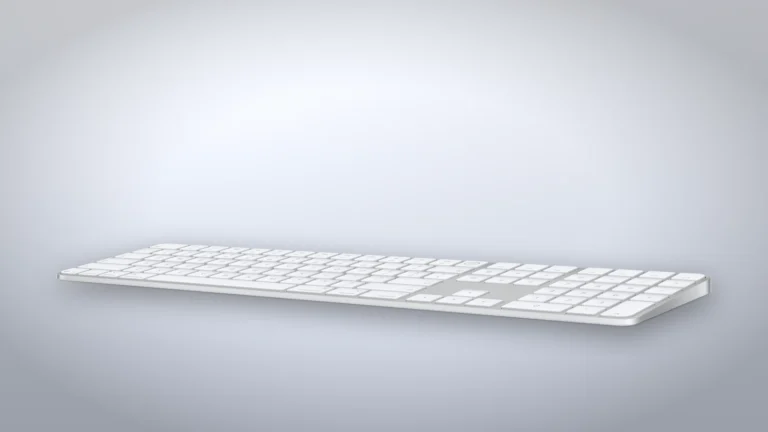
White Magic Keyboard with Touch ID and Numeric Keypad at an angle, showing the full width with the navigation keys, the inverted-T arrow keys and the numeric pad
Product illustration based on manufacturer imagery: Apple's angled render of the keyboard on a generated studio backdrop. Product illustration based on manufacturer imagery (Apple render)

The extra width buys a full navigation block with home, end, page up, page down and forward delete, plus full-size arrow keys and a numeric pad. On the compact models those functions need fn or modifier combinations. The top row adds F13 to F19, which you can assign to actions in macOS. At 41.87 cm (16.48 in) wide, the full-size layout pushes the mouse further from your right hand.

The August relabel is the only change Apple has made. Symbols now replace the words on the navigation keys and on tab, caps lock, shift, return and delete, as they did on this year's MacBooks. Apple's British and European layouts have used symbols for years. A US buyer who prefers words can still find the earlier stock, sold as MXK73LL/A with white keys and MXK83LL/A with black keys. The symbol edition carries part numbers starting MJM, so the box tells you which one you have.

White keys and black keys are both available, and the black version costs more.

Battery and charging

8.0/10Excellent
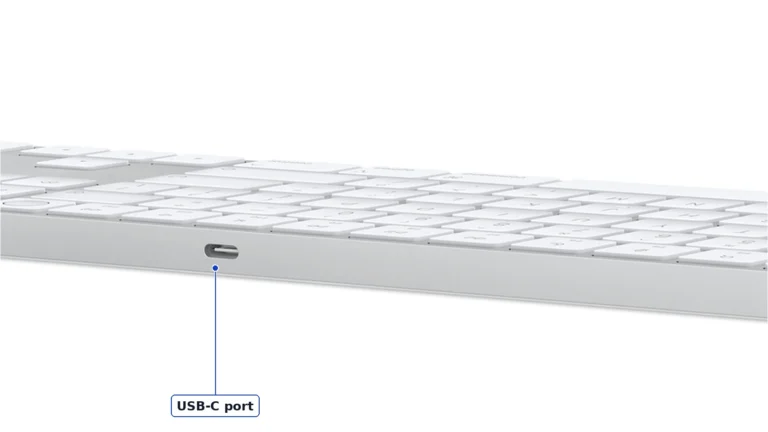
Back edge of the white Magic Keyboard with Touch ID and Numeric Keypad with the USB-C charging port in the aluminium frame, labelled USB-C port
Apple's rear render of the keyboard, cropped to the charging port. The pixels are unmodified, and the label follows Apple's description of a USB-C port on the back edge. Apple product imagery (Apple Store render, MJM64)

Apple rates the battery at about a month or more between charges. The figure comes from Apple's automated discharge tests on pre-production units paired with an M4 iMac, according to the tech specs page, and no reviewer has run one down independently. It is a plausible figure for a keyboard with no backlight, and the missing backlight is part of how Apple reaches it.

Charging goes through a USB-C port in the middle of the back edge, with a braided USB-C cable in the box. Plugging it into a Mac also pairs it. Apple's support page confirms the keyboard keeps working while it charges, which the Magic Mouse does not. The keyboard has no charge indicator of its own, so the battery level lives in the Mac's Bluetooth menu or Control Center.

One computer at a time

5.0/10Mediocre
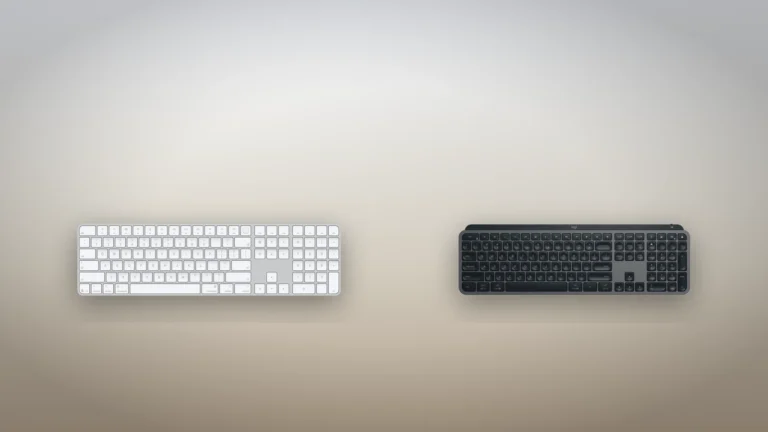
White Apple Magic Keyboard with Touch ID and Numeric Keypad beside a graphite Logitech MX Keys S, both seen from above
Product illustration based on manufacturer imagery: Apple's render of the Magic Keyboard beside Logitech's render of the MX Keys S on a generated backdrop. Not to scale. Product illustration based on manufacturer imagery (Apple and Logitech renders)

This keyboard holds one Bluetooth connection, and RTINGS names the lack of multi-device pairing as its main drawback. Moving it to another Mac means removing it in the first Mac's Bluetooth settings or plugging it into the new one with the cable, as Apple's setup page describes, and then pairing Touch ID again. Universal Control lets one keyboard drive a Mac and an iPad side by side, but Cult of Mac points out that both have to sit together on the same Apple Account, which rules out most work-and-home pairs.

It still works as a plain Bluetooth keyboard with recent iPhones and iPads on Apple's compatibility list, and with Windows, where RTINGS found some keys have no function. Neither gets Touch ID.

Alternatives worth considering

Logitech MX Keys S

Take the MX Keys S if you switch between computers or type in the dark: it pairs with three devices and has a backlight, and you give up the fingerprint key.

Where to buy

In-stock offers for this exact model, sorted by item price in USD. Shipping is not included unless a retailer supplies it. Not every retailer is listed. Prices last checked 3 hours ago.

Retailer prices for the Apple Magic Keyboard with Touch ID and Numeric Keypad for Mac models with Apple silicon (USB-C), US English, white keys
RetailerItem priceShippingAvailabilityCheckedLink
Amazon.com$179See retailerIn stockCheck price at Amazon.com

Prices and availability come from retailer feeds and change without notice; the retailer’s page is authoritative. We may earn a commission if you buy through these links.

Final verdict

Apple Magic Keyboard with Touch ID and Numeric Keypad for Mac models with Apple silicon (USB-C), US English, white keys
7.2/10Editorial ratingGood

Score breakdown

Scores run from 1.0 to 10.0: 9+ exceptional, 8–8.9 excellent, 7–7.9 good, 6–6.9 fair, 5–5.9 mediocre, below 5 poor. The overall score is the weighted average of the rated sections. Unrated sections do not count.

Pros

  • Fingerprint unlock, password autofill and Apple Pay approval on an Apple silicon desktop Mac
  • Navigation block, full-size arrows and a numeric pad
  • Quiet
  • Keeps working while it charges, unlike the Magic Mouse

Cons

  • Pairs with one device at a time, and moving it to another Mac means pairing Touch ID again
  • No backlight
  • Fixed typing angle
  • The round key does nothing on an Intel Mac, an iPad or a Windows PC
  • Two label editions are on sale under different part numbers, so check the box if you want words rather than symbols

Conclusion

Take the fingerprint key away and what remains is a quiet, well-made low-profile keyboard that Logitech matches for less, with a backlight and three-device switching added. What Logitech cannot add is a sensor that talks to the Mac's Secure Enclave, and that sensor is what you are paying for.

So the choice depends on how many computers share the desk. On a single Apple silicon desktop, the keypad and page keys make this the version to get if spreadsheets or long documents fill your day. A keyboard that moves between a work laptop and a home Mac spends its life being paired again, and the MX Keys S handles that job better. If the new symbol labels bother you, check the part number on the box before paying.

Andreea-Viviana Jitaru’s take

I'd buy this for a Mac mini or Mac Studio on a desk nobody else uses, and I'd skip it for a shared setup. Approving a password with a finger instead of typing it saves a few seconds dozens of times a day, and on a desktop Mac this is Apple's only way to get that. In a shop I would turn the box over for the part number first, because I would want to know whether I was getting words or symbols on the keys.

Buy it if
  • A Mac mini, Mac Studio or docked MacBook on a desk that one person uses every day, with nobody else signing in
  • Spreadsheet work
  • MacBook owners who want the same key feel at a desk
Consider an alternative if
  • One keyboard has to serve a work computer and a home computer
  • Dim rooms
  • Your Mac has an Intel processor
  • You prefer the longer travel of a mechanical keyboard and can live without a fingerprint key

Questions readers ask

Does Touch ID on the Magic Keyboard work with an Intel Mac?

No. Touch ID needs a Mac with Apple silicon running macOS 15.1 or later. On an Intel Mac the keyboard types normally but the Touch ID key does not authenticate.

Can I use the Magic Keyboard with Touch ID on two Macs?

Not at the same time. Apple's security guide says the keyboard can be securely paired with only one Mac at a time. Moving it means pairing it and Touch ID again on the other Mac.

Does Touch ID work on an iPad or iPhone?

No. The keyboard connects to recent iPads and iPhones as a Bluetooth keyboard, but the fingerprint key works only with a paired Apple silicon Mac.

Can I type while the keyboard charges?

Yes. Apple says Magic Keyboard and Magic Trackpad can be used while charging. The battery level shows in the Mac's Bluetooth menu or Control Center.

What changed on the 2026 version?

In August 2026 Apple switched the US English labels on tab, caps lock, shift, return, delete and the navigation keys from words to symbols. Apple has announced no other change.

Is the Magic Keyboard backlit?

No. None of Apple's Magic Keyboards has a backlight.

About the reviewer

Editor

Andreea edits the written side of the site: the editor's note on each product page, the category buying guides and the blog. Her brief is to say what a specification table cannot: where a product is good, where it quietly compromises, and who should walk past it. A note that reads like marketing copy, or that praises a product without naming a drawback, does not go live.

This is a research-based assessment: the reviewer compiled it from published specifications, documentation and independent measurements rather than from testing the unit.

Profile and other work →

Sources

  • Apple Support, Magic Keyboard with Touch ID and Numeric Keypad (USB-C) tech specssupport.apple.com
  • Apple Platform Security, Magic Keyboard with Touch IDsupport.apple.com
  • Apple Support, Set up your Magic Keyboard, Magic Mouse, or Magic Trackpad with your Macsupport.apple.com
  • Apple Support, Recharge the built-in battery in your Apple keyboard, mouse, or trackpadsupport.apple.com
  • RTINGS, Apple Magic Keyboard with Touch ID and Numeric Keypad reviewrtings.com
  • MacRumors, Apple Quietly Refreshes Magic Keyboards (25 August 2026)macrumors.com
  • Cult of Mac, New Apple Magic Keyboard with USB-C and Touch ID reviewcultofmac.com
  • Macworld, Best Keyboards for Mac 2026 (updated 22 June 2026)macworld.com

← Back to the blog