
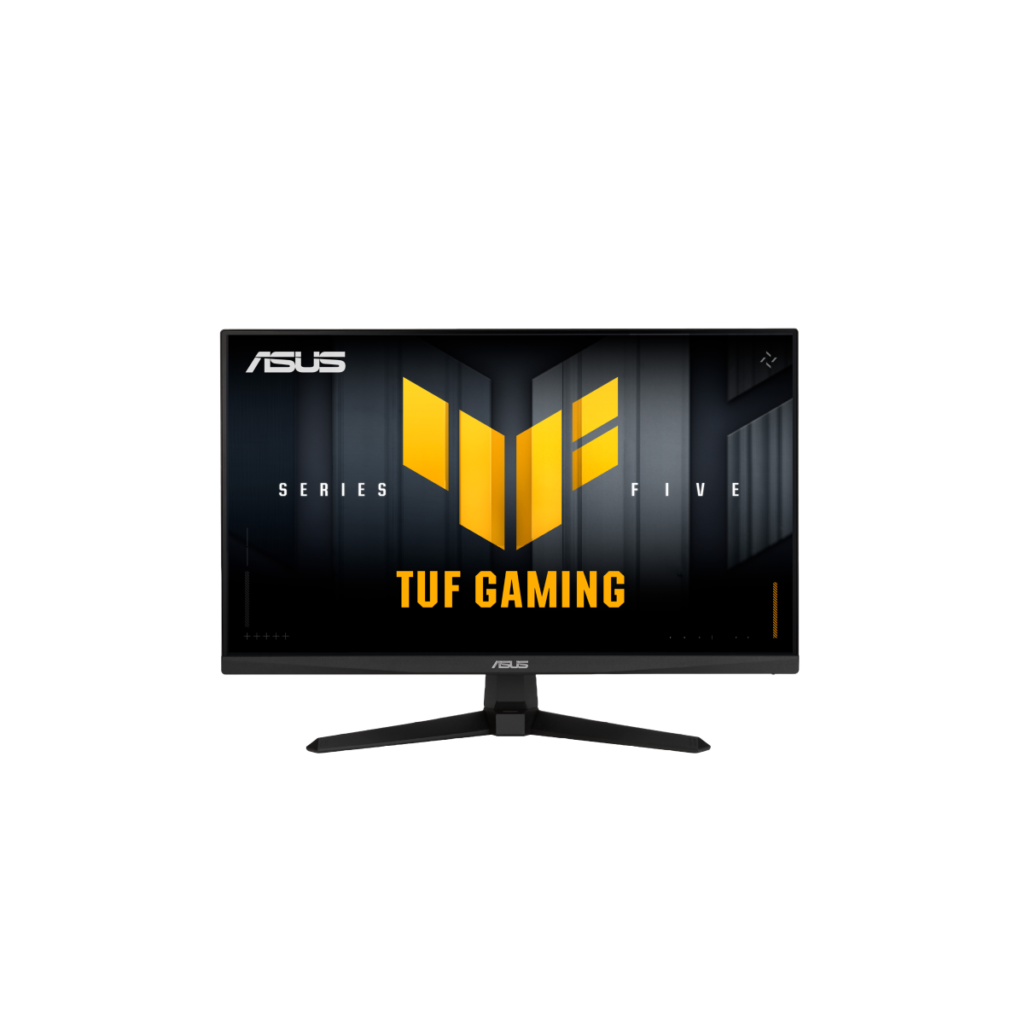
ASUS TUF Gaming VG279QM5A: Specs, Price, Pros & Cons
Every few years, the specification that defined the expensive end of gaming monitors quietly becomes the budget tier. This ASUS is what that looks like in practice: a refresh rate and a response time that belonged to enthusiast screens not long ago, on a fast IPS panel, sold for about what a plain office display costs.
The TUF line is where ASUS puts its gaming hardware with the ROG styling and the markup removed, and this monitor is the clearest example of that idea in the range. It carries the parts that decide whether a competitive game feels right (a high refresh rate, a quick panel, both of the adaptive-sync certifications, a backlight-strobing mode for motion clarity) and very little that does not serve that single purpose.
What is genuinely useful here is the completeness rather than any one figure. Cheap gaming screens usually certify with one graphics vendor and leave the other to luck. This one covers both, which removes an entire category of setup irritation. A blur-reduction mode that can run at the same time as adaptive sync is unusual at this level too, and there are speakers and a headphone output, modest but present, which matters if the desk is short of space for either.
The compromise is the panel format, and it is not subtle. A full-HD image stretched across a screen this size is coarse if you sit close and read text on it, which is exactly why this makes a poor desk companion and a good gaming one. The stand tilts and does nothing else, so a mounting arm is a likely second purchase. Bought as a dedicated gaming monitor it is honest and well specified. Bought as the only screen on a desk, it will start to grate within a week.
Category strengths
Where the ASUS TUF Gaming VG279QM5A beats the median
- A higher refresh rate ?240 Hz vs 180 Hz (median)
- Has built-in speakers ?
Where the ASUS TUF Gaming VG279QM5A trails the median
- No height adjustment ?
- Lower peak brightness ?300 nits vs 400 nits (median)
- No swivel adjustment ?
- A lower pixel density ?82 ppi vs 109 ppi (median)
- A lower color depth ?8 bit vs 10 bit (median)
- No USB hub ?
- No pivot adjustment ?
How this VS Score was computed
Score 46: each known spec is measured against the median of IPS gaming monitors, 27 to 31 inches (30 products), then weighted; 50 means level with that median. In classes of six or more, a value beyond the class’s 10th–90th percentile range counts as that limit, so one extreme product cannot set the scale. 70% of the scoreable weight could be used; unknown values, features not applicable to this class and proxies (battery capacity where a rated life exists) add or remove nothing.
| Specification | This product | Cohort median | Score weight | Points moved |
|---|---|---|---|---|
| USB-C | No | 24% of the class have it | 0.5 | −24.0 |
| Refresh rate | 240 | 180 | 1.2 | +20.4 |
| Height adjustment | No | 80% of the class have it | 0.4 | −19.2 |
| Motion blur reduction | Yes | 60% of the class have it | 0.3 | +15.0 |
| Resolution | 1080p | 1440p | 1.2 | −14.4 |
| Built-in speakers | Yes | 30% of the class have it | 0.2 | +10.0 |
| Peak brightness | 300 | 400 | 0.8 | −9.6 |
| Swivel | No | 66% of the class have it | 0.2 | −9.6 |
| HDR | HDR10 | DisplayHDR 400 | 0.5 | −6.0 |
| Pixel density | 82 — capped at the class’s lower range (93) | 109 | 0.5 | −3.5 |
| Color depth | 8 | 10 | 0.3 | −3.0 |
| USB hub | No | 50% of the class have it | 0.05 | −2.2 |
| Pivot | No | 76% of the class have it | 0.02 | −1.0 |
| Screen size | 27 | 27 | 1.2 | +0.0 |
| Panel type | IPS | IPS | 0.8 | +0.0 |
| Response time | 1 | 1 | 0.8 | +0.0 |
| Contrast ratio | 1,000 | 1,000 | 0.6 | +0.0 |
| Adaptive sync | G-Sync Compatible | G-Sync Compatible | 0.6 | +0.0 |
| HDMI ports | 2 | 2 | 0.4 | +0.0 |
| DisplayPort inputs | 1 | 1 | 0.4 | +0.0 |
Not scored: DCI-P3 coverage (unknown: not scored); Local dimming (unknown: not scored); Local dimming zones (unknown: not scored); Variable refresh rate (standard for the class (100% have it)); Input lag (unknown: not scored); Tilt (standard for the class (100% have it)); USB-C power delivery (unknown: not scored); Headphone output (standard for the class (87% have it)); KVM switch (unknown: not scored); Webcam (unknown: not scored); Microphone (unknown: not scored); Ethernet (unknown: not scored); Picture-by-picture (unknown: not scored).
Editor’s note
The VG279QM5A is what the esports-monitor formula looks like when it matures: 240 Hz on a Fast IPS panel with a genuine 1 ms GtG response (ASUS quotes 0.3 ms at minimum) for a street price ASUS itself lists at under a hundred and fifty dollars. Numbers that cost far more three years ago are now the budget tier, and this TUF delivers them without the usual budget-tier asterisks.
Well, most of them. What you get is legitimately complete for competitive play: both AMD FreeSync Premium and NVIDIA G-Sync Compatible certification (the dual badge that cheaper rivals skip), ASUS's ELMB blur-reduction mode, which can run alongside adaptive sync, HDR10 signal support, and even a pair of 2-watt speakers and a proper earphone jack. Two HDMI 2.0 ports run consoles, and the DisplayPort 1.4 carries the full refresh rate.
The honest ceiling is the panel format itself. 1080p across 27 inches is 82 ppi (coarse for text, fine at gaming distance), and this is the identical trade LG's 27G414B-B makes. Brightness is 300 nits with ordinary 1000:1 IPS contrast, HDR is decode-only in practice, and the stand tilts and does nothing else, though VESA 100 mounting fixes that cheaply.
Under 18 watts of power draw is a quietly excellent figure.
The buying logic: against the 144 Hz LG at similar money, this ASUS's higher refresh, dual sync badges and speakers make it the stronger pure-gaming pick. Anyone who also works at their desk should pay up for a QHD panel instead. As a first serious esports monitor, or the second screen for a shooter habit, it is the current value benchmark.
Specifications
Quality bars show where each figure sits between the lowest and highest of the 30 IPS gaming monitors, 27 to 31 inches this VS Score is measured against.
Picture
Gaming
Ergonomics & design
Connectivity
Features
Sources and verification
Where the specifications come from
- Official product pageasus.com
- Retailer listing (cross-check)amazon.com
Verification
- First published
- Specifications last checked
- Sheet completeness
- 31 of 42 specifications verified; the rest show as Unknown and are never estimated or scored
- Page type
- Product specification page — Compiled from the manufacturer’s published specifications and the cited sources; this is not a hands-on test.
- Basis
- Research-based: specifications and editorial text were compiled from the documents listed here and the manufacturer’s published data. We have not tested this unit ourselves; where independent measurements are mentioned they belong to the linked publication.
Where to buy
Prices and availability may change. Check the retailer before buying. We may earn a commission on purchases.
Price history
Monitors with similar specs to the ASUS TUF Gaming VG279QM5A

Ratings & reviews
No reviews yet. Be the first to share your experience.
The bottom line
The ASUS TUF Gaming VG279QM5A earns a VS Score of 46, below the median of the 30 IPS gaming monitors, 27 to 31 inches it is measured against (a score of 50 is level with that median).
- Who it’s for
- Competitive players on a tight budget who want the fast panel and both sync certifications and are content to spend nothing on anything else.
- Who should look elsewhere
- Anyone who also works at this desk. Text at this pixel density is coarse from close range, and a sharper panel is the better spend for mixed use.
- The trade-off that matters
- It puts everything into motion clarity and nothing into sharpness or ergonomics, which is the right call for a dedicated gaming screen and the wrong one for a single do-everything monitor.
- The main alternative
- LG UltraGear 27G414B-B makes the same trade at a lower refresh rate for less money, and is the better buy if frames matter to you less than the saving does.
The VS Score is calculated from the weighted specifications above, each measured against the median of comparable IPS gaming monitors, 27 to 31 inches — a shortlisting guide, not a substitute for your own priorities. See how we score.




