Dell Alienware AW3426DW: Specs, Features, Pros & Cons
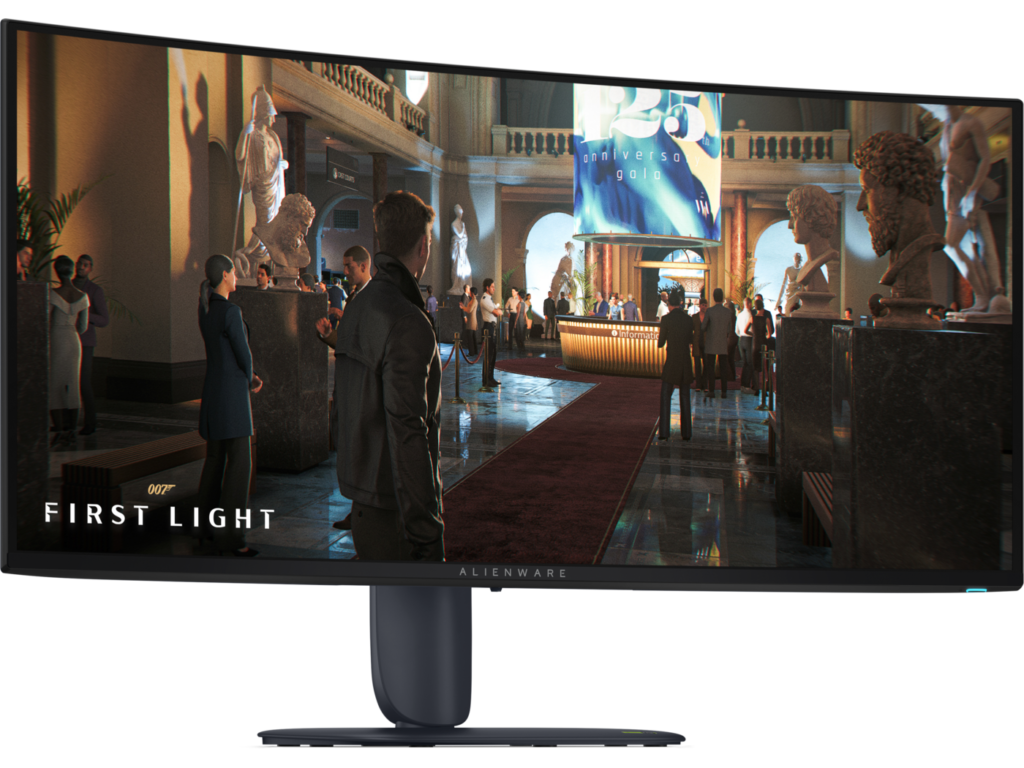
This is the annual upgrade to what was already the default recommendation in 34-inch OLED ultrawides, and this generation is more than a specification bump.
A newer tandem panel pushes peak HDR brightness considerably higher — enough for a step up in certification and, for the first time on Alienware's ultrawides, Dolby Vision. The changes you will actually notice day to day are brightness and the semi-gloss coating, which reduces the perennial raised-blacks-in-a-bright-room complaint without eliminating it.
Category strengths
Where the Dell Alienware AW3426DW beats the average
- A much higher contrast ratio ?1,500,000 :1 vs 423,802.48 :1 (avg)
- A much faster response time ?0.03 ms vs 1.3 ms (avg)
- Much higher peak brightness ?1,300 nits vs 697.38 nits (avg)
- A higher refresh rate ?280 Hz vs 208.82 Hz (avg)
- Has USB-C ?
- A bigger screen ?34" (86.36 cm) vs 29.13" (73.99 cm) (avg)
- Has picture-by-picture ?
- Has USB hub ?
- Has height adjustment ?
- More HDMI ports ?2 vs 1.74 (avg)
Where the Dell Alienware AW3426DW trails the average
- Much slower USB-C charging ?15 W vs 75.02 W (avg)
- A lower pixel density ?110 ppi vs 125.84 ppi (avg)
- Fewer DisplayPort inputs ?1 vs 1.04 (avg)
Editor’s note
The AW3426DW is the annual upgrade to what was already the default recommendation in 34-inch OLED ultrawides, and this generation is more than a spec bump. The fifth-generation Penta Tandem QD-OLED panel pushes peak HDR brightness to a claimed 1,300 nits – enough for VESA TrueBlack 500 certification and, for the first time on Alienware's ultrawides, Dolby Vision. Refresh climbs from 240 Hz to 280 Hz, response stays at the OLED-typical 0.03 ms, and Dell's three-year warranty still covers burn-in, which remains the single best reassurance policy in the OLED monitor business.
In day-to-day terms the changes you will actually notice are brightness and the semi-gloss coating: SDR brightness of around 300 nits and improved QuantumBlack film mean the perennial QD-OLED complaint – raised blacks in a bright room – is reduced, though not eliminated. If your desk faces a window, an OLED of any kind still is not the easy answer a good mini-LED is.
The port selection tells you who this is for. Two HDMI 2.1 and DisplayPort 1.4 with DSC drive the panel properly from either a PC or a console, but USB-C tops out at 15 W of charging on a downstream port – there is no single-cable laptop docking, no KVM, and no speakers. This is a gaming display, full stop, and Dell has not pretended otherwise.
The question I would actually wrestle with is the one Dell created itself: the outgoing AW3425DW does 240 Hz with the same size, resolution and warranty, and sits 50-plus dollars cheaper while it remains on sale. The extra 40 Hz is a marginal gain; the brightness jump and Dolby Vision are the real reasons to pick the newer panel. If you watch HDR film and play dark, atmospheric games, the 26DW earns its price. If you mostly play bright esports titles at capped frame rates, the older board delivers 95 percent of this experience for less.
Specifications
Quality bars are generated automatically against 90 other monitors.
Picture
Larger screens are more immersive; measured diagonally.
The total pixel count; higher is sharper.
The panel technology; OLED offers the best contrast.
The more specific panel or backlight technology (e.g. QD-OLED, WOLED or Mini-LED VA).
The native or supported bit depth used to reproduce colour gradients.
The display surface treatment and its balance of glare control and image clarity.
Higher refresh rates are smoother for gaming and scrolling.
Grey-to-grey response; lower reduces motion blur.
Higher brightness makes HDR highlights pop.
The ratio between the brightest and darkest output.
Wider colour gamut for more vivid, accurate colour.
Full sRGB coverage keeps everyday content and photos colour-accurate.
The certified HDR tier.
Pixels per inch; higher looks sharper.
Dims parts of the backlight independently to improve contrast.
More independently controlled zones can improve HDR precision.
Gaming
Variable-refresh technology for tear-free motion.
Syncs the refresh rate to the GPU.
Backlight strobing for clearer motion.
The delay between an input and the image changing; lower is better.
The minimum-to-maximum refresh range over which variable refresh rate operates.
Ergonomics & design
The width-to-height ratio (e.g. 16:9, 21:9).
The curve radius (e.g. 1000R); blank for a flat panel.
Raise and lower the panel.
Angle the panel up and down.
Rotate the panel left and right.
Rotate to portrait orientation.
The VESA wall / arm mount pattern (e.g. 100 x 100 mm).
Connectivity
More HDMI inputs connect more devices.
The highest HDMI standard supported by the monitor.
DisplayPort inputs, preferred for high refresh rates.
The highest DisplayPort standard supported by the monitor.
A USB-C input, often with power delivery for laptops.
Charges a connected laptop over USB-C.
Built-in USB ports for peripherals.
Integrated speakers.
A 3.5 mm audio output for headphones or external speakers.
Control two computers with one keyboard and mouse.
Features
A built-in camera for video calls.
A built-in microphone for calls.
A wired network port for USB-C docking.
Shows inputs from two computers side by side.
Specs last verified August 16, 202628 of 42 specs verified (67%)Unverified specs show as Unknown — never estimated, never scored
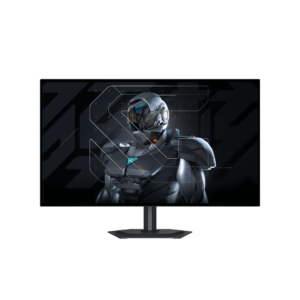
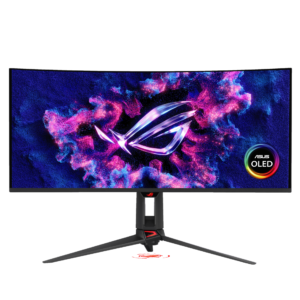
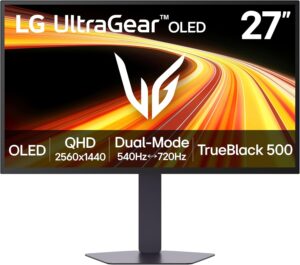
Monitors with similar specs to the Dell Alienware AW3426DW

Ratings & reviews
No reviews yet. Be the first to share your experience.
The bottom line
The Dell Alienware AW3426DW earns a VS Score of 66, comfortably above average among the 91 monitors we compare here.
- Who it’s for
- Gamers stepping up to a 34-inch OLED ultrawide who also watch HDR film: 280 Hz, 1,300-nit highlights, Dolby Vision and a three-year burn-in warranty in one panel at 800 dollars.
- Who should look elsewhere
- Anyone wanting one cable to a laptop – USB-C charges at just 15 W, there is no KVM and no speakers. Bright, sunlit rooms still suit a good mini-LED better than any QD-OLED.
- The trade-off that matters
- You pay the new-panel premium mostly for brightness and Dolby Vision, not speed – the jump from 240 Hz to 280 Hz is barely perceptible, so the value case rests on how much HDR you actually consume.
- The main alternative
- Dell Alienware AW3425DW – the outgoing 240 Hz version delivers most of this experience for 50-plus dollars less while stocks last.
The VS Score is calculated from the weighted specifications above, measured against every other monitors we track — a shortlisting guide, not a substitute for your own priorities. See how we score.