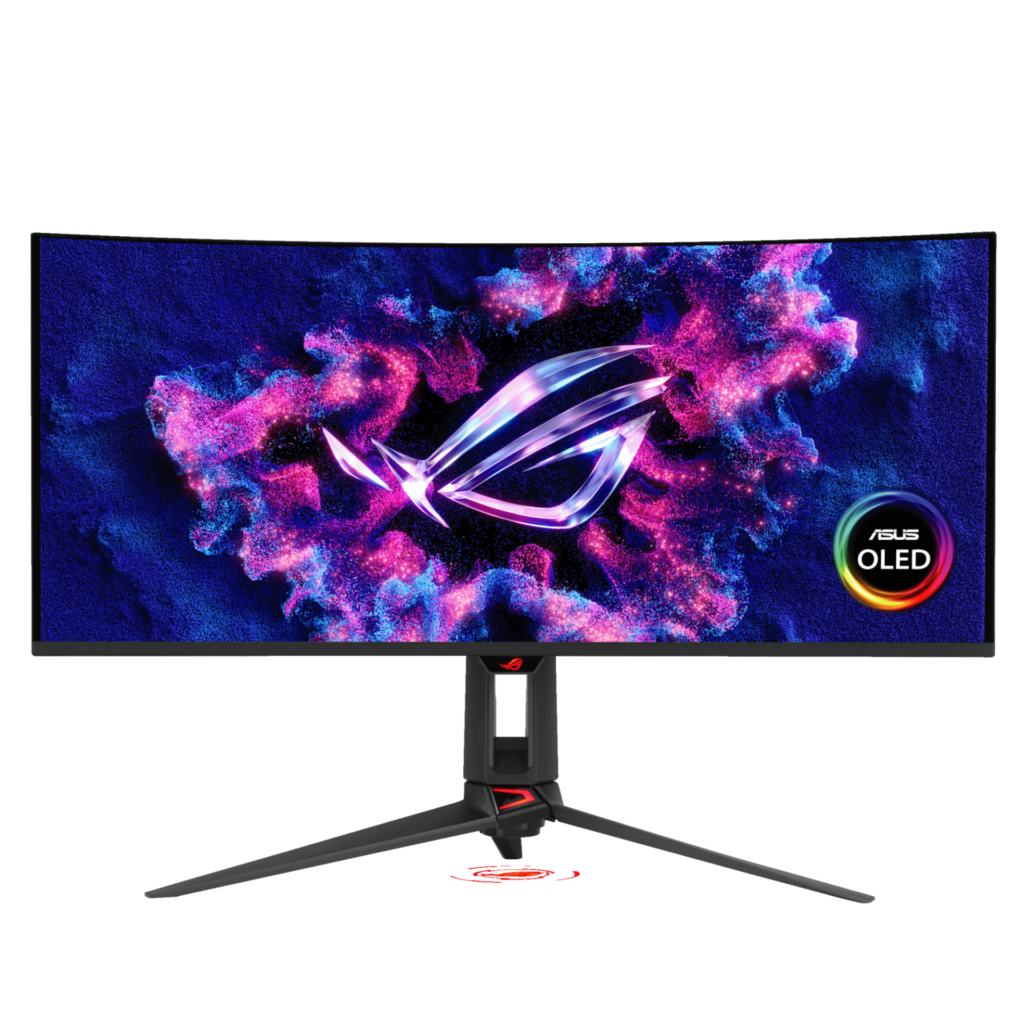
ASUS ROG Swift OLED PG34WCDN: Specs, Features, Pros & Cons
ASUS is making a specific claim with this monitor, and it is worth being precise about it: a newer QD-OLED panel with an RGB stripe subpixel layout rather than the triangular arrangement every previous one used.
That sounds like a footnote. It is not. The triangular layout is why OLED monitors have historically shown colour fringing on small text, and the single most common reason people who bought one for gaming ended up not wanting to work on it. A stripe layout removes that objection.
Category strengths
Where the ASUS ROG Swift OLED PG34WCDN beats the average
- A much higher contrast ratio ?1,500,000 :1 vs 423,802.48 :1 (avg)
- A much higher refresh rate ?360 Hz vs 208.82 Hz (avg)
- A much faster response time ?0.03 ms vs 1.3 ms (avg)
- Much higher peak brightness ?1,300 nits vs 697.38 nits (avg)
- Has USB-C ?
- A bigger screen ?34" (86.36 cm) vs 29.13" (73.99 cm) (avg)
- Has motion blur reduction ?
- Has KVM switch ?
- Has USB hub ?
- Has height adjustment ?
Where the ASUS ROG Swift OLED PG34WCDN trails the average
- A lower pixel density ?110 ppi vs 125.84 ppi (avg)
- No built-in speakers ?
- Fewer DisplayPort inputs ?1 vs 1.04 (avg)
Editor’s note
ASUS is making a specific claim with this monitor, and it is worth being precise about what it is. The PG34WCDN uses a fifth-generation QD-OLED panel with an RGB stripe subpixel layout rather than the triangular arrangement every previous QD-OLED has used. That sounds like a footnote. It is not. The triangular layout is the reason OLED monitors have historically shown colour fringing on small text, and it is the single most common reason people who bought one for gaming ended up not wanting to work on it. An RGB stripe removes that objection.
The rest of the sheet is what you would expect near the top of the 34-inch ultrawide market: 3440×1440 at 360 Hz, 0.03 ms grey-to-grey, DisplayPort 2.1 at UHBR 20 so the panel can actually be fed at full rate, two HDMI 2.1 inputs, and a USB-C input carrying 90 W of power delivery with a KVM behind it. The 1,300 nit HDR peak and DisplayHDR 500 True Black certification put it among the brighter OLEDs rather than merely competitive.
What would make me hesitate is not the panel, it is the price and the shape of the compromise. There are no speakers, ASUS publishes no typical SDR brightness figure, and OLED at this size still asks you to think about static interface elements even with the care features running. You are also paying a premium specifically for the RGB stripe, and if this monitor will only ever show games, the older triangular-layout panels are considerably cheaper and you will not see the difference.
The case for it is the dual-purpose desk: someone who wants one screen for a full working day of text and then wants 360 Hz in the evening, and who has until now had to accept that OLED meant compromising the first half of that.
Specifications
Quality bars are generated automatically against 90 other monitors.
Picture
Larger screens are more immersive; measured diagonally.
The total pixel count; higher is sharper.
The panel technology; OLED offers the best contrast.
The more specific panel or backlight technology (e.g. QD-OLED, WOLED or Mini-LED VA).
The native or supported bit depth used to reproduce colour gradients.
The display surface treatment and its balance of glare control and image clarity.
Higher refresh rates are smoother for gaming and scrolling.
Grey-to-grey response; lower reduces motion blur.
Higher brightness makes HDR highlights pop.
The ratio between the brightest and darkest output.
Wider colour gamut for more vivid, accurate colour.
Full sRGB coverage keeps everyday content and photos colour-accurate.
The certified HDR tier.
Pixels per inch; higher looks sharper.
Dims parts of the backlight independently to improve contrast.
More independently controlled zones can improve HDR precision.
Gaming
Variable-refresh technology for tear-free motion.
Syncs the refresh rate to the GPU.
Backlight strobing for clearer motion.
The delay between an input and the image changing; lower is better.
The minimum-to-maximum refresh range over which variable refresh rate operates.
Ergonomics & design
The width-to-height ratio (e.g. 16:9, 21:9).
The curve radius (e.g. 1000R); blank for a flat panel.
Raise and lower the panel.
Angle the panel up and down.
Rotate the panel left and right.
Rotate to portrait orientation.
The VESA wall / arm mount pattern (e.g. 100 x 100 mm).
Connectivity
More HDMI inputs connect more devices.
The highest HDMI standard supported by the monitor.
DisplayPort inputs, preferred for high refresh rates.
The highest DisplayPort standard supported by the monitor.
A USB-C input, often with power delivery for laptops.
Charges a connected laptop over USB-C.
Built-in USB ports for peripherals.
Integrated speakers.
A 3.5 mm audio output for headphones or external speakers.
Control two computers with one keyboard and mouse.
Features
A built-in camera for video calls.
A built-in microphone for calls.
A wired network port for USB-C docking.
Shows inputs from two computers side by side.
Specs last verified August 22, 202632 of 42 specs verified (76%)Unverified specs show as Unknown — never estimated, never scored
Monitors with similar specs to the ASUS ROG Swift OLED PG34WCDN

Ratings & reviews
No reviews yet. Be the first to share your experience.
The bottom line
The ASUS ROG Swift OLED PG34WCDN earns a VS Score of 69, comfortably above average among the 91 monitors we compare here.
- Who it’s for
- Someone who wants one 34-inch screen to do a full day of text and then run at 360 Hz in the evening, and who has been holding off on OLED specifically because of how small text renders on it.
- Who should look elsewhere
- Anyone whose monitor only ever shows games. You would be paying a real premium for a subpixel layout you will never notice, and older QD-OLED ultrawides cost considerably less.
- The trade-off that matters
- You get the first OLED ultrawide that is genuinely comfortable for text, but you pay near the top of the 34-inch market for it and still get no speakers.
- The main alternative
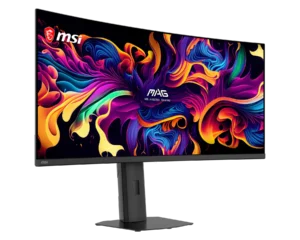
- The MSI MAG 341CQP QD-OLED is the value counter-argument: the same 34-inch 3440×1440 QD-OLED format at a much lower price, if you can live with the older triangular subpixel layout and 280 Hz instead of 360 Hz.
The VS Score is calculated from the weighted specifications above, measured against every other monitors we track — a shortlisting guide, not a substitute for your own priorities. See how we score.