
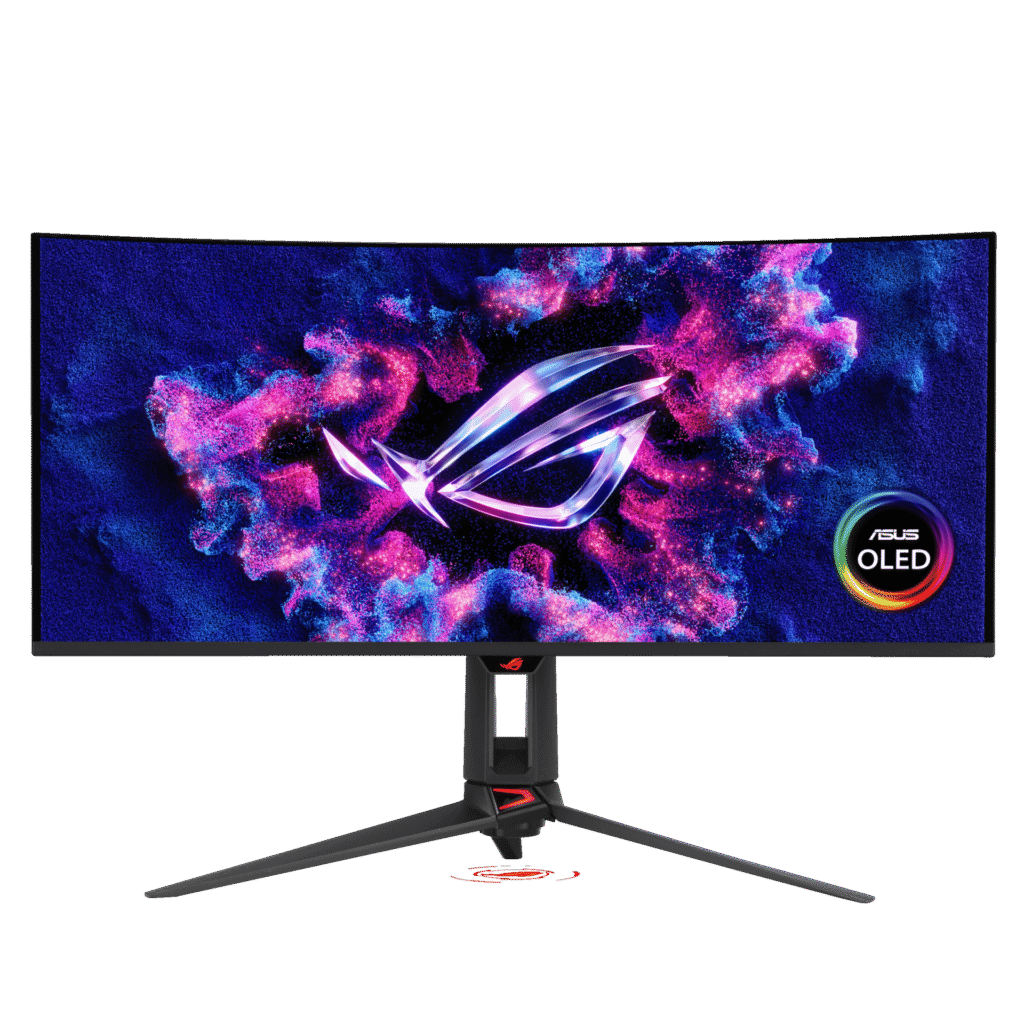
ASUS ROG Swift OLED PG34WCDN: Specs, Features, Pros & Cons
An ultrawide changes how you use a computer more than any specification on it suggests. Two documents sit side by side without either being cramped, a game fills the periphery instead of stopping at the edge of your attention, and a video timeline shows minutes where it used to show seconds. It also brings problems that owners of ordinary screens never think about: older games that letterbox or stretch, film that leaves black bars down the sides instead of across the top, and a footprint that needs real desk depth before you can sit at a sensible distance.
That is the first decision, and it is not really about this monitor at all. Make it before reading anything else, because someone who wants an ultrawide will be happy with a mediocre one and someone who does not will be unhappy with an excellent one.
Having made it, this ASUS is unusual for the second decision it saves you from. Ultrawides are normally sold on immersion, with refresh rates suited to cinema and simulation rather than to competitive shooters. This one is quick enough that you are not choosing between width and speed, and its curve is gentle, which keeps straight lines believable when the screen is doing daytime work.
The connectivity is the other departure from type. It expects a laptop as well as a desktop, and it is equipped to run both from one set of peripherals.
Two caveats worth carrying into the shop: the pixels are spread thin across this width, so text is workmanlike, and the stand does not rotate, which is academic on a curved panel but worth knowing if you had plans.
Category strengths
Where the ASUS ROG Swift OLED PG34WCDN beats the median
- A much higher refresh rate ?360 Hz vs 240 Hz (median)
- Has motion blur reduction ?
- A slightly bigger screen ?34" (86.36 cm) vs 32" (81.28 cm) (median)
Where the ASUS ROG Swift OLED PG34WCDN trails the median
- A lower pixel density ?109 ppi vs 140 ppi (median)
- No pivot adjustment ?
How this VS Score was computed
Score 52: each known spec is measured against the median of OLED gaming monitors, 32 inches and up (13 products), then weighted; 50 means level with that median. In classes of six or more, a value beyond the class’s 10th–90th percentile range counts as that limit, so one extreme product cannot set the scale. 70% of the scoreable weight could be used; unknown values, features not applicable to this class and proxies (battery capacity where a rated life exists) add or remove nothing.
| Specification | This product | Cohort median | Score weight | Points moved |
|---|---|---|---|---|
| Resolution | 1440p | 4K | 1.2 | −30.0 |
| USB-C | Yes | 77% of the class have it | 0.5 | +25.0 |
| Refresh rate | 360 — capped at the class’s upper range (330) | 240 | 1.2 | +22.8 |
| Motion blur reduction | Yes | 25% of the class have it | 0.3 | +15.0 |
| Built-in speakers | No | 40% of the class have it | 0.2 | −9.6 |
| Pixel density | 109 — capped at the class’s lower range (110) | 140 | 0.5 | −5.5 |
| Screen size | 34 | 32 | 1.2 | +3.6 |
| KVM switch | Yes | 67% of the class have it | 0.02 | +1.0 |
| Pivot | No | 64% of the class have it | 0.02 | −1.0 |
| Panel type | OLED | OLED | 0.8 | +0.0 |
| Color depth | 10 | 10 | 0.3 | +0.0 |
| Response time | 0.03 | 0.03 | 0.8 | +0.0 |
| Peak brightness | 1,300 | 1,300 | 0.8 | +0.0 |
| Contrast ratio | 1,500,000 | 1,500,000 | 0.6 | +0.0 |
| DCI-P3 coverage | 99 | 99 | 0.6 | +0.0 |
| HDR | True Black 400 | True Black 400 | 0.5 | +0.0 |
| Adaptive sync | G-Sync Compatible | G-Sync Compatible | 0.6 | +0.0 |
| HDMI ports | 2 | 2 | 0.4 | +0.0 |
| DisplayPort inputs | 1 | 1 | 0.4 | +0.0 |
| USB-C power delivery | 90 | 90 | 0.05 | +0.0 |
Not scored: Local dimming (not applicable: only 0% of this class have it); Local dimming zones (unknown: not scored); Variable refresh rate (standard for the class (100% have it)); Input lag (unknown: not scored); Height adjustment (standard for the class (100% have it)); Tilt (standard for the class (100% have it)); Swivel (standard for the class (100% have it)); USB hub (standard for the class (85% have it)); Headphone output (standard for the class (89% have it)); Webcam (unknown: not scored); Microphone (unknown: not scored); Ethernet (unknown: not scored); Picture-by-picture (unknown: not scored).
Editor’s note
The PG34WCDN is an ultrawide built for competitive play, which is an unusual thing to say. 21:9 panels are normally sold on immersion.
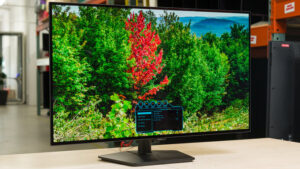
It runs 360 Hz across a 34-inch 1440p QD-OLED with a 1800R curve, 0.03 ms response and 1,300 nits peak. The extra horizontal room helps in racing and flight sims and gives more of the map in strategy games, while the refresh rate keeps it viable for shooters. Usually you choose one or the other.
This is also an unusually well-connected monitor. DisplayPort 2.1 rather than the 1.4 most rivals still fit, HDMI 2.1, USB-C carrying 90 W of laptop charging, a USB hub and a KVM switch. A laptop connects with one cable and shares the desktop's keyboard and mouse.
Two things to weigh. Pixel density is 109 ppi (the same as any 27-inch 1440p monitor), so this monitor buys width, and 4K-class text clarity is not part of it. And the stand does not pivot, which is academic on a curved ultrawide but worth knowing.
The glossy coating gives the strongest contrast impression and reflects a lit room in proportion. Static interface elements carry OLED's slow retention risk over years.
Buy it if you want ultrawide immersion without giving up competitive frame rates, and a laptop shares the desk. Buy a 16:9 4K panel if sharpness matters more than width.
Specifications
Quality bars show where each figure sits between the lowest and highest of the 13 OLED gaming monitors, 32 inches and up this VS Score is measured against.
Picture
Gaming
Ergonomics & design
Connectivity
Features
Sources and verification
Where the specifications come from
- Official product pagerog.asus.com
- Independent testingrtings.com
Verification
- First published
- Specifications last checked
- Sheet completeness
- 34 of 42 specifications verified; the rest show as Unknown and are never estimated or scored
- Page type
- Product specification page — Compiled from the manufacturer’s published specifications and the cited sources; this is not a hands-on test.
- Basis
- Research-based: specifications and editorial text were compiled from the documents listed here and the manufacturer’s published data. We have not tested this unit ourselves; where independent measurements are mentioned they belong to the linked publication.
Monitors with similar specs to the ASUS ROG Swift OLED PG34WCDN
Ratings & reviews
No reviews yet. Be the first to share your experience.
The bottom line
The ASUS ROG Swift OLED PG34WCDN earns a VS Score of 52, above the median of the 13 OLED gaming monitors, 32 inches and up it is measured against (a score of 50 is level with that median).
- Who it’s for
- Sim and strategy players who want ultrawide immersion without giving up shooter-grade speed, with a laptop that joins the desk on one cable.
- Who should look elsewhere
- Readers of fine text and anyone planning to rotate the screen. The pixels are spread thin across the width, and the stand does not pivot.
- The trade-off that matters
- It buys width and speed, so documents and code look coarser than on a denser flat screen of the same class.
- The main alternative
- Dell Alienware AW3425DW: another curved QD-OLED ultrawide at a lower refresh ceiling, for buyers who want the shape and do not need competitive speed.
The VS Score is calculated from the weighted specifications above, each measured against the median of comparable OLED gaming monitors, 32 inches and up — a shortlisting guide, not a substitute for your own priorities. See how we score.





