
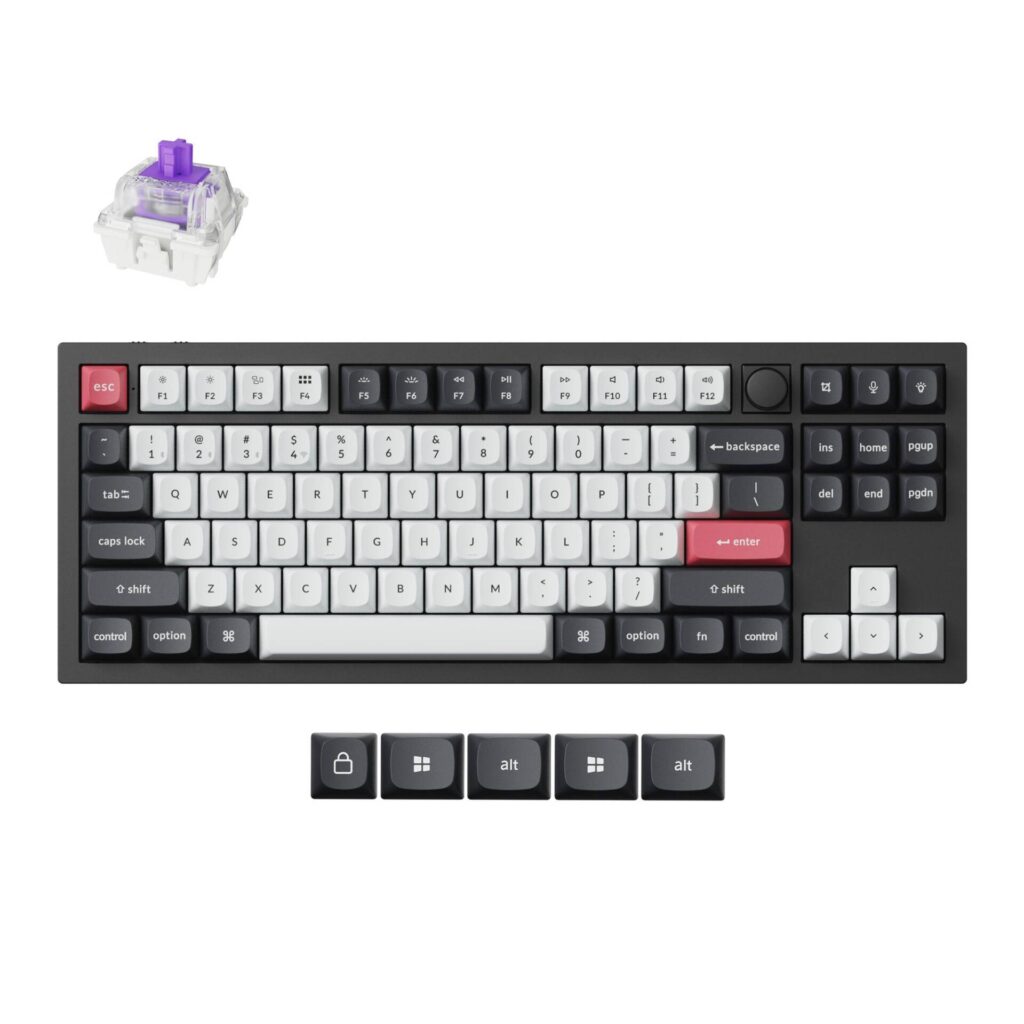
Keychron Q3 HE: Specs, Features, Pros & Cons
For a company that built its name on barebone kits and endless switch options, Keychron sells this one in exactly one configuration. There is no barebone version, no knob-less layout and no third colorway. You choose Carbon Black or Shell White, and that is the whole of the decision before it arrives at your door.
The Q3 HE is the tenkeyless member of Keychron's Hall effect line, sitting between the compact Q1 HE and the full-size Q6 HE. Hall effect switches report how far down a key has traveled rather than whether it has been pressed, and every distinctive feature of this board follows from that one difference. It is also why the thing reads as a gaming product on paper while behaving like an enthusiast typing board in the hand.
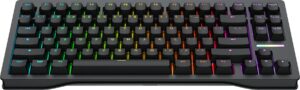
Layout is what to check against your own habits. Tenkeyless drops the number pad while keeping the function row, the arrow cluster and the navigation block, which suits someone who wants the mouse closer without giving up keys they use daily. The rotary knob occupies the corner where the number pad would otherwise begin. If you enter numbers for a living this is the wrong size of keyboard, and no amount of switch technology fixes that.
Two things temper the appeal. It is too heavy to carry between a desk and a laptop bag, and it is priced in the enthusiast tier, above gaming peripherals. A good part of that price pays for the case.
It ends up aimed at two groups who rarely want the same thing: people who care what a keyboard sounds like, and people who care how fast it registers. That overlap is narrow, and there are not many boards built squarely for it.
Category strengths
Where the Keychron Q3 HE beats the median
- Has rapid trigger ?
- Has adjustable actuation ?
Where the Keychron Q3 HE trails the median
- Much shorter battery life ?100 h vs 325 h (median)
- Fewer connection options ?
- A higher front height ?22.6 mm vs 20.2 mm (median)
How this VS Score was computed
Score 65: each known spec is measured against the median of all keyboards (101 products), then weighted; 50 means level with that median. In classes of six or more, a value beyond the class’s 10th–90th percentile range counts as that limit, so one extreme product cannot set the scale. 59% of the scoreable weight could be used; unknown values, features not applicable to this class and proxies (battery capacity where a rated life exists) add or remove nothing.
| Specification | This product | Cohort median | Score weight | Points moved |
|---|---|---|---|---|
| Switch technology | Hall effect | Mechanical | 1 | +33.0 |
| Hot-swappable | Yes | 61% of the class have it | 0.6 | +30.0 |
| Rapid trigger | Yes | 25% of the class have it | 0.5 | +25.0 |
| Battery life | 100 | 325 | 0.6 | −21.0 |
| Adjustable actuation | Yes | 24% of the class have it | 0.4 | +20.0 |
| Sound dampening | Yes | 76% of the class have it | 0.3 | +15.0 |
| Connection | 2 | 3 | 0.8 | −13.6 |
| Rotary knob | Yes | 53% of the class have it | 0.2 | +10.0 |
| Front height | 22.6 | 20.2 | 0.2 | −1.0 |
| Polling rate | 1,000 | 1,000 | 0.7 | +0.0 |
| Bluetooth devices | 3 | 3 | 0.3 | +0.0 |
| Keycap material | PBT | PBT | 0.4 | +0.0 |
| Backlight | RGB | RGB | 0.3 | +0.0 |
Not scored: Actuation force (unknown: not scored); N-key rollover (standard for the class (85% have it)); Analog input (unknown: not scored); Wired latency (unknown: not scored); Wireless latency (unknown: not scored); Battery capacity (capacity is a proxy; the rated battery life is scored instead); USB passthrough (not applicable: only 4% of this class have it); Programmable keys (standard for the class (99% have it)); Media controls (unknown: not scored); Onboard profiles (standard for the class (89% have it)); Configuration software (standard for the class (95% have it)).
Editor’s note
Hall effect keyboards and wireless have mostly been mutually exclusive, because analog switches sample constantly and that eats batteries. The Q3 HE is Keychron's answer, and the compromise it lands on is sensible: 1000 Hz polling over 2.4 GHz and over USB-C, and a 4000 mAh cell that Keychron rates at 100 hours with the lighting off.
The Bluetooth mode is the asterisk. It polls at 90 Hz. That is fine for typing on a tablet and useless for anything competitive, so think of this as a wired-or-dongle keyboard that happens to also pair with your phone.
What you are paying for is the case. It is 6063 aluminum, it weighs 1775 grams, and it uses a double-gasket mount with silicone pads and an acoustic foam layer. The result is a board that does not move on the desk and does not ring, and the screw-in PCB stabilizers mean the space bar and shift keys behave. The double-shot PBT keycaps are not shine-through, which suits the south-facing RGB but means the legends stay dark.
The switch story is the limitation worth knowing before you buy. The Q3 HE takes Gateron Double-Rail magnetic switches and nothing else, not the Magnetic Jade, not the KS-20. Hot-swappable is technically true and practically narrow. Actuation is adjustable from 0.2 to 3.8 mm with rapid trigger and four actions mapped to one keypress by depth, all configured in QMK and the browser-based Launcher, which is the best reason to pick Keychron over a closed platform.
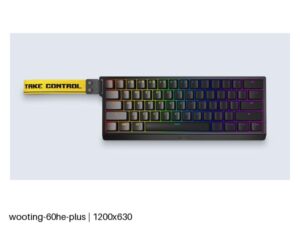
It suits someone who wants one board for work and games and cares about how it sounds. If you only care about winning, the Wooting 80HE is the same 80 percent layout with faster polling and a deeper analog toolset, at the cost of being wired and far less pretty.
Specifications
Quality bars show where each figure sits between the lowest and highest of the 101 keyboards this VS Score is measured against.
Switches & typing
Performance
Layout & size
Connectivity
Build & sound
Features
Sources and verification
Where the specifications come from
- Official product pagekeychron.com
- Retailer listing (cross-check)amazon.com
Verification
- First published
- Specifications last checked
- Sheet completeness
- 28 of 34 specifications verified; the rest show as Unknown and are never estimated or scored
- Page type
- Product specification page — Compiled from the manufacturer’s published specifications and the cited sources; this is not a hands-on test.
- Basis
- Research-based: specifications and editorial text were compiled from the documents listed here and the manufacturer’s published data. We have not tested this unit ourselves; where independent measurements are mentioned they belong to the linked publication.
Keyboards with similar specs to the Keychron Q3 HE
Ratings & reviews
No reviews yet. Be the first to share your experience.
The bottom line
The Keychron Q3 HE earns a VS Score of 65, above the median of the 101 keyboards it is measured against (a score of 50 is level with that median).
- Who it’s for
- Someone who wants one keyboard that types well and games well, likes a heavy aluminum board, and wants adjustable Hall effect actuation without giving up a wireless dongle.
- Who should look elsewhere
- Switch tinkerers. It accepts Gateron Double-Rail magnetic switches and nothing else, so the hot-swap socket is more of a maintenance feature than a customization one.
- The trade-off that matters
- The slow Bluetooth mode exists for convenience. Treat the dongle or USB-C as the real connections and Bluetooth as the one you use with a tablet.
- The main alternative
- The Wooting 80HE covers the same 80 percent layout with true 8 kHz polling and a more mature analog feature set, if you will accept a wired-only board that is far less satisfying to type on.
The VS Score is calculated from the weighted specifications above, each measured against the median of comparable keyboards — a shortlisting guide, not a substitute for your own priorities. See how we score.





