
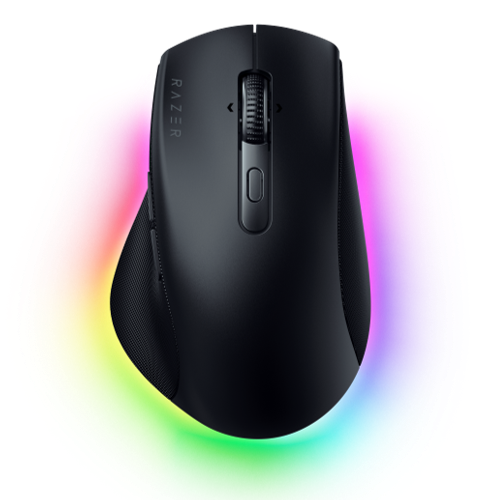
Razer Pro Click V2: Specs, Features, Pros & Cons
Gaming brands have spent the last few years discovering the office, and most of the results amount to a black mouse with the logo turned down. The Pro Click V2 is a more serious attempt than that, because the shape changed rather than just the color scheme.
This is a properly ergonomic shell, raised and angled, with a thumb shelf that gives real support. It is aimed at someone who is on a mouse for a full working day and has begun to notice their wrist, and it sits in the middle of that market: less extreme than a fully vertical mouse, considerably more supportive than a flat ambidextrous one. The body is generous, which suits medium and large hands and leaves smaller ones reaching.
The feature most likely to justify the outlay for office work is the scroll wheel. It switches between a ratcheted mode for precise line-by-line work and a free-spinning mode for traveling through long documents, and it tilts for horizontal scrolling. Anyone who has moved from a productivity mouse to a gaming one and missed sideways scrolling will recognize exactly what is being fixed.
Underneath sits hardware borrowed from Razer's gaming line. That is more than office work needs on paper, but it does mean the mouse tracks reliably on glass, laminate and the other awkward surfaces where cheaper productivity mice stumble. Connectivity covers a dongle, Bluetooth and a cable, so one mouse can follow you between a work laptop and a home machine.
The obvious caveat is that this remains a Razer product, lighting and companion software included, which is not what every office wants on the desk. If understated is a requirement, the established business brands make quieter-looking things.
Category strengths
Where the Razer Pro Click V2 beats the median
- More connection options ?
- More buttons ?9 vs 6 (median)
- Has horizontal scrolling ?
- Has free-spin scroll wheel ?
- Has RGB lighting ?
- A higher max sensitivity ?30,000 DPI vs 25,600 DPI (median)
Where the Razer Pro Click V2 trails the median
- A heavier build ?110 g vs 89 g (median)
- A lower max tracking speed ?550 IPS vs 650 IPS (median)
- A lower max acceleration ?40 G vs 50 G (median)
- A lower switch lifespan ?60 million clicks vs 80 million clicks (median)
How this VS Score was computed
Score 62: each known spec is measured against the median of all mice (81 products), then weighted; 50 means level with that median. In classes of six or more, a value beyond the class’s 10th–90th percentile range counts as that limit, so one extreme product cannot set the scale. 52% of the scoreable weight could be used; unknown values, features not applicable to this class and proxies (battery capacity where a rated life exists) add or remove nothing.
| Specification | This product | Cohort median | Score weight | Points moved |
|---|---|---|---|---|
| Connection | 3 | 2 | 0.8 | +20.0 |
| Buttons | 9 | 6 | 0.6 | +15.0 |
| USB-C charging | Yes | 67% of the class have it | 0.3 | +15.0 |
| Weight | 110 | 89 | 1 | −10.0 |
| Horizontal scrolling | Yes | 45% of the class have it | 0.2 | +10.0 |
| Free-spin scroll wheel | Yes | 34% of the class have it | 0.2 | +10.0 |
| RGB lighting | Yes | 46% of the class have it | 0.2 | +10.0 |
| Max sensitivity | 30,000 | 25,600 | 1 | +9.0 |
| Max tracking speed | 550 | 650 | 0.8 | −6.4 |
| Max acceleration | 40 | 50 | 0.4 | −4.0 |
| Switch lifespan | 60 | 80 | 0.2 | −2.4 |
Not scored: Polling rate (unknown: not scored); Adjustable lift-off distance (unknown: not scored); Grip styles (unknown: not scored); Click latency (unknown: not scored); Debounce adjustment (unknown: not scored); Wireless polling rate (unknown: not scored); Battery life (unknown: not scored); Battery capacity (unknown: not scored); Quick charge (unknown: not scored); Wireless charging (unknown: not scored); Onboard memory (standard for the class (86% have it)); Software customization (standard for the class (97% have it)); Adjustable weights (unknown: not scored).
Editor’s note
The Pro Click V2 is Razer applying its gaming hardware to office work, and the result is more convincing than that description suggests. The shape is a proper ergonomic one, angled with an extended thumb rest, meant to be comfortable for eight hours at a time.
The scroll wheel is the best part. It has a dual mode with tilt, so it ratchets for precise work and spins freely for long spreadsheets and documents, and tilting gives horizontal scrolling, the feature people miss most when moving from a productivity mouse to a gaming one. There are nine programmable buttons.
Underneath is gaming silicon: the Focus Pro sensor at 30,000 DPI, 550 IPS and 40G. That is far more than office work needs, but it means the mouse tracks flawlessly on glass and awkward desk surfaces, which is where cheaper productivity mice fail. Connectivity is tri-mode (HyperSpeed 2.4 GHz, Bluetooth to three hosts, and USB-C wired), and the three-host Bluetooth is the useful part if you switch between a laptop and a desktop.
Battery life is quoted as up to 3.5 months. That is a typical-use estimate, so read it as "you will rarely think about charging".
At 110 g it is a substantial mouse, and the mechanical switches are rated at 60 million clicks, against 90 million for Razer's optical ones.
Buy it if you work all day at a desk and want a comfortable mouse that also games competently. Skip it if you want something light, or if you have no use for a tilt wheel.
Specifications
Quality bars show where each figure sits between the lowest and highest of the 81 mice this VS Score is measured against.
Sensor & tracking
Design & handling
Switches & latency
Connectivity
Battery
Features
Sources and verification
Where the specifications come from
- Official product pagerazer.com
- Independent testingrtings.com
Verification
- First published
- Specifications last checked
- Sheet completeness
- 23 of 34 specifications verified; the rest show as Unknown and are never estimated or scored
- Page type
- Product specification page — Compiled from the manufacturer’s published specifications and the cited sources; this is not a hands-on test.
- Basis
- Research-based: specifications and editorial text were compiled from the documents listed here and the manufacturer’s published data. We have not tested this unit ourselves; where independent measurements are mentioned they belong to the linked publication.
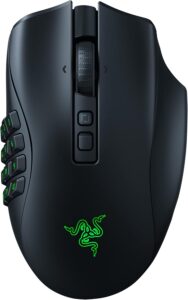
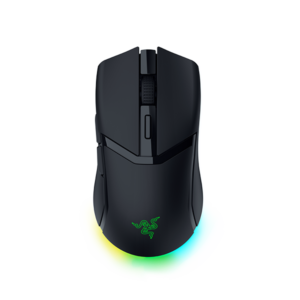
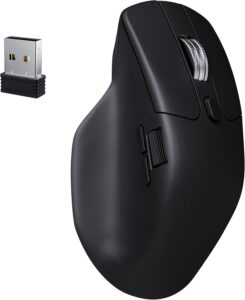
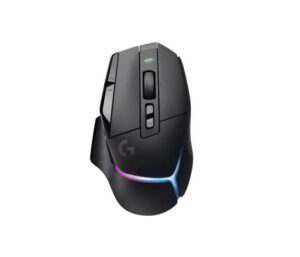
Mice with similar specs to the Razer Pro Click V2

Ratings & reviews
No reviews yet. Be the first to share your experience.
The bottom line
The Razer Pro Click V2 earns a VS Score of 62, above the median of the 81 mice it is measured against (a score of 50 is level with that median).
- Who it’s for
- Someone with a medium or large hand who sits at a desk all day, moves between a work laptop and a home PC, and still wants a mouse fit for evening games.
- Who should look elsewhere
- Small hands, anyone who wants a light mouse, and offices that frown on gaming lighting and software.
- The trade-off that matters
- The generous body supports a bigger hand well and leaves smaller ones reaching, and its weight makes quick movements hard work.
- The main alternative
- Logitech MX Master 3S: a business-brand alternative with quiet switches and no lighting
The VS Score is calculated from the weighted specifications above, each measured against the median of comparable mice — a shortlisting guide, not a substitute for your own priorities. See how we score.




