
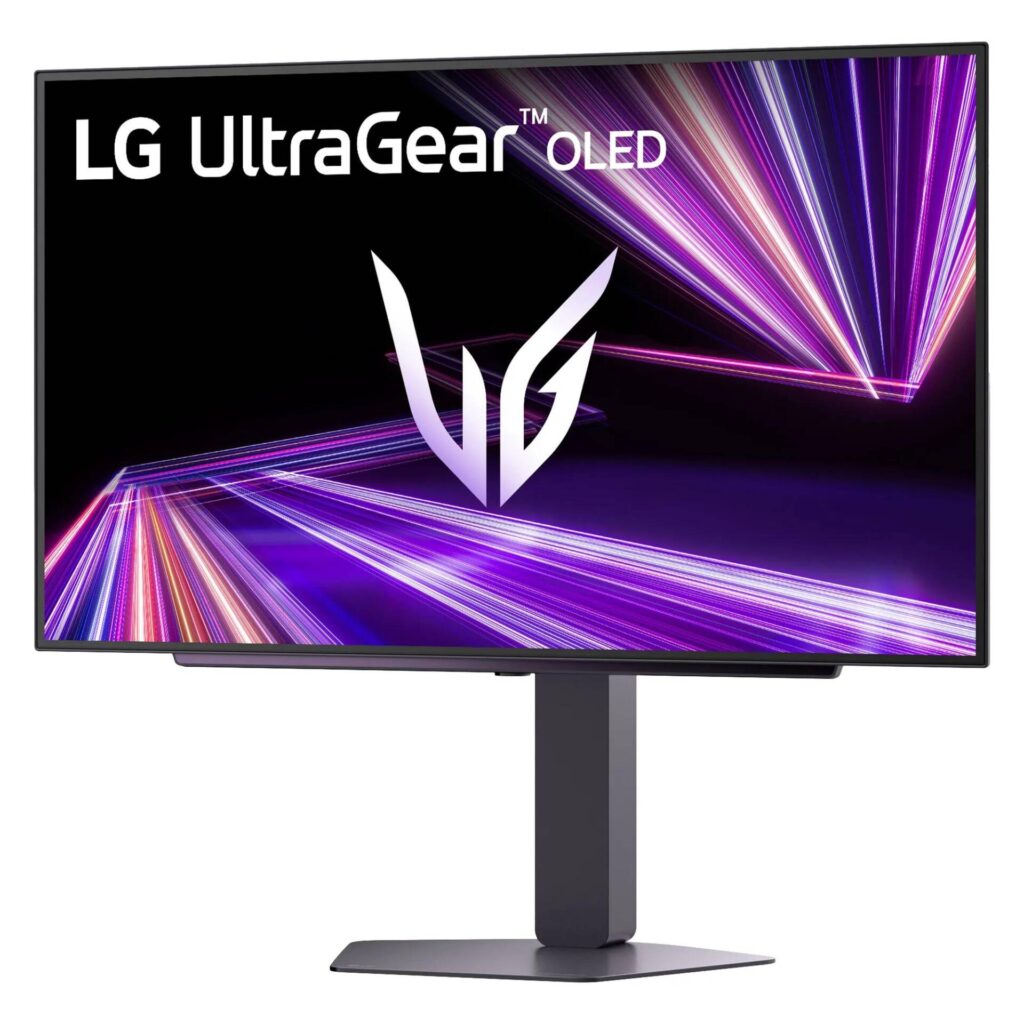
LG 27GX704A-B: Specs, Features, Pros & Cons
Refresh rate has quietly become the specification people overbuy. The panels at the top of the range advertise numbers that need a graphics card at the top of its own range before the difference is visible at all. This LG sits deliberately below that ceiling, and the restraint is the most sensible thing about it.
At this size and resolution, the frame rates on offer are ones a mid-range machine can produce in the games where fast motion matters, and that is what turns a number into an experience. Buying more headroom than your hardware can fill leaves you with a monitor that spends its life running at the same speed as a cheaper one.
The panel technology is the second thing worth understanding before choosing. Two kinds of OLED are on shelves at the moment, and they differ in how they make light and how they arrange their subpixels, which affects highlight punch on one hand and the rendering of small text on the other. This is the variety that leans towards brightness and towards conventional text, which makes it a better candidate than most for a screen that has to do some work between games.
What it will not do is dock a laptop. There is a hub for peripherals, the stand moves in every direction, and video arrives from a tower or a console. If a work machine shares the desk, that is the gap to plan around.
For most people upgrading from an older gaming panel, this is roughly the point on the curve where more money stops buying anything you will notice.
Category strengths
Where the LG 27GX704A-B beats the median
- Higher peak brightness ?1,300 nits vs 1,000 nits (median)
How this VS Score was computed
Score 49: each known spec is measured against the median of OLED gaming monitors, 27 to 31 inches (16 products), then weighted; 50 means level with that median. In classes of six or more, a value beyond the class’s 10th–90th percentile range counts as that limit, so one extreme product cannot set the scale. 70% of the scoreable weight could be used; unknown values, features not applicable to this class and proxies (battery capacity where a rated life exists) add or remove nothing.
| Specification | This product | Cohort median | Score weight | Points moved |
|---|---|---|---|---|
| USB-C | No | 33% of the class have it | 0.5 | −24.0 |
| Motion blur reduction | No | 22% of the class have it | 0.3 | −14.4 |
| Peak brightness | 1,300 | 1,000 | 0.8 | +12.0 |
| Headphone output | Yes | 75% of the class have it | 0.2 | +10.0 |
| USB hub | Yes | 73% of the class have it | 0.05 | +2.3 |
| Screen size | 27 | 27 | 1.2 | +0.0 |
| Resolution | 1440p | 1440p | 1.2 | +0.0 |
| Panel type | OLED | OLED | 0.8 | +0.0 |
| Color depth | 10 | 10 | 0.3 | +0.0 |
| Refresh rate | 240 | 240 | 1.2 | +0.0 |
| Response time | 0.03 | 0.03 | 0.8 | +0.0 |
| Contrast ratio | 1,500,000 | 1,500,000 | 0.6 | +0.0 |
| DCI-P3 coverage | 98.5 — capped at the class’s lower range (99) | 99 | 0.6 | +0.0 |
| HDR | True Black 400 | True Black 400 | 0.5 | +0.0 |
| Pixel density | 110 | 111 | 0.5 | +0.0 |
| Adaptive sync | G-Sync Compatible | G-Sync Compatible | 0.6 | +0.0 |
| HDMI ports | 2 | 2 | 0.4 | +0.0 |
| DisplayPort inputs | 1 | 1 | 0.4 | +0.0 |
Not scored: Local dimming (not applicable: only 0% of this class have it); Local dimming zones (unknown: not scored); Variable refresh rate (standard for the class (100% have it)); Input lag (unknown: not scored); Height adjustment (standard for the class (94% have it)); Tilt (standard for the class (100% have it)); Swivel (standard for the class (88% have it)); Pivot (standard for the class (81% have it)); USB-C power delivery (unknown: not scored); Built-in speakers (not applicable: only 0% of this class have it); KVM switch (unknown: not scored); Webcam (unknown: not scored); Microphone (unknown: not scored); Ethernet (unknown: not scored); Picture-by-picture (unknown: not scored).
Editor’s note
The 27GX704A is a WOLED rather than a QD-OLED, and on this specification that distinction works in its favor.
The headline is brightness: 1,300 nits peak, against the 1,000 the QD-OLED panels around it reach. On an OLED that is the number that has always been in short supply, so HDR highlights here have more force than the contrast figures alone would suggest. Quoted contrast is 1,500,000:1 with 98.5% DCI-P3 coverage.
Refresh is 240 Hz at 1440p with 0.03 ms response and G-Sync Compatible variable refresh. That is a step below the 360 Hz panels but far easier to feed, and past the point of diminishing returns outside competitive play. Pixel density is 110 ppi, so this is a gaming display rather than a text one.
WOLED's other characteristic is worth knowing. Its subpixel layout renders small text more conventionally than QD-OLED's triangular arrangement, which can produce less color fringing on thin fonts, a real if subtle advantage if the monitor doubles as a work screen.
Two HDMI 2.1 ports, DisplayPort 1.4 and a USB hub cover connections. There is no USB-C. The stand adjusts fully including pivot, and the coating is glossy.
Buy it if you want the brightest 1440p OLED and that refresh rate is fast enough for your games. Buy one of the faster panels only if you play competitively at frame rates your hardware can reach.
Specifications
Quality bars show where each figure sits between the lowest and highest of the 16 OLED gaming monitors, 27 to 31 inches this VS Score is measured against.
Picture
Gaming
Ergonomics & design
Connectivity
Features
Sources and verification
Where the specifications come from
- Official product pagelg.com
- Independent testingrtings.com
Verification
- First published
- Specifications last checked
- Sheet completeness
- 32 of 42 specifications verified; the rest show as Unknown and are never estimated or scored
- Page type
- Product specification page — Compiled from the manufacturer’s published specifications and the cited sources; this is not a hands-on test.
- Basis
- Research-based: specifications and editorial text were compiled from the documents listed here and the manufacturer’s published data. We have not tested this unit ourselves; where independent measurements are mentioned they belong to the linked publication.
Monitors with similar specs to the LG 27GX704A-B

Ratings & reviews
No reviews yet. Be the first to share your experience.
The bottom line
The LG 27GX704A-B earns a VS Score of 49, below the median of the 16 OLED gaming monitors, 27 to 31 inches it is measured against (a score of 50 is level with that median).
- Who it’s for
- Someone upgrading an older gaming panel with a mid-range PC, who wants bright OLED highlights and a screen that copes with text between games.
- Who should look elsewhere
- Anyone whose work laptop shares the desk and expects one-cable docking, and competitive players who can push frame rates well beyond this ceiling.
- The trade-off that matters
- It stops below the fastest refresh rates in exchange for a brighter panel that a mid-range card can fill, which suits most players and leaves esports specialists wanting more.
- The main alternative
- ASUS ROG Strix OLED XG27AQWMG: an even brighter tandem panel at a higher refresh ceiling, for players whose card can reach it.
The VS Score is calculated from the weighted specifications above, each measured against the median of comparable OLED gaming monitors, 27 to 31 inches — a shortlisting guide, not a substitute for your own priorities. See how we score.





