
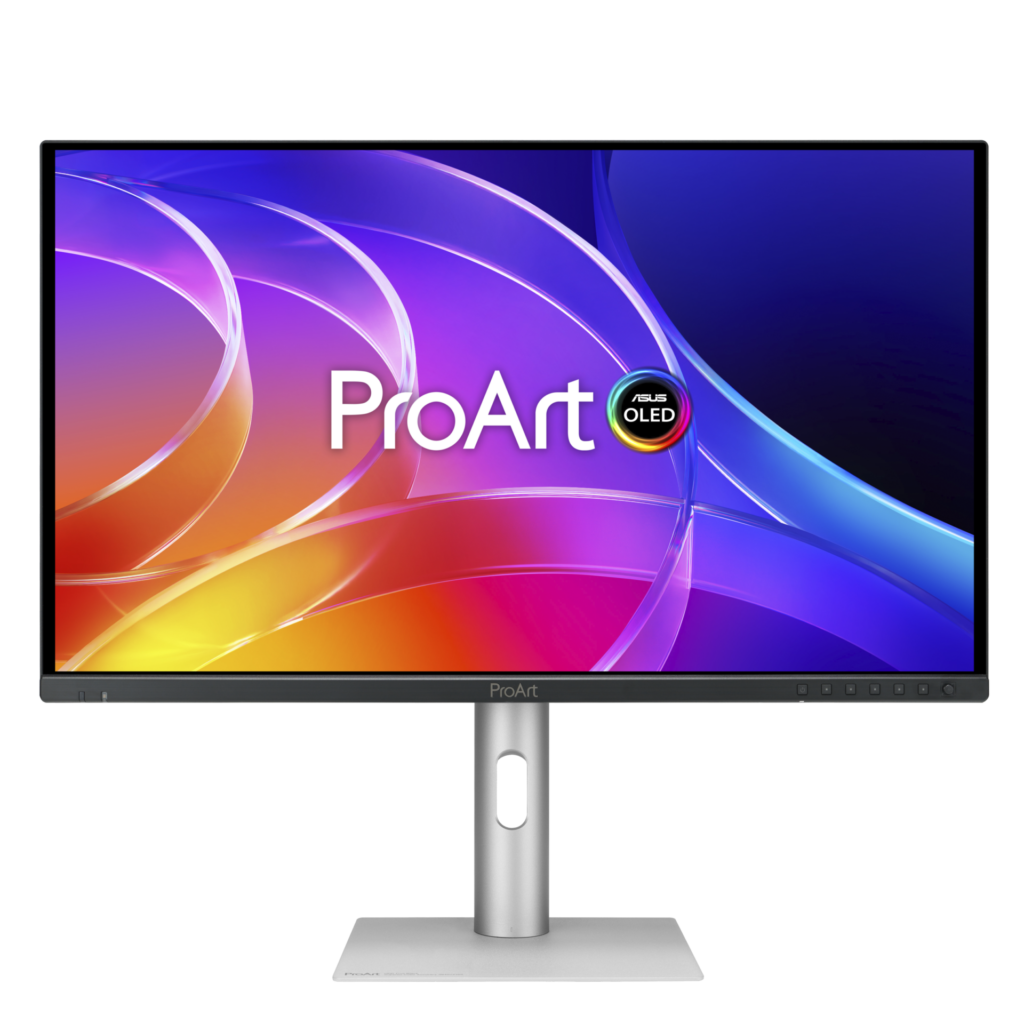
ASUS ProArt Display PA279CDV: Specs, Features, Pros & Cons
ASUS quotes this display's true diagonal rather than rounding it up the way almost everyone else does, which is a small honesty that sets the tone for the rest of the sheet. It measures a fraction under the size the industry would normally call twenty-seven, and it uses a QD-OLED panel of the sort gaming monitors made famous, rebuilt here into a display for people who are paid for the colors they see.
The practical difference between this and an IPS ProArt is per-pixel emission. Every pixel generates its own light and switches off completely, so there is no backlight leaking around dark content and no halo where a bright object sits on black. Response is effectively instantaneous. Those two properties are what make OLED worth its complications for moving-image work.
Its complications come with the design, and they are permanent. The panel protects itself: pixel shifting, periodic compensation cycles and enforced screen savers run whether you want them or not and cannot be fully switched off. The anti-reflection coating is not the same thing as a matte finish, so a window behind you will still show up in dark scenes. And at this pixel pitch the operating system needs scaling before text is comfortable, which is normal for the class but worth expecting.
Connectivity is unusually complete for a color-critical display: a current-generation HDMI input, two DisplayPort inputs supporting stream compression and daisy-chaining, a USB hub and a stand that tilts, swivels, pivots and rises. The intent is plain enough. This is meant to be the only monitor on a working desk, doing everything asked of it, rather than a specialist second screen wheeled in for grading sessions.
Category strengths
Where the ASUS ProArt Display PA279CDV beats the median
- A much higher pixel density ?166 ppi vs 111 ppi (median)
- Has built-in speakers ?
- Has KVM switch ?
Where the ASUS ProArt Display PA279CDV trails the median
- A much lower refresh rate ?120 Hz vs 240 Hz (median)
- Fewer HDMI ports ?1 vs 2 (median)
- A slightly smaller screen ?26.5" (67.31 cm) vs 27" (68.58 cm) (median)
How this VS Score was computed
Score 60: each known spec is measured against the median of OLED monitors (35 products), then weighted; 50 means level with that median. In classes of six or more, a value beyond the class’s 10th–90th percentile range counts as that limit, so one extreme product cannot set the scale. 64% of the scoreable weight could be used; unknown values, features not applicable to this class and proxies (battery capacity where a rated life exists) add or remove nothing.
| Specification | This product | Cohort median | Score weight | Points moved |
|---|---|---|---|---|
| Resolution | 4K | 1440p | 1.2 | +30.0 |
| USB-C | Yes | 53% of the class have it | 0.5 | +25.0 |
| USB hub | Yes | 79% of the class have it | 0.3 | +15.0 |
| Pixel density | 166 | 111 | 0.5 | +12.5 |
| Pivot | Yes | 76% of the class have it | 0.2 | +10.0 |
| HDMI ports | 1 | 2 | 0.4 | −10.0 |
| Built-in speakers | Yes | 16% of the class have it | 0.2 | +10.0 |
| KVM switch | Yes | 50% of the class have it | 0.2 | +10.0 |
| Picture-by-picture | Yes | 71% of the class have it | 0.2 | +10.0 |
| Refresh rate | 120 — capped at the class’s lower range (165) | 240 | 0.6 | −9.6 |
| Screen size | 26.5 | 27 | 1.2 | −1.2 |
| Panel type | OLED | OLED | 0.8 | +0.0 |
| Color depth | 10 | 10 | 0.3 | +0.0 |
| Response time | 0.1 — capped at the class’s upper range (0.03) | 0.03 | 0.24 | +0.0 |
| Peak brightness | 1,000 | 1,000 | 0.8 | +0.0 |
| Contrast ratio | 1,500,000 | 1,500,000 | 0.6 | +0.0 |
| DCI-P3 coverage | 99 | 99 | 0.6 | +0.0 |
| HDR | True Black 400 | True Black 400 | 0.5 | +0.0 |
| DisplayPort inputs | 2 — capped at the class’s upper range (1) | 1 | 0.4 | +0.0 |
| USB-C power delivery | 96 — capped at the class’s upper range (90) | 90 | 0.3 | +0.0 |
Not scored: Local dimming (unknown: not scored); Local dimming zones (unknown: not scored); Adaptive sync (unknown: not scored); Variable refresh rate (standard for the class (100% have it)); Motion blur reduction (unknown: not scored); Input lag (unknown: not scored); Height adjustment (standard for the class (97% have it)); Tilt (standard for the class (100% have it)); Swivel (standard for the class (94% have it)); Headphone output (standard for the class (87% have it)); Webcam (unknown: not scored); Microphone (unknown: not scored); Ethernet (not applicable: only 0% of this class have it).
Editor’s note
The question a buyer should ask about the PA279CDV is not whether the panel is good (QD-OLED at this size and resolution is excellent, and ASUS has calibrated it properly) but whether the ProArt premium over a gaming QD-OLED with the same panel class is worth paying for.
For the people it is aimed at, I think it is. The calibration report, the Delta E guarantee, the hardware presets for BT.709, P3, Adobe RGB and DICOM, and Calman verification are the things a colorist uses, and none of them come on the gaming versions. The three-year warranty that includes burn-in is the other big one: OLED burn-in is the risk that stops professionals buying these, and ASUS is putting its own money against it.
The USB-C dock and KVM are the quietly useful parts. One cable to a MacBook, 96 watts back to it, a second machine on the DisplayPort input, and one keyboard and mouse for both is exactly the desk a freelance editor runs. Daisy-chaining a second display over DisplayPort is a rarer trick and a welcome one.
The part that would make me hesitate is the brightness for ordinary work. Two hundred and fifty nits full-screen is fine in a controlled grading room and dim by a window, and OLED's brightness limiter will pull the whole screen down when large white areas appear: spreadsheets, documents, code. If the day is mostly text, an IPS ProArt is the calmer choice.
I would choose it for color-critical photo and video work in a controlled space, where the HDR peak and the OLED black level matter and the burn-in warranty removes the last objection. I would not choose it as a general-purpose office monitor, and I would not pay the ProArt price for gaming.
Specifications
Quality bars show where each figure sits between the lowest and highest of the 35 OLED monitors this VS Score is measured against.
Picture
Gaming
Ergonomics & design
Connectivity
Features
Sources and verification
Where the specifications come from
- Official product pageasus.com
- Retailer listing (cross-check)amazon.com
Verification
- First published
- Specifications last checked
- Sheet completeness
- 33 of 42 specifications verified; the rest show as Unknown and are never estimated or scored
- Page type
- Product specification page — Compiled from the manufacturer’s published specifications and the cited sources; this is not a hands-on test.
- Basis
- Research-based: specifications and editorial text were compiled from the documents listed here and the manufacturer’s published data. We have not tested this unit ourselves; where independent measurements are mentioned they belong to the linked publication.
Monitors with similar specs to the ASUS ProArt Display PA279CDV

Ratings & reviews
No reviews yet. Be the first to share your experience.
The bottom line
The ASUS ProArt Display PA279CDV earns a VS Score of 60, above the median of the 35 OLED monitors it is measured against (a score of 50 is level with that median).
- Who it’s for
- A photographer, colorist or video editor working in a light-controlled room who needs an accurate HDR-capable OLED, docks a laptop over a single cable, and wants a second machine sharing the same keyboard.
- Who should look elsewhere
- Anyone whose day is mostly documents and spreadsheets in a bright room, where the brightness limiter pulls the whole screen down every time a white page appears. Gamers should buy the same panel class without the professional markup.
- The trade-off that matters
- You are paying for calibration, presets and a warranty that covers the panel wearing out. The same money buys a brighter IPS ProArt with none of the OLED caveats, and for a great deal of work that is the better monitor.
- The main alternative
- ASUS ProArt Display PA279CRV: the IPS ProArt with the same docking and color presets for far less, for buyers who want the calibration without OLED's brightness limits or the burn-in question.
The VS Score is calculated from the weighted specifications above, each measured against the median of comparable OLED monitors — a shortlisting guide, not a substitute for your own priorities. See how we score.





