
ASUS ROG Strix OLED XG32UCWMG: Specs, Price, Pros & Cons
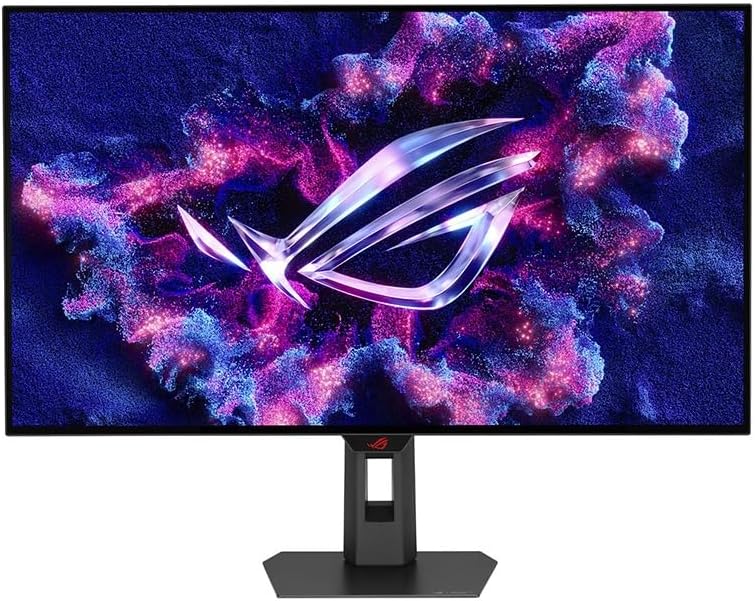
ASUS sells two 32-inch 4K OLED gaming monitors under its ROG name, and they split the work cleanly. The Swift PG32UCDM is the all-rounder that can charge a laptop. The Strix XG32UCWMG is the one built around speed, and it gives up the laptop charging to get there.
Its defining feature is a dual-mode panel. At full resolution it is a sharp screen for single-player games and films. A setting in the menu drops it to a lower resolution at a much higher refresh rate for competitive shooters, where smooth motion and low delay count for more than fine detail. Someone who plays both kinds of game gets one monitor where the choice used to mean two.
The panel comes from LG Display rather than Samsung, which is the other main difference from its sibling. Each pixel lights itself, so the contrast and response are what OLED buyers expect, and this generation is bright enough for HDR highlights to register in a room that is not dark. At this size a 4K picture keeps spreadsheets and code sharp at a normal viewing distance, so the screen can carry a working day between sessions.
Around the panel ASUS kept the desk features its larger monitors carry: a hub for peripherals, a switch for sharing them with a second computer, and a stand that moves in every direction. The finish is glossy, so lamps and windows behind you show up on the screen.
The monitor is only half the purchase. Running sharp detail at high frame rates in the latest games takes a top graphics card, and on a modest one the fast mode ends up being the one you live in.
Category strengths
Where the ASUS ROG Strix OLED XG32UCWMG trails the median
- Much slower USB-C charging ?15 W vs 90 W (median)
How this VS Score was computed
Score 53: each known spec is measured against the median of OLED gaming monitors, 32 inches and up (13 products), then weighted; 50 means level with that median. In classes of six or more, a value beyond the class’s 10th–90th percentile range counts as that limit, so one extreme product cannot set the scale. 60% of the scoreable weight could be used; unknown values, features not applicable to this class and proxies (battery capacity where a rated life exists) add or remove nothing.
| Specification | This product | Cohort median | Score weight | Points moved |
|---|---|---|---|---|
| USB-C | Yes | 77% of the class have it | 0.5 | +25.0 |
| USB-C power delivery | 15 | 90 | 0.05 | −1.9 |
| Pivot | Yes | 64% of the class have it | 0.02 | +1.0 |
| KVM switch | Yes | 67% of the class have it | 0.02 | +1.0 |
| Screen size | 32 | 32 | 1.2 | +0.0 |
| Resolution | 4K | 4K | 1.2 | +0.0 |
| Panel type | OLED | OLED | 0.8 | +0.0 |
| Color depth | 10 | 10 | 0.3 | +0.0 |
| Refresh rate | 240 | 240 | 1.2 | +0.0 |
| Response time | 0.03 | 0.03 | 0.8 | +0.0 |
| Peak brightness | 1,300 | 1,300 | 0.8 | +0.0 |
| HDR | True Black 400 | True Black 400 | 0.5 | +0.0 |
| Pixel density | 140 | 140 | 0.5 | +0.0 |
| Adaptive sync | G-Sync Compatible | G-Sync Compatible | 0.6 | +0.0 |
| HDMI ports | 2 | 2 | 0.4 | +0.0 |
| DisplayPort inputs | 1 | 1 | 0.4 | +0.0 |
Not scored: Contrast ratio (unknown: not scored); DCI-P3 coverage (unknown: not scored); Local dimming (not applicable: only 0% of this class have it); Local dimming zones (unknown: not scored); Variable refresh rate (standard for the class (100% have it)); Motion blur reduction (unknown: not scored); Input lag (unknown: not scored); Height adjustment (standard for the class (100% have it)); Tilt (standard for the class (100% have it)); Swivel (standard for the class (100% have it)); USB hub (standard for the class (85% have it)); Built-in speakers (unknown: not scored); Headphone output (standard for the class (89% have it)); Webcam (unknown: not scored); Microphone (unknown: not scored); Ethernet (unknown: not scored); Picture-by-picture (unknown: not scored).
Editor’s note
The XG32UCWMG has a 480 Hz mode, but not at 4K. It is a dual-mode panel: 4K at 240 Hz for detail, or 1080p at the doubled rate for competitive play.
Either way, the WOLED panel behind it reaches 1,300 nits, brighter than the QD-OLEDs it competes with, with 0.03 ms response and True Black 400 HDR. At 32 inches and 4K it is 140 pixels per inch, sharp enough for text without being a dedicated work monitor.
For a desk it is well equipped: a USB hub, a KVM switch so one keyboard and mouse can serve two machines, two HDMI 2.1 ports, DisplayPort 1.4, and a stand that adjusts in every axis including pivot.
Read the USB-C line carefully, though. It carries 15 W. That is enough for a phone or a peripheral and nowhere near enough to charge a laptop, so single-cable laptop use is not on the table: the port is there for the KVM and the hub, not for power.
The glossy coating produces the deepest-looking image and mirrors a bright room, and static desktop elements carry the usual slow retention risk on any OLED.
Buy it if you want a top-speed mode and 4K sharpness in one monitor, driven by a desktop. Buy a 90 W USB-C model if a laptop shares the desk.
Specifications
Quality bars show where each figure sits between the lowest and highest of the 13 OLED gaming monitors, 32 inches and up this VS Score is measured against.
Picture
Gaming
Ergonomics & design
Connectivity
Features
Sources and verification
Where the specifications come from
- Official product pagerog.asus.com
- Independent testingrtings.com
Verification
- First published
- Specifications last checked
- Sheet completeness
- 29 of 42 specifications verified; the rest show as Unknown and are never estimated or scored
- Page type
- Product specification page — Compiled from the manufacturer’s published specifications and the cited sources; this is not a hands-on test.
- Basis
- Research-based: specifications and editorial text were compiled from the documents listed here and the manufacturer’s published data. We have not tested this unit ourselves; where independent measurements are mentioned they belong to the linked publication.
Where to buy
Prices and availability may change. Check the retailer before buying. We may earn a commission on purchases.
Price history
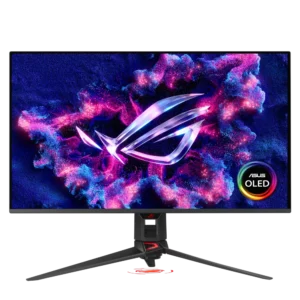
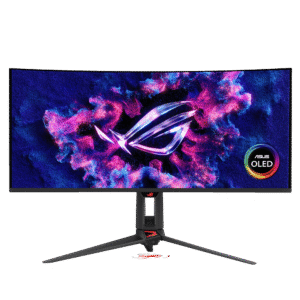
Monitors with similar specs to the ASUS ROG Strix OLED XG32UCWMG
Ratings & reviews
No reviews yet. Be the first to share your experience.
The bottom line
The ASUS ROG Strix OLED XG32UCWMG earns a VS Score of 53, above the median of the 13 OLED gaming monitors, 32 inches and up it is measured against (a score of 50 is level with that median).
- Who it’s for
- Players who want detailed single-player games and top-speed competitive play on one screen, and own the graphics card to feed both modes.
- Who should look elsewhere
- A desk shared with a laptop that needs charging. The USB-C port powers little more than a phone.
- The trade-off that matters
- The headline speed only arrives at reduced resolution, so choosing between sharpness and frame rate becomes a mode switch you make game by game.
- The main alternative
- ASUS ROG Swift OLED PG32UCDM: the same size and sharpness with a USB-C port that charges a laptop, for a desk that serves work and play at a lower top speed.
The VS Score is calculated from the weighted specifications above, each measured against the median of comparable OLED gaming monitors, 32 inches and up — a shortlisting guide, not a substitute for your own priorities. See how we score.





