
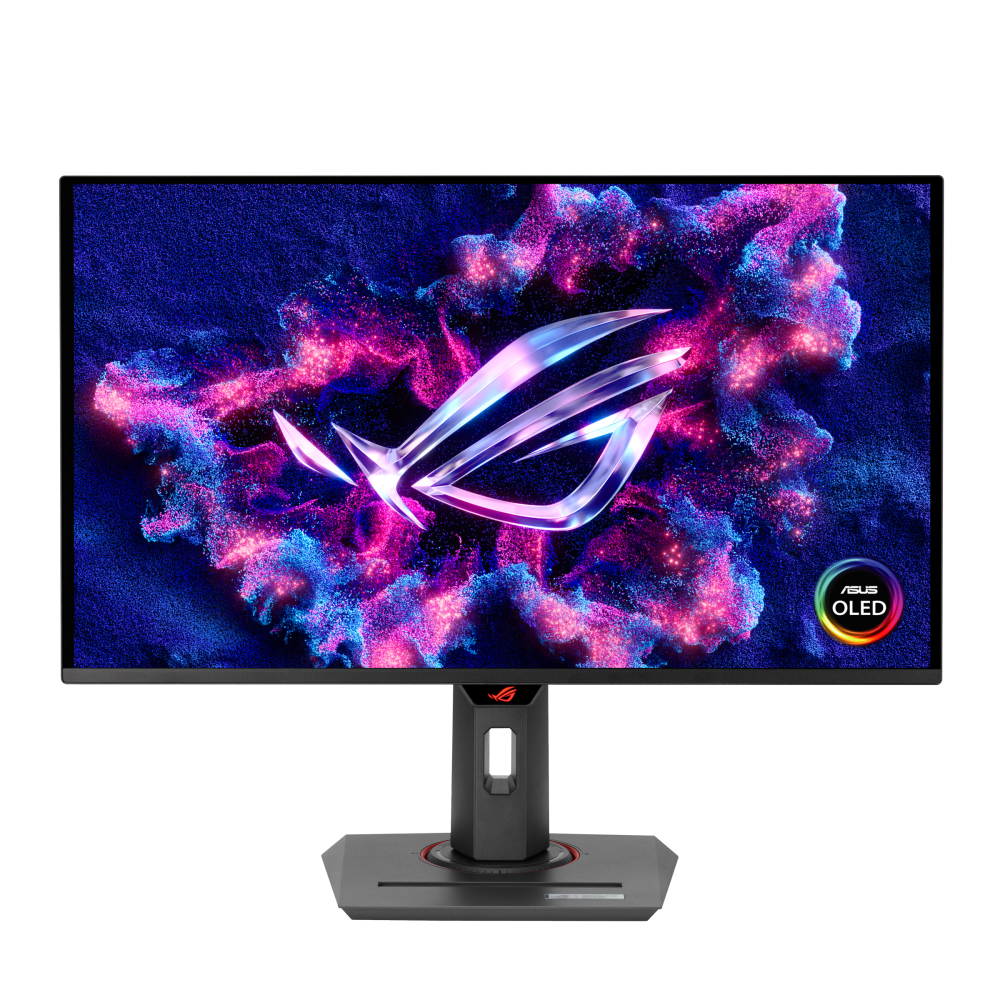
ASUS ROG Strix OLED XG27ACDNG: Specs, Price, Pros & Cons
Plenty of fast quantum-dot OLED gaming monitors now share this class of panel. What sets the ROG Strix XG27ACDNG apart is everything ASUS built around it. It is a competitive-grade gaming screen that also works as a desk hub, with a built-in keyboard-and-mouse switch, a USB hub and a type-C input strong enough to run and charge a laptop over one cable. Most rivals using the same generation of panel treat connectivity as an afterthought.
That matters for a particular kind of desk: a gaming PC underneath and a work laptop on top, sharing one screen, one keyboard and one mouse. Here the handover between them happens in the monitor, with no separate dock or tangle of cables, and the laptop charges while it is connected. Console players are covered as well, since both TV-style inputs support the newer standard, so a PC, a console and a laptop can all remain plugged in.
The panel itself sits in the esports tier. QHD keeps the frame-rate demand realistic for upper mid-range graphics cards, self-emissive pixels remove the smearing that fast LCDs still show, and the quantum-dot layer gives color good enough for photo work. The slightly unusual screen size is worth checking against your desk and any monitor arm, though it barely changes the viewing experience.
The compromises belong to the technology and to ASUS's priorities. Full-screen brightness is well below an LCD's, so a very bright room still takes some managing. Static taskbars and HUDs call for the usual burn-in precautions, and there is no audio of any kind. Buyers who only ever connect a single desktop are paying for docking features they will not use, and a simpler panel of the same speed will serve them equally well.
Category strengths
Where the ASUS ROG Strix OLED XG27ACDNG beats the median
- Has USB-C ?
- Has KVM switch ?
Where the ASUS ROG Strix OLED XG27ACDNG trails the median
- Lower peak brightness ?1,000 nits vs 1,300 nits (median)
How this VS Score was computed
Score 50: each known spec is measured against the median of OLED gaming monitors, under 27 inches (5 products), then weighted; 50 means level with that median. In classes of six or more, a value beyond the class’s 10th–90th percentile range counts as that limit, so one extreme product cannot set the scale. 70% of the scoreable weight could be used; unknown values, features not applicable to this class and proxies (battery capacity where a rated life exists) add or remove nothing.
| Specification | This product | Cohort median | Score weight | Points moved |
|---|---|---|---|---|
| USB-C | Yes | 40% of the class have it | 0.5 | +25.0 |
| HDR | HDR10 | True Black 400 | 0.5 | −20.0 |
| Motion blur reduction | Yes | 75% of the class have it | 0.3 | +15.0 |
| Peak brightness | 1,000 | 1,300 | 0.8 | −9.6 |
| Picture-by-picture | No | 25% of the class have it | 0.2 | −9.6 |
| KVM switch | Yes | 25% of the class have it | 0.02 | +1.0 |
| Screen size | 26.5 | 26.5 | 1.2 | +0.0 |
| Resolution | 1440p | 1440p | 1.2 | +0.0 |
| Panel type | OLED | OLED | 0.8 | +0.0 |
| Color depth | 10 | 10 | 0.3 | +0.0 |
| Refresh rate | 360 | 360 | 1.2 | +0.0 |
| Response time | 0.03 | 0.03 | 0.8 | +0.0 |
| Contrast ratio | 1,500,000 | 1,500,000 | 0.6 | +0.0 |
| DCI-P3 coverage | 99 | 99 | 0.6 | +0.0 |
| Pixel density | 111 | 111 | 0.5 | +0.0 |
| Adaptive sync | G-Sync Compatible | G-Sync Compatible | 0.6 | +0.0 |
| HDMI ports | 2 | 2 | 0.4 | +0.0 |
| DisplayPort inputs | 1 | 1 | 0.4 | +0.0 |
Not scored: Local dimming (unknown: not scored); Local dimming zones (unknown: not scored); Variable refresh rate (standard for the class (100% have it)); Input lag (unknown: not scored); Height adjustment (standard for the class (100% have it)); Tilt (standard for the class (100% have it)); Swivel (standard for the class (100% have it)); Pivot (standard for the class (100% have it)); USB-C power delivery (too few comparable peers (2, need 3)); USB hub (standard for the class (80% have it)); Built-in speakers (not applicable: only 0% of this class have it); Headphone output (standard for the class (100% have it)); Webcam (not applicable: only 0% of this class have it); Microphone (not applicable: only 0% of this class have it); Ethernet (not applicable: only 0% of this class have it).
Editor’s note
This is one of the most focused gaming monitors ASUS makes: a QD-OLED panel running 1440p at 360 Hz, with a 0.03 ms gray-to-gray response. If you play competitively and have a graphics card able to push frame rates that high, the combination of OLED response and that refresh rate is about as close to instantaneous as a desktop display gets.
Check the size before you buy, because the name misleads. The model is called XG27, but the panel is 26.5 inches, not 27. That works out to roughly 111 pixels per inch at 1440p, which is comfortably sharp at normal desk distance without needing display scaling the way a 4K panel this size would.
The QD-OLED part earns its place beyond speed. Coverage is 99% of DCI-P3 with 10-bit color, so it is a capable screen for photo and video work as well as games, and the anti-reflection finish handles a bright room far better than the glossy coatings some OLEDs use.
Two things to weigh. There are no speakers at all, so budget for headphones or desk speakers. And the 1,000-nit peak brightness figure is a small-window HDR measurement. A full white screen sits far below that, which is normal for the technology but worth knowing if you expected LCD-style sustained brightness.
The connectivity is unusually good for a gaming panel: two HDMI 2.1 ports, DisplayPort 1.4 with DSC, and a USB-C input carrying 90 W of power delivery plus a KVM switch and a three-port USB hub. That makes it a genuine one-cable dock for a laptop.
Buy it for fast-paced gaming where response and refresh matter most, or as a dual-purpose creative and gaming display. Look elsewhere if you want built-in audio, or if you mostly need desktop screen area, where a 4K 27-inch panel serves better.
Specifications
Quality bars show where each figure sits between the lowest and highest of the 5 OLED gaming monitors, under 27 inches this VS Score is measured against.
Picture
Gaming
Ergonomics & design
Connectivity
Features
Sources and verification
Where the specifications come from
- Official product pagerog.asus.com
- Independent testingrtings.com
Verification
- First published
- Specifications last checked
- Sheet completeness
- 36 of 42 specifications verified; the rest show as Unknown and are never estimated or scored
- Page type
- Product specification page — Compiled from the manufacturer’s published specifications and the cited sources; this is not a hands-on test.
- Basis
- Research-based: specifications and editorial text were compiled from the documents listed here and the manufacturer’s published data. We have not tested this unit ourselves; where independent measurements are mentioned they belong to the linked publication.
Where to buy
Prices and availability may change. Check the retailer before buying. We may earn a commission on purchases.
Price history
Monitors with similar specs to the ASUS ROG Strix OLED XG27ACDNG

Ratings & reviews
No reviews yet. Be the first to share your experience.
The bottom line
The ASUS ROG Strix OLED XG27ACDNG earns a VS Score of 50, level with the median of the 5 OLED gaming monitors, under 27 inches it is measured against.
- Who it’s for
- A desk that pairs a gaming PC with a work laptop. Competitive speed plus built-in input switching and laptop charging replaces a separate dock.
- Who should look elsewhere
- People who want built-in sound, or who keep static windows open in a bright room all day. Full-white brightness is modest and burn-in care is part of ownership.
- The trade-off that matters
- Esports speed near the top of the class and a genuine desk hub, but a single-desktop owner pays for connectivity they never use.
- The main alternative
- Dell Alienware AW2725DF: a similar panel at the same speed with simpler connections, the better buy if the monitor will only ever face one PC.
The VS Score is calculated from the weighted specifications above, each measured against the median of comparable OLED gaming monitors, under 27 inches — a shortlisting guide, not a substitute for your own priorities. See how we score.





