Discover smart buying decisions with Better Buy Base. We provide clear comparisons, pros and cons, and tailored recommendations for every budget and need.
Review · Printers
Brother DCP-L2640DW Review for Home Offices That Print Mostly Text
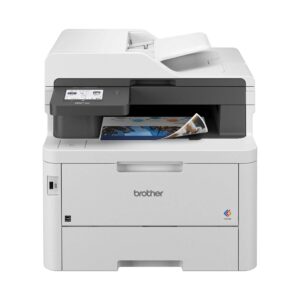
The DCP-L2640DW is Brother's HL-L2460DW printer with a flatbed scanner and a 50-page document feeder built on top. It prints black text quickly and cheaply, and it copies or scans a stack of paper without anyone standing over it.
It sits between the print-only HL-L2460DW and the MFC-L2820DW, which adds fax and a color touchscreen. It does not print color, and it will not scan both sides of a page in one pass.
Nobody at this site ran the printer, so the performance figures below come from Consumer Reports' lab test of this exact model and the details of daily use come from Brother's own manual and specification sheet.
For a home office or a small business that prints letters, forms and invoices, it is an easy recommendation. Anyone who prints photos, needs color for school projects, or scans two-sided paperwork every week should look elsewhere.
Affiliate disclosure: the price links on this page may earn us a commission at no extra cost to you. Retailers cannot pay for placement or influence the score. How we stay independent
Editorial ratingGoodWeighted average of 5 rated sections.
Consumer Reports rated its black text excellent, and laser toner cannot dry out between jobs, so a home office that prints mostly words gets clean pages whenever it needs them.
Strengths
Black text rated excellent by Consumer Reports
One standard cartridge printed close to its rated yield in the same test
A 50-sheet feeder copies or scans a stack without supervision
Weaknesses
The feeder scans one side only, so a stack of double-sided statements has to be turned over by hand, fed a second time and merged on the computer afterwards
Starter toner is a little over half a standard cartridge
Research-based: assessed from the manufacturer’s published specifications, documentation and the independent sources listed at the end. We have not tested this unit ourselves; any measurement quoted belongs to the cited source.
Method
Specifications, carton contents, supplies, power and noise ratings were read from Brother's US product page for the DCP-L2640DW, including the specification tabs and disclaimers. Control panel layout, toner and drum behavior, sleep settings, scanning destinations and Mac support were read from Brother's Online User's Guide for the HL-L2464DW, DCP-L2605DW, DCP-L2640DW, HL-L2480DW and DCP-L2680DW. Measured performance comes from Consumer Reports' test of this model on firmware 1.11: text speed, text and graphics quality, scan quality and the yield of one standard TN830 cartridge. RTINGS' review of the MFC-L2820DW was used only for its table of variant differences, because RTINGS did not test the DCP-L2640DW itself. The scores are set for a home office buyer.
Evidence
Consumer Reports tested this exact model and published its text speed, quality ratings and the number of pages one standard cartridge printed, which is the independent check that matters most for a text printer. Brother's specification sheet and user's guide document the feeder, the display, the supplies, the Mac driver situation and the power figures. RTINGS' variant table confirms how the DCP-L2640DW differs from its Brother siblings.
Limitations
Consumer Reports' full scores sit behind a membership, so only the published descriptions and figures were used. No independent measurement of scan speed, noise or long-term reliability for this model was found. RTINGS has measured the MFC-L2820DW, but those results are locked. Whether Brother firmware updates affect third-party toner on this model is disputed: Brother denies it and owner reports concern other models, so the review treats it as an open question.
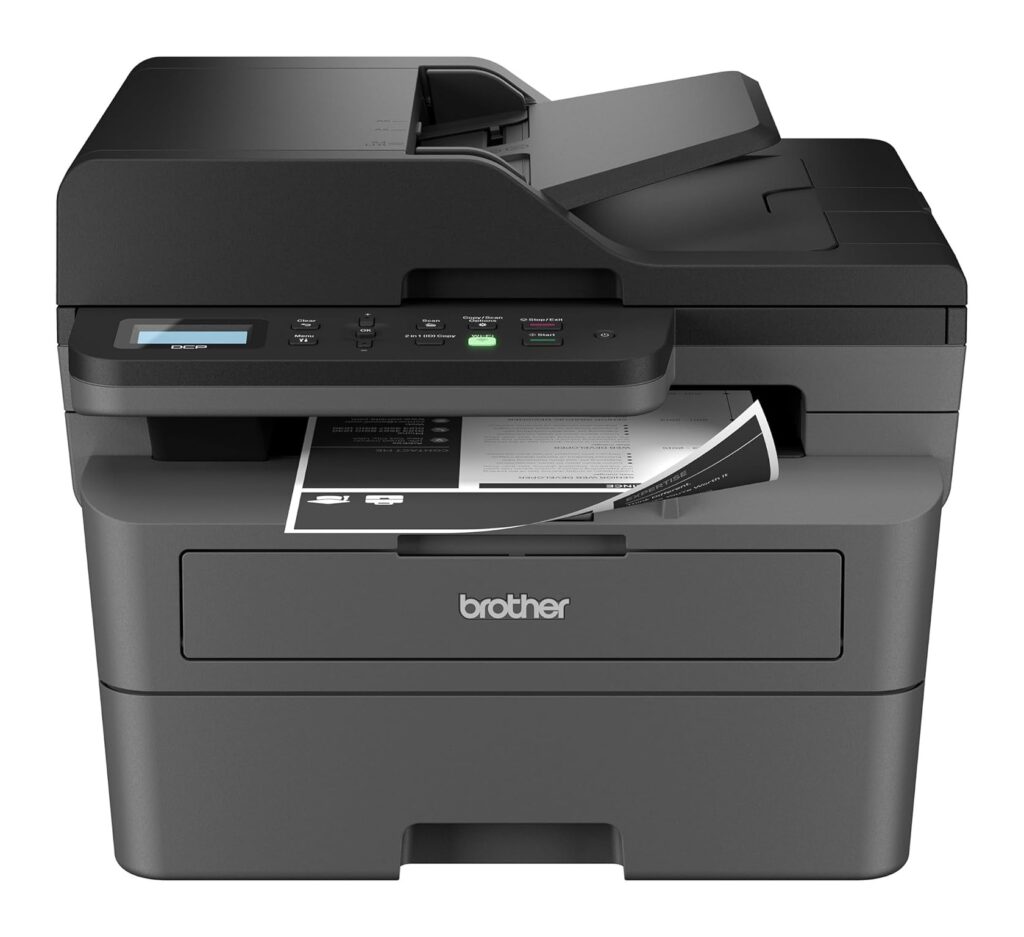
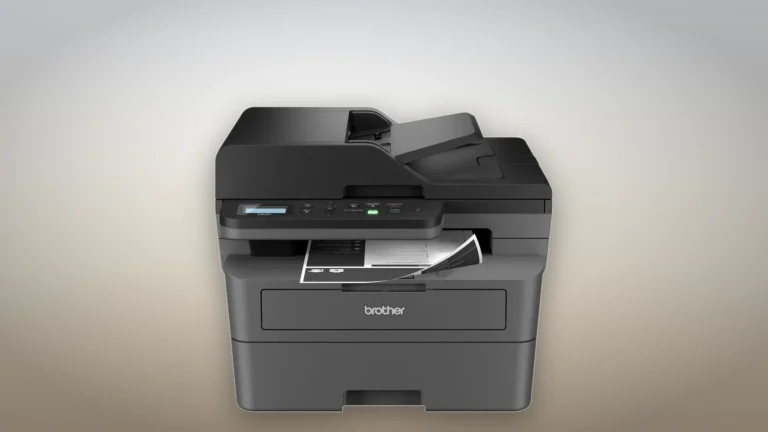
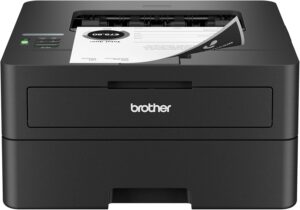
Product illustration based on manufacturer imagery: Brother's front render of the DCP-L2640DW on a generated studio backdrop. Product illustration based on manufacturer imagery (Brother render)
Text is what this printer is for, and it is where the independent evidence is strongest. Consumer Reports rates its black text excellent and timed a five-page text job at 17 seconds, which it calls reasonably fast. That timing includes the wait for the first page, so it lands well below Brother's 36 pages a minute. Brother's own footnote explains part of the gap: the headline speed is for single-sided printing, and the printer ships set to print on both sides.
That default is worth leaving on. Duplex printing halves the paper you use, and for a stack of letters or a contract the slower two-sided pace matters less than the paper saved. Brother quotes 8.5 seconds for the first page from ready mode.
Graphics are the weak spot. The same test found mono graphics printed with some obvious defects and calls them fine for casual use only, so charts and scanned photos will look rougher than text. Laser toner also cannot clog, which matters for anyone who prints a few pages a week and has come from an inkjet that dried out between jobs.
Scanning and copying through a one-sided feeder
6.5/10Fair
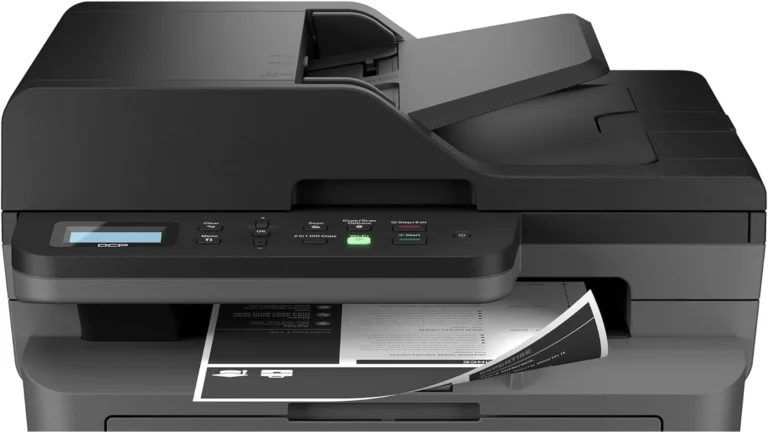
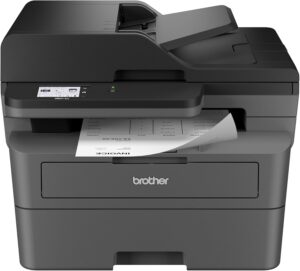
Brother's front render of the DCP-L2640DW, cropped to the document feeder and control panel. The pixels are unmodified. Brother product imagery (Amazon listing image)
The document feeder on top takes up to 50 sheets and is the reason to buy this all-in-one over the print-only HL-L2460DW. Drop in a signed contract or a month of receipts, press Scan or Copy, and the pages go through without lifting the lid for each one. Consumer Reports rates scanning very good and fine for general-purpose use.
The feeder reads one side of the page only. Brother's specification sheet lists duplex scanning and duplex copying as unsupported, and RTINGS' table of Brother variants shows that two-sided scanning starts with the MFC-L2880DW. A stack of double-sided bank statements therefore has to go through twice, turned over by hand, and the two scans merged afterwards. For a household that files paperwork once a month, that is a minor chore. For an office that digitizes two-sided forms every day, it is the reason to buy a different model.
Brother rates the feeder at 23.6 pages a minute in black and much slower in color, measured at 300 dpi with extra features off. Scans can go to a computer through Brother iPrint&Scan, to a phone through the Brother Mobile Connect app, to an FTP server, or to an email address. A dedicated 2 in 1 ID Copy button puts both sides of a driving license on one page.
Toner, the starter cartridge and the drum
7.5/10Good
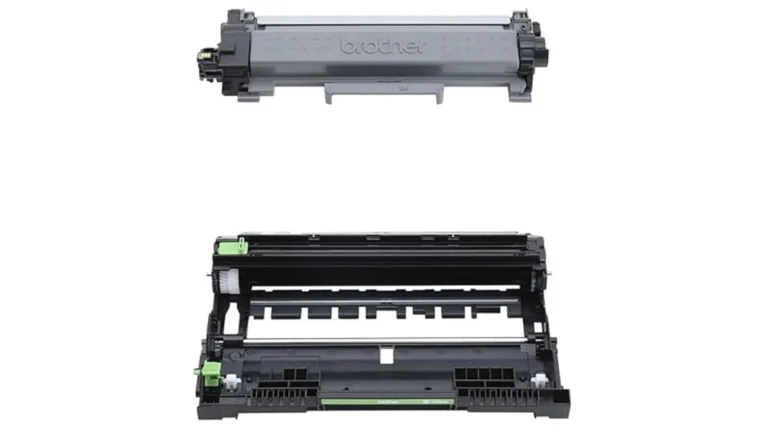
The starter toner cartridge and drum unit from Brother's in-the-box image, cropped with the printed labels removed from the white background. The product pixels are unmodified. Brother product imagery (Amazon listing image)
The cartridge in the box is a starter rated at 700 pages. The standard TN830 replacement is rated at 1,200 pages and the TN830XL at 3,000, both measured to the ISO/IEC 19752 standard. So the first toner change comes sooner than later ones, and the XL cartridge is the one to buy when it does.
Consumer Reports got 1,133 pages of black text from one standard TN830, close to Brother's rating, and at its assumed pace of a little under thirty pages a month expects a cartridge to last years. It rates the running cost low among mono laser all-in-ones. The drum is a separate part, the DR830, rated at about 15,000 pages, and at home-office volumes it will outlast several cartridges.
Two settings in the manual matter here. When the display shows Replace Toner, the factory setting stops printing. Switching Replace Toner to Continue in the General Setup menu lets you keep printing until the page looks faint, and the setting resets to Stop each time a new cartridge goes in. The manual also recommends Brother supplies and warns that damage proven to come from non-genuine toner is not covered by the one-year warranty.
In March 2025 owners and repair advocates accused Brother of using firmware updates to restrict third-party toner. Brother denied that its updates block third-party cartridges, and the complaints did not name this model. If you plan to use compatible toner, check owner reports for your firmware version before updating.
Brother also sells a Refresh subscription. Its terms say that if the printer did not come with a subscription-ready cartridge, canceling deactivates the subscription cartridge, which then has to be replaced at your cost.
Wi-Fi, the phone app and Mac computers
7.0/10Good
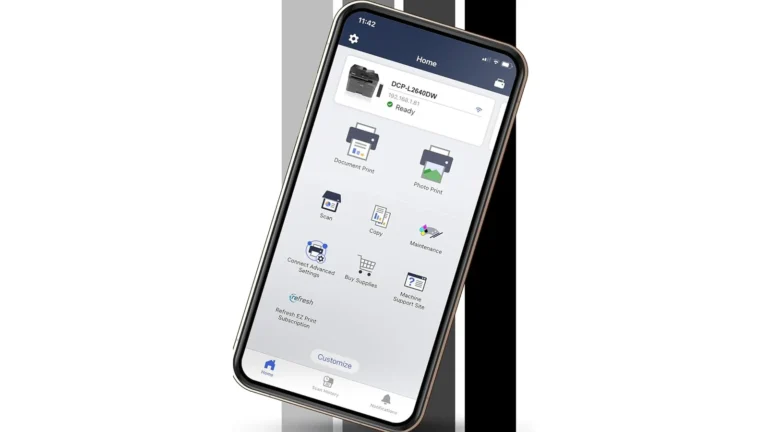
Brother's image of the Mobile Connect app with the DCP-L2640DW connected, cropped to the phone with the marketing text removed. The screen is Brother's own and is unmodified. Brother product imagery (Amazon listing image)
Connections cover every common case: dual-band Wi-Fi on 2.4 and 5 GHz, Ethernet, USB 2.0 and Wi-Fi Direct. The 5 GHz radio helps in apartments where the 2.4 GHz band is crowded. Phones print through AirPrint, Mopria or the Brother Mobile Connect app, which also scans to the phone, shows toner level and orders supplies.
Mac owners should read Brother's footnote before buying. The specification sheet says printing and scanning on macOS require AirPrint and that Brother does not provide Mac printer drivers. AirPrint handles everyday printing and scanning, and Brother iPrint&Scan is available for Mac from the App Store, but anyone who relied on a vendor driver for tray or finishing settings will find fewer options. Windows gets a full driver, and Linux drivers are listed too.
Setup uses the Wi-Fi button on the panel together with Brother's installer on a computer, or Wi-Fi Protected Setup on a compatible router. The printer also has a web management page, and its default password is printed on a label on the back, marked Pwd. The manual asks you to change it at first login, which is worth doing on any shared network.
Size, controls and power use
7.0/10Good
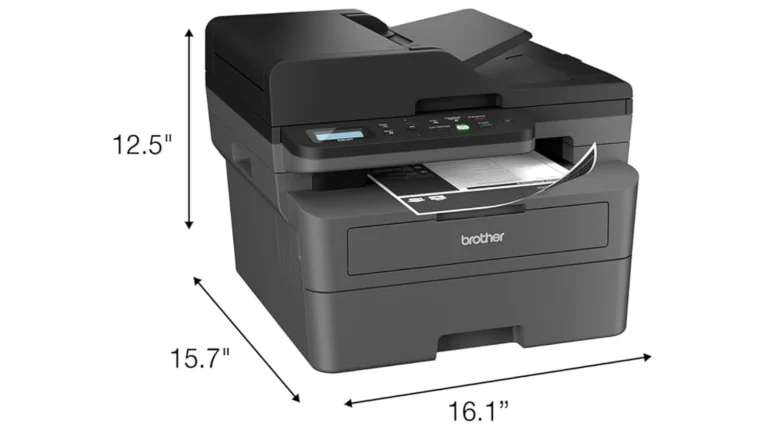
Brother's dimension drawing of the DCP-L2640DW from its in-the-box image, cropped with the marketing text excluded. The pixels are unmodified. Brother product imagery (Amazon listing image)
At 16.1 by 15.7 by 12.5 inches and 25 pounds, it fits on a desk return or a low shelf, and Consumer Reports describes it as needing a moderate amount of space. The paper tray holds 250 sheets and takes legal size, and a single-sheet slot above it handles envelopes, labels and heavier card.
The controls are a two-line monochrome display and physical buttons. Menus take some scrolling, and the touchscreen models above it are easier to navigate, but the printer mostly runs from a computer or phone.
Brother rates the noise at 49 dB while printing and 30 dB when ready. Power is low for a laser: 0.5 W in deep sleep and a rated typical electricity consumption of 0.42 kWh a week, and the model is ENERGY STAR certified. The fuser draws a short burst of power while a job runs, so plug it into a wall socket rather than a small UPS. The sleep countdown can be set up to 50 minutes in the menu.
In-stock offers for this exact model, sorted by item price in USD. Shipping is not included unless a retailer supplies it. Not every retailer is listed. Prices last checked 12 hours ago.
Retailer prices for the Brother DCP-L2640DW (DCPL2640DW)
Prices and availability come from retailer feeds and change without notice; the retailer’s page is authoritative. We may earn a commission if you buy through these links.
Scores run from 1.0 to 10.0: 9+ exceptional, 8–8.9 excellent, 7–7.9 good, 6–6.9 fair, 5–5.9 mediocre, below 5 poor. The overall score is the weighted average of the rated sections. Unrated sections do not count.
Pros
Black text rated excellent by Consumer Reports
One standard cartridge printed close to its rated yield in the same test
A 50-sheet feeder copies or scans a stack without supervision
Dual-band Wi-Fi and Ethernet
Prints on both sides by default
Cons
The feeder scans one side only, so a stack of double-sided statements has to be turned over by hand, fed a second time and merged on the computer afterwards
Starter toner is a little over half a standard cartridge
No macOS driver from Brother, only AirPrint
Rough graphics
Two-line display with button menus
One-year warranty, and damage traced to non-genuine toner is excluded
Conclusion
Consumer Reports' test answers the main question: the text is excellent, and a standard cartridge lasts about as long as Brother says. Everything else follows from what the printer leaves out. There is no color, no two-sided scanning and no Mac driver, and the starter toner runs out early.
So the DCP-L2640DW is the right purchase for a desk that produces black documents and occasionally copies a stack of single-sided pages. Plan to buy the XL cartridge for the first refill. If fax or a touchscreen matters, the MFC-L2820DW uses the same supplies. If you only print, the HL-L2460DW does the same job without the scanner.
Andreea-Viviana Jitaru’s take
I'd buy this for a home office without much hesitation, and the reason is the cartridge test rather than the speed. A laser that prints close to its rated yield and never clogs removes most of what people dislike about printers. I would also check two things before paying. One is whether any of my paperwork is double-sided, because flipping stacks gets old quickly. The other, on a Mac, is whether AirPrint's settings cover what I print.
Buy it if
Home offices printing letters, forms and invoices in black
Batch scanning of single-sided documents
Anyone who prints a few pages a week and has thrown away one dried-out inkjet cartridge too many
Consider an alternative if
Color or photo printing
You scan double-sided paperwork every week and want it done in one pass
No. It is a monochrome laser printer. It can scan in color, but prints and copies only in black.
Can the DCP-L2640DW scan both sides of a page automatically?
No. Brother lists duplex scanning and duplex copying as unsupported. The 50-sheet feeder scans one side, so double-sided originals must be turned over and fed again.
How many pages does the toner last?
The starter cartridge in the box is rated at 700 pages, the standard TN830 at 1,200 and the TN830XL at 3,000. Consumer Reports printed 1,133 text pages from one TN830.
Does it work with a Mac?
Yes, through AirPrint. Brother says it does not supply macOS printer drivers, so printing and scanning on a Mac go through AirPrint or the Brother iPrint&Scan app.
What is the difference between the DCP-L2640DW and the MFC-L2820DW?
The MFC-L2820DW adds fax and a 2.7-inch color touchscreen and is rated slightly slower. Both use the same TN830 toner and DR830 drum.
Can I keep printing after the Replace Toner message?
Yes. Set Replace Toner to Continue in the General Setup menu. Brother does not guarantee print quality in that mode, and the setting returns to Stop when a new cartridge is installed.
Andreea edits the written side of the site: the editor's note on each product page, the category buying guides and the blog. Her brief is to say what a specification table cannot: where a product is good, where it quietly compromises, and who should walk past it. A note that reads like marketing copy, or that praises a product without naming a drawback, does not go live.
This is a research-based assessment: the reviewer compiled it from published specifications, documentation and independent measurements rather than from testing the unit.
We keep cookies to a minimum. The only ones this site sets are the ones it needs to work: remembering your answer here, keeping the site secure, and signing you in if you choose to post a review. We run no advertising cookies, and we measure traffic without cookies at all.Cookie policy
Customise consent preferences
Each category below lists the exact cookies behind it, what they do and how long they last. Strictly necessary cookies cannot be switched off because the site would stop working without them. Anything else is yours to decline.
NecessaryAlways active
Strictly necessary cookies keep the site working and secure: they remember your choice here, protect forms from abuse and keep you signed in to the admin area. The site cannot run without them.
Show the cookies in this category (7)
cmp_consent
BetterBuyBase · 1 year
Remembers your consent choice for each cookie category, so the banner does not ask again on every page.
cmp_visitor
BetterBuyBase · Session (until you close the browser)
Marks your browser as a real visitor, so a comparison page is built when someone actually opens one rather than when a crawler passes through. It holds the value 1 and nothing else: no identifier, no history.
wp-settings-(id), wp-settings-time-(id)
WordPress · 1 year
Remembers layout preferences inside the WordPress admin screens. Set only for accounts that sign in to run the site, never for ordinary visitors.
wfwaf-authcookie-(hash)
Wordfence (Defiant, Inc.) · 12 hours
Lets the Wordfence firewall check a signed-in user’s access level before WordPress loads, so administrators are not blocked by firewall rules. Set only when you log in to the site.
wf_loginalerted_(hash)
Wordfence (Defiant, Inc.) · Persistent
Records that the administrator has already been alerted about a sign-in from this device. Only used if login alerts are enabled, and set only when you log in to the site.
wfCBLBypass
Wordfence (Defiant, Inc.) · Only if enabled
Allows a visitor who knows a hidden bypass address to pass country blocking. It is only used if country blocking is enabled, and we do not currently use it.
wfls-remembered-(hash)
Wordfence (Defiant, Inc.) · Up to 30 days
Remembers a trusted browser for two-factor login when a signed-in user chooses “remember this device”. Set only for site accounts that use two-factor authentication.
Functional
Functional cookies are set only when you choose a feature that needs them, such as signing in with Google to post a review. Decline and the rest of the site works exactly as before. Only that button stops working.
Show the cookies in this category (1)
g_state (and Google’s own sign-in cookies)
Google · Set by Google
Set only if you use the Google sign-in button to post a review. It remembers the state of that prompt so it is not shown again. Governed by Google’s own policy.
Set by other sites
These are set on a retailer’s own website after you click through to it, so they are governed by that site rather than by this banner.
Show the cookies in this category (1)
Retailer / affiliate cookies
Amazon & affiliate networks · Set by the retailer
Set on the retailer’s own website after you click a “View deal” link, to attribute a purchase. We do not set or read these.