
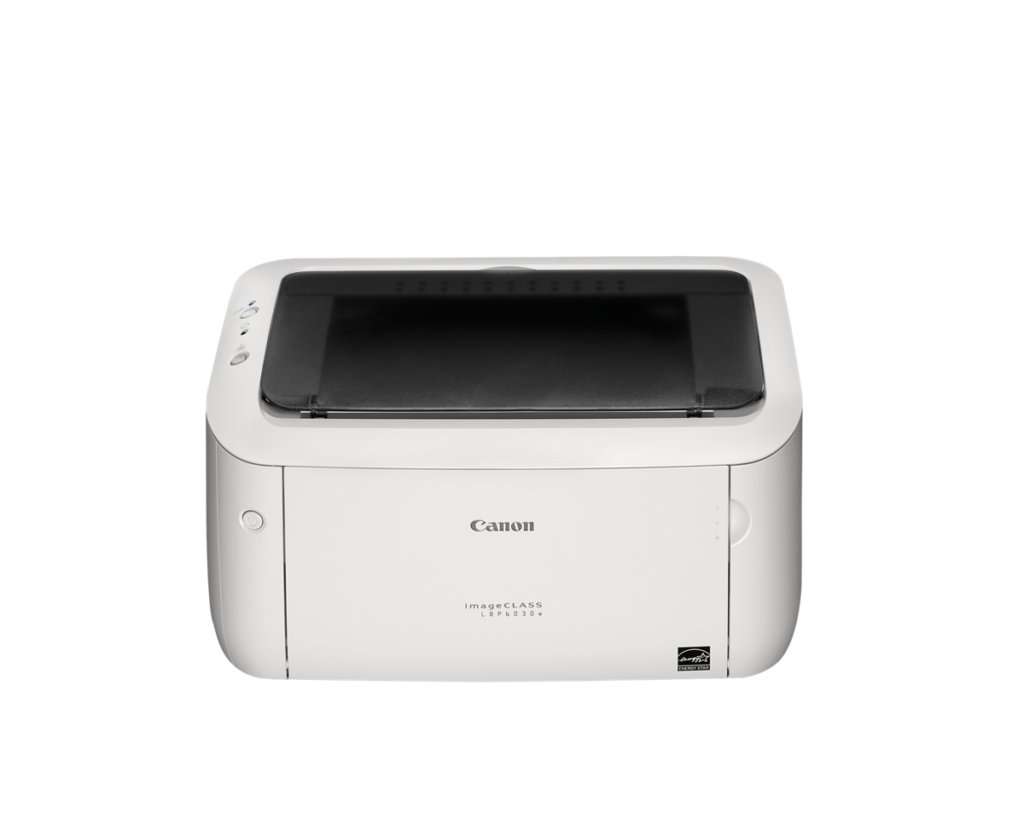
Canon imageCLASS LBP6030w: Specs, Price, Pros & Cons
Canon's imageCLASS LBP6030w is a monochrome laser printer reduced to its core. It prints black pages from a box small enough to sit on a bookshelf, joins the home network over Wi-Fi only, and has no screen, no scanner and no copier. The design dates from 2014 and is still on sale.
Wi-Fi is the only network link. There is no Ethernet port, and printing from a phone goes through Canon's own app, since AirPrint is missing. Setup and every later print job therefore depend on a working Wi-Fi network and Canon's software on the phone. Print resolution is 600 dpi, enough for sharp text and plain graphics.
The advantages it does have are modest: a quick print speed for so small a box, an output tray with room for a long job, and a light body. The toner cartridge sits unused for weeks without harm, so a letter printed after a quiet month comes out as clean as the last one.
What it gives up is most of what newer printers carry. There is no automatic two-sided printing, so both sides of a page mean turning the stack by hand. There is no color, no copying and no scanning. The feature list looks much as it did when the printer first appeared.
The buyer it suits prints a few pages a month, is tired of clogged inkjet nozzles and wants the smallest possible box that turns documents into paper. Newer mono lasers add AirPrint and automatic two-sided printing, so the LBP6030w makes most sense when a sale brings its price well down or when shelf space is the tightest limit.
Category strengths
Where the Canon imageCLASS LBP6030w beats the median
- A higher print speed (black) ?19 ppm vs 16 ppm (median)
- A much higher output tray capacity ?100 sheets vs 67.5 sheets (median)
- A lighter build ?5.5 kg vs 7.98 kg (median)
Where the Canon imageCLASS LBP6030w trails the median
- No color printing ?
- No automatic duplex printing ?
- No all-in-one ?
- No automatic document feeder ?
- No ethernet ?
- No Apple AirPrint ?
- A much lower print resolution ?600 dpi vs 4,800 dpi (median)
- A much lower monthly duty cycle ?5,000 pages vs 10,000 pages (median)
How this VS Score was computed
Score 21: each known spec is measured against the median of all printers (65 products), then weighted; 50 means level with that median. In classes of six or more, a value beyond the class’s 10th–90th percentile range counts as that limit, so one extreme product cannot set the scale. 76% of the scoreable weight could be used; unknown values, features not applicable to this class and proxies (battery capacity where a rated life exists) add or remove nothing.
| Specification | This product | Cohort median | Score weight | Points moved |
|---|---|---|---|---|
| Color printing | No | 88% of the class have it | 1.5 | −72.0 |
| Automatic duplex printing | No | 73% of the class have it | 1 | −48.0 |
| All-in-one | No | 85% of the class have it | 1 | −48.0 |
| Automatic document feeder | No | 55% of the class have it | 1 | −48.0 |
| Supertank / refillable ink | No | 30% of the class have it | 0.5 | −24.0 |
| Duplex scanning | No | 23% of the class have it | 0.5 | −24.0 |
| Ethernet | No | 54% of the class have it | 0.5 | −24.0 |
| Apple AirPrint | No | 97% of the class have it | 0.5 | −24.0 |
| Touchscreen display | No | 45% of the class have it | 0.5 | −24.0 |
| Print resolution | 600 — capped at the class’s lower range (1,200) | 4,800 | 0.5 | −18.5 |
| Print speed (black) | 19 | 16 | 2 | +18.0 |
| Fax | No | 35% of the class have it | 0.2 | −9.6 |
| Monthly duty cycle | 5,000 | 10,000 | 0.3 | −7.5 |
| Output tray capacity | 100 | 67.5 | 0.3 | +7.2 |
| Weight | 5.5 | 7.98 | 0.3 | +6.9 |
| Input tray capacity | 150 | 150 | 1 | +0.0 |
Not scored: Print speed (color) (unknown: not scored); ADF capacity (unknown: not scored); Wi-Fi (standard for the class (97% have it)); Wi-Fi Direct (unknown: not scored); USB (standard for the class (100% have it)); Mobile app printing (standard for the class (100% have it)).
Editor’s note
The imageCLASS LBP6030w is a 2014 design still on sale in 2026, and that longevity is the review. It does exactly one thing, monochrome laser printing at 19 pages a minute from a box the size of a bread bin, and it does it with the two virtues inkjets can't match: toner that never dries out, and a per-page cost measured in single cents from its ~1,600-page cartridge.
That makes it the classic answer to a specific household: the one that prints twice a month and is tired of finding the inkjet's nozzles clogged every time. First page out in about eight seconds, a 5,000-page monthly duty cycle it will never see, 150 sheets in the cassette, and no maintenance ritual whatsoever.
Be clear-eyed about how bare-bones it is, because the spec sheet reads like a time capsule. No duplex: you flip pages by hand. Ethernet and AirPrint are missing too, so iPhone printing isn't natively supported, and mobile printing in general goes through Canon's own app. No display at all, just LEDs. The Wi-Fi is 2.4 GHz, and it's print-only, with no scanner, copier or fax. Even Canon's quoted 19 ppm is from internal testing rather than the ISO method everyone else quotes.
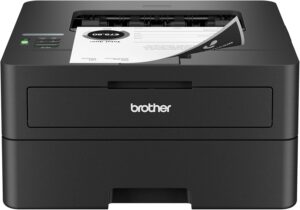
At its current price, the honest comparison is Brother's HL-L2405W class, which adds automatic duplex and AirPrint for similar money and is a decade newer. For most buyers, that's the better default. The LBP6030w earns its keep when compactness matters (it's barely 36 cm wide), when it's found at a sharp discount, or when the buyer wants the simplest possible box that turns documents into paper. As exactly that, it's never stopped being good.
Specifications
Quality bars show where each figure sits between the lowest and highest of the 65 printers this VS Score is measured against.
Printing
Scanning & copying
Paper handling
Connectivity
Design
Sources and verification
Where the specifications come from
- Datasheet or manualcanon.co.uk
- Independent testingrtings.com
Verification
- First published
- Specifications last checked
- Sheet completeness
- 21 of 24 specifications verified; the rest show as Unknown and are never estimated or scored
- Page type
- Product specification page — Compiled from the manufacturer’s published specifications and the cited sources; this is not a hands-on test.
- Basis
- Research-based: specifications and editorial text were compiled from the documents listed here and the manufacturer’s published data. We have not tested this unit ourselves; where independent measurements are mentioned they belong to the linked publication.
Where to buy
Prices and availability may change. Check the retailer before buying. We may earn a commission on purchases.
Price history
Printers with similar specs to the Canon imageCLASS LBP6030w
Ratings & reviews
No reviews yet. Be the first to share your experience.
The bottom line
The Canon imageCLASS LBP6030w earns a VS Score of 21, below the median of the 65 printers it is measured against (a score of 50 is level with that median).
- Who it’s for
- The prints-twice-a-month household or home office that's tired of dried-up inkjet nozzles: toner keeps forever, pages cost cents, and the box is small enough to disappear on a shelf.
- Who should look elsewhere
- Anyone needing duplex, AirPrint, Ethernet, or any scanning and copying. This is a print-only 2014 design whose mobile path runs solely through Canon's app.
- The trade-off that matters
- Ultimate simplicity versus a decade-old feature set: nothing to maintain and nothing to configure, because there's almost nothing there.
- The main alternative
- Brother HL-L2405W: similar money, adds automatic duplex and AirPrint, and is a decade newer. The LBP6030w wins only on size and sale-day price.
The VS Score is calculated from the weighted specifications above, each measured against the median of comparable printers — a shortlisting guide, not a substitute for your own priorities. See how we score.





