
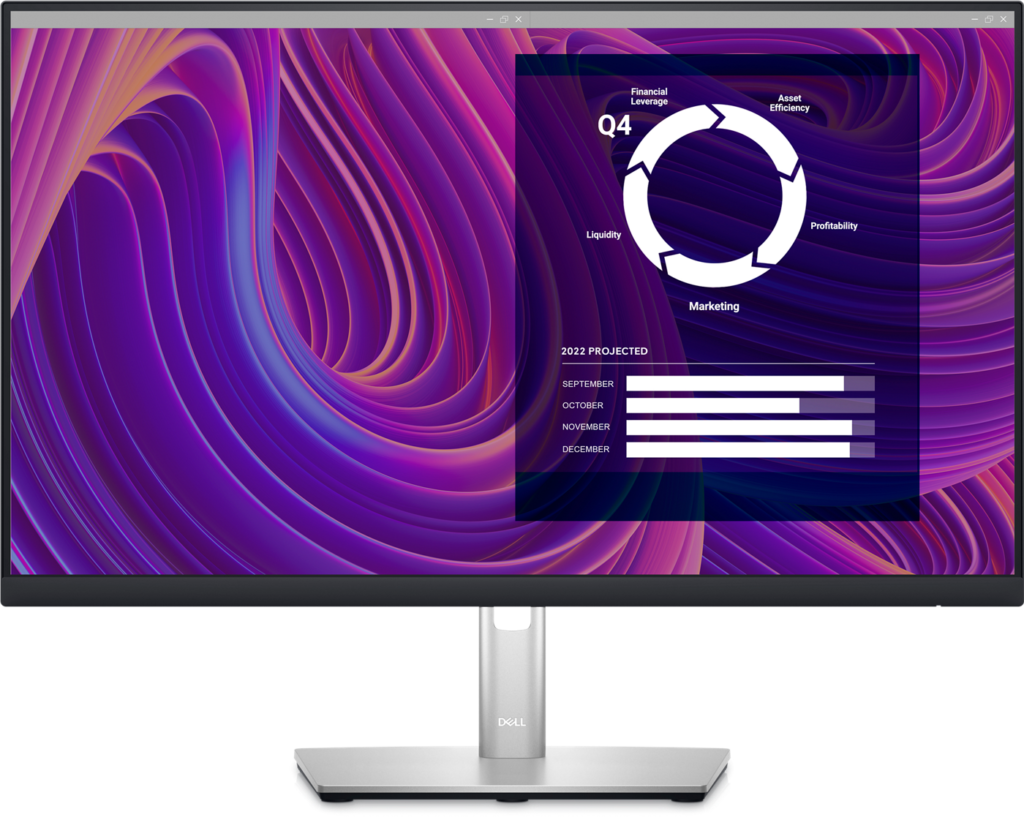
Dell P2423D: Specs, Features, Pros & Cons
Dell's P series is the range IT departments order by the dozen, and this model is the one in it that puts extra resolution on a compact screen. The series exists for predictability: the same stand, the same menus and a similar port layout across sizes, with Dell's advanced exchange service behind it, so a replacement ships out before the faulty unit comes back.
What sets this particular model apart is text. Most office screens of this size use a lower resolution, and the tighter pixel grid here makes letters, cell borders and code look finer at a normal distance. The difference matters most to people who read on screen for eight hours and never think about their monitor, which is exactly the buyer Dell has in mind.
It suits a two-screen office where the panels sit side by side and need to match, a home office on a shallow desk, and anyone who wants a sharper image without a larger footprint. The anti-glare finish handles overhead lighting, and the stand turns to portrait for long reports or code.
Nothing about it is built for motion or for laptops. There is no adaptive sync, the refresh rate is the plain office standard, and a laptop has to connect through a video cable with its own charger alongside. Dell sells a close relative with a single-cable hub for that job, and the suffixes are easy to confuse, so the model code deserves a second look at checkout. Bought for a fixed desktop PC and a working day of text, it does what the series promises.
Category strengths
Where the Dell P2423D trails the median
- No USB-C ?
- A much lower refresh rate ?60 Hz vs 120 Hz (median)
- A much lower contrast ratio ?1000:1 vs 2000:1 (median)
- Lower peak brightness ?300 nits vs 375 nits (median)
- A smaller screen ?23.8" (60.45 cm) vs 27" (68.58 cm) (median)
How this VS Score was computed
Score 37: each known spec is measured against the median of IPS office monitors (14 products), then weighted; 50 means level with that median. In classes of six or more, a value beyond the class’s 10th–90th percentile range counts as that limit, so one extreme product cannot set the scale. 44% of the scoreable weight could be used; unknown values, features not applicable to this class and proxies (battery capacity where a rated life exists) add or remove nothing.
| Specification | This product | Cohort median | Score weight | Points moved |
|---|---|---|---|---|
| USB-C | No | 64% of the class have it | 0.5 | −24.0 |
| Refresh rate | 60 | 120 | 0.6 | −15.0 |
| Contrast ratio | 1,000 | 2,000 | 0.6 | −15.0 |
| Resolution | 1440p | 4K | 1.2 | −14.4 |
| Built-in speakers | No | 33% of the class have it | 0.2 | −9.6 |
| Peak brightness | 300 | 375 | 0.8 | −8.0 |
| Screen size | 23.8 | 27 | 1.2 | −7.2 |
| Panel type | IPS | IPS | 0.8 | +0.0 |
| Response time | 5 | 5 | 0.24 | +0.0 |
| HDMI ports | 1 | 1 | 0.4 | +0.0 |
| DisplayPort inputs | 1 | 1 | 0.4 | +0.0 |
Not scored: Color depth (unknown: not scored); DCI-P3 coverage (unknown: not scored); HDR (unknown: not scored); Pixel density (unknown: not scored); Local dimming (unknown: not scored); Local dimming zones (unknown: not scored); Adaptive sync (unknown: not scored); Variable refresh rate (unknown: not scored); Motion blur reduction (unknown: not scored); Input lag (unknown: not scored); Height adjustment (standard for the class (93% have it)); Tilt (standard for the class (100% have it)); Swivel (standard for the class (86% have it)); Pivot (standard for the class (83% have it)); USB-C power delivery (unknown: not scored); USB hub (standard for the class (86% have it)); Headphone output (unknown: not scored); KVM switch (unknown: not scored); Webcam (unknown: not scored); Microphone (unknown: not scored); Ethernet (unknown: not scored); Picture-by-picture (unknown: not scored).
Editor’s note
The P2423D is an office monitor and makes no pretense otherwise. It is 23.8 inches (Dell markets it as 24), running 2560×1440 at 60 Hz, and the reason to choose it over a cheaper 1080p screen is pixel density: at this size QHD makes text noticeably crisper, which is what you notice across a working day of documents and spreadsheets.
Everything about it is aimed at that use. 99% sRGB coverage and 300 nits are right for an indoor desk. The anti-glare coating handles overhead lighting. The stand does everything: height, tilt, swivel and pivot into portrait, which is useful for reading long documents or code. There is a four-port USB 3.2 hub built in.
This is the P2423D, not the P2423DE: the E model is the USB-C hub version that charges a laptop over a single cable, and this one has no USB-C at all. You connect over DisplayPort 1.2 or HDMI. People buy the wrong one regularly. And there are no speakers.
For gaming it is the wrong monitor. The office refresh rate, a 5 ms response and no adaptive sync mean motion is exactly as smooth as an office monitor from a decade ago.
Buy it if you work at a desk all day and want sharp text, a stand that adjusts properly and a built-in USB hub. Skip it if you want single-cable laptop docking, or play anything more demanding than solitaire.
Specifications
Quality bars show where each figure sits between the lowest and highest of the 14 IPS office monitors this VS Score is measured against.
Picture
Gaming
Ergonomics & design
Connectivity
Features
Sources and verification
Where the specifications come from
- Datasheet or manualdell.com
- Independent testingrtings.com
Verification
- First published
- Specifications last checked
- Sheet completeness
- 21 of 42 specifications verified; the rest show as Unknown and are never estimated or scored
- Page type
- Product specification page — Compiled from the manufacturer’s published specifications and the cited sources; this is not a hands-on test.
- Basis
- Research-based: specifications and editorial text were compiled from the documents listed here and the manufacturer’s published data. We have not tested this unit ourselves; where independent measurements are mentioned they belong to the linked publication.
Monitors with similar specs to the Dell P2423D


Ratings & reviews
No reviews yet. Be the first to share your experience.
The bottom line
The Dell P2423D earns a VS Score of 37, below the median of the 14 IPS office monitors it is measured against (a score of 50 is level with that median).
- Who it’s for
- An office worker who spends the day in documents, spreadsheets or code on a compact desk and wants sharper text than a basic screen of this size gives, on a stand that turns to portrait.
- Who should look elsewhere
- Anyone who wants one cable from a laptop for picture, power and peripherals, gamers beyond the most casual, and anyone who expects speakers in the monitor.
- The trade-off that matters
- It is sharp, steady and slow. Every part of it serves the working day, so it does nothing for motion.
- The main alternative
- Dell P2423DE, the same office monitor with a hub that charges a laptop and carries its picture over one cable.
The VS Score is calculated from the weighted specifications above, each measured against the median of comparable IPS office monitors — a shortlisting guide, not a substitute for your own priorities. See how we score.




