
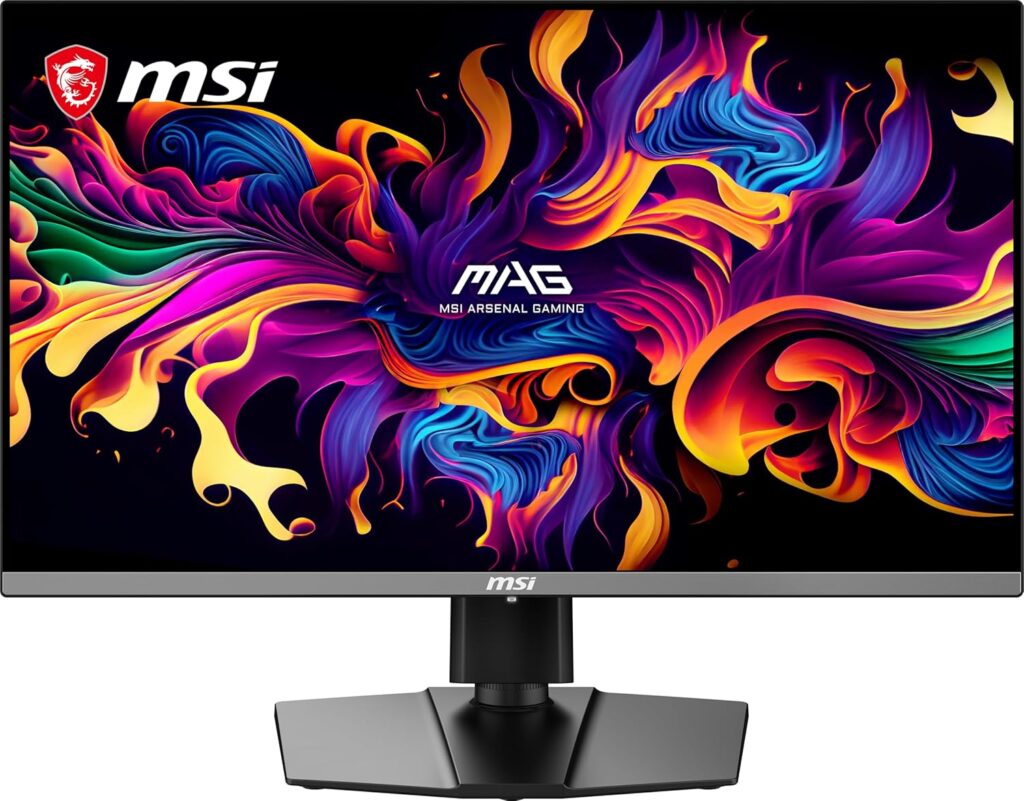
MSI MAG 272UP QD-OLED E16: Specs, Features, Pros & Cons
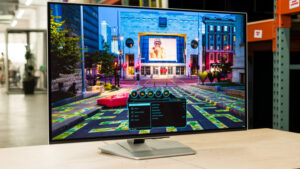
MSI's product page calls this a 27-inch gaming monitor. MSI's own specification table, one click away, says the panel measures 26.5 inches. The half-inch is not a scandal, but it sets the tone for a display whose headline numbers all reward reading twice.
Underneath the marketing it is a 4K QD-OLED, and that combination is what makes it interesting. Putting 3840 by 2160 across that diagonal works out near 166 pixels per inch, which is a long way from the 109 ppi that most 27-inch gaming monitors deliver and close to what people mean by a retina-class desktop display. The self-emissive panel brings the usual QD-OLED behavior with it: true black, a 0.03 ms response figure, and VESA DisplayHDR True Black 400 without the haloing a backlight introduces.
The compromise sits in the refresh rate. Most 4K QD-OLED panels shipping now run to 240 Hz, and this one tops out at 165 Hz, with variable refresh between 48 and 165. At this resolution that is a defensible choice, because driving 4K at 165 frames per second is already demanding, but it is the specification a rival will beat you over the head with.
Connectivity is thinner than the port list first suggests. Two HDMI 2.1 inputs and DisplayPort 1.4a are all full-bandwidth, but the USB-C input carries only 15 W of power delivery, which will trickle-charge a phone and will not keep a laptop alive. There is no USB hub, and MSI states in its own notes that KVM is not supported. The stand manages tilt, swivel, pivot and 110 mm of height adjustment, and the warranty runs three years with burn-in explicitly included.
Category strengths
Where the MSI MAG 272UP QD-OLED E16 beats the median
- Has USB-C ?
- A much higher pixel density ?166 ppi vs 111 ppi (median)
- Has picture-by-picture ?
Where the MSI MAG 272UP QD-OLED E16 trails the median
- A much lower refresh rate ?165 Hz vs 360 Hz (median)
- Lower peak brightness ?1,000 nits vs 1,300 nits (median)
- No USB hub ?
How this VS Score was computed
Score 52: each known spec is measured against the median of OLED gaming monitors, under 27 inches (5 products), then weighted; 50 means level with that median. In classes of six or more, a value beyond the class’s 10th–90th percentile range counts as that limit, so one extreme product cannot set the scale. 68% of the scoreable weight could be used; unknown values, features not applicable to this class and proxies (battery capacity where a rated life exists) add or remove nothing.
| Specification | This product | Cohort median | Score weight | Points moved |
|---|---|---|---|---|
| Resolution | 4K — held to half its range (fewer than six products in this class list it) | 1440p | 1.2 | +30.0 |
| Refresh rate | 165 — held to half its range (fewer than six products in this class list it) | 360 | 1.2 | −30.0 |
| Pixel density | 166 | 111 | 0.5 | +12.5 |
| USB-C | Yes — held to half its range (fewer than six products in this class list it) | 40% of the class have it | 0.5 | +12.5 |
| Peak brightness | 1,000 | 1,300 | 0.8 | −9.6 |
| Picture-by-picture | Yes — held to half its range (fewer than six products in this class list it) | 25% of the class have it | 0.2 | +5.0 |
| USB hub | No — held to half its range (fewer than six products in this class list it) | 80% of the class have it | 0.05 | −1.1 |
| KVM switch | No — held to half its range (fewer than six products in this class list it) | 25% of the class have it | 0.02 | −0.5 |
| Screen size | 26.5 | 26.5 | 1.2 | +0.0 |
| Panel type | OLED | OLED | 0.8 | +0.0 |
| Color depth | 10 | 10 | 0.3 | +0.0 |
| Response time | 0.03 | 0.03 | 0.8 | +0.0 |
| Contrast ratio | 1,500,000 | 1,500,000 | 0.6 | +0.0 |
| DCI-P3 coverage | 99 | 99 | 0.6 | +0.0 |
| HDR | True Black 400 | True Black 400 | 0.5 | +0.0 |
| Adaptive sync | G-Sync Compatible | G-Sync Compatible | 0.6 | +0.0 |
| HDMI ports | 2 | 2 | 0.4 | +0.0 |
| DisplayPort inputs | 1 | 1 | 0.4 | +0.0 |
Not scored: Local dimming (unknown: not scored); Local dimming zones (unknown: not scored); Variable refresh rate (standard for the class (100% have it)); Motion blur reduction (unknown: not scored); Input lag (unknown: not scored); Height adjustment (standard for the class (100% have it)); Tilt (standard for the class (100% have it)); Swivel (standard for the class (100% have it)); Pivot (standard for the class (100% have it)); USB-C power delivery (too few comparable peers (2, need 3)); Built-in speakers (not applicable: only 0% of this class have it); Headphone output (standard for the class (100% have it)); Webcam (not applicable: only 0% of this class have it); Microphone (not applicable: only 0% of this class have it); Ethernet (not applicable: only 0% of this class have it).
Editor’s note
The specification that decides this monitor is its pixel density, and it is the one MSI talks about least. Text at this density is sharp in a way no 1440p gaming monitor manages, which makes this one of the few OLEDs I would happily put on a desk for work as well as games. The QD-OLED subpixel layout still does odd things to thin text, but at this density the effect is much easier to live with than on the coarser panels.
The refresh ceiling is the thing to be honest about. For competitive play this is the wrong monitor, and a faster 1440p QD-OLED will serve you better for less money. If you play story-driven games at this resolution, you were never going to sustain the maximum anyway, and the ceiling quietly stops mattering. Work out which of those two people you are before anything else, because the rest of this monitor is good enough that the decision hinges on that alone.
The USB-C port is the disappointment. The power on offer is a strange amount: enough to justify the port on a feature list, nowhere near enough for the single-cable laptop setup that anyone buying a USB-C monitor has in mind. Pair that with no USB hub and no KVM and the port is a third video input with extra steps.
Against that, the warranty covering burn-in is worth real money on an OLED and runs longer than several competitors offer. If the refresh ceiling does not bother you, the density, the contrast and that warranty make this straightforward to recommend.
Specifications
Quality bars show where each figure sits between the lowest and highest of the 5 OLED gaming monitors, under 27 inches this VS Score is measured against.
Picture
Gaming
Ergonomics & design
Connectivity
Features
Sources and verification
Where the specifications come from
- Official product pagemsi.com
- Retailer listing (cross-check)amazon.com
Verification
- First published
- Specifications last checked
- Sheet completeness
- 36 of 42 specifications verified; the rest show as Unknown and are never estimated or scored
- Page type
- Product specification page — Compiled from the manufacturer’s published specifications and the cited sources; this is not a hands-on test.
- Basis
- Research-based: specifications and editorial text were compiled from the documents listed here and the manufacturer’s published data. We have not tested this unit ourselves; where independent measurements are mentioned they belong to the linked publication.
Monitors with similar specs to the MSI MAG 272UP QD-OLED E16
Ratings & reviews
No reviews yet. Be the first to share your experience.
The bottom line
The MSI MAG 272UP QD-OLED E16 earns a VS Score of 52, above the median of the 5 OLED gaming monitors, under 27 inches it is measured against (a score of 50 is level with that median).
- Who it’s for
- People who want a single screen for both work and games, and who value pixel density and OLED contrast above the last stretch of refresh rate.
- Who should look elsewhere
- Competitive players, because this is slower than every 1440p QD-OLED in its price bracket, and if your frame rates are high enough to notice, you are paying for resolution you will turn down.
- The trade-off that matters
- You are trading refresh for pixels. The density is sharper than anything a 1440p panel does, but the refresh cap is the number a rival will always win on.
- The main alternative
- Samsung Odyssey OLED G60SD S27DG602S: the same QD-OLED technology at 1440p and a much higher refresh rate, for buyers who would rather have speed than pixel density.
The VS Score is calculated from the weighted specifications above, each measured against the median of comparable OLED gaming monitors, under 27 inches — a shortlisting guide, not a substitute for your own priorities. See how we score.





