
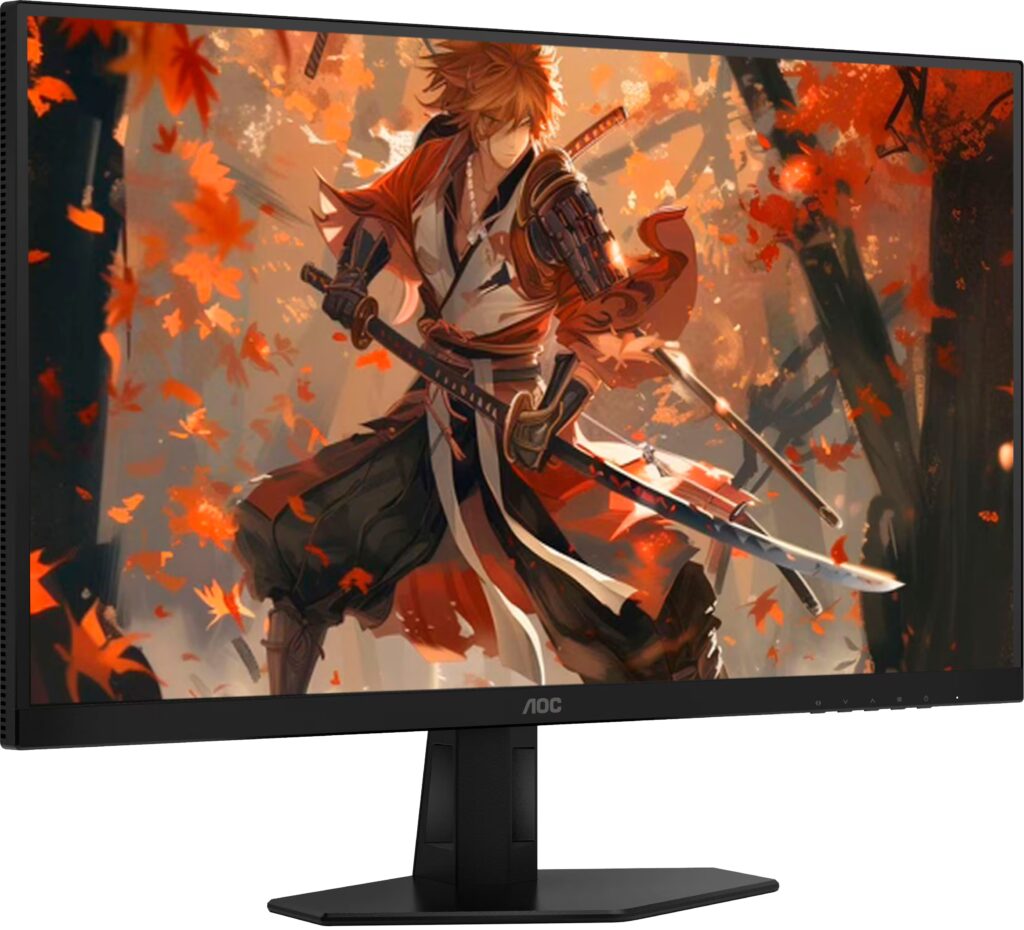
AOC Q27G40XMN: Specs, Features, Pros & Cons
Mini-LED backlights spent years as a feature of expensive monitors and televisions, and AOC is one of the brands that has brought them down to mainstream gaming prices. This model is the second step on that ladder: it sits above the cheaper G3 version of the same monitor and keeps the same basic recipe of a VA panel, a matte screen and a gaming refresh rate, but with a much finer backlight grid behind it.
The practical meaning of that grid is that the monitor can darken one part of the picture while lighting another, which is the mechanism behind convincing HDR on any LCD. Pair it with the naturally deep blacks of VA and the result is a screen that behaves in dark scenes more like a good television than a typical desk monitor.
That makes it a monitor for a particular kind of player: someone who spends evenings on atmospheric single-player games and films, wants highlights that glow, and would rather not manage static taskbars and burn-in the way an OLED owner must. It is less obviously right for a desk that is mostly spreadsheets, where the extra backlight hardware does very little.
Two limits are worth knowing before the table. The resolution is the mainstream one for this size, so text is as sharp as on any ordinary gaming monitor and no sharper. And VA panels lose contrast and shift in color when viewed from an angle, which matters if two people watch from a sofa rather than one person sitting square to the screen.
Its appeal comes down to whether HDR is something you will use every week or merely something that would be nice to have.
Category strengths
Where the AOC Q27G40XMN beats the median
- Much higher peak brightness ?1,200 nits vs 300 nits (median)
- Has local dimming ?
- Has height adjustment ?
- A higher contrast ratio ?5000:1 vs 3500:1 (median)
- Has swivel adjustment ?
- A higher pixel density ?109 ppi vs 93 ppi (median)
- Has pivot adjustment ?
How this VS Score was computed
Score 64: each known spec is measured against the median of VA gaming monitors, 27 to 31 inches (11 products), then weighted; 50 means level with that median. In classes of six or more, a value beyond the class’s 10th–90th percentile range counts as that limit, so one extreme product cannot set the scale. 69% of the scoreable weight could be used; unknown values, features not applicable to this class and proxies (battery capacity where a rated life exists) add or remove nothing.
| Specification | This product | Cohort median | Score weight | Points moved |
|---|---|---|---|---|
| Peak brightness | 1,200 — capped at the class’s upper range (1,000) | 300 | 0.8 | +40.0 |
| Adaptive sync | G-Sync Compatible | FreeSync | 0.6 | +30.0 |
| Local dimming | Yes | 29% of the class have it | 0.4 | +20.0 |
| Height adjustment | Yes | 45% of the class have it | 0.4 | +20.0 |
| HDR | DisplayHDR 1000 | HDR10 | 0.5 | +19.0 |
| Contrast ratio | 5,000 | 3,500 | 0.6 | +12.6 |
| Swivel | Yes | 36% of the class have it | 0.2 | +10.0 |
| Built-in speakers | No | 27% of the class have it | 0.2 | −9.6 |
| Pixel density | 109 | 93 | 0.5 | +4.5 |
| Pivot | Yes | 36% of the class have it | 0.02 | +1.0 |
| Screen size | 27 | 27 | 1.2 | +0.0 |
| Resolution | 1440p | 1440p | 1.2 | +0.0 |
| Panel type | VA | VA | 0.8 | +0.0 |
| Color depth | 10 | 10 | 0.3 | +0.0 |
| Refresh rate | 180 | 180 | 1.2 | +0.0 |
| Response time | 1 | 1 | 0.8 | +0.0 |
| DCI-P3 coverage | 97 — capped at the class’s upper range (96) | 95.5 | 0.6 | +0.0 |
| DisplayPort inputs | 1 | 1 | 0.4 | +0.0 |
Not scored: Local dimming zones (too few comparable peers (2, need 3)); Variable refresh rate (standard for the class (100% have it)); Motion blur reduction (unknown: not scored); Input lag (unknown: not scored); Tilt (standard for the class (100% have it)); HDMI ports (unknown: not scored); USB-C (not applicable: only 0% of this class have it); USB-C power delivery (unknown: not scored); USB hub (not applicable: only 20% of this class have it); Headphone output (standard for the class (91% have it)); KVM switch (not applicable: only 0% of this class have it); Webcam (not applicable: only 0% of this class have it); Microphone (not applicable: only 0% of this class have it); Ethernet (not applicable: only 0% of this class have it); Picture-by-picture (unknown: not scored).
Editor’s note
The Q27G40XMN is the answer to a question most monitors at this price dodge: can an LCD do HDR properly?
Here it can, because the backlight is divided into 1,152 independently dimmed zones, more than triple the 336 in AOC's own Q27G3XMN and comparable to displays costing several times as much. Combined with a VA panel's native 5,000:1 contrast and 1,200 nits peak, it earns its DisplayHDR 1000 certification rather than wearing it as a sticker. Color coverage is 97% DCI-P3 at 10-bit.
The gaming side is straightforward: 1440p at 180 Hz with a 1 ms response and G-Sync Compatible variable refresh, on a matte coating that handles a lit room without mirroring it.
The connection panel is where the savings are, and they are considerable. There is one DisplayPort 1.4 input, a headphone output, and that is essentially it: no USB-C, no USB hub, no KVM, no speakers. This is a single-PC monitor and nothing else. The stand does adjust in every axis including pivot.
VA's own weakness is worth stating: dark-scene smearing in fast motion is more noticeable than on IPS or OLED, which is the trade for that contrast.
Buy it if HDR impact per pound is the goal, you connect one machine by DisplayPort, and your room has light in it. Buy an OLED if motion clarity matters more than peak brightness, or an IPS if you work with dark, fast-moving footage.
Specifications
Quality bars show where each figure sits between the lowest and highest of the 11 VA gaming monitors, 27 to 31 inches this VS Score is measured against.
Picture
Gaming
Ergonomics & design
Connectivity
Features
Sources and verification
Where the specifications come from
- Official product pageaoc.com
- Independent testingrtings.com
Verification
- First published
- Specifications last checked
- Sheet completeness
- 33 of 42 specifications verified; the rest show as Unknown and are never estimated or scored
- Page type
- Product specification page — Compiled from the manufacturer’s published specifications and the cited sources; this is not a hands-on test.
- Basis
- Research-based: specifications and editorial text were compiled from the documents listed here and the manufacturer’s published data. We have not tested this unit ourselves; where independent measurements are mentioned they belong to the linked publication.
Monitors with similar specs to the AOC Q27G40XMN
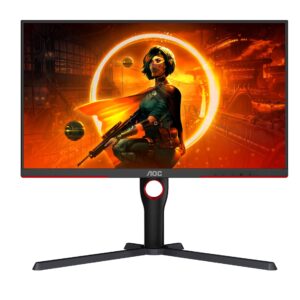
Ratings & reviews
No reviews yet. Be the first to share your experience.
The bottom line
The AOC Q27G40XMN earns a VS Score of 64, above the median of the 11 VA gaming monitors, 27 to 31 inches it is measured against (a score of 50 is level with that median).
- Who it’s for
- Players who want HDR that visibly works in games and films, on a single PC, without paying OLED prices or adopting OLED care routines.
- Who should look elsewhere
- Desks with a laptop or more than one machine to connect, since the input panel is built for one PC, and esports players who would rather have the cleaner dark-scene motion of IPS or OLED.
- The trade-off that matters
- The backlight is where the money went and the connections are where it was saved: the picture is well ahead of the price, the flexibility well behind it.
- The main alternative
- AOC Q27G3XMN: the cheaper sibling with a coarser backlight grid, for buyers who want much of the HDR effect for less money.
The VS Score is calculated from the weighted specifications above, each measured against the median of comparable VA gaming monitors, 27 to 31 inches — a shortlisting guide, not a substitute for your own priorities. See how we score.





