
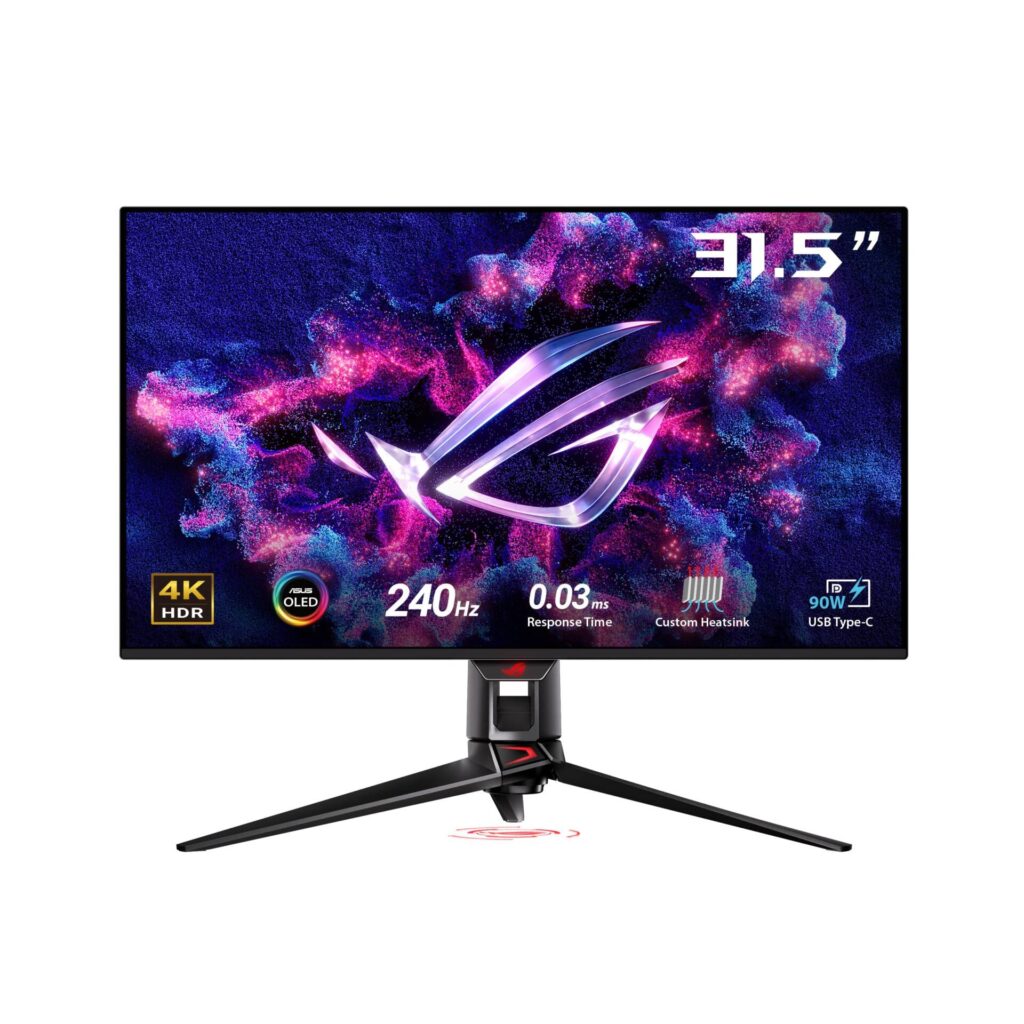
ASUS ROG Swift OLED PG32UCDM: Specs, Features, Pros & Cons
When Samsung Display began making a large QD-OLED gaming panel, several brands built a 32-inch 4K monitor around it within months. The PG32UCDM is the ASUS ROG version. Knowing that shared origin helps, because the picture across that group is closely matched and the decision comes down to what each maker put around the glass.
ASUS answered with a package aimed at a desk that does two jobs. It can power a laptop properly over one cable, which not every monitor built on this panel does. It adds a switch for sharing a keyboard and mouse with a second computer, and the stand moves in every direction, down to turning the screen on its side. Those details decide whether a screen like this replaces the work monitor or ends up sitting beside it.
The panel serves both halves of that brief. Every pixel makes its own light, so black stays black and a small bright object on a dark background looks clean. The color range reaches what photo and video editors ask of a screen, and the HDR certification is the True Black tier written for OLED. Games get a fast refresh, variable refresh that works with current graphics cards, and the near-instant pixel response OLED is known for.
Feeding that many pixels is the other half of the purchase. A current high-end graphics card runs recent games near the panel's top speed at full resolution. A mid-range card can still use the full resolution with upscaling or lower settings, and the variable refresh keeps motion smooth whenever the frame rate falls short of the ceiling.
Category strengths
Where the ASUS ROG Swift OLED PG32UCDM trails the median
- Lower peak brightness ?1,000 nits vs 1,300 nits (median)
How this VS Score was computed
Score 49: each known spec is measured against the median of OLED gaming monitors, 32 inches and up (13 products), then weighted; 50 means level with that median. In classes of six or more, a value beyond the class’s 10th–90th percentile range counts as that limit, so one extreme product cannot set the scale. 70% of the scoreable weight could be used; unknown values, features not applicable to this class and proxies (battery capacity where a rated life exists) add or remove nothing.
| Specification | This product | Cohort median | Score weight | Points moved |
|---|---|---|---|---|
| USB-C | Yes | 77% of the class have it | 0.5 | +25.0 |
| Motion blur reduction | No | 25% of the class have it | 0.3 | −14.4 |
| Peak brightness | 1,000 | 1,300 | 0.8 | −9.6 |
| Built-in speakers | No | 40% of the class have it | 0.2 | −9.6 |
| Pivot | Yes | 64% of the class have it | 0.02 | +1.0 |
| KVM switch | Yes | 67% of the class have it | 0.02 | +1.0 |
| Screen size | 32 | 32 | 1.2 | +0.0 |
| Resolution | 4K | 4K | 1.2 | +0.0 |
| Panel type | OLED | OLED | 0.8 | +0.0 |
| Color depth | 10 | 10 | 0.3 | +0.0 |
| Refresh rate | 240 | 240 | 1.2 | +0.0 |
| Response time | 0.03 | 0.03 | 0.8 | +0.0 |
| Contrast ratio | 1,500,000 | 1,500,000 | 0.6 | +0.0 |
| DCI-P3 coverage | 99 | 99 | 0.6 | +0.0 |
| HDR | True Black 400 | True Black 400 | 0.5 | +0.0 |
| Pixel density | 140 | 140 | 0.5 | +0.0 |
| Adaptive sync | G-Sync Compatible | G-Sync Compatible | 0.6 | +0.0 |
| HDMI ports | 2 | 2 | 0.4 | +0.0 |
| DisplayPort inputs | 1 | 1 | 0.4 | +0.0 |
| USB-C power delivery | 90 | 90 | 0.05 | +0.0 |
Not scored: Local dimming (not applicable: only 0% of this class have it); Local dimming zones (unknown: not scored); Variable refresh rate (standard for the class (100% have it)); Input lag (unknown: not scored); Height adjustment (standard for the class (100% have it)); Tilt (standard for the class (100% have it)); Swivel (standard for the class (100% have it)); USB hub (standard for the class (85% have it)); Headphone output (standard for the class (89% have it)); Webcam (unknown: not scored); Microphone (unknown: not scored); Ethernet (unknown: not scored); Picture-by-picture (unknown: not scored).
Editor’s note
The PG32UCDM is the 32-inch version of the argument, and at this size 4K stops being a luxury and becomes necessary.
A 32-inch 1440p panel works out to around 92 pixels per inch, which is visibly coarse at desk distance. This one is 140 ppi. That is less sharp than a 27-inch 4K, yet comfortably past the point where you notice pixels while reading. Combined with QD-OLED's per-pixel black, quoted contrast of 1,500,000:1 and 99% DCI-P3 coverage, it is a display that suits creative work as much as gaming.
The gaming side is complete: 240 Hz, 0.03 ms response, G-Sync Compatible variable refresh, HDMI 2.1 and DisplayPort 1.4. HDR is True Black 400 with 1,000 nits peak, which is bright enough for highlights to register without matching the tandem-panel monitors that reach 1,500.
For a desk it is unusually well equipped: USB-C with 90 W of laptop charging, a USB hub, a KVM switch, and a stand that adjusts in every axis including pivot. One cable to a laptop, one set of peripherals shared with a desktop.
The glossy coating is the thing to check against your room. It produces the deepest-looking image of any finish and mirrors a window unapologetically. And as with any OLED used as a monitor, static toolbars carry a slow retention risk that television use does not.
Buy it if you want one large display for work and gaming and can control the light. Buy a matte panel if the desk faces a window.
Specifications
Quality bars show where each figure sits between the lowest and highest of the 13 OLED gaming monitors, 32 inches and up this VS Score is measured against.
Picture
Gaming
Ergonomics & design
Connectivity
Features
Sources and verification
Where the specifications come from
- Official product pagerog.asus.com
- Datasheet or manualrog.asus.com
- Support and firmware documentationrog.asus.com
- Independent testingrtings.com
Verification
- First published
- Specifications last checked
- Sheet completeness
- 34 of 42 specifications verified; the rest show as Unknown and are never estimated or scored
- Page type
- Product specification page — Compiled from the manufacturer’s published specifications and the cited sources; this is not a hands-on test.
- Basis
- Research-based: specifications and editorial text were compiled from the documents listed here and the manufacturer’s published data. We have not tested this unit ourselves; where independent measurements are mentioned they belong to the linked publication.
Monitors with similar specs to the ASUS ROG Swift OLED PG32UCDM
Ratings & reviews
No reviews yet. Be the first to share your experience.
The bottom line
The ASUS ROG Swift OLED PG32UCDM earns a VS Score of 49, below the median of the 13 OLED gaming monitors, 32 inches and up it is measured against (a score of 50 is level with that median).
- Who it’s for
- One large screen for a day of creative work and an evening of games, with a laptop joining on one cable.
- Who should look elsewhere
- A desk that faces a window. The glossy screen mirrors it all day, and a matte OLED suits that room better.
- The trade-off that matters
- Glossy glass gives the richest blacks and color and turns a bright room into reflections, so where the desk sits decides how good it looks.
- The main alternative
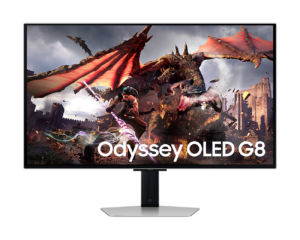
- Samsung Odyssey OLED G8 G80SD: the same size, resolution and refresh on a matte screen for a bright room, with weaker HDR highlights.
The VS Score is calculated from the weighted specifications above, each measured against the median of comparable OLED gaming monitors, 32 inches and up — a shortlisting guide, not a substitute for your own priorities. See how we score.





