
MoErgo Glove80: Specs, Features, Pros & Cons
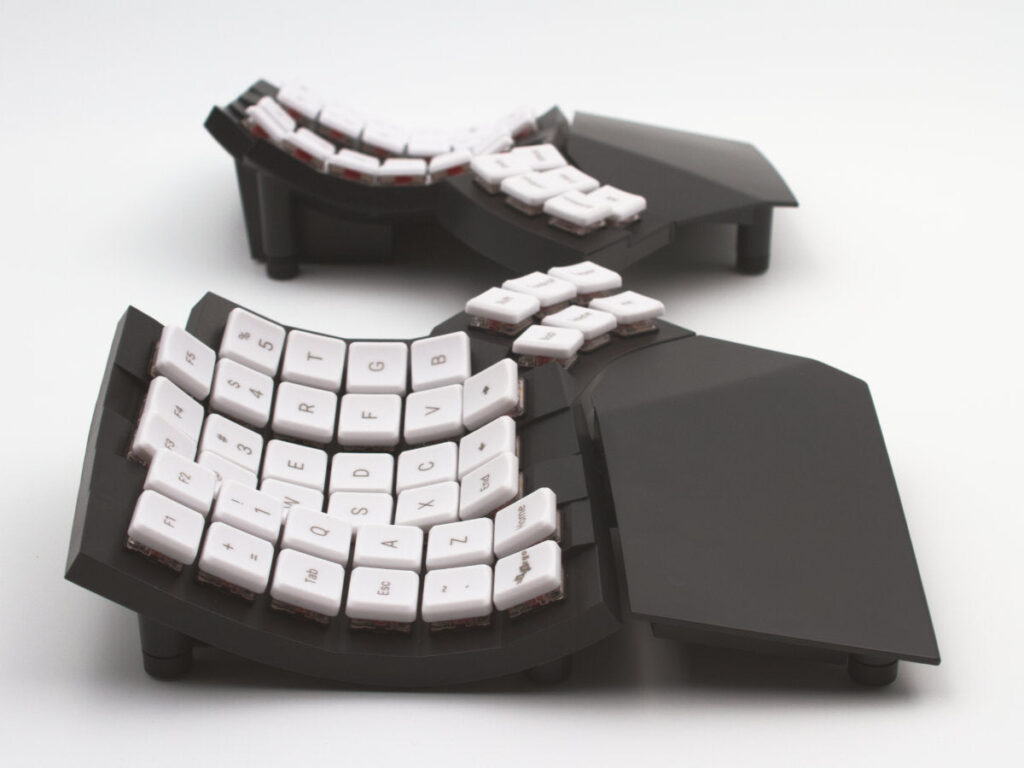
A dished well under each hand and an arc of thumb keys curving away below it give the Glove80 a shape that looks nothing like an ordinary keyboard. The two halves are completely separate, and each one is sculpted so that every finger meets its keys at the same distance.
It sits at the far end of the ergonomic range. One-piece curved boards and fixed splits change the angle of your wrists a little, and this one lets you place each hand wherever your shoulders want it, then shapes the keys around the fingers as well. The cost is a layout you build yourself, with symbols and navigation assigned to layers that you reach with the thumbs.
The switches are low-profile mechanical ones under POM keycaps, and they are soldered to the board, so the feel you order is the feel you keep. Both halves are backlit in RGB. Remapping happens in configuration software that runs in a browser, so no program has to be installed on the computer. It connects by cable or over Bluetooth, remembering more Bluetooth hosts than most keyboards. The pair measures 372 mm across and 168 mm deep. There is no receiver for low-latency wireless and no hot-swap socket.
This is a tool for someone who has decided that typing comfort is worth a week or two of slow, clumsy work and an evening of planning. People who type code, long documents or both for most of the day, and who already know which symbols they reach for most, will get the most from building the layout around their own habits.
Category strengths
Where the MoErgo Glove80 trails the median
- No hot-swappable switches ?
- Fewer connection options ?
How this VS Score was computed
Score 40: each known spec is measured against the median of all keyboards (101 products), then weighted; 50 means level with that median. In classes of six or more, a value beyond the class’s 10th–90th percentile range counts as that limit, so one extreme product cannot set the scale. 32% of the scoreable weight could be used; unknown values, features not applicable to this class and proxies (battery capacity where a rated life exists) add or remove nothing.
| Specification | This product | Cohort median | Score weight | Points moved |
|---|---|---|---|---|
| Hot-swappable | No | 61% of the class have it | 0.6 | −28.8 |
| Connection | 2 | 3 | 0.8 | −13.6 |
| Keycap material | 2 | PBT | 0.4 | +10.0 |
| Switch technology | Mechanical | Mechanical | 1 | +0.0 |
| Bluetooth devices | 4 — capped at the class’s upper range (3) | 3 | 0.3 | +0.0 |
| Backlight | RGB | RGB | 0.3 | +0.0 |
Not scored: Actuation force (unknown: not scored); N-key rollover (unknown: not scored); Adjustable actuation (unknown: not scored); Analog input (not applicable: only 14% of this class have it); Polling rate (unknown: not scored); Wired latency (unknown: not scored); Wireless latency (unknown: not scored); Rapid trigger (unknown: not scored); Front height (unknown: not scored); Battery life (unknown: not scored); Battery capacity (unknown: not scored); USB passthrough (unknown: not scored); Sound dampening (unknown: not scored); Programmable keys (standard for the class (99% have it)); Media controls (unknown: not scored); Rotary knob (unknown: not scored); Onboard profiles (unknown: not scored); Configuration software (standard for the class (95% have it)).
Editor’s note
The Glove80 is a keyboard for people who have run out of other options. If your wrists hurt at the end of a working day and a wrist rest and a cheap split board have not fixed it, this is the class of product that usually does. The price reflects how small that audience is.
Two things make it different from a normal split keyboard. The halves are fully separate, so you set them at shoulder width and at whatever angle your arms naturally fall into rather than the angle a hinge allows. And the key wells are contoured: each column is scooped to match how far your fingers reach, and the thumb clusters curve away from the main field so your thumbs press keys rather than mash the space bar. Eighty keys sounds sparse until you realize the layers do the rest.
It uses Kailh Choc v1 low-profile switches, which keep the whole thing about as tall as a laptop keyboard, and the POM keycaps have a soft, slightly slick feel that suits light switches. At roughly 600 g for both halves it travels well. Connection is Bluetooth (up to four paired hosts) or USB-C. There is no 2.4 GHz dongle, so if you need the lowest possible latency for competitive gaming, look elsewhere.
The real drawback is the learning curve. Expect your typing speed to fall by half for a week or two, and expect to spend an evening in the web-based layout editor working out where you want your symbols. The firmware is ZMK and configuration happens in a browser, which is more approachable than it sounds but is still configuration.
Buy it if typing hurts and you are willing to relearn. Do not buy it as an upgrade for a keyboard you already enjoy using.
Specifications
Quality bars show where each figure sits between the lowest and highest of the 101 keyboards this VS Score is measured against.
Switches & typing
Performance
Layout & size
Connectivity
Build & sound
Features
Sources and verification
Where the specifications come from
- Official product pagemoergo.com
- Independent testingrtings.com
Verification
- First published
- Specifications last checked
- Sheet completeness
- 15 of 34 specifications verified; the rest show as Unknown and are never estimated or scored
- Page type
- Product specification page — Compiled from the manufacturer’s published specifications and the cited sources; this is not a hands-on test.
- Basis
- Research-based: specifications and editorial text were compiled from the documents listed here and the manufacturer’s published data. We have not tested this unit ourselves; where independent measurements are mentioned they belong to the linked publication.
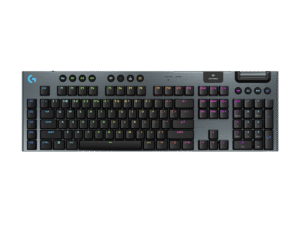
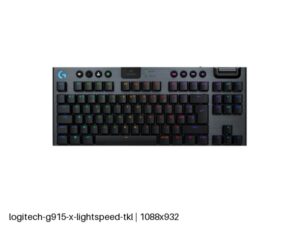
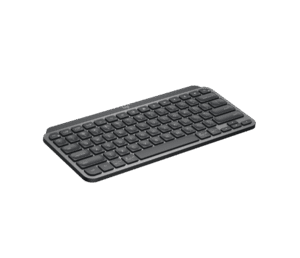
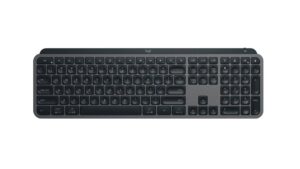
Keyboards with similar specs to the MoErgo Glove80

Ratings & reviews
No reviews yet. Be the first to share your experience.
The bottom line
The MoErgo Glove80 earns a VS Score of 40 on the 32% of specifications we could compare like for like — an indication, not a ranking.
- Who it’s for
- A long-day typist whose wrists still hurt after trying a wrist rest and a basic split, and who will spend an evening building a layout.
- Who should look elsewhere
- Do not buy it to replace a keyboard you already enjoy, or for competitive gaming, which gets no low-latency receiver.
- The trade-off that matters
- The learning curve. Speed drops sharply for the first weeks and symbols have to be placed on layers, so the comfort is earned before it arrives.
- The main alternative
- Keychron Q11 Ultra 8K: a wireless split with a conventional staggered layout, easier to adapt to if contoured wells feel too radical.
The VS Score is calculated from the weighted specifications above, each measured against the median of comparable keyboards — a shortlisting guide, not a substitute for your own priorities. See how we score.




