
Keychron C100 8K Giant Custom Macro Pad: Specs, Pros & Cons
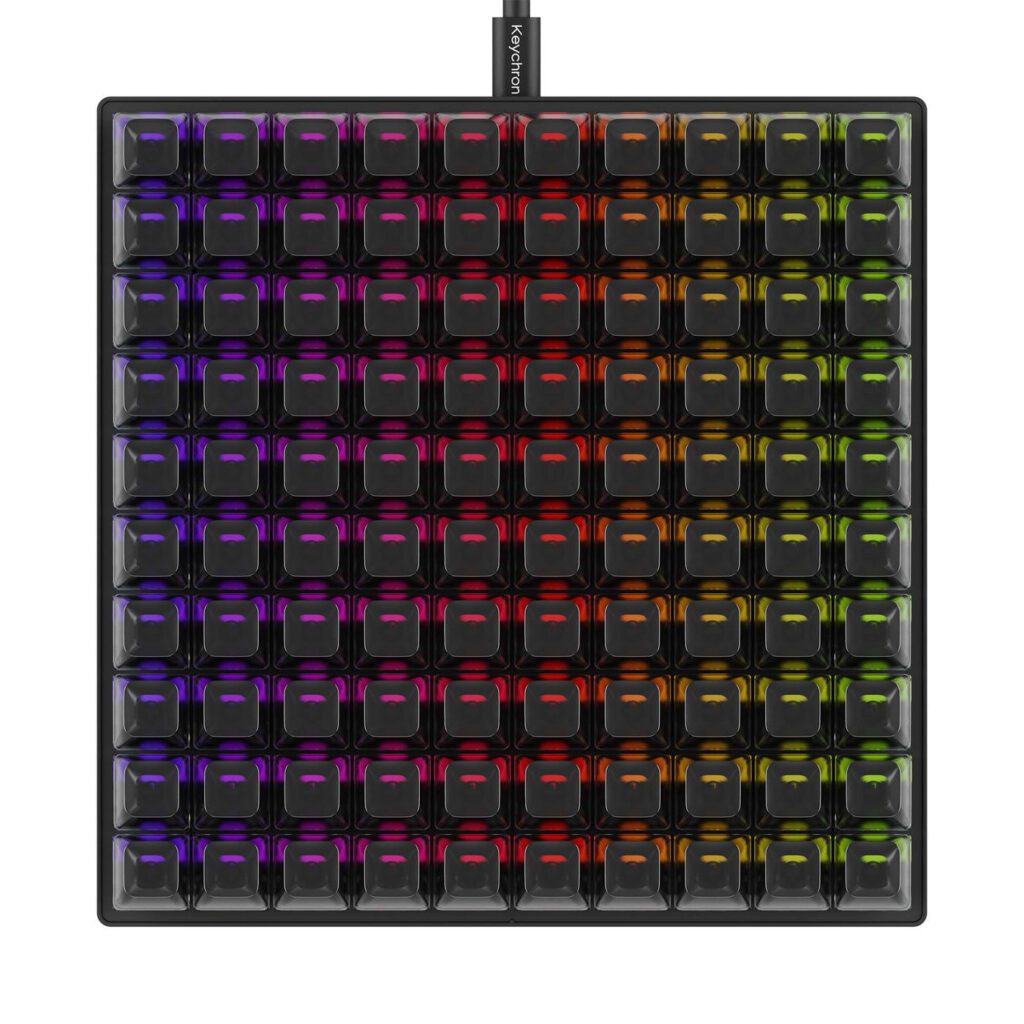
Keychron's name for this product runs to six words, and "Giant Custom Macro Pad" describes it better than the model number: a square block of identical blank mechanical keys with no letters, no layout and no function until you give it one.
It is a tool that sits beside a keyboard. Each key waits for an assignment made in Keychron's Launcher, and the finished keymap is stored in onboard profiles on the pad, so it travels to any computer you plug it into. Setup needs Chrome, Edge or another Chromium browser, because the Launcher talks to the pad through the browser. The 8K in the name refers to the polling rate, a figure borrowed from flagship gaming keyboards. The hardware is simple and wired. Its switches sit in hot-swap sockets, the transparent keycaps glow with RGB lighting, and the body is plastic. The front edge stands 17.8 mm tall, lower than many full keyboards.
Judged as a keyboard, it lacks three things: N-key rollover, any connection but the cable, and sound dampening. Of those, rollover limits how many keys the pad registers at once, which only bites if you plan chords of several macros. The other two change little on a pad that stays parked on a desk, where it takes a fair square of space beside the keyboard.
The buyer it suits arrives with a job already planned: a long list of shortcuts for an editing suite, a broadcast, a music project or an accessibility setup. A shopper without that list gets a large block of keys that do nothing, and an afternoon of setup before that changes.
Category strengths
Where the Keychron C100 8K Giant Custom Macro Pad beats the median
- A much higher polling rate ?8,000 Hz vs 1,000 Hz (median)
- A lower front height ?17.8 mm vs 20.25 mm (median)
Where the Keychron C100 8K Giant Custom Macro Pad trails the median
- Fewer connection options ?
- No n-key rollover ?
- No sound dampening ?
- No media controls ?
- No rotary knob ?
How this VS Score was computed
Score 39: each known spec is measured against the median of all keyboards (101 products), then weighted; 50 means level with that median. In classes of six or more, a value beyond the class’s 10th–90th percentile range counts as that limit, so one extreme product cannot set the scale. 55% of the scoreable weight could be used; unknown values, features not applicable to this class and proxies (battery capacity where a rated life exists) add or remove nothing.
| Specification | This product | Cohort median | Score weight | Points moved |
|---|---|---|---|---|
| Polling rate | 8,000 | 1,000 | 0.7 | +35.0 |
| Hot-swappable | Yes | 61% of the class have it | 0.6 | +30.0 |
| Connection | 1 | 3 | 0.8 | −26.4 |
| N-key rollover | No | 84% of the class have it | 0.5 | −24.0 |
| Rapid trigger | No | 25% of the class have it | 0.5 | −24.0 |
| Adjustable actuation | No | 24% of the class have it | 0.4 | −19.2 |
| Sound dampening | No | 76% of the class have it | 0.3 | −14.4 |
| Media controls | No | 98% of the class have it | 0.3 | −14.4 |
| Rotary knob | No | 54% of the class have it | 0.2 | −9.6 |
| Front height | 17.8 | 20.25 | 0.2 | +1.4 |
| Switch technology | Mechanical | Mechanical | 1 | +0.0 |
| Backlight | RGB | RGB | 0.3 | +0.0 |
Not scored: Actuation force (unknown: not scored); Analog input (not applicable: only 14% of this class have it); Wired latency (unknown: not scored); Wireless latency (unknown: not scored); Bluetooth devices (unknown: not scored); Battery life (unknown: not scored); Battery capacity (unknown: not scored); USB passthrough (not applicable: only 4% of this class have it); Keycap material (unknown: not scored); Programmable keys (standard for the class (99% have it)); Onboard profiles (standard for the class (89% have it)); Configuration software (standard for the class (95% have it)).
Editor’s note
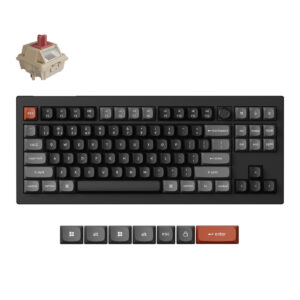
Despite what the picture suggests, the C100 8K is not a keyboard. It is a ten-by-ten grid of one hundred identical, completely blank keys. As shipped, pressing them does nothing at all. Every single key starts unassigned, and the product only becomes useful after you sit down with Keychron's Launcher and build a keymap yourself.
For most people that makes it pointless. For the small audience it is aimed at (stream-deck enthusiasts, MIDI and macro tinkerers, accessibility setups, anyone driving OBS or a DAW with dozens of shortcuts), it is close to unique. An Elgato Stream Deck XL gives you 32 buttons with little screens for several times the price. This gives you 100 real mechanical keys with hot-swap sockets and QMK underneath for well under a hundred dollars. The keymap lives in the pad's own memory, so it works on any machine you plug it into.
The hardware is better than the price suggests. 8,000 Hz polling is flagship-gaming territory, the Apex Red switches are hot-swappable, and the transparent keycaps light up nicely from the north-facing RGB. The body is budget plastic, wired-only USB-C, and a substantial 197 mm square on your desk, none of which matters much for a tool that sits parked beside a keyboard.
The friction is the software path: Launcher runs through WebHID, so you need Chrome, Edge or another Chromium browser (Safari and Firefox will not work), and building a 100-key layout from scratch is an afternoon, not ten minutes.
I would buy this if I already had a list of macros in my head waiting for keys. If you are not certain you would ever program it, you will not use it, and a Q0 Max number pad or a Stream Deck is the saner purchase.
Specifications
Quality bars show where each figure sits between the lowest and highest of the 101 keyboards this VS Score is measured against.
Switches & typing
Performance
Layout & size
Connectivity
Build & sound
Features
Sources and verification
Where the specifications come from
- Official product pagekeychron.com
- Retailer listing (cross-check)amazon.com
Verification
- First published
- Specifications last checked
- Sheet completeness
- 22 of 34 specifications verified; the rest show as Unknown and are never estimated or scored
- Page type
- Product specification page — Compiled from the manufacturer’s published specifications and the cited sources; this is not a hands-on test.
- Basis
- Research-based: specifications and editorial text were compiled from the documents listed here and the manufacturer’s published data. We have not tested this unit ourselves; where independent measurements are mentioned they belong to the linked publication.
Keyboards with similar specs to the Keychron C100 8K Giant Custom Macro Pad
Ratings & reviews
No reviews yet. Be the first to share your experience.
The bottom line
The Keychron C100 8K Giant Custom Macro Pad earns a VS Score of 39, below the median of the 101 keyboards it is measured against (a score of 50 is level with that median).
- Who it’s for
- People with a macro plan: streamers, DAW and OBS operators, accessibility setups, and anyone who already knows what they would map to a hundred spare keys.
- Who should look elsewhere
- Anyone unsure they would program it. As shipped, every key does nothing, and building a full keymap in a Chromium-only web tool is an afternoon of work.
- The trade-off that matters
- One hundred real QMK keys with 8K polling at a low price, in exchange for a product that is entirely inert until you invest the setup time yourself.
- The main alternative
- Elgato Stream Deck XL costs far more for 32 buttons, but its per-key screens and drag-and-drop software need minutes of setup, not hours.
The VS Score is calculated from the weighted specifications above, each measured against the median of comparable keyboards — a shortlisting guide, not a substitute for your own priorities. See how we score.





