
Keychron C1 Pro: Specs, Features, Pros & Cons
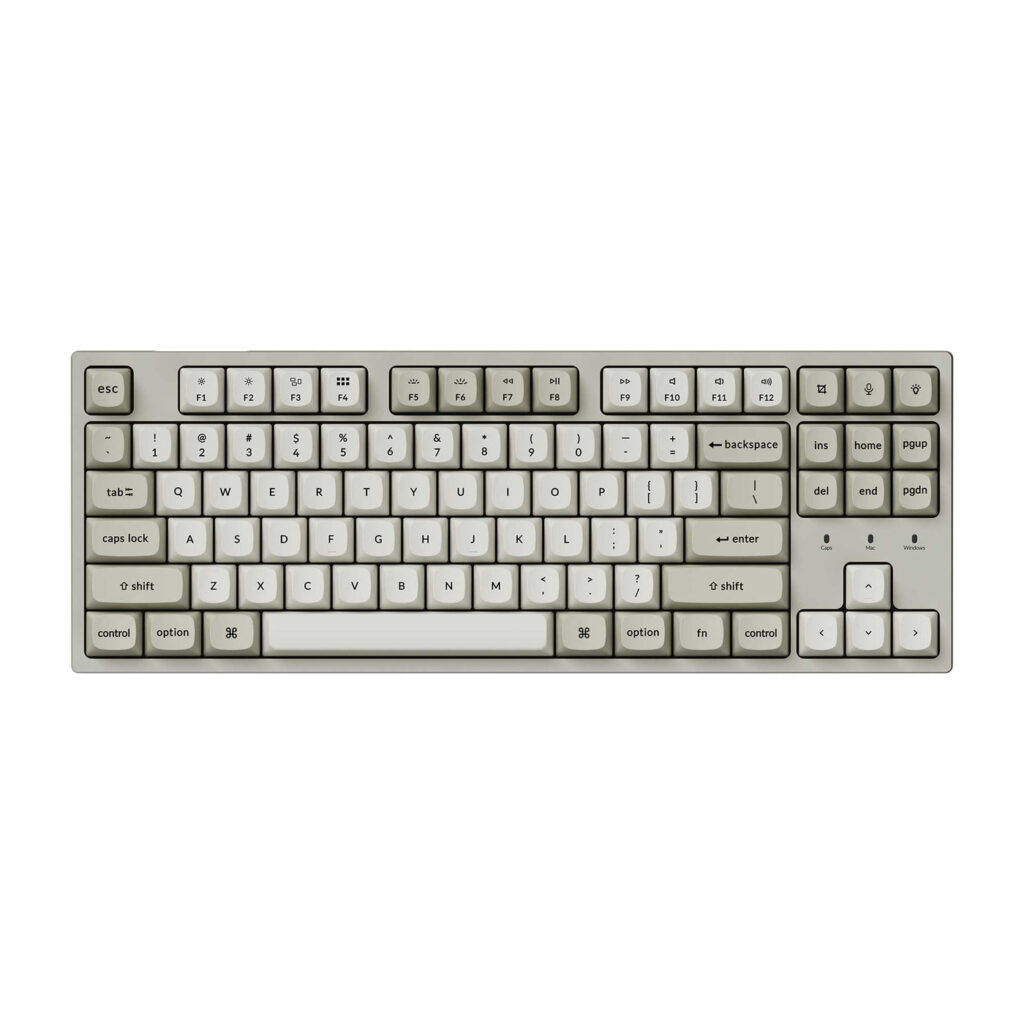
A hot-swappable socket changes what a keyboard is. Instead of a finished product you get a chassis you can keep changing your mind about, and on the C1 Pro that socket sits underneath one of the least expensive boards Keychron makes. It accepts both of the common mechanical switch pin layouts, which means very nearly the entire aftermarket is open to it.
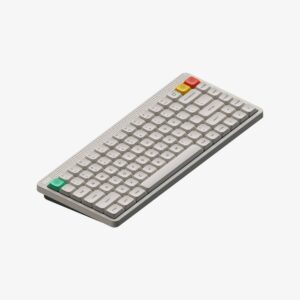
Around that sits a tenkeyless layout, double-shot PBT keycaps, plate-mounted stabilizers and south-facing RGB lighting that illuminates the legends from the correct side rather than glaring over the top of them. The firmware is QMK with VIA support, so remapping is stored in the keyboard itself and travels with it to any machine, with nothing running in the background to make it work.
The case is where the cost has been taken out. It is plastic, and the plate screws directly to posts in the bottom shell, which is the oldest and stiffest mounting method in keyboards. That produces a firmer, more hollow sound than the gasket-mounted boards costing several times as much, and the stiffness is not even across the whole board. Swapping switches will not change any of it. The sound comes from the case.
There is no wireless option at all, which narrows the audience but simplifies everything else about ownership. This suits people buying a first proper mechanical keyboard who want room to experiment later, and people who want a work board where a cable counts as a feature. Anyone who already knows they prefer a softer, deeper typing sound should budget for a different construction instead, because this one cannot be persuaded into it. Keychron has also shipped more than one hardware revision, so the controller inside can vary between listings.
Category strengths
Where the Keychron C1 Pro beats the median
- A lower front height ?17 mm vs 20.2 mm (median)
Where the Keychron C1 Pro trails the median
- Fewer connection options ?
- No sound dampening ?
- No rotary knob ?
How this VS Score was computed
Score 39: each known spec is measured against the median of all keyboards (101 products), then weighted; 50 means level with that median. In classes of six or more, a value beyond the class’s 10th–90th percentile range counts as that limit, so one extreme product cannot set the scale. 51% of the scoreable weight could be used; unknown values, features not applicable to this class and proxies (battery capacity where a rated life exists) add or remove nothing.
| Specification | This product | Cohort median | Score weight | Points moved |
|---|---|---|---|---|
| Hot-swappable | Yes | 61% of the class have it | 0.6 | +30.0 |
| Connection | 1 | 3 | 0.8 | −26.4 |
| Rapid trigger | No | 25% of the class have it | 0.5 | −24.0 |
| Adjustable actuation | No | 24% of the class have it | 0.4 | −19.2 |
| Sound dampening | No | 76% of the class have it | 0.3 | −14.4 |
| Rotary knob | No | 53% of the class have it | 0.2 | −9.6 |
| Front height | 17 | 20.2 | 0.2 | +1.8 |
| Switch technology | Mechanical | Mechanical | 1 | +0.0 |
| Polling rate | 1,000 | 1,000 | 0.7 | +0.0 |
| Keycap material | PBT | PBT | 0.4 | +0.0 |
| Backlight | RGB | RGB | 0.3 | +0.0 |
Not scored: Actuation force (unknown: not scored); N-key rollover (unknown: not scored); Analog input (not applicable: only 14% of this class have it); Wired latency (unknown: not scored); Wireless latency (unknown: not scored); Bluetooth devices (unknown: not scored); Battery life (unknown: not scored); Battery capacity (unknown: not scored); USB passthrough (not applicable: only 4% of this class have it); Programmable keys (standard for the class (99% have it)); Media controls (standard for the class (97% have it)); Onboard profiles (standard for the class (89% have it)); Configuration software (standard for the class (95% have it)).
Editor’s note
The C1 Pro is the keyboard people recommend when someone asks for a first mechanical board without wanting to explain the hobby to them.
It is wired only, which is the point: no battery, no pairing, no latency argument, just a USB-C cable and 1000 Hz polling. What you get for the money is a well-specified board: hot-swappable sockets that take both 3-pin and 5-pin MX switches, double-shot PBT keycaps that will not go shiny, plate-mounted stabilizers, south-facing RGB, and full QMK and VIA support so remapping happens on the board itself rather than through software that has to be running.
The TKL layout drops the number pad and keeps everything else, in 355 mm and 700 grams. Keychron ships keycaps for both Windows and macOS in the box, and the F-row carries media and system controls.
Be realistic about the construction. The case is ABS plastic and the mounting is tray mount, which is the oldest and stiffest arrangement there is. This will sound and feel firmer and hollower than a gasket-mounted board, and no amount of switch swapping changes that. There is no sound dampening foam specified. It is also worth knowing Keychron sells two hardware revisions with different microcontrollers, so check which one a listing is offering if firmware matters to you.
Buy it as a first mechanical keyboard, or as a work board where wired simplicity counts as a feature, and enjoy that it is hot-swappable so your next switch experiment costs nothing.
Skip it if you want wireless, or if you already know you care about the deeper, softer sound of a gasket-mounted case. Keychron's own Q and V series exist for exactly that.
Specifications
Quality bars show where each figure sits between the lowest and highest of the 101 keyboards this VS Score is measured against.
Switches & typing
Performance
Layout & size
Connectivity
Build & sound
Features
Sources and verification
Where the specifications come from
- Official product pagekeychron.com
Verification
- First published
- Specifications last checked
- Sheet completeness
- 25 of 34 specifications verified; the rest show as Unknown and are never estimated or scored
- Page type
- Product specification page — Compiled from the manufacturer’s published specifications and the cited sources; this is not a hands-on test.
- Basis
- Research-based: specifications and editorial text were compiled from the documents listed here and the manufacturer’s published data. We have not tested this unit ourselves; where independent measurements are mentioned they belong to the linked publication.
Keyboards with similar specs to the Keychron C1 Pro
Ratings & reviews
No reviews yet. Be the first to share your experience.
The bottom line
The Keychron C1 Pro earns a VS Score of 39, below the median of the 101 keyboards it is measured against (a score of 50 is level with that median).
- Who it’s for
- A first mechanical keyboard buyer, or a work desk where a single cable is simpler than batteries and pairing.
- Who should look elsewhere
- Anyone who already prefers the softer, deeper sound of a gasket board should skip it, and so should anyone who wants wireless.
- The trade-off that matters
- Swapping switches changes the feel but not the sound. The stiff plastic case sets that, so the board will always sound firmer than pricier designs.
- The main alternative
- Keychron K8 Ultra 8K: the same tenkeyless shape with an aluminum frame, foam stack and fast wireless, for a quieter, cable-free desk.
The VS Score is calculated from the weighted specifications above, each measured against the median of comparable keyboards — a shortlisting guide, not a substitute for your own priorities. See how we score.





