Logitech MX ERGO: Specs, Features, Pros & Cons
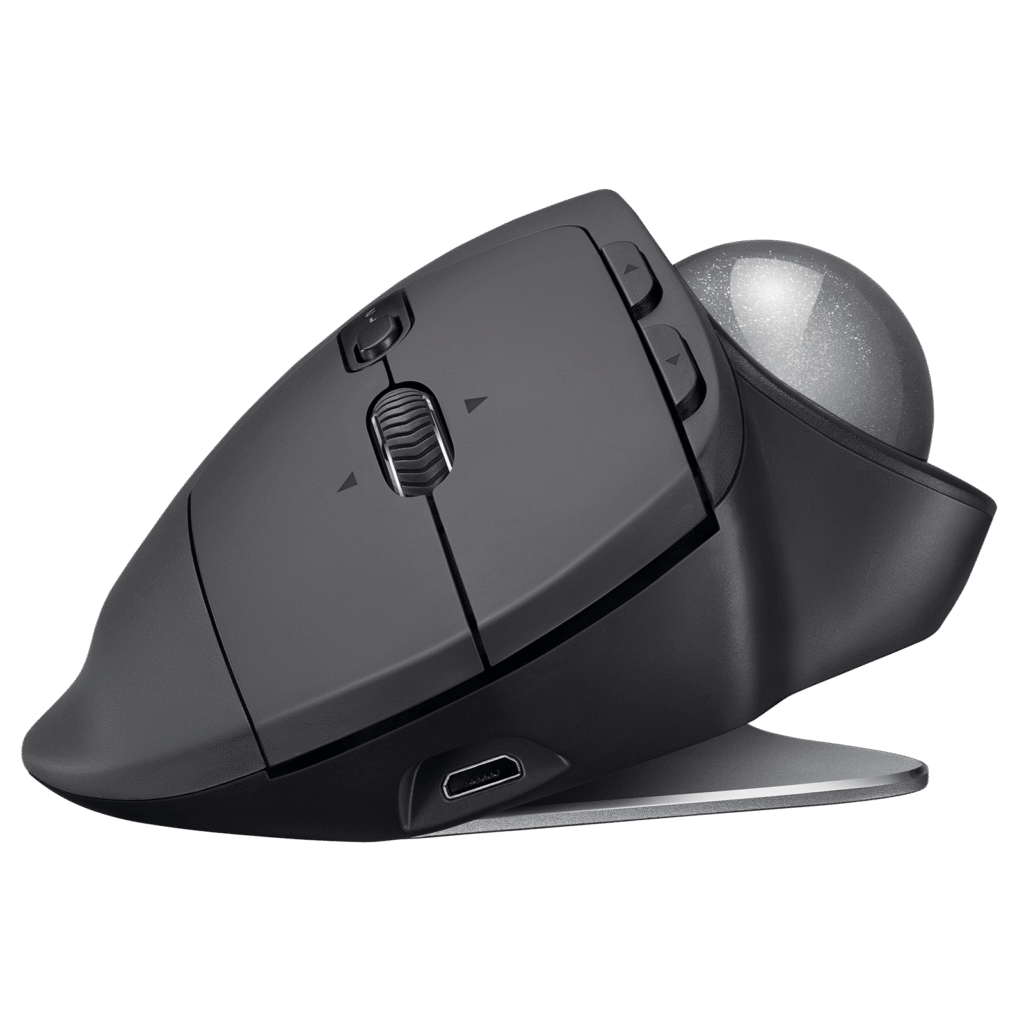
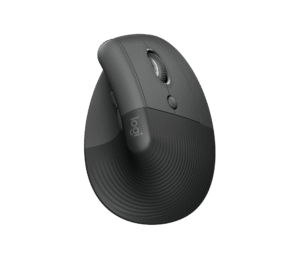
The metal plate under the MX ERGO is the whole argument. It snaps on magnetically and tilts the trackball twenty degrees, so your hand sits closer to a handshake angle than flat on the desk. Logitech has sold this same design since 2017, and it remains the only mainstream thumb trackball that lets you choose between flat and tilted on the fly.
Everything else about it is a mature productivity mouse wearing a trackball. The ball sits under the thumb, the fingers get two main clicks, a tilting scroll wheel with middle click, back and forward keys, and a small button beside the ball that drops the cursor into a slow precision mode for fiddly work. Six of those controls can be remapped in Logi Options+, and the Easy-Switch key hops between two computers over Bluetooth or the bundled Unifying receiver.
The buyer this suits is someone with a cramped desk or a sore wrist who does not want to relearn how to point. A thumb ball keeps the familiar left-right button layout, so the retraining is measured in hours rather than weeks, and the sensor range is tuned for cursor work.
Two things date it. The charging port is micro-USB, which in 2026 means keeping one more cable around, and there is no wired mode at all if the battery runs flat mid-task. Logitech has since released the MX Ergo S, which moves to USB-C and quieter clicks but keeps the same shape and tilt plate, so this original is now the value pick.
At the price Logitech asks, you are paying for the tilt mechanism and the software. If you already know you want a thumb trackball, the question is only whether the newer connector is worth the difference.
Category strengths
Where the Logitech MX ERGO beats the median
- Much longer battery life ?2,920 h vs 130 h (median)
- Has horizontal scrolling ?
- More buttons ?8 vs 6 (median)
Where the Logitech MX ERGO trails the median
- A much heavier build ?259 g vs 89 g (median)
- A much lower max sensitivity ?2,048 DPI vs 25,600 DPI (median)
- No adjustable lift-off distance ?
- No USB-C charging ?
How this VS Score was computed
Score 41: each known spec is measured against the median of all mice (83 products), then weighted; 50 means level with that median. In classes of six or more, a value beyond the class’s 10th–90th percentile range counts as that limit, so one extreme product cannot set the scale. 49% of the scoreable weight could be used; unknown values, features not applicable to this class and proxies (battery capacity where a rated life exists) add or remove nothing.
| Specification | This product | Cohort median | Score weight | Points moved |
|---|---|---|---|---|
| Max sensitivity | 2,048 — capped at the class’s lower range (4,000) | 25,600 | 1 | −42.0 |
| Battery life | 2,920 — capped at the class’s upper range (450) | 130 | 0.8 | +40.0 |
| Weight | 259 — capped at the class’s upper range (145) | 89 | 1 | −19.0 |
| Adjustable lift-off distance | No | 65% of the class have it | 0.3 | −14.4 |
| USB-C charging | No | 68% of the class have it | 0.3 | −14.4 |
| Buttons | 8 | 6 | 0.6 | +10.2 |
| Horizontal scrolling | Yes | 46% of the class have it | 0.2 | +10.0 |
| Free-spin scroll wheel | No | 36% of the class have it | 0.2 | −9.6 |
| RGB lighting | No | 48% of the class have it | 0.2 | −9.6 |
| Connection | 2 | 2 | 0.8 | +0.0 |
Not scored: Max tracking speed (unknown: not scored); Max acceleration (unknown: not scored); Polling rate (unknown: not scored); Grip styles (unknown: not scored); Click latency (unknown: not scored); Switch lifespan (unknown: not scored); Debounce adjustment (not applicable: only 18% of this class have it); Wireless polling rate (unknown: not scored); Battery capacity (capacity is a proxy; the rated battery life is scored instead); Quick charge (unknown: not scored); Wireless charging (not applicable: only 18% of this class have it); Onboard memory (unknown: not scored); Software customization (standard for the class (98% have it)); Adjustable weights (not applicable: only 2% of this class have it).
Editor’s note
The thing I would weigh first is whether you have ever used a thumb trackball before. If you have not, the MX ERGO is the gentlest introduction on the market: the button layout is identical to a normal mouse, the ball is where your thumb already rests, and the tilt plate lets you find a wrist angle that stops hurting. People who switch because of RSI tend to stay switched.
What matters day to day is the precision-mode button. Trackballs are quick across two monitors and clumsy on a single pixel, and being able to slow the cursor with one press, then speed it back up, is the feature that makes this usable for photo editing or spreadsheet work as well as web browsing. Easy-Switch between a work laptop and a desktop over Bluetooth is the other feature that earns its keep.
The drawbacks: the ball needs its bearings wiped every week or two or it starts to drag, the whole unit is heavy enough that it does not travel, and the micro-USB port is an irritation on a product that otherwise feels well made. It is also strictly right-handed, and larger hands can find the ball a little low.
Value is the awkward part. Logitech now sells the MX Ergo S with USB-C and quieter switches for a little more, so this original only makes sense when it is discounted well below the newer one. At the same money, buy the S. If this one is meaningfully cheaper and you do not mind the old connector, it is the same excellent shape.
For me, it is the right choice for a first trackball, for a second desk, or for anyone who wants the adjustable tilt and finds the S at full price. Finger-ball purists should look at the Kensington SlimBlade Pro instead.
Specifications
Quality bars show where each figure sits between the lowest and highest of the 83 mice this VS Score is measured against.
Sensor & tracking
Design & handling
Switches & latency
Connectivity
Battery
Features
Sources and verification
Where the specifications come from
- Official product pagelogitech.com
Verification
- First published
- Specifications last checked
- Sheet completeness
- 24 of 34 specifications verified; the rest show as Unknown and are never estimated or scored
- Page type
- Product specification page — Compiled from the manufacturer’s published specifications and the cited sources; this is not a hands-on test.
- Basis
- Research-based: specifications and editorial text were compiled from the documents listed here and the manufacturer’s published data. We have not tested this unit ourselves; where independent measurements are mentioned they belong to the linked publication.
Mice with similar specs to the Logitech MX ERGO


Ratings & reviews
No reviews yet. Be the first to share your experience.
The bottom line
The Logitech MX ERGO earns a VS Score of 41, below the median of the 83 mice it is measured against (a score of 50 is level with that median).
- Who it’s for
- Anyone moving to a trackball for the first time, especially for wrist pain: the mouse-style button layout and adjustable tilt make the switch painless.
- Who should look elsewhere
- Left-handers, anyone who wants to charge everything over USB-C, and buyers who can get the MX Ergo S for the same money.
- The trade-off that matters
- You keep the exact shape and tilt plate of the current model but accept an older connector and louder clicks in exchange for a lower price.
- The main alternative
- Kensington SlimBlade Pro Trackball: a finger-operated ball with tri-mode connectivity and USB-C charging, better if you want ambidextrous use or a bigger ball.
The VS Score is calculated from the weighted specifications above, each measured against the median of comparable mice — a shortlisting guide, not a substitute for your own priorities. See how we score.