
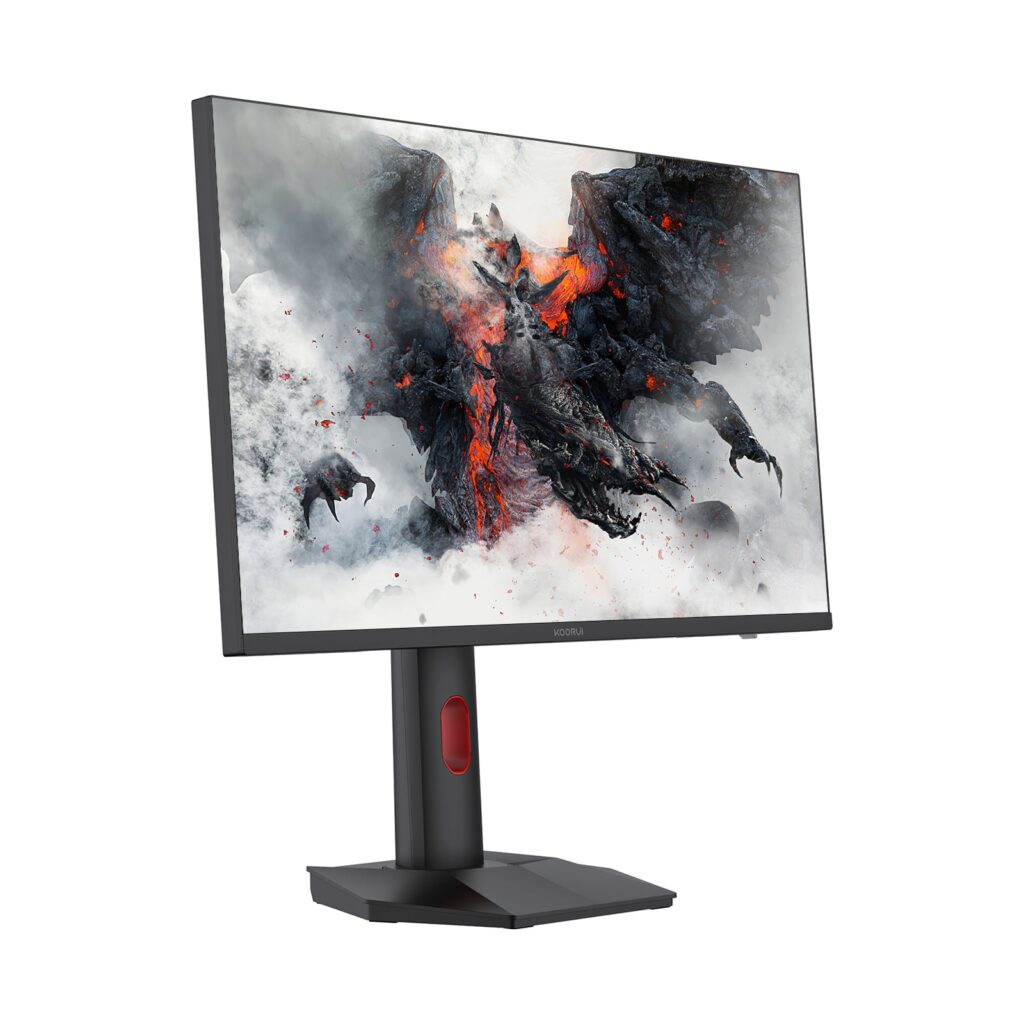
KOORUI S2721PM: Specs, Features, Pros & Cons
The most reliable fact about the S2721PM comes from VESA. The DisplayHDR certification list files it as a family model of HKC's G27M2 and places it in the DisplayHDR 1000 tier, which means the monitor passed VESA's test for peak brightness, black level and color.
The hardware behind that is a 27-inch IPS panel at 1440p and 200 Hz, lit by a quantum-dot Mini LED backlight split into 1,152 dimming zones. At this size the resolution works out to 109 pixels per inch, sharp enough for text at a normal desk distance without scaling, and KOORUI quotes its 1 ms response at the fastest of three overdrive settings. An IPS panel lets some light glow around bright objects on a dark background, so the zone count does real work here.
KOORUI's product page is harder to trust than the certificate. Its spec table gives a brightness of 350 nits, which turns out to be the typical figure printed beside the 1,000-nit peak in the gallery. The same table calls a 300000:1 contrast ratio static, a number no IPS panel reaches without its backlight dimming. The bullets describe an 8-bit panel with FRC while the table says 10-bit, which works out to the same billion colors on screen.
The connections are two HDMI 2.0 ports, one DisplayPort 1.4 and an audio output. HDMI 2.0 does not carry enough data for 200 Hz at this resolution, so a gaming PC belongs on the DisplayPort input and a console or laptop on HDMI. The stand adjusts for height, tilt, swivel and pivot, and the menu can split the screen between two sources.
Category strengths
Where the KOORUI S2721PM beats the median
- Much higher peak brightness ?1,000 nits vs 400 nits (median)
- Has local dimming ?
- Has picture-by-picture ?
- A higher refresh rate ?200 Hz vs 180 Hz (median)
- Slightly wider DCI-P3 colour coverage ?97 % vs 95 % (median)
How this VS Score was computed
Score 57: each known spec is measured against the median of IPS gaming monitors, 27 to 31 inches (30 products), then weighted; 50 means level with that median. In classes of six or more, a value beyond the class’s 10th–90th percentile range counts as that limit, so one extreme product cannot set the scale. 68% of the scoreable weight could be used; unknown values, features not applicable to this class and proxies (battery capacity where a rated life exists) add or remove nothing.
| Specification | This product | Cohort median | Score weight | Points moved |
|---|---|---|---|---|
| Peak brightness | 1,000 | 400 | 0.8 | +40.0 |
| Local dimming | Yes | 21% of the class have it | 0.4 | +20.0 |
| Adaptive sync | FreeSync | G-Sync Compatible | 0.6 | −15.0 |
| HDR | DisplayHDR 1000 | DisplayHDR 400 | 0.5 | +12.5 |
| Swivel | Yes | 66% of the class have it | 0.2 | +10.0 |
| Picture-by-picture | Yes | 20% of the class have it | 0.2 | +10.0 |
| Built-in speakers | No | 30% of the class have it | 0.2 | −9.6 |
| Refresh rate | 200 | 180 | 1.2 | +7.2 |
| Pivot | Yes | 76% of the class have it | 0.02 | +1.0 |
| DCI-P3 coverage | 97 | 95 | 0.6 | +0.6 |
| Screen size | 27 | 27 | 1.2 | +0.0 |
| Resolution | 1440p | 1440p | 1.2 | +0.0 |
| Panel type | IPS | IPS | 0.8 | +0.0 |
| Color depth | 10 | 10 | 0.3 | +0.0 |
| Response time | 1 | 1 | 0.8 | +0.0 |
| Pixel density | 109 | 109 | 0.5 | +0.0 |
| Local dimming zones | 1,152 | 1,152 | 0.3 | +0.0 |
| HDMI ports | 2 | 2 | 0.4 | +0.0 |
| DisplayPort inputs | 1 | 1 | 0.4 | +0.0 |
Not scored: Contrast ratio (unknown: not scored); Variable refresh rate (standard for the class (100% have it)); Motion blur reduction (unknown: not scored); Input lag (unknown: not scored); Height adjustment (standard for the class (80% have it)); Tilt (standard for the class (100% have it)); USB-C (unknown: not scored); USB-C power delivery (unknown: not scored); USB hub (unknown: not scored); Headphone output (standard for the class (87% have it)); KVM switch (unknown: not scored); Webcam (unknown: not scored); Microphone (unknown: not scored); Ethernet (unknown: not scored).
Editor’s note
Against the AOC Q27G40XMN, the nearest Mini LED rival at this size and resolution, the choice comes down to panel type. The AOC uses VA, which holds deeper blacks between dimming zones, and runs a little slower at 180 Hz. The KOORUI's IPS panel keeps color steadier off axis and has the speed advantage, but the glow around bright objects on dark scenes will rely more on the dimming system. For dark-room HDR films I would lean to the VA, and for fast games in a lit room to this one.
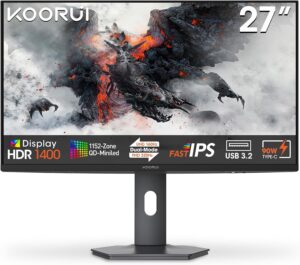
Two things on KOORUI's page need settling before you pay. The front gallery image carries a USB 3.2 badge, yet the rear-port drawing shows no USB connector at all. A three-year warranty badge also sits above care text that promises one year. Ask the seller which applies, and get the answer in writing. In early October 2026 KOORUI's US store listed the S2721PM as unavailable and pointed buyers to Amazon, which makes the Amazon listing's terms the ones that count.
In HDR the peak figure applies to small highlights, and the lower one is what the screen holds in everyday work. A buyer comparing KOORUI's spec table with a rival's might take the S2721PM for a dim monitor. It is not, and the VESA certificate is the independent evidence.
The power brick is external, a 19 V adapter, so the cable run to the desk needs room for it.
Specifications
Quality bars show where each figure sits between the lowest and highest of the 30 IPS gaming monitors, 27 to 31 inches this VS Score is measured against.
Picture
Gaming
Ergonomics & design
Connectivity
Features
Sources and verification
Where the specifications come from
- Official product pagekoorui.com
- Independent testingdisplayhdr.org
Verification
- First published
- Specifications last checked
- Sheet completeness
- 30 of 42 specifications verified; the rest show as Unknown and are never estimated or scored
- Page type
- Product specification page — Compiled from the manufacturer’s published specifications and the cited sources; this is not a hands-on test.
- Basis
- Research-based: specifications and editorial text were compiled from the documents listed here and the manufacturer’s published data. We have not tested this unit ourselves; where independent measurements are mentioned they belong to the linked publication.
Monitors with similar specs to the KOORUI S2721PM
Ratings & reviews
No reviews yet. Be the first to share your experience.
The bottom line
The KOORUI S2721PM earns a VS Score of 57, above the median of the 30 IPS gaming monitors, 27 to 31 inches it is measured against (a score of 50 is level with that median).
- Who it’s for
- A PC gamer who wants bright HDR highlights and a fast IPS panel on one 27-inch screen, without paying for an OLED.
- Who should look elsewhere
- Anyone who needs USB-C or a USB hub, since KOORUI's drawings show neither, and anyone who watches mostly dark films in a dark room.
- The trade-off that matters
- Strong certified HDR on a fast panel, sold with a product page that contradicts itself on ports and warranty, so the paperwork needs checking before the hardware can be trusted.
- The main alternative
- AOC Q27G40XMN: the same zone count behind a VA panel, for deeper blacks in dark scenes at a slightly lower refresh rate.
The VS Score is calculated from the weighted specifications above, each measured against the median of comparable IPS gaming monitors, 27 to 31 inches — a shortlisting guide, not a substitute for your own priorities. See how we score.





