24 facts in comparison
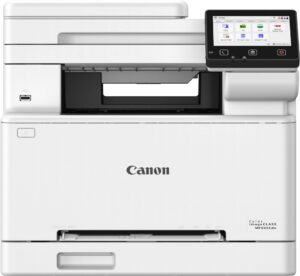
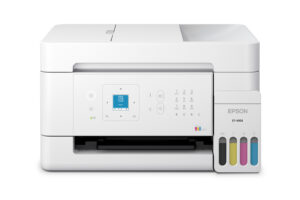
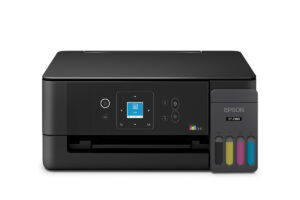
Canon Color imageCLASS MF665Cdw vs Epson EcoTank ET-4903
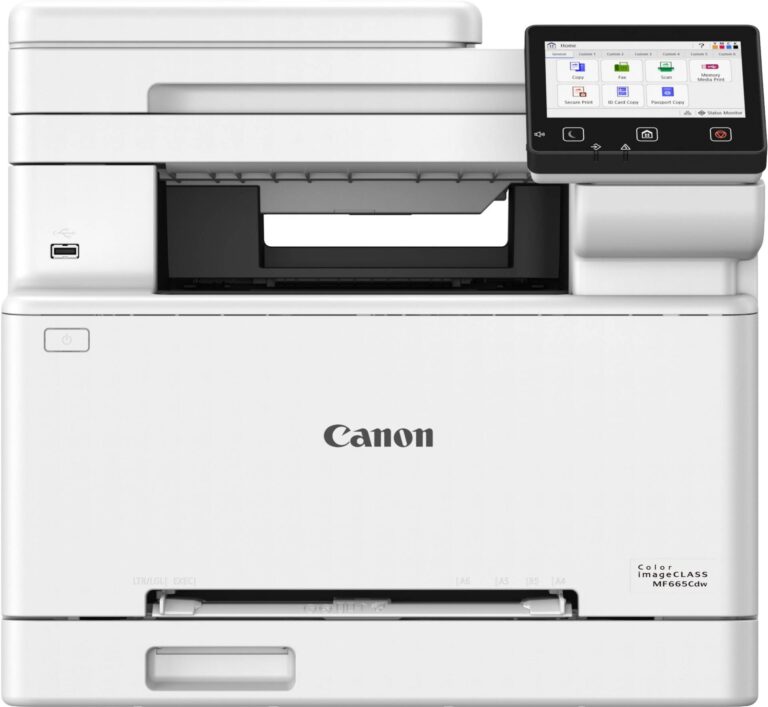
Color pages leave the Canon Color imageCLASS MF665Cdw at 26 a minute and the Epson EcoTank ET-4903 at 6. Black text narrows the gap only a little, with the Epson rated at 11. That speed comes from a color laser built for a small office, and it is why these two belong to different buyers even though both print color, scan, copy and fax.
Each has an automatic document feeder, a fax modem, Wi-Fi and AirPrint, and each prints up to legal size, so a home office shopping for a color all-in-one with a feeder can land on either and assume the two are rivals.
Canon's machine weighs 22 kg and carries a 250-sheet paper tray, a 50-sheet feeder that captures both sides of an original in one pass, a 5-inch touchscreen and gigabit Ethernet. The Epson weighs 5.5 kg and makes do with a rear feed, a button panel and no Ethernet on its spec sheet.
Supply is the one thing the Epson keeps that the Canon cannot match, with about three years of ink in the box and refills poured from bottles. The Canon gives up that supply and runs on four toners, a drum and a belt, and Canon backs the whole assembly with a three-year limited warranty where most rivals in its class stop at one.
An office scanning double-sided paperwork every day is the Canon's buyer, because its feeder reads both sides at once. A household printing school pages in color has no use for a laser's pace and gains years of supplied ink by choosing the Epson, and few readers will need to weigh one against the other.
Editor’s note
Canon's multipurpose tray takes exactly one sheet, so envelopes, labels and letterhead all feed one at a time. Any work built around a stack of envelopes is wrong for this machine, and the output tray is shallow as well. Starter toners are small, at roughly 500 pages in color and 700 in black, so the first supply order comes early.
Its scanner is the strongest single argument for the Canon here. Canon rates the feeder at up to 100 images a minute in duplex, in black and white at 300 dpi.
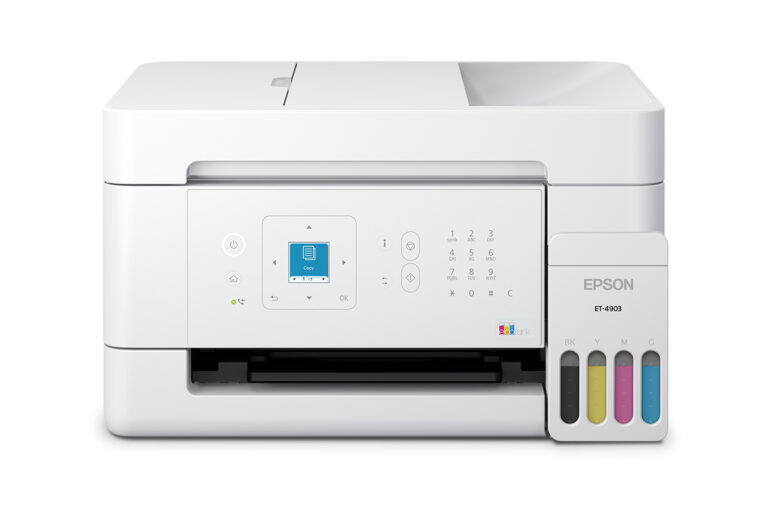
The ET-4903 has a smaller frame and a narrower brief. A rear feed with no cassette, a 1.44-inch screen and a small output tray keep it at one person's desk. Epson states no automatic duplex printing, so two-sided output needs checking before purchase.
The Epson's boxed ink postpones the first refill purchase by years, and an inkjet has no drum or belt waiting to wear out, so the long warranty answers a problem the Epson never has.
Head-to-head points: every spec is scaled between these products only, so a product can score high here and modestly on its own page, where the VS Score measures it against the median of its class.
Where the Canon Color imageCLASS MF665Cdw beats the Epson EcoTank ET-4903
- A much higher print speed (black) ?26 ppm vs 11 ppm
- A much higher print speed (color) ?26 ppm vs 6 ppm
- A much higher ADF capacity ?50 sheets vs 30 sheets
- A much higher input tray capacity ?250 sheets vs 100 sheets
- A much higher output tray capacity ?100 sheets vs 30 sheets
- Has ethernet ?
- Has touchscreen display ?
Where the Epson EcoTank ET-4903 beats the Canon Color imageCLASS MF665Cdw
- A much higher print resolution ?5,760 dpi vs 1,200 dpi
- Has supertank / refillable ink ?
- A much lighter build ?5.5 kg vs 22 kg
Key real-world differences
The spec sheet pulls in both directions. These are the gaps big enough to shape the decision — with the actual figures, and what each one means in real-world use.
- Print speed (black)Printing26 ppm vs 11 ppm — 2.4× more for the Canon Color imageCLASS MF665Cdw
Black-and-white pages per minute; higher is faster.
- Print speed (color)Printing26 ppm vs 6 ppm — 4.3× more for the Canon Color imageCLASS MF665Cdw
Color pages per minute; higher is faster.
- Input tray capacityPaper handling250 sheets vs 100 sheets — 2.5× more for the Canon Color imageCLASS MF665Cdw
A larger tray needs refilling less often.
- EthernetConnectivityYes vs No — only the Canon Color imageCLASS MF665Cdw has it
A wired network port for reliable office use.
- Touchscreen displayDesignYes vs No — only the Canon Color imageCLASS MF665Cdw has it
An onboard touchscreen makes standalone tasks easier.
Which one should you buy?
There is no single answer — it depends on what you will actually use it for. Match your priority to the pick below.
- Best for printing Canon Color imageCLASS MF665Cdw takes the category 82 to 45 — driven by print speed (black) (26 ppm vs 11 ppm).
- Best for scanning & copying Canon Color imageCLASS MF665Cdw takes the category 100 to 81 — driven by ADF capacity (50 sheets vs 30 sheets).
- Best for connectivity Canon Color imageCLASS MF665Cdw takes the category 100 to 84 — driven by ethernet (Yes vs No).
- Best for paper handling Canon Color imageCLASS MF665Cdw takes the category 100 to 0 — driven by input tray capacity (250 sheets vs 100 sheets).
- Best for design Canon Color imageCLASS MF665Cdw takes the category 63 to 37 — driven by touchscreen display (Yes vs No).
- On a budget Epson EcoTank ET-4903 is the cheaper way in at $ 299.99, and still scores 57 overall.
- The safe all-rounder Canon Color imageCLASS MF665Cdw wins 5 of 5 categories and tops the overall VS Score at 90.
Where each one falls short
Canon Color imageCLASS MF665Cdw
- Supertank / refillable ink: No vs Yes
- Print resolution: 1,200 dpi vs 5,760 dpi
- Weight: 22 kg vs 5.5 kg
- 1 spec is unreported (shown as Unknown) and excluded from its scores.
Epson EcoTank ET-4903
- Print speed (black): 26 ppm vs 11 ppm
- Print speed (color): 26 ppm vs 6 ppm
- Input tray capacity: 250 sheets vs 100 sheets
- 2 specs are unreported (shown as Unknown) and excluded from its scores.
What matters to you?
Drag the sliders to weight each category and re-rank the products to suit your priorities.
Score breakdown
Printing
Scanning & copying
Paper handling
Connectivity
Design
Specs last verified October 7, 2026Canon Color imageCLASS MF665Cdw: 23 of 24 specs verified (96%)Epson EcoTank ET-4903: 22 of 24 specs verified (92%)Unverified specs show as Unknown — never estimated, never scored
Where to buy
Prices and availability may change. Check the retailer before buying. We may earn a commission on purchases.
What reviewers say
The bottom line
Two-sided scanning and daily color volume point to the Canon Color imageCLASS MF665Cdw. Its single-pass feeder, deeper paper tray and wired port suit a shared office, and the long warranty offsets a cabinet full of wear parts. Envelope runs are the exception, because its bypass slot takes one sheet at a time.
Where color printing is occasional, space is short and nobody wants to shop for supplies for years, the Epson EcoTank ET-4903 makes more sense. Slow color output and a rear paper feed come with that trade, and for school pages and household forms the delay is small. A home printing a few color pages a week gains nothing from the Canon's pace and should keep the tanks.