42 facts in comparison
Dell Alienware AW3225QF vs Dell Alienware AW3225DM
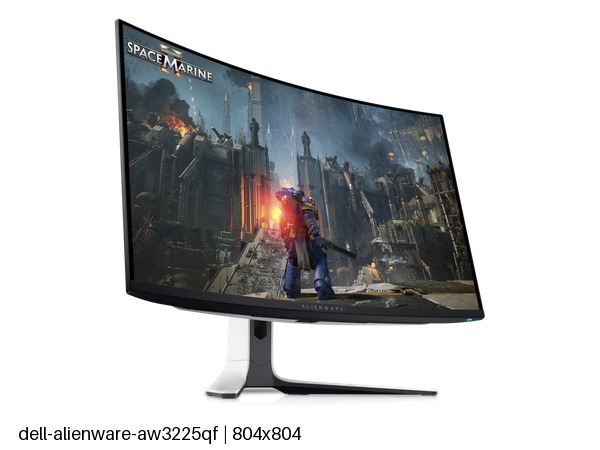
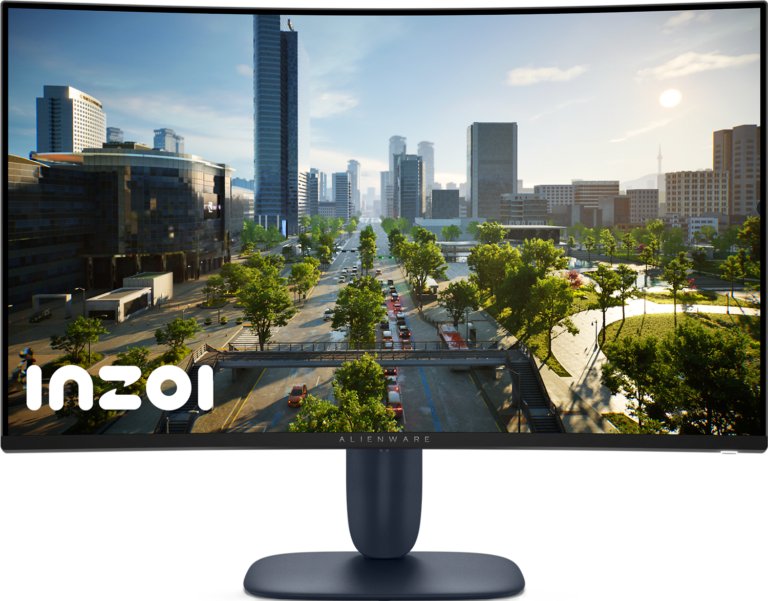
Two Alienware 32-inch monitors, one letter apart in the model number and a world apart in panel technology: the QF is a curved 4K QD-OLED, the DM a 1440p VA. That single difference explains everything else that separates them, and it explains the price gap too.
The AW3225QF is the flagship: 4K at 240 Hz, per-pixel OLED black, a response time measured in hundredths of a millisecond, a 1,000-nit HDR peak with True Black certification, and near-complete DCI-P3 coverage. It is the monitor for someone who wants the best image a desk can hold and has the graphics card to drive 4K at high refresh.
The AW3225DM is the sensible one: 1440p at 180 Hz on a VA panel, with the deep-but-not-infinite contrast VA is known for, a 400-nit HDR badge that means little in practice, and a pixel density that looks soft next to 4K at this size. It is far cheaper, far easier to drive, and immune to the burn-in question that shadows every OLED.
That question is the honest caveat on the QF. Dell backs its OLED against burn-in, but static desktop layouts remain the panel's weak spot, and full-screen white is dimmer than on an LCD. The DM's weakness is the opposite: VA's slower dark-transition smearing, and a 93-pixel-per-inch density that shows text a little coarse at 32 inches.
For games and films at a desk with a strong GPU, the QF is the better screen by a wide margin. For a mixed work-and-play desk, a mid-range card, or a budget that stops well short of a flagship, the DM does the everyday job well, with one panel technology's trade-offs in exchange for a large saving.
Editor’s note
The burn-in conversation around the QF deserves some precision. The risk is not that an OLED dies. It is that a taskbar, a spreadsheet header or a game HUD occupying the same pixels for thousands of hours eventually leaves a mark. Dell covers this explicitly, and that warranty is a bigger differentiator between competing OLED monitors than any line on the spec sheet. Read its terms before buying, because it is a large part of what the premium buys.
The DM has the opposite profile, and one specification I would ignore entirely: its HDR badge. At this panel's brightness, HDR content looks like SDR content with extra steps, and turning it on mostly costs accuracy. Treat the DM as a good SDR monitor and it will not disappoint you.
Its real weakness is dark-scene smearing, which VA panels have never solved and which appears in exactly the horror games and night maps where you most want to see detail. The second is text: at this diagonal the DM is visibly soft, and anyone arriving from a sharper laptop display will notice within minutes.
If you cannot afford the QF and the graphics card together, the DM is not a compromise you will resent. It is a plainer product for a plainer budget.
Head-to-head points: every spec is scaled between these products only, so a product can score high here and modestly on its own page, where the VS Score measures it against the median of its class.
Where the Dell Alienware AW3225QF beats the Dell Alienware AW3225DM
- A slightly bigger screen ?31.6" (80.26 cm) vs 31.5" (80.01 cm)
- 4K Resolution ?4K vs 1440p
- OLED Panel type ?OLED vs VA
- A higher refresh rate ?240 Hz vs 180 Hz
- A much faster response time ?0.03 ms vs 1 ms
- Much higher peak brightness ?1,000 nits vs 400 nits
- A much higher contrast ratio ?1000000:1 vs 3000:1
- Slightly wider DCI-P3 colour coverage ?99.3 % vs 95 %
- True Black 400 HDR ?True Black 400 vs DisplayHDR 400
Where the Dell Alienware AW3225DM beats the Dell Alienware AW3225QF
No standout advantages.
Key real-world differences
The spec sheet pulls in both directions. These are the gaps big enough to shape the decision — with the actual figures, and what each one means in real-world use.
- Response timePicture0.03 ms vs 1 ms — 97% less for the Dell Alienware AW3225QF
Gray-to-gray response; lower reduces motion blur.
- ResolutionPicture4K vs 1440p — advantage Dell Alienware AW3225QF
The total pixel count; higher is sharper.
- Adaptive syncGamingG-Sync Compatible vs FreeSync — advantage Dell Alienware AW3225QF
Variable-refresh technology for tear-free motion.
- SwivelErgonomics & designYes vs No — only the Dell Alienware AW3225QF has it
Rotate the panel left and right.
Which one should you buy?
There is no single answer — it depends on what you will actually use it for. Match your priority to the pick below.
- Best for picture Dell Alienware AW3225QF takes the category 100 to 4 — driven by response time (0.03 ms vs 1 ms).
- Best for gaming Dell Alienware AW3225QF takes the category 100 to 45 — driven by adaptive sync (G-Sync Compatible vs FreeSync).
- Best for ergonomics & design Dell Alienware AW3225QF takes the category 100 to 75 — driven by swivel (Yes vs No).
- The safe all-rounder Dell Alienware AW3225QF wins 3 of 5 categories, which together carry most of the weight, and tops the overall VS Score at 100.
Where each one falls short
Dell Alienware AW3225QF
- No major spec weaknesses in this matchup — the gaps that exist are small.
- 4 specs are unreported (shown as Unknown) and excluded from its scores.
Dell Alienware AW3225DM
- Response time: 0.03 ms vs 1 ms
- Resolution: 4K vs 1440p
- Contrast ratio: 1000000:1 vs 3000:1
- 4 specs are unreported (shown as Unknown) and excluded from its scores.
What matters to you?
Drag the sliders to weight each category and re-rank the products to suit your priorities.
Score breakdown
Picture
Gaming
Ergonomics & design
Connectivity
Features
Specs last verified September 24, 2026Dell Alienware AW3225QF: 38 of 42 specs verified (90%)Dell Alienware AW3225DM: 38 of 42 specs verified (90%)Unverified specs show as Unknown — never estimated, never scored
What reviewers say
The bottom line
The QF's real price is not the one on the shelf. Driving 4K at a high refresh rate needs a graphics card in the same class as the monitor, and buyers who skip that step end up running a flagship panel at settings that waste it. Budget for both, or buy the DM.
Take the AW3225QF if games and films are the point of the desk, the card is already there, and what is on screen changes through the day.
The AW3225DM is for a monitor that spends most of its hours showing documents, browsers and the same toolbars, or a desk with a mid-range card. It is the duller screen and the one you will never think about again.
If text sharpness is what you care about, only one of these two has it at this diagonal.
Latest comparisons

Latest Monitors