42 facts in comparison
Dell S2725DC vs Dell S2725QC
Same Dell family, same chassis, same single-cable USB-C convenience. The choice is resolution against refresh rate, and neither model is a step up from the other.
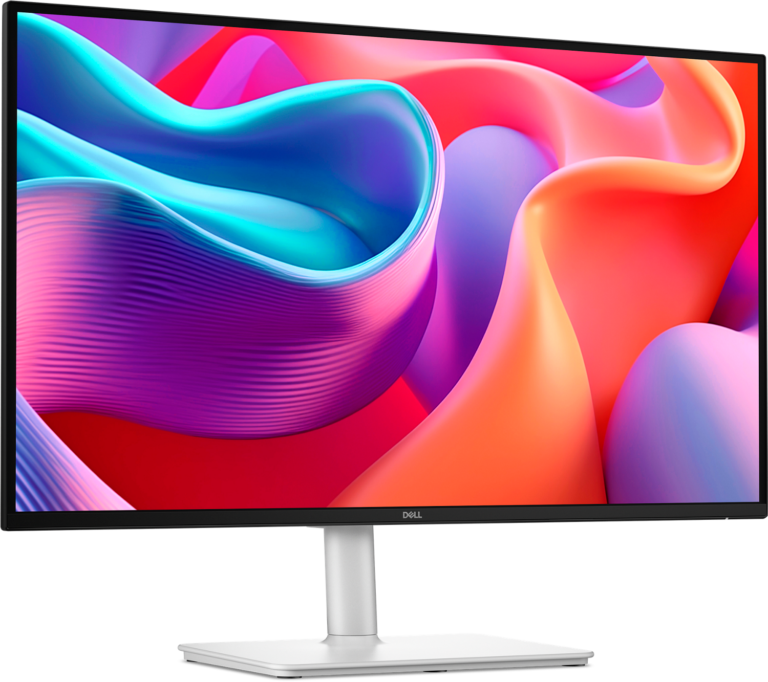
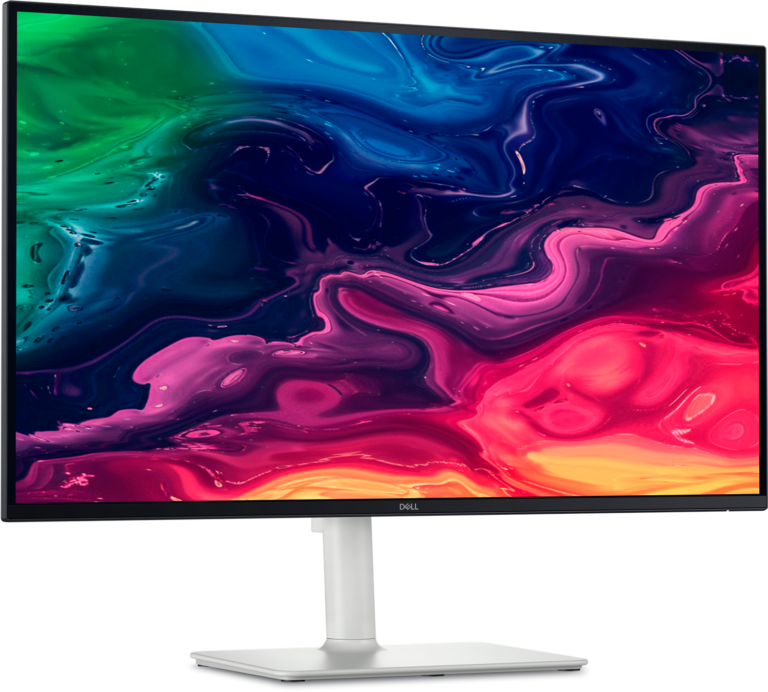
The S2725DC is the 1440p model at 144 Hz. At 27 inches that is 109 pixels per inch, a density that reads comfortably without display scaling, and a refresh rate that a mid-range graphics card can feed in games. It has a DisplayPort input alongside its HDMI and USB-C, and an 8-bit panel with no HDR claim.
The S2725QC is the 4K model at 120 Hz. Its 163 pixels per inch are noticeably sharper for text and photographs, it carries a 10-bit panel and an HDR10 badge, and it swaps the DisplayPort for a second HDMI, which suits a console or a second laptop better than a desktop tower. Driving 4K at that rate is a much bigger ask of a graphics card, and on a modest machine the practical refresh will be lower than the panel allows.
Neither is a gaming monitor in the strict sense, and both are sold on the USB-C: one cable carries video, data and laptop charging, which is the feature that defines the S27 line. The DC's DisplayPort is the one connectivity advantage a desktop owner should weigh, and the QC's second HDMI is the one a console owner should.
For a home office with a laptop, mixed document work and occasional games, the 1440p DC is the easier, cheaper, better-matched choice. For text-heavy work, photo editing, or a desk that wants the sharpest image and has the card or the patience to drive it, the 4K QC earns its premium. The HDR10 badge should not be part of the decision. At this brightness it is a label.
Editor’s note
Both of these are office monitors that happen to have a high refresh rate, and it is worth being clear about that before either is judged as a gaming display. Neither has local dimming, neither has a fast panel by gaming standards, and the refresh figures are a ceiling. They promise nothing about motion clarity.
The DC's extra refresh will mostly show in scrolling and window dragging if the laptop docked over that single cable is not driving competitive games, so its advantage is the one most likely to go unused.
The QC's sharper pixels are harder to design around, because they mean display scaling, and display scaling still produces inconsistent results in older Windows applications and in some professional software. Anyone moving up from a lower-density screen should expect an afternoon of adjustment before it feels like an improvement.
The buyer most likely to regret either is the one who chose on the HDR badge. Neither has the brightness or the dimming hardware to make HDR content look meaningfully different from a good standard picture, and one of the two wears a badge that suggests otherwise.
Head-to-head points: every spec is scaled between these products only, so a product can score high here and modestly on its own page, where the VS Score measures it against the median of its class.
Where the Dell S2725DC beats the Dell S2725QC
- A higher refresh rate ?144 Hz vs 120 Hz
- More DisplayPort inputs ?1 vs 0
Where the Dell S2725QC beats the Dell S2725DC
- 4K Resolution ?4K vs 1440p
- A higher color depth ?10 bit vs 8 bit
- HDR10 HDR ?HDR10 vs None
- A much higher pixel density ?163 ppi vs 109 ppi
- More HDMI ports ?2 vs 1
Key real-world differences
The spec sheet pulls in both directions. These are the gaps big enough to shape the decision — with the actual figures, and what each one means in real-world use.
- ResolutionPicture1440p vs 4K — advantage Dell S2725QC
The total pixel count; higher is sharper.
- HDRPictureNone vs HDR10 — advantage Dell S2725QC
The certified HDR tier.
- DisplayPort inputsConnectivity1 vs 0 — 1 more for the Dell S2725DC
DisplayPort inputs, preferred for high refresh rates.
- HDMI portsConnectivity1 vs 2 — 2× more for the Dell S2725QC
More HDMI inputs connect more devices.
Which one should you buy?
There is no single answer — it depends on what you will actually use it for. Match your priority to the pick below.
- Best for picture Dell S2725QC takes the category 85 to 68 — driven by resolution (1440p vs 4K).
- On a budget Dell S2725DC is the cheaper way in at $ 247.99, and still scores 75 overall.
- The safe all-rounder Dell S2725QC wins 1 of 4 categories, which together carry most of the weight, and tops the overall VS Score at 86.
Where each one falls short
Dell S2725DC
- Resolution: 1440p vs 4K
- HDR: None vs HDR10
- HDMI ports: 1 vs 2
- 6 specs are unreported (shown as Unknown) and excluded from its scores.
Dell S2725QC
- DisplayPort inputs: 1 vs 0
- Refresh rate: 144 Hz vs 120 Hz
- 7 specs are unreported (shown as Unknown) and excluded from its scores.
What matters to you?
Drag the sliders to weight each category and re-rank the products to suit your priorities.
Score breakdown
Picture
Gaming
Ergonomics & design
Connectivity
Features
Specs last verified September 28, 2026Dell S2725DC: 36 of 42 specs verified (86%)Dell S2725QC: 35 of 42 specs verified (83%)Unverified specs show as Unknown — never estimated, never scored
Where to buy
Prices and availability may change. Check the retailer before buying. We may earn a commission on purchases.
What reviewers say
The bottom line
Decide this one on the machine, not on the monitor.
A laptop that will be docked and undocked daily, doing mixed work with some gaming, is better served by the cheaper model: its resolution needs no scaling, its refresh rate is easier to reach, and its DisplayPort input leaves the USB-C socket free for the laptop.
A desktop with a capable graphics card, or any desk where text and photographs are the day's work, justifies the sharper panel, and there the second HDMI is a bonus if a console shares the desk.
What should not decide it is the HDR badge. These are the same monitor with a couple of specs swapped, and the spec that matters describes what is plugged into the back.
Latest comparisons

Latest Monitors