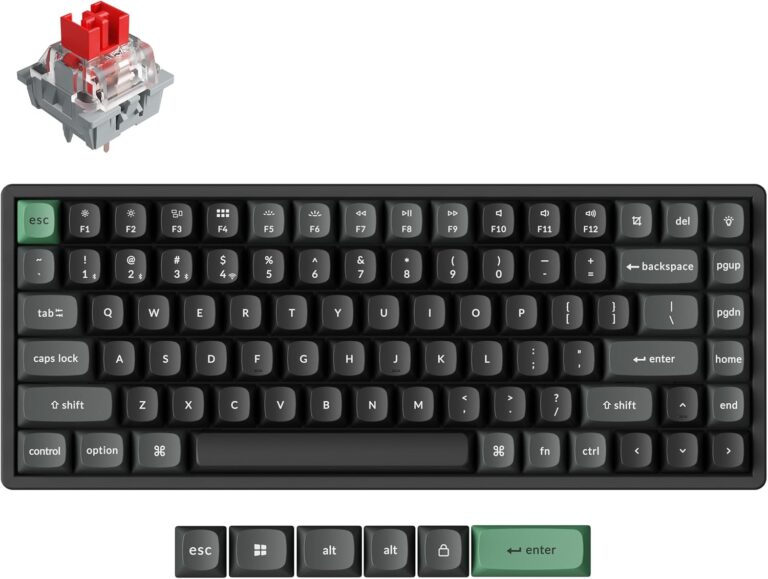
34 facts in comparison
Keychron K2 HE vs Keychron K2 Ultra 8K
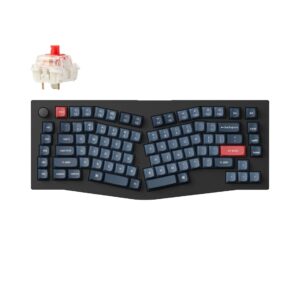
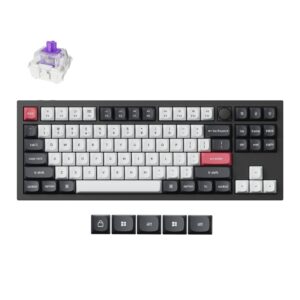
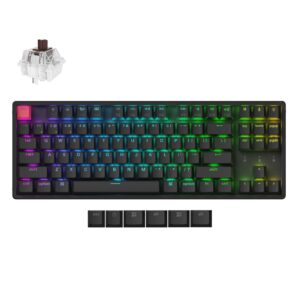
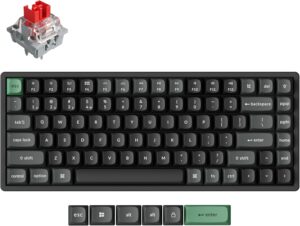
This comparison puts the Keychron K2 HE and Keychron K2 Ultra 8K side by side — two keyboards measured against the same 34-spec sheet, with every meaningful gap scored and explained. On our weighted VS Score the Keychron K2 HE finishes ahead, 89 to 78 — a solid lead.
The single biggest measurable gap is switch technology: Hall effect vs Mechanical. None of our retail partners currently lists the Keychron K2 Ultra 8K, so availability may be limited and price cannot factor into this comparison. A transparency note before you dive in: the spec sheets are Keychron K2 HE 85% and Keychron K2 Ultra 8K 94% complete. Anything unverified shows as Unknown and is left out of the scores — we never estimate a missing value.
Where the Keychron K2 HE beats the Keychron K2 Ultra 8K
- Hall effect Switch technology ?Hall effect vs Mechanical
- Has adjustable actuation ?
- Has analog input ?
- Has rapid trigger ?
Where the Keychron K2 Ultra 8K beats the Keychron K2 HE
- A much higher polling rate ?8,000 Hz vs 1,000 Hz
- A lower front height ?22.85 mm vs 30.1 mm
Key real-world differences
The spec sheet pulls in both directions. These are the gaps big enough to shape the decision — with the actual figures, and what each one means in real-world use.
- Switch technologySwitches & typingHall effect vs Mechanical — advantage Keychron K2 HE
The key switch technology; later types are generally more responsive.
- Polling ratePerformance1,000 Hz vs 8,000 Hz — 8× more for the Keychron K2 Ultra 8K
How often the keyboard reports input; higher can reduce latency.
- Rapid triggerPerformanceYes vs No — only the Keychron K2 HE has it
Resets a key dynamically as it moves, enabling faster repeated inputs.
- Adjustable actuationSwitches & typingYes vs No — only the Keychron K2 HE has it
Set the actuation point per key (analog / Hall-effect boards).
- Front heightLayout & size30.1 mm vs 22.85 mm — 24% less for the Keychron K2 Ultra 8K
The front case height without keycaps; lower boards can reduce wrist extension.
Which one should you buy?
There is no single answer — it depends on what you will actually use it for. Match your priority to the pick below.
- Best for switches & typing Keychron K2 HE takes the category 100 to 45 — driven by switch technology (Hall effect vs Mechanical).
- Best for performance Keychron K2 Ultra 8K takes the category 81 to 42 — driven by polling rate (1,000 Hz vs 8,000 Hz).
- Best for layout & size Keychron K2 Ultra 8K takes the category 100 to 0 — driven by front height (30.1 mm vs 22.85 mm).
- The safe all-rounder Keychron K2 HE wins more of the categories that carry real weight, topping the overall VS Score at 89.
Where each one falls short
Keychron K2 HE
- Polling rate: 1,000 Hz vs 8,000 Hz
- Front height: 30.1 mm vs 22.85 mm
- 5 specs are unreported (shown as Unknown) and excluded from its scores.
Keychron K2 Ultra 8K
- Switch technology: Hall effect vs Mechanical
- Rapid trigger: Yes vs No
- Adjustable actuation: Yes vs No
- 2 specs are unreported (shown as Unknown) and excluded from its scores.
What matters to you?
Drag the sliders to weight each category and re-rank the products to suit your priorities.
Score breakdown
Switches & typing
The key switch technology; later types are generally more responsive.
The specific switch used (e.g. Cherry MX Red).
The force needed to register a key; lower is lighter to type on.
Swap switches without soldering.
Registers every simultaneous keypress.
Set the actuation point per key (analog / Hall-effect boards).
Keys report their travel depth for variable gamepad-style input and multi-stage actions.
Performance
How often the keyboard reports input; higher can reduce latency.
End-to-end keypress latency over a wired connection; lower is better.
End-to-end keypress latency over the fastest wireless mode; lower is better.
Resets a key dynamically as it moves, enabling faster repeated inputs.
Layout & size
The keyboard size and layout.
The number of keys.
The overall width.
The overall depth.
The front case height without keycaps; lower boards can reduce wrist extension.
The keyboard's weight.
Connectivity
The supported connection types.
How many paired devices it can switch between.
Battery life for wireless models.
The rated capacity of the internal battery.
A built-in USB port for other devices.
Build & sound
Keycap plastic; PBT resists shine and wear better than ABS.
The case material (e.g. aluminium, ABS plastic).
The switch plate material, which influences stiffness and typing sound.
How larger keys are stabilised (e.g. screw-in PCB or plate-mounted).
The plate / PCB mounting style (e.g. gasket mount).
Internal foam or dampening for a quieter, fuller sound.
The per-key lighting.
Features
Remap keys and record macros.
Dedicated volume and playback controls.
A control knob for volume or custom actions.
Stores layouts on the board itself.
Companion configuration software (e.g. VIA / QMK).
Specs last verified August 21, 2026Keychron K2 HE: 29 of 34 specs verified (85%)Keychron K2 Ultra 8K: 32 of 34 specs verified (94%)Unverified specs show as Unknown — never estimated, never scored
Where to buy
No price is available to track yet.
Prices and availability may change. Check the retailer before buying. We may earn a commission on purchases.
What reviewers say
The bottom line
The Keychron K2 HE comes out ahead, scoring 89 to 78 on our VS Score. It leads on Switches & typing. The Keychron K2 Ultra 8K answers back with stronger Performance and Layout & size. Pick the Keychron K2 HE unless Performance and Layout & size matters most to you — then the Keychron K2 Ultra 8K is the smarter buy.
Latest comparisons
Latest Keyboards