
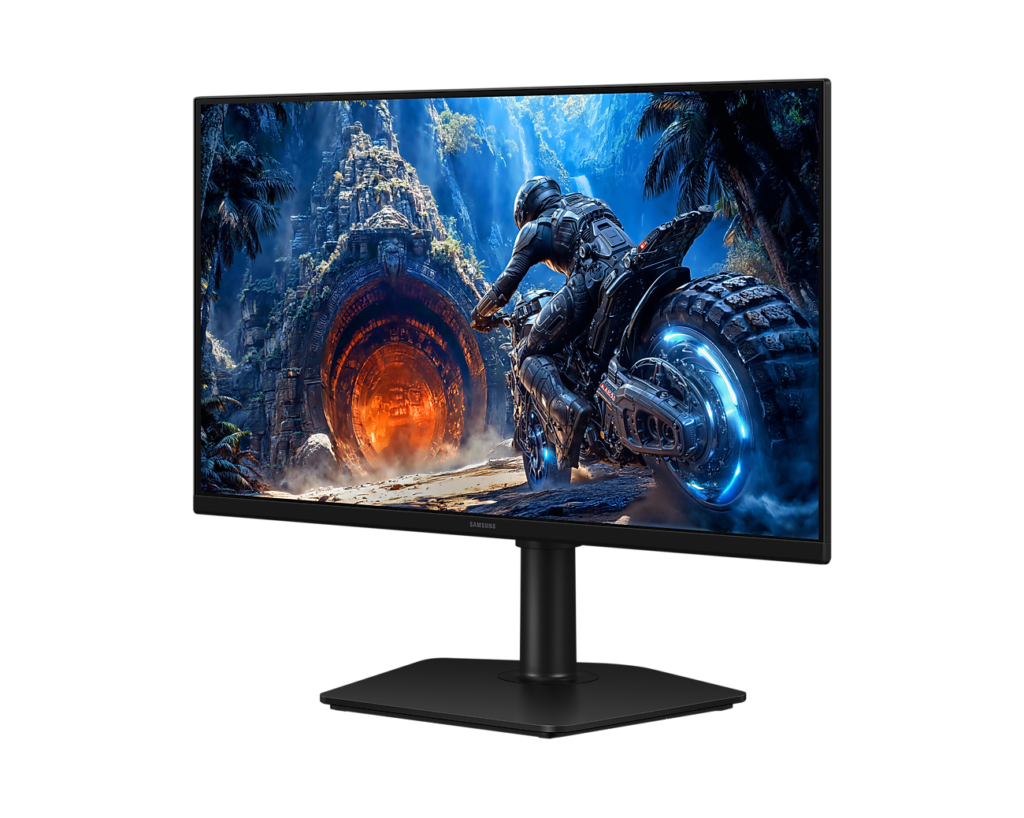
Samsung Odyssey G4 G40H 25-inch: Specs, Price, Pros & Cons
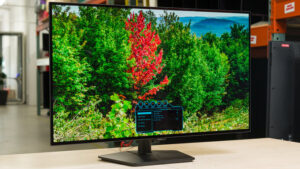
The 25-inch Odyssey G4 G40H is Samsung's entry-level competitive monitor, and it is built around one number: 300 Hz at 1920 x 1080 on a Fast IPS panel, over DisplayPort. It is the successor to the 240 Hz G40B and shares its platform with the 27-inch G40H. The 25-inch, US model LS25HG402ENXZA, has no Samsung US page yet. The active area works out to about 24.5 inches, which at 1080p gives roughly 90 pixels per inch, the density competitive players choose on purpose because it keeps frame rates high and enemies large.
Samsung quotes a 1 ms GTG response, 300 nits typical brightness with a 240-nit minimum, a 1,000:1 static contrast ratio, 99 percent sRGB coverage and 16.7 million colors. HDR10 signaling is supported without a DisplayHDR certification or local dimming, so it is a signal the monitor accepts rather than an HDR experience. Both FreeSync Premium and G-Sync Compatible are listed, with no published VRR range. The gaming toolkit is Samsung's usual set: Black Equalizer, Virtual Aim Point, Super Arena Gaming UX and an off timer, with Flicker Free and Eye Saver Mode for comfort.
The stand is the part that a budget monitor usually skips and this one does not: 105 mm of height travel, tilt from -3 to 25 degrees, 45 degrees of swivel each way and a full 92-degree pivot, on a 100 x 100 VESA plate. Connectivity is the trade: one DisplayPort 1.2, one HDMI 2.0 capped at 240 Hz, a headphone jack, and nothing else, so no USB, no USB-C and no speakers. The box holds a DisplayPort cable and a power cable, and no HDMI cable is listed.
Category strengths
Where the Samsung Odyssey G4 G40H 25-inch beats the median
- A much higher refresh rate ?300 Hz vs 180 Hz (median)
- Has swivel adjustment ?
- A slightly bigger screen ?25" (63.5 cm) vs 24" (60.96 cm) (median)
- Has pivot adjustment ?
Where the Samsung Odyssey G4 G40H 25-inch trails the median
- A slightly lower pixel density ?90 ppi vs 92 ppi (median)
How this VS Score was computed
Score 57: each known spec is measured against the median of IPS gaming monitors, under 27 inches (7 products), then weighted; 50 means level with that median. In classes of six or more, a value beyond the class’s 10th–90th percentile range counts as that limit, so one extreme product cannot set the scale. 58% of the scoreable weight could be used; unknown values, features not applicable to this class and proxies (battery capacity where a rated life exists) add or remove nothing.
| Specification | This product | Cohort median | Score weight | Points moved |
|---|---|---|---|---|
| Refresh rate | 300 | 180 | 1.2 | +39.6 |
| Height adjustment | Yes | 71% of the class have it | 0.4 | +20.0 |
| Swivel | Yes | 43% of the class have it | 0.2 | +10.0 |
| Built-in speakers | No | 29% of the class have it | 0.2 | −9.6 |
| Screen size | 25 | 24 | 1.2 | +2.4 |
| Pivot | Yes | 29% of the class have it | 0.02 | +1.0 |
| Pixel density | 90 | 92 | 0.5 | −0.5 |
| Resolution | 1080p | 1080p | 1.2 | +0.0 |
| Panel type | IPS | IPS | 0.8 | +0.0 |
| Response time | 1 | 1 | 0.8 | +0.0 |
| Contrast ratio | 1,000 | 1,000 | 0.6 | +0.0 |
| HDR | HDR10 | HDR10 | 0.5 | +0.0 |
| Adaptive sync | G-Sync Compatible | G-Sync Compatible | 0.6 | +0.0 |
| HDMI ports | 1 | 1 | 0.4 | +0.0 |
| DisplayPort inputs | 1 | 1 | 0.4 | +0.0 |
Not scored: Color depth (unknown: not scored); Peak brightness (unknown: not scored); DCI-P3 coverage (unknown: not scored); Local dimming (not applicable: only 0% of this class have it); Local dimming zones (unknown: not scored); Variable refresh rate (standard for the class (100% have it)); Motion blur reduction (unknown: not scored); Input lag (unknown: not scored); Tilt (standard for the class (100% have it)); USB-C (not applicable: only 14% of this class have it); USB-C power delivery (unknown: not scored); USB hub (not applicable: only 0% of this class have it); Headphone output (standard for the class (86% have it)); KVM switch (not applicable: only 0% of this class have it); Webcam (not applicable: only 0% of this class have it); Microphone (not applicable: only 0% of this class have it); Ethernet (not applicable: only 0% of this class have it); Picture-by-picture (unknown: not scored).
Editor’s note
I would recommend the 25-inch G40H to a shooter player with a mid-range card who has decided, correctly, that frames matter more than pixels. At this resolution a modest GPU produces the frames the panel can show, the small screen keeps the action in the center of vision, and the stand is the kind budget rivals leave out. It is a purpose-built tool, and the purpose is Counter-Strike, Valorant and their relatives.
In use, connect it over DisplayPort and forget the HDMI port exists for the PC. It runs a step slower and is there for a console or a second machine. The DisplayPort revision is old but carries everything this panel can draw. Set the pivot and height on day one. A small panel that sits too low is the most common complaint about this class, and this one fixes it in ten seconds.
Do not buy it for anything but SDR gaming. Typical-only brightness, ordinary IPS contrast and an HDR badge with no dimming behind it make a competent picture and nothing more. For films or photo work a 1440p panel at the same money is the better tool. For text the density is coarse, fine for a game HUD, tiring for a spreadsheet.
The 27-inch sibling is the same panel stretched further, so it is softer still. The 25 is the sharper of the two and the one competitive players will prefer.
Against the Acer Nitro KG271U Z2bmiipx, this is fewer pixels, more hertz and a much better stand. Against the AOC Q27G3XMN it is speed instead of HDR. Buy it for frames and the stand, and skip it if the resolution line already made you hesitate.
Specifications
Quality bars show where each figure sits between the lowest and highest of the 7 IPS gaming monitors, under 27 inches this VS Score is measured against.
Picture
Gaming
Ergonomics & design
Connectivity
Features
Sources and verification
Where the specifications come from
- Official product pagesamsung.com
- Retailer listing (cross-check)amazon.com
Verification
- First published
- Specifications last checked
- Sheet completeness
- 33 of 42 specifications verified; the rest show as Unknown and are never estimated or scored
- Page type
- Product specification page — Compiled from the manufacturer’s published specifications and the cited sources; this is not a hands-on test.
- Basis
- Research-based: specifications and editorial text were compiled from the documents listed here and the manufacturer’s published data. We have not tested this unit ourselves; where independent measurements are mentioned they belong to the linked publication.
Where to buy
Prices and availability may change. Check the retailer before buying. We may earn a commission on purchases.
Price history
Monitors with similar specs to the Samsung Odyssey G4 G40H 25-inch
Ratings & reviews
No reviews yet. Be the first to share your experience.
The bottom line
The Samsung Odyssey G4 G40H 25-inch earns a VS Score of 57, above the median of the 7 IPS gaming monitors, under 27 inches it is measured against (a score of 50 is level with that median).
- Who it’s for
- Shooter players on a mid-range graphics card who want the highest refresh in the budget tier and a fully adjustable stand for the least money.
- Who should look elsewhere
- Anyone who wants resolution, HDR that does something, USB ports or speakers. The connection panel is as bare as they come.
- The trade-off that matters
- Speed and a proper stand at a budget price, in exchange for a coarse panel, typical-only brightness and the barest connectivity in the group.
- The main alternative
- Acer Nitro KG271U Z2bmiipx: if 1440p sharpness matters more than the last few hertz, at a similar price with a much worse stand.
The VS Score is calculated from the weighted specifications above, each measured against the median of comparable IPS gaming monitors, under 27 inches — a shortlisting guide, not a substitute for your own priorities. See how we score.





