
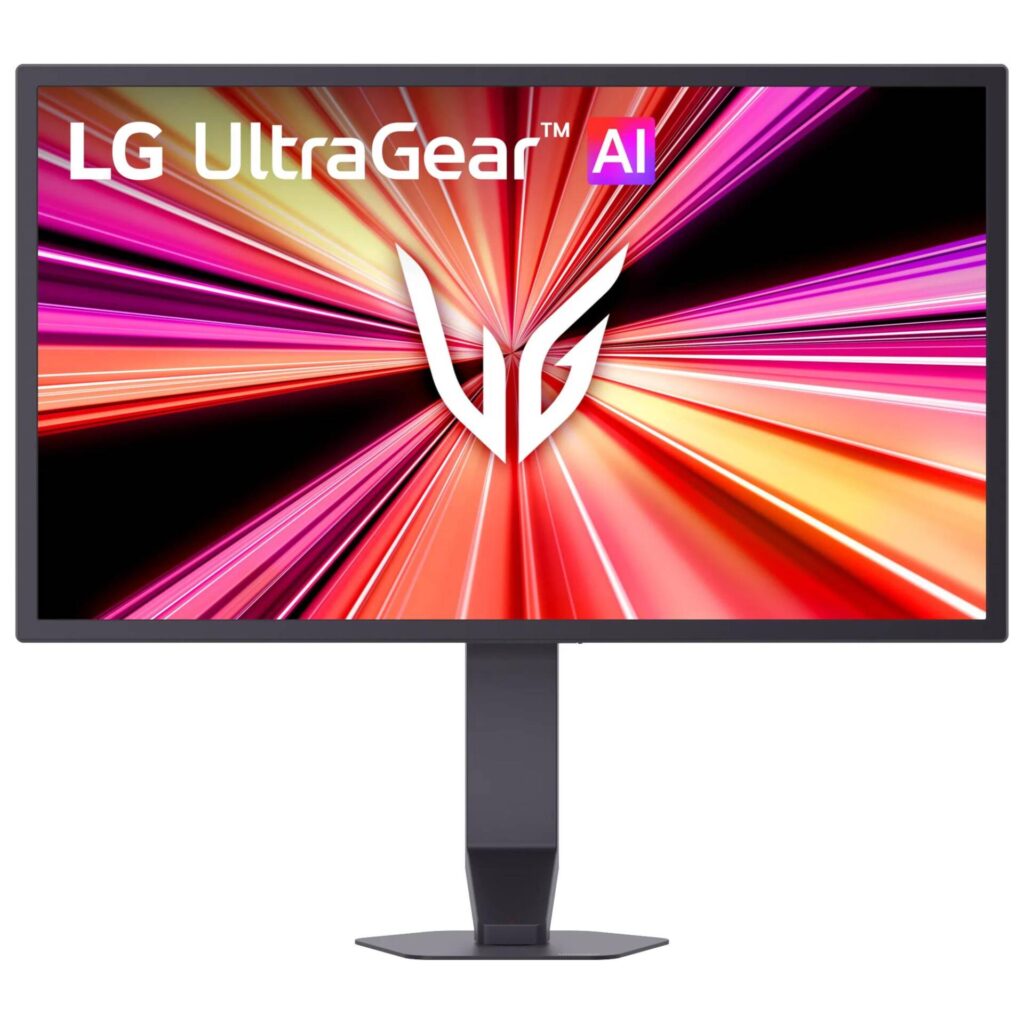
LG UltraGear 25G590B-B: Specs, Price, Pros & Cons
The 25G590B-B exists for one number: 1,000 Hz, and unlike other displays that have claimed a figure like it, this one runs there at full 1080p. LG makes the point directly, contrasting it with 'HD 1,000 Hz displays that trade clarity for speed'. There is no dual-mode resolution drop here. A 1100 Hz overclock sits on top, with a catch worth knowing before you enable it: with the overclock on, FreeSync Premium is not supported and G-SYNC Compatible certification covers only the native rate, so the overclock and tear-free gaming are mutually exclusive.
The hardware gate is the other thing to check first. LG states that reaching 1,000 Hz requires Windows 11, an NVIDIA RTX 50-series or AMD Radeon RX 9070, 9060 or 7900 or newer, and a DisplayPort 2.1 connection. Almost no existing PC meets that.
The rest of the sheet is ordinary fast IPS, and deliberately so. Brightness is 400 cd/m2 typical with a 320 minimum, contrast is 1000:1, color is 99 percent sRGB with no DCI-P3 figure published, and HDR is DisplayHDR 400, which is a badge rather than a capability. Response time is 1 ms, and LG adds MBR Pro for motion blur reduction alongside Dynamic Action Sync, Black Stabilizer and a crosshair overlay.
Connectivity is narrow. Two HDMI 2.1 ports, one DisplayPort 2.1 with UHBR 20, a headphone jack, and a USB-C port that LG's own table lists as upstream only. Despite the product title calling this a USB-C monitor, there are no downstream ports and no stated power delivery. There are no speakers. The stand tilts, raises and swivels but does not pivot, on a 100 by 100 mm VESA pattern.
At 24.5 inches actual and 88 pixels per inch, this is a competitive-shooter instrument rather than a general-purpose display. It is pre-order as this is written, with LG's shipping starting September 1.
Category strengths
Where the LG UltraGear 25G590B-B beats the median
- A much higher refresh rate ?1,000 Hz vs 180 Hz (median)
- Has USB-C ?
- More HDMI ports ?2 vs 1 (median)
- Has swivel adjustment ?
- A slightly bigger screen ?25" (63.5 cm) vs 24" (60.96 cm) (median)
Where the LG UltraGear 25G590B-B trails the median
- A slightly lower pixel density ?88 ppi vs 92 ppi (median)
How this VS Score was computed
Score 62: each known spec is measured against the median of IPS gaming monitors, under 27 inches (7 products), then weighted; 50 means level with that median. In classes of six or more, a value beyond the class’s 10th–90th percentile range counts as that limit, so one extreme product cannot set the scale. 63% of the scoreable weight could be used; unknown values, features not applicable to this class and proxies (battery capacity where a rated life exists) add or remove nothing.
| Specification | This product | Cohort median | Score weight | Points moved |
|---|---|---|---|---|
| Refresh rate | 1,000 — capped at the class’s upper range (300) | 180 | 1.2 | +39.6 |
| USB-C | Yes | 14% of the class have it | 0.5 | +25.0 |
| Height adjustment | Yes | 71% of the class have it | 0.4 | +20.0 |
| HDMI ports | 2 | 1 | 0.4 | +20.0 |
| HDR | DisplayHDR 400 | HDR10 | 0.5 | +12.5 |
| Swivel | Yes | 43% of the class have it | 0.2 | +10.0 |
| Built-in speakers | No | 29% of the class have it | 0.2 | −9.6 |
| Screen size | 25 | 24 | 1.2 | +2.4 |
| Pivot | No | 29% of the class have it | 0.02 | −1.0 |
| Pixel density | 88 — capped at the class’s lower range (90) | 92 | 0.5 | −0.5 |
| Resolution | 1080p | 1080p | 1.2 | +0.0 |
| Panel type | IPS | IPS | 0.8 | +0.0 |
| Color depth | 8 | 8 | 0.3 | +0.0 |
| Response time | 1 | 1 | 0.8 | +0.0 |
| Contrast ratio | 1,000 | 1,000 | 0.6 | +0.0 |
| Adaptive sync | G-Sync Compatible | G-Sync Compatible | 0.6 | +0.0 |
| DisplayPort inputs | 1 | 1 | 0.4 | +0.0 |
Not scored: Peak brightness (unknown: not scored); DCI-P3 coverage (unknown: not scored); Local dimming (not applicable: only 0% of this class have it); Local dimming zones (unknown: not scored); Variable refresh rate (standard for the class (100% have it)); Motion blur reduction (standard for the class (100% have it)); Input lag (unknown: not scored); Tilt (standard for the class (100% have it)); USB-C power delivery (unknown: not scored); USB hub (not applicable: only 0% of this class have it); Headphone output (standard for the class (86% have it)); KVM switch (unknown: not scored); Webcam (not applicable: only 0% of this class have it); Microphone (not applicable: only 0% of this class have it); Ethernet (not applicable: only 0% of this class have it); Picture-by-picture (not applicable: only 0% of this class have it).
Editor’s note
This monitor makes sense for exactly one person: a competitive shooter player with a current-generation graphics card who has already decided that frame rate beats everything else. For anyone else it is an expensive low-resolution panel, and the price is not a typo. It costs more than some 4K OLED monitors.
Check your hardware before your budget. LG's own footnote names the operating system, two specific current GPU generations and the newest DisplayPort revision. If your machine is a generation older, the monitor will run, but not at the number you bought it for.
Then decide about the overclock. It sounds like a free upgrade and is not: it takes you outside G-SYNC certification and drops FreeSync entirely, so you gain a hundred hertz and lose adaptive sync. In practice the native rate with VRR is the setting that makes sense, and the overclock is a benchmark curiosity.
Do not buy it for anything but games. The brightness, contrast and HDR tier are what a much cheaper monitor offers. What you pay for is the panel's speed. The USB-C port is worth understanding too: LG's table lists it as upstream only, so the 'USB-C Monitor' in the title does not mean a docking display.
One caution about status. The page is pre-order with shipping beginning September 1, and LG has published no manual or spec sheet yet, so stand ranges, port layout and power draw are undocumented. Independent measurements do not exist either. Nobody has yet tested whether the pixel response keeps up with a refresh this fast.
Specifications
Quality bars show where each figure sits between the lowest and highest of the 7 IPS gaming monitors, under 27 inches this VS Score is measured against.
Picture
Gaming
Ergonomics & design
Connectivity
Features
Sources and verification
Where the specifications come from
- Official product pagelg.com
Verification
- First published
- Specifications last checked
- Sheet completeness
- 34 of 42 specifications verified; the rest show as Unknown and are never estimated or scored
- Page type
- Product specification page — Compiled from the manufacturer’s published specifications and the cited sources; this is not a hands-on test.
- Basis
- Research-based: specifications and editorial text were compiled from the documents listed here and the manufacturer’s published data. We have not tested this unit ourselves; where independent measurements are mentioned they belong to the linked publication.
Where to buy
Prices and availability may change. Check the retailer before buying. We may earn a commission on purchases.
Price history
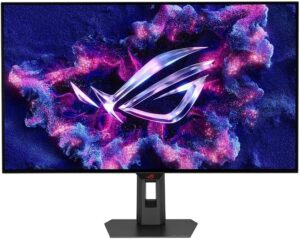
Monitors with similar specs to the LG UltraGear 25G590B-B
Ratings & reviews
No reviews yet. Be the first to share your experience.
The bottom line
The LG UltraGear 25G590B-B earns a VS Score of 62, above the median of the 7 IPS gaming monitors, under 27 inches it is measured against (a score of 50 is level with that median).
- Who it’s for
- Competitive shooter players with a current-generation GPU and the right DisplayPort revision, who want the highest refresh rate that exists at full resolution.
- Who should look elsewhere
- Everyone else, because the picture specs are entry-level at a flagship price, and older PCs cannot drive the headline number.
- The trade-off that matters
- The fastest panel money can buy, paid for with ordinary image quality, a narrow port selection and a hardware requirement most machines do not meet.
- The main alternative
- Samsung Odyssey G4 G40H 25-inch: the same size and resolution at 300 Hz for a fraction of the price, if a fast 1080p panel matters more to you than the record.
The VS Score is calculated from the weighted specifications above, each measured against the median of comparable IPS gaming monitors, under 27 inches — a shortlisting guide, not a substitute for your own priorities. See how we score.





