
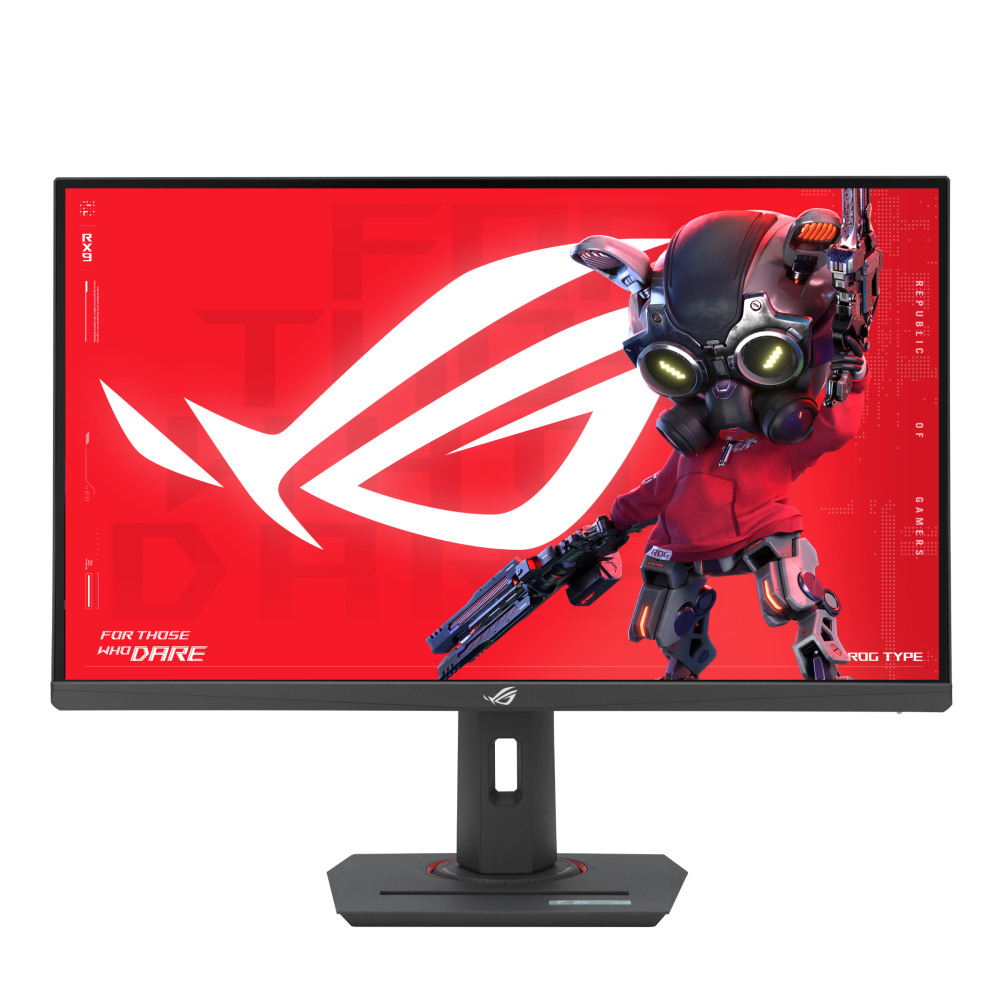
ASUS ROG Strix XG27ACS: Specs, Features, Pros & Cons
The XG27ACS is the entry point to the QHD side of ASUS's ROG Strix range, and it is built around one idea: spend the budget on the panel and keep everything bolted to it simple. Above it in the same family sit the OLED and very-high-resolution Strix models, which cost far more and ask far more of a graphics card. This one is aimed at the mid-range PC that makes up most of the market.
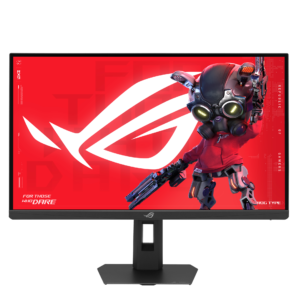
The panel is a fast IPS type at QHD with a high refresh rate, which puts it in the most common gaming monitor class of the moment. Where it separates from the crowd is color. Its gamut reaches much further than the sRGB-only panels usually found at this level, so games with saturated palettes and casual photo work both benefit, and wide viewing angles keep that color consistent across the screen. The stand is the second strength: it does everything a desk setup needs, including portrait mode, and a tripod-style socket on top can hold a small camera or light, a touch aimed at streamers.
The limits are all in the connections. A PC and a single console is the most it will hold at once, and the console gets the older of the two input standards, so it will not see the monitor's full refresh range. The type-C port carries video but not meaningful charging, so laptop owners should not expect a one-cable desk. There are no speakers and no hub, and the HDR certification sits on the lowest tier.
It suits a single-PC gamer who cares about color and ergonomics and would rather keep money back for the graphics card. Anyone juggling several devices, or hoping for HDR that looks like HDR, is shopping in a different bracket.
Category strengths
Where the ASUS ROG Strix XG27ACS beats the median
- Has USB-C ?
- Slightly wider DCI-P3 colour coverage ?97 % vs 95 % (median)
Where the ASUS ROG Strix XG27ACS trails the median
- Fewer HDMI ports ?1 vs 2 (median)
- A lower color depth ?8 bit vs 10 bit (median)
- Much slower USB-C charging ?7.5 W vs 65 W (median)
- No USB hub ?
How this VS Score was computed
Score 54: each known spec is measured against the median of IPS gaming monitors, 27 to 31 inches (29 products), then weighted; 50 means level with that median. In classes of six or more, a value beyond the class’s 10th–90th percentile range counts as that limit, so one extreme product cannot set the scale. 74% of the scoreable weight could be used; unknown values, features not applicable to this class and proxies (battery capacity where a rated life exists) add or remove nothing.
| Specification | This product | Cohort median | Score weight | Points moved |
|---|---|---|---|---|
| USB-C | Yes | 24% of the class have it | 0.5 | +25.0 |
| Height adjustment | Yes | 79% of the class have it | 0.4 | +20.0 |
| Motion blur reduction | Yes | 67% of the class have it | 0.3 | +15.0 |
| Swivel | Yes | 64% of the class have it | 0.2 | +10.0 |
| HDMI ports | 1 | 2 | 0.4 | −10.0 |
| Built-in speakers | No | 31% of the class have it | 0.2 | −9.6 |
| Color depth | 8 | 10 | 0.3 | −3.0 |
| USB hub | No | 50% of the class have it | 0.05 | −2.2 |
| USB-C power delivery | 7.5 — capped at the class’s lower range (15) | 65 | 0.05 | −1.7 |
| Pivot | Yes | 75% of the class have it | 0.02 | +1.0 |
| DCI-P3 coverage | 97 | 95 | 0.6 | +0.6 |
| Screen size | 27 | 27 | 1.2 | +0.0 |
| Resolution | 1440p | 1440p | 1.2 | +0.0 |
| Panel type | IPS | IPS | 0.8 | +0.0 |
| Refresh rate | 180 | 180 | 1.2 | +0.0 |
| Response time | 1 | 1 | 0.8 | +0.0 |
| Peak brightness | 400 | 400 | 0.8 | +0.0 |
| Contrast ratio | 1,000 | 1,000 | 0.6 | +0.0 |
| HDR | DisplayHDR 400 | DisplayHDR 400 | 0.5 | +0.0 |
| Pixel density | 109 | 109 | 0.5 | +0.0 |
| Adaptive sync | G-Sync Compatible | G-Sync Compatible | 0.6 | +0.0 |
| DisplayPort inputs | 1 | 1 | 0.4 | +0.0 |
Not scored: Local dimming (unknown: not scored); Local dimming zones (unknown: not scored); Variable refresh rate (standard for the class (100% have it)); Input lag (unknown: not scored); Tilt (standard for the class (100% have it)); Headphone output (standard for the class (86% have it)); KVM switch (not applicable: only 0% of this class have it); Webcam (not applicable: only 0% of this class have it); Microphone (not applicable: only 0% of this class have it); Ethernet (not applicable: only 0% of this class have it); Picture-by-picture (not applicable: only 14% of this class have it).
Editor’s note
The XG27ACS is the sensible one, and that is a compliment. It does not chase a headline number. It gets the fundamentals right at a price that leaves money for a better graphics card.
The panel is a 27-inch Fast IPS running 1440p at 180 Hz with a 1 ms response and 97% DCI-P3 coverage. That color figure is the quiet strength. It is close to what much more expensive monitors manage, and it makes photo editing and general desktop work look better than the price suggests.
Be realistic about HDR. It carries DisplayHDR 400, the entry rung, with no local dimming and 1,000:1 contrast. You get a slightly brighter image and wider color than SDR, not the deep blacks and specular highlights the term implies. The panel is also 8-bit instead of 10-bit, which matters far more on a spec sheet than it does in use.
Connectivity is where the savings show. There is one DisplayPort 1.4 and one HDMI, and that HDMI is version 2.0, so a console gets the lesser input and there is no second port for a second machine. There is a USB-C input, but its power delivery is 7.5 W, which will trickle-charge a phone and nothing more. Do not read USB-C as laptop docking here. There are no speakers and no USB hub either.
The stand is fully adjustable with 120 mm of height travel, it takes a standard 100 mm mount, and there is a quarter-inch tripod socket.
Buy it if you want a fast, accurate 1440p panel and would rather spend the difference on your PC. Skip it if you need multiple inputs or real HDR.
Specifications
Quality bars show where each figure sits between the lowest and highest of the 29 IPS gaming monitors, 27 to 31 inches this VS Score is measured against.
Picture
Gaming
Ergonomics & design
Connectivity
Features
Sources and verification
Where the specifications come from
- Official product pagerog.asus.com
- Independent testingrtings.com
Verification
- First published
- Specifications last checked
- Sheet completeness
- 36 of 42 specifications verified; the rest show as Unknown and are never estimated or scored
- Page type
- Product specification page — Compiled from the manufacturer’s published specifications and the cited sources; this is not a hands-on test.
- Basis
- Research-based: specifications and editorial text were compiled from the documents listed here and the manufacturer’s published data. We have not tested this unit ourselves; where independent measurements are mentioned they belong to the linked publication.
Monitors with similar specs to the ASUS ROG Strix XG27ACS
Ratings & reviews
No reviews yet. Be the first to share your experience.
The bottom line
The ASUS ROG Strix XG27ACS earns a VS Score of 54, above the median of the 29 IPS gaming monitors, 27 to 31 inches it is measured against (a score of 50 is level with that median).
- Who it’s for
- A single gaming PC on a desk where color matters too. The wide gamut and fully adjustable stand are unusually good at this level, leaving budget for the graphics card.
- Who should look elsewhere
- Anyone connecting a console and a second computer, or hoping for a laptop dock. Inputs are scarce and the type-C port barely charges anything.
- The trade-off that matters
- Panel quality and ergonomics above its price bracket, paid for with bare-bones connectivity and HDR that amounts to a badge.
- The main alternative
- LG UltraGear 27G61ZB-B: a faster QHD panel with an extra console-friendly input and an equally adjustable stand, at the cost of the wider color range.
The VS Score is calculated from the weighted specifications above, each measured against the median of comparable IPS gaming monitors, 27 to 31 inches — a shortlisting guide, not a substitute for your own priorities. See how we score.





