
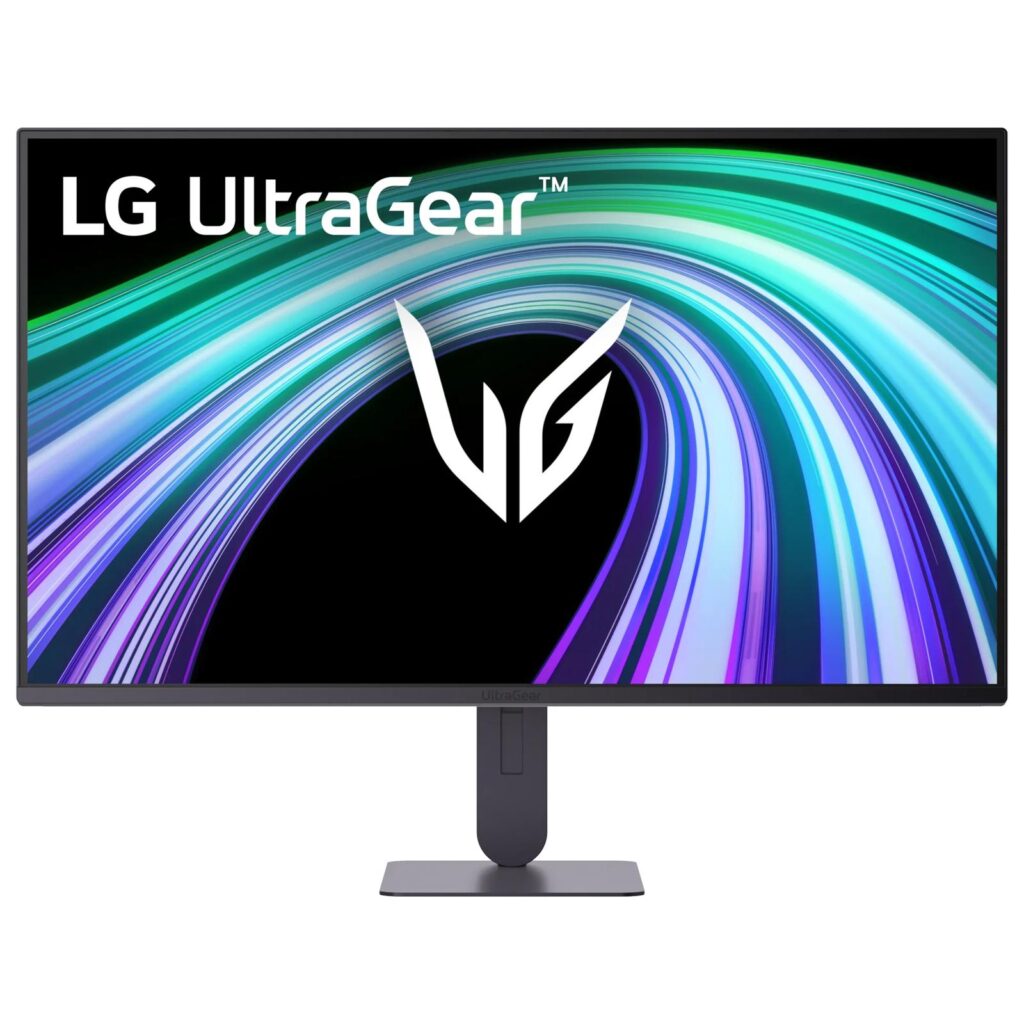
LG UltraGear 24G414B-B: Specs, Features, Pros & Cons
LG's own spec table gives the game away in a single row. Response time is printed as "1 ms MBR, 5 ms (GtG at Faster)", which says that the one millisecond in the marketing is a motion blur reduction mode strobing the backlight, and that the panel's actual gray-to-gray figure is five. Both numbers are honest, but only one of them describes the liquid crystal. Our table records the five, because that is the pixel response a buyer is comparing against other monitors.
Past that, this is a small and deliberately plain gaming display. Twenty-four inches, 1920 by 1080, an IPS panel at 144 Hz with ninety-nine percent sRGB coverage and a contrast ratio of fifteen hundred to one, which is a little better than IPS usually manages. Brightness tops out around two hundred and fifty nits. It carries an HDR10 label, but at that brightness and with no dimming zones the label is a signal format rather than an effect you will notice.
One word in the retail listing is worth untangling. The Switch in the product name is LG Switch, a desktop utility that splits the screen into layouts and launches calls. It is not a Nintendo console feature and it is not a KVM. There is no USB hub here at all, and exactly one HDMI 2.0 and one DisplayPort 1.4, so a machine per input is the limit.
Where it does better than its price bracket usually allows is the stand, which adjusts for height as well as tilt, where cheaper UltraGear models ship a fixed slab. Stereo speakers and a headphone output round it out. For a second screen, a child's first gaming monitor or a small desk, that is a sensible set of priorities.
Category strengths
Where the LG UltraGear 24G414B-B beats the median
- A much higher contrast ratio ?1500:1 vs 1000:1 (median)
- Has built-in speakers ?
Where the LG UltraGear 24G414B-B trails the median
- A much slower response time ?5 ms vs 1 ms (median)
- A lower refresh rate ?144 Hz vs 180 Hz (median)
- Lower peak brightness ?250 nits vs 300 nits (median)
How this VS Score was computed
Score 49: each known spec is measured against the median of IPS gaming monitors, under 27 inches (7 products), then weighted; 50 means level with that median. In classes of six or more, a value beyond the class’s 10th–90th percentile range counts as that limit, so one extreme product cannot set the scale. 65% of the scoreable weight could be used; unknown values, features not applicable to this class and proxies (battery capacity where a rated life exists) add or remove nothing.
| Specification | This product | Cohort median | Score weight | Points moved |
|---|---|---|---|---|
| Response time | 5 — capped at the class’s upper range (4) | 1 | 0.8 | −29.6 |
| Height adjustment | Yes | 71% of the class have it | 0.4 | +20.0 |
| Contrast ratio | 1,500 | 1,000 | 0.6 | +15.0 |
| Refresh rate | 144 | 180 | 1.2 | −12.0 |
| Built-in speakers | Yes | 29% of the class have it | 0.2 | +10.0 |
| Swivel | No | 43% of the class have it | 0.2 | −9.6 |
| Peak brightness | 250 | 300 | 0.8 | −6.4 |
| Pivot | No | 29% of the class have it | 0.02 | −1.0 |
| Screen size | 24 | 24 | 1.2 | +0.0 |
| Resolution | 1080p | 1080p | 1.2 | +0.0 |
| Panel type | IPS | IPS | 0.8 | +0.0 |
| Color depth | 8 | 8 | 0.3 | +0.0 |
| HDR | HDR10 | HDR10 | 0.5 | +0.0 |
| Pixel density | 92 | 92 | 0.5 | +0.0 |
| Adaptive sync | G-Sync Compatible | G-Sync Compatible | 0.6 | +0.0 |
| HDMI ports | 1 | 1 | 0.4 | +0.0 |
| DisplayPort inputs | 1 | 1 | 0.4 | +0.0 |
Not scored: DCI-P3 coverage (unknown: not scored); Local dimming (not applicable: only 0% of this class have it); Local dimming zones (unknown: not scored); Variable refresh rate (standard for the class (100% have it)); Motion blur reduction (standard for the class (100% have it)); Input lag (unknown: not scored); Tilt (standard for the class (100% have it)); USB-C (not applicable: only 14% of this class have it); USB-C power delivery (unknown: not scored); USB hub (not applicable: only 0% of this class have it); Headphone output (standard for the class (86% have it)); KVM switch (not applicable: only 0% of this class have it); Webcam (not applicable: only 0% of this class have it); Microphone (not applicable: only 0% of this class have it); Ethernet (not applicable: only 0% of this class have it); Picture-by-picture (not applicable: only 0% of this class have it).
Editor’s note
At this end of the market the useful question is not what a monitor does well but what it gives up, and this one gives up less than most. The height-adjustable stand is the part I would pay for. Cheap monitors almost always fix the panel at one height and leave you propping it on books, and LG's own slightly cheaper 24G411A-B does exactly that. Getting the top of the screen to eye level matters more to how a desk feels over a year than any figure in the table above.
The contrast ratio is a quiet point in its favor too. IPS panels usually land around a thousand to one and this one is rated half again as high, which will not turn it into an OLED but does mean dark scenes look less washed out than the panel type's reputation suggests.
What I would not do is buy it for anything involving color. LG publishes sRGB coverage and nothing else, which is the manufacturer telling you politely that wider gamut work is not what this panel is for. The single video input of each type is the other practical limit. There is no hub, so a console and a PC means reaching behind the monitor.
For a first gaming monitor, a second screen beside a larger one, or a small desk where twenty-seven inches would be too close to the face, this is a sensible thing to buy. Anyone with room and a little more to spend should look at the 27-inch version of the same family instead, which keeps the adjustable stand and gives back the screen area.
Specifications
Quality bars show where each figure sits between the lowest and highest of the 7 IPS gaming monitors, under 27 inches this VS Score is measured against.
Picture
Gaming
Ergonomics & design
Connectivity
Features
Sources and verification
Where the specifications come from
- Official product pagelg.com
- Retailer listing (cross-check)amazon.com
Verification
- First published
- Specifications last checked
- Sheet completeness
- 36 of 42 specifications verified; the rest show as Unknown and are never estimated or scored
- Page type
- Product specification page — Compiled from the manufacturer’s published specifications and the cited sources; this is not a hands-on test.
- Basis
- Research-based: specifications and editorial text were compiled from the documents listed here and the manufacturer’s published data. We have not tested this unit ourselves; where independent measurements are mentioned they belong to the linked publication.
Monitors with similar specs to the LG UltraGear 24G414B-B
Ratings & reviews
No reviews yet. Be the first to share your experience.
The bottom line
The LG UltraGear 24G414B-B earns a VS Score of 49, below the median of the 7 IPS gaming monitors, under 27 inches it is measured against (a score of 50 is level with that median).
- Who it’s for
- A buyer setting up a first gaming PC on a tight budget, or anyone wanting a properly adjustable second screen next to a larger main display without spending much.
- Who should look elsewhere
- Anyone doing photo or video work who needs coverage beyond sRGB, and anyone who wants to drive a console and a computer from one screen. With a single HDMI and a single DisplayPort and no hub, you will be swapping cables.
- The trade-off that matters
- The advertised one millisecond is a strobing mode, not the panel's five millisecond pixel response, so motion is good for the money without being fast. At this price that is a fair deal, but it is not the monitor the box describes.
- The main alternative
- LG 24G411A-B: the same size and panel family for less money, worth it only if you will wall-mount or already have an arm, because it drops the height-adjustable stand for a fixed one.
The VS Score is calculated from the weighted specifications above, each measured against the median of comparable IPS gaming monitors, under 27 inches — a shortlisting guide, not a substitute for your own priorities. See how we score.





