34 facts in comparison
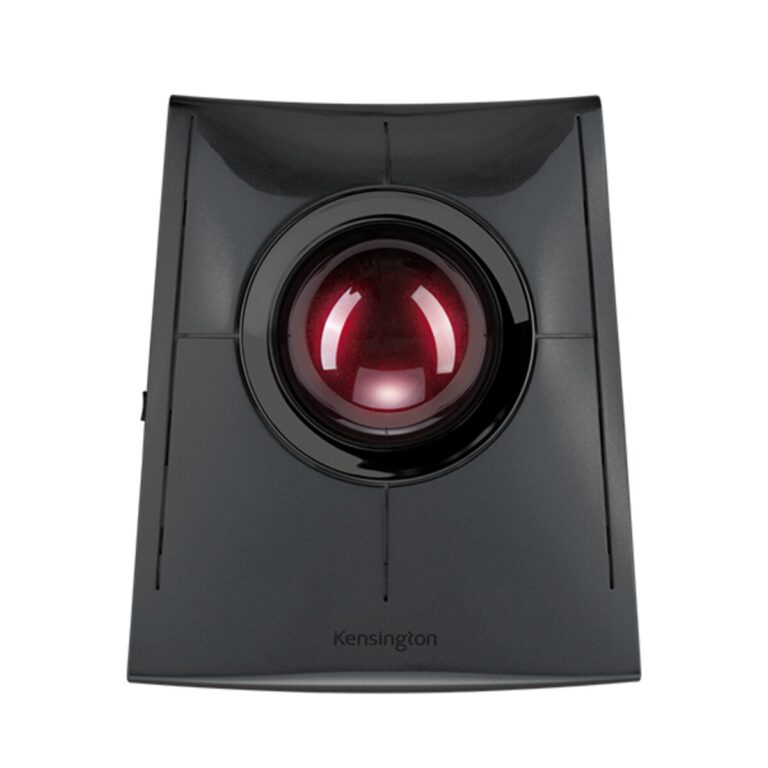
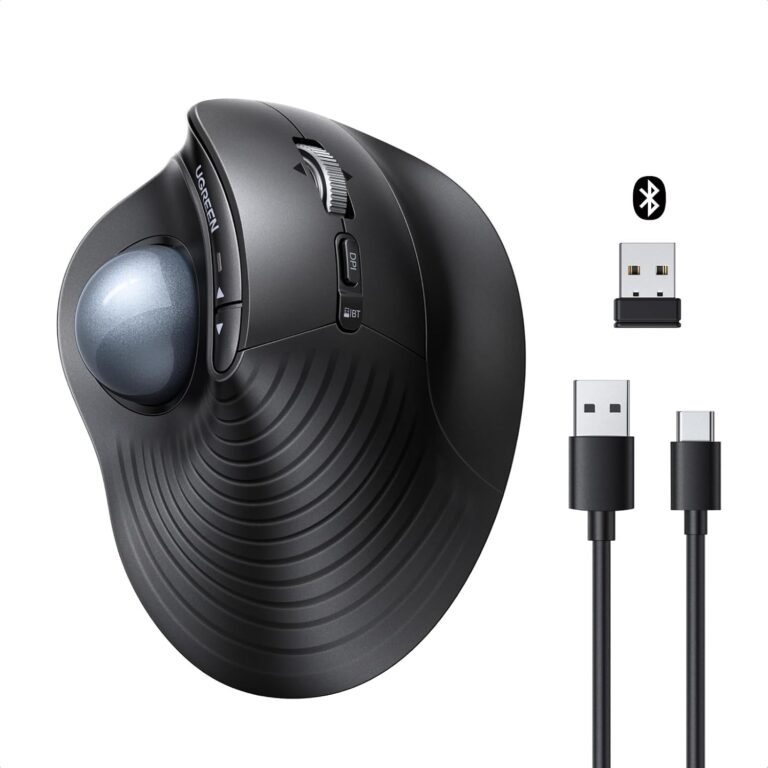
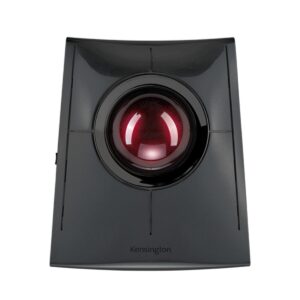
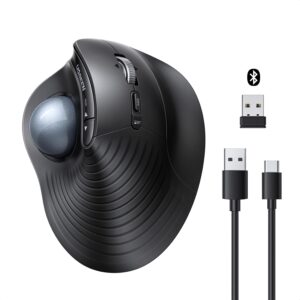
Kensington SlimBlade Pro Trackball vs UGREEN M785DR Wireless Trackball Mouse
This comparison puts the Kensington SlimBlade Pro Trackball and UGREEN M785DR Wireless Trackball Mouse side by side — two mice measured against the same 34-spec sheet, with every meaningful gap scored and explained. On our weighted VS Score the UGREEN M785DR Wireless Trackball Mouse finishes ahead, 75 to 72 — a narrow edge.
The single biggest measurable gap is battery life: 2,920 h vs 287 h. A transparency note before you dive in: the spec sheets are Kensington SlimBlade Pro Trackball 62% and UGREEN M785DR Wireless Trackball Mouse 62% complete. Anything unverified shows as Unknown and is left out of the scores — we never estimate a missing value.
Where the Kensington SlimBlade Pro Trackball beats the UGREEN M785DR Wireless Trackball Mouse
- Has Wired ?
- Much longer battery life ?2,920 h vs 287 h
Where the UGREEN M785DR Wireless Trackball Mouse beats the Kensington SlimBlade Pro Trackball
- A much lighter build ?155 g vs 285 g
- More buttons ?8 vs 4
Key real-world differences
The spec sheet pulls in both directions. These are the gaps big enough to shape the decision — with the actual figures, and what each one means in real-world use.
- Battery lifeBattery2,920 h vs 287 h — 10.2× more for the Kensington SlimBlade Pro Trackball
How long the mouse lasts on a charge (wireless).
- WeightDesign & handling285 g vs 155 g — 46% less for the UGREEN M785DR Wireless Trackball Mouse
Lighter mice are easier to flick and less tiring; lower is better for most players.
- ButtonsDesign & handling4 vs 8 — 2× more for the UGREEN M785DR Wireless Trackball Mouse
More programmable buttons add functionality.
- ConnectionConnectivityWired, 2.4 GHz wireless, Bluetooth vs 2.4 GHz wireless, Bluetooth — advantage Kensington SlimBlade Pro Trackball
The supported connection types.
Which one should you buy?
There is no single answer — it depends on what you will actually use it for. Match your priority to the pick below.
- Best for design & handling UGREEN M785DR Wireless Trackball Mouse takes the category 100 to 11 — driven by weight (285 g vs 155 g).
- Best for connectivity Kensington SlimBlade Pro Trackball takes the category 100 to 27 — driven by connection (Wired, 2.4 GHz wireless, Bluetooth vs 2.4 GHz wireless, Bluetooth).
- Best for battery Kensington SlimBlade Pro Trackball takes the category 100 to 33 — driven by battery life (2,920 h vs 287 h).
- The safe all-rounder UGREEN M785DR Wireless Trackball Mouse wins more of the categories that carry real weight, topping the overall VS Score at 75.
Where each one falls short
Kensington SlimBlade Pro Trackball
- Weight: 285 g vs 155 g
- Buttons: 4 vs 8
- 13 specs are unreported (shown as Unknown) and excluded from its scores.
UGREEN M785DR Wireless Trackball Mouse
- Battery life: 2,920 h vs 287 h
- Connection: Wired, 2.4 GHz wireless, Bluetooth vs 2.4 GHz wireless, Bluetooth
- 13 specs are unreported (shown as Unknown) and excluded from its scores.
What matters to you?
Drag the sliders to weight each category and re-rank the products to suit your priorities.
Score breakdown
Sensor & tracking
A higher maximum DPI moves the cursor further per inch of movement.
How fast you can move the mouse before it stops tracking accurately.
The acceleration the sensor handles without losing tracking.
The optical sensor model (e.g. PixArt PAW3395).
How often the mouse reports its position; higher feels more responsive.
Tune the height at which the sensor stops tracking.
Design & handling
Lighter mice are easier to flick and less tiring; lower is better for most players.
The overall length of the mouse.
The overall width of the mouse.
The overall height of the mouse.
More programmable buttons add functionality.
The grip styles the shape suits.
Which hands the shape supports.
The material of the glide feet (e.g. PTFE).
The physical pointing-device style.
A tilt wheel or dedicated thumb wheel scrolls horizontally.
The wheel can switch to a low-friction mode for rapidly scrolling long documents.
Switches & latency
The delay from pressing a button to the computer receiving it; lower is better.
The main-button switch technology or model.
The manufacturer-rated click durability.
Lets you tune debounce time to balance speed and double-click protection.
Connectivity
The supported connection types.
The maximum wireless report rate.
The cable type (e.g. flexible paracord USB-C).
Charges over the modern reversible USB-C connector.
Battery
How long the mouse lasts on a charge (wireless).
The rated capacity of the mouse battery.
Whether the mouse uses a replaceable cell or an internal rechargeable battery.
A short charge gives hours of use.
Recharges on a compatible pad or mat.
Features
Stores profiles on the mouse to use without software.
Companion software for remapping buttons and DPI.
Tune the balance with removable weights.
Customisable RGB lighting.
Specs last verified August 21, 2026Kensington SlimBlade Pro Trackball: 21 of 34 specs verified (62%)UGREEN M785DR Wireless Trackball Mouse: 21 of 34 specs verified (62%)Unverified specs show as Unknown — never estimated, never scored
What reviewers say
The bottom line
The UGREEN M785DR Wireless Trackball Mouse just edges ahead, scoring 75 to 72 on our VS Score. It leads on Design & handling. The Kensington SlimBlade Pro Trackball answers back with stronger Connectivity and Battery. Pick the UGREEN M785DR Wireless Trackball Mouse unless Connectivity and Battery matters most to you — then the Kensington SlimBlade Pro Trackball is the smarter buy.
Latest comparisons
 vs
vs vs
vs vsvs
vsvs vs
vs vs
vs vs
vs
 vs
vs
 vs
vs
Latest Mice