People ask this question all the time, and the answer is simpler than it looks. For most people, the best keyboard layout is a 75% keyboard.
It gives you the keys you use every day. You get the number row, the function row, arrow keys, and a small group of navigation keys. At the same time, you skip the extra width of a full-size board. That balance matters more than most buyers expect.
A keyboard sits in front of you for hours. Its size changes your desk space, your mouse position, and the way your shoulders and arms rest through the day. A good layout feels normal fast. A bad one keeps asking for small adjustments, and those small adjustments get annoying.
So, which keyboard layout is best for most people? In real life, the 75% layout wins for typing, office work, school, browsing, and casual gaming. It keeps the keys most people reach for and cuts the keys many people barely touch.
Keyboard layout means two different things
This topic gets confusing fast, and the reason is simple. People use the phrase keyboard layout for two different things.
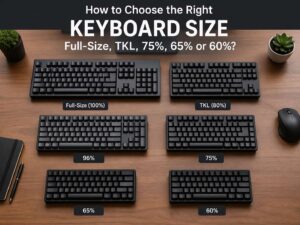
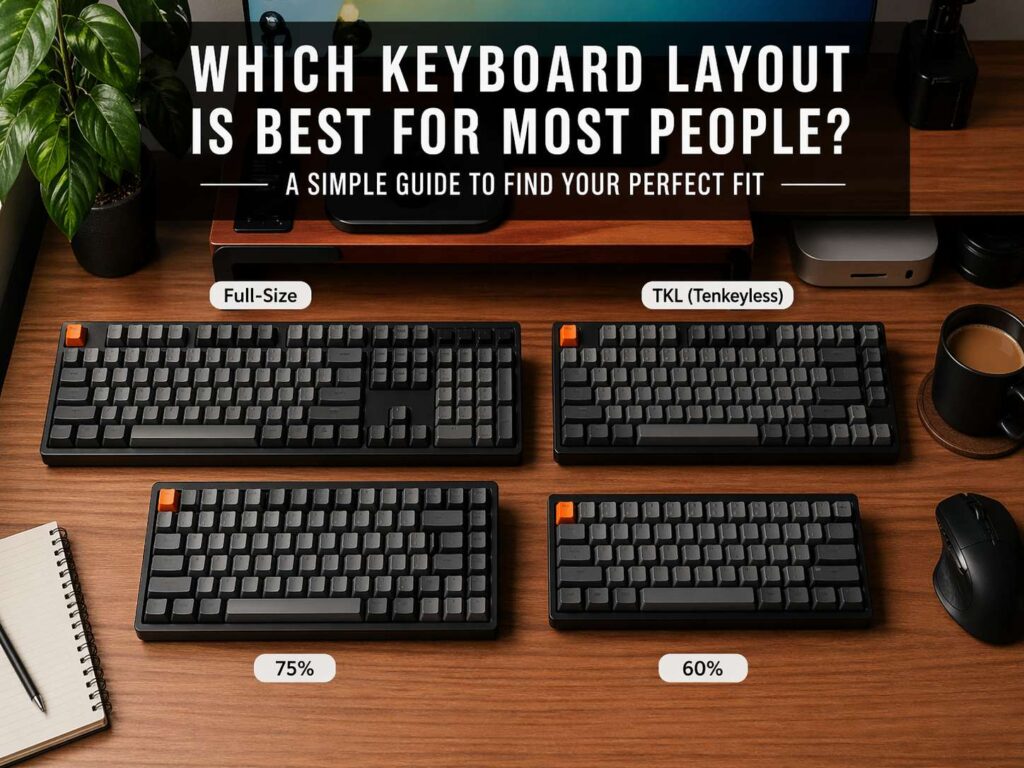
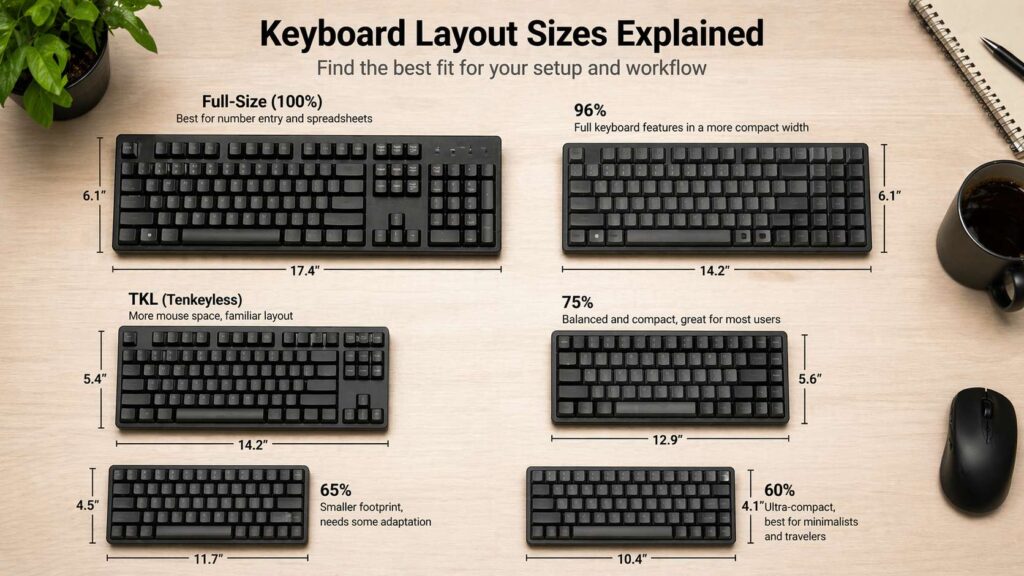
The first meaning is keyboard size. That includes full-size, 96%, TKL, 75%, 65%, and 60%.
The second meaning is physical and regional key format. That includes ANSI, ISO, and JIS. It can mean language layouts too, such as QWERTY, AZERTY, or QWERTZ.
In this guide, the main focus is keyboard size. That is what most people mean when they search for terms like best keyboard layout for typing, best keyboard size for work, 75% vs TKL keyboard, or full-size vs compact keyboard. Still, the regional side matters too, so I cover that later.
Why 75% keyboards fit most people so well
A 75% keyboard hits the sweet spot. That is the core reason it works for such a wide group of users.
You keep the function row. That matters for shortcuts, media controls, browser tasks, coding, and many work apps. You keep arrow keys too. That matters for documents, spreadsheets, menus, and quick text edits. You usually keep Page Up, Page Down, Delete, and a few nearby keys in a tight layout.
What do you lose? Mostly the numpad and the wide empty spaces between key groups.
That trade makes sense for most desks. A smaller board gives your mouse more room. Your right arm stays closer to your body. The whole setup feels tighter and cleaner. Yet the keyboard still feels familiar. That last part matters a lot. A 75% board does not ask most people to relearn daily habits from scratch.
Laptop users tend to settle into 75% layouts fast. The shape feels close to what they already know, but the desktop version gives them better switches, better build quality, and more comfort.
A lot of people start with a full-size keyboard only from habit. They used one years ago, so they buy one again. That choice is not always wrong. It just is not the best default pick for the average buyer.
Why full-size is not the best default pick
A full-size keyboard still has a clear place. People who work with numbers all day often need the numpad. Accountants, bookkeepers, data entry staff, finance workers, and heavy spreadsheet users can save real time with full-size boards.
That said, many buyers do not use the numpad often enough to justify the extra width. They type words far more than numbers. They browse, answer messages, edit documents, write emails, and switch tabs. In that kind of routine, the numpad spends a lot of time sitting there.
The cost is constant. The benefit shows up only now and then.
That is why full-size is not the best keyboard layout for most people. It gives you everything, but many people do not need everything. For a shared home desk, a bedroom setup, a study space, or a simple work-from-home station, that extra width can feel wasteful.
96% keyboards make sense for numpad fans
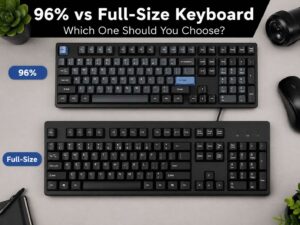
Some people want the numpad but hate the size of a classic full-size board. That is where a 96% keyboard makes a lot of sense.
A 96% layout keeps nearly all the main keys of a full-size keyboard, but it packs them into a tighter frame. You still get the numpad. You still get function keys and arrows. The board just wastes less space.
For buyers in that group, a 96% keyboard can be the smarter pick than a traditional full-size model. If that sounds like you, this 96 keyboard size guide breaks down the layout in more detail.
This is one of the easiest layout decisions to make. Use numbers all day? Look at full-size or 96%. Hardly touch the numpad? Move down to 75% or TKL.
TKL is the other safe pick
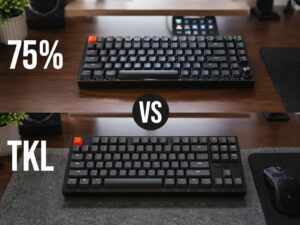
TKL, or tenkeyless, sits very close to 75% in day-to-day use. It removes the numpad and keeps the rest of the board in a more traditional shape.
That gives TKL one big advantage. It feels instantly familiar to people who grew up with desktop keyboards. There is more spacing between clusters. The layout breathes a little more. Some users like that extra room.
The reason I still rank 75% a bit higher for most people is simple. A 75% board gives you similar function in a smaller footprint. It usually saves more desk space without taking away the keys most people care about.
Still, TKL is a very good choice. Some buyers will like it more than 75%. That is fine. These two sizes sit at the top for a reason. Both are practical. Both are easy to live with. Both work well for typing, work, school, and gaming.
65% and 60% boards ask for more compromise
Compact keyboards look great on a desk. That is a big part of their appeal. A 65% board cuts the function row but keeps arrow keys. A 60% board cuts even more.
Those layouts fit a smaller group of users. They work best for people who care a lot about desk space, portability, or a very clean setup. They can be fun. They can feel fast. They can even become a favorite after some time.
For most people, though, they remove too much.
The function row matters more than buyers think. The same goes for easy access to navigation keys. Once those keys move to layers, the keyboard stops feeling effortless. Every small action takes a bit more thought. That may not sound like a big deal, but it adds friction over a long week.
A compact board should remove only the keys you truly never use. Many people buy a 60% board for looks, then miss the missing keys by day three.
ANSI vs ISO matters more than many people expect
Now let’s look at the other meaning of keyboard layout.
ANSI and ISO do not describe size. They describe the physical shape and arrangement of certain keys. The Enter key changes shape. The left Shift area changes too. Key positions for symbols can shift from one format to another.
For most people, the best choice is the one they already know.
If your hands learned on ISO, stick with ISO. If you have used ANSI for years, stay with ANSI. Muscle memory matters. A layout can feel perfect on paper and still feel wrong in real use if the key shapes and symbol positions do not match what your fingers expect.
The same rule applies to QWERTY, AZERTY, and QWERTZ. Pick the language layout that matches your daily typing. A good keyboard size will not save a bad language layout choice.
The fastest way to choose the right keyboard size
A simple filter can make this easy.
Choose full-size or 96% if you enter numbers for long stretches of the day.
Choose 75% or TKL if you want one keyboard for almost everything.
Choose 65% if you want a smaller desk footprint and you know you can live without direct function keys.
Choose 60% only if you already like layer-based shortcuts or want a very compact board for a clear reason.
Most buyers land in the middle, not the extremes. That is why 75% and TKL keep coming up in serious buying advice. They solve more problems than they create.
If you are still unsure, this guide on the best keyboard size for you can help you narrow it down by desk space, work style, and typing habits.
Common mistakes that lead to the wrong pick
One mistake shows up again and again. People buy the biggest keyboard from habit.
Another mistake shows up almost as often. People buy the smallest keyboard from photos.
Both choices can miss the mark.
A full-size board can eat too much desk space. A 60% board can hide too many keys. The best pick usually sits between those two extremes.
Another common mistake is mixing too many changes at once. New size, new switch type, new keycap profile, new regional format, and new language layout can turn a fun upgrade into a weird adjustment period. A smarter move is to change one major variable first. For most people, keyboard size is the best place to start.
Final verdict
For most people, the best keyboard layout is a 75% keyboard in the regional format and language layout they already use.
That answer covers a lot of ground. It works for students. It works for office users. It works for writers, remote workers, casual gamers, and people who just want a better desk setup. You keep the keys that matter. You save space. The board still feels familiar.
TKL comes in second and stays a great choice. Full-size and 96% layouts make more sense for heavy number entry. A 65% or 60% board can work well too, but those sizes ask for more compromise.
So, if you want one safe recommendation, go with a 75% keyboard. It gives most people the best mix of comfort, function, and desk space. That is why it stands out from the pack.