A mouse can change how your whole desk setup feels. It can make long workdays easier, or it can help you react faster in games. That is why the choice between an ergonomic mouse and a gaming mouse matters more than many buyers expect.
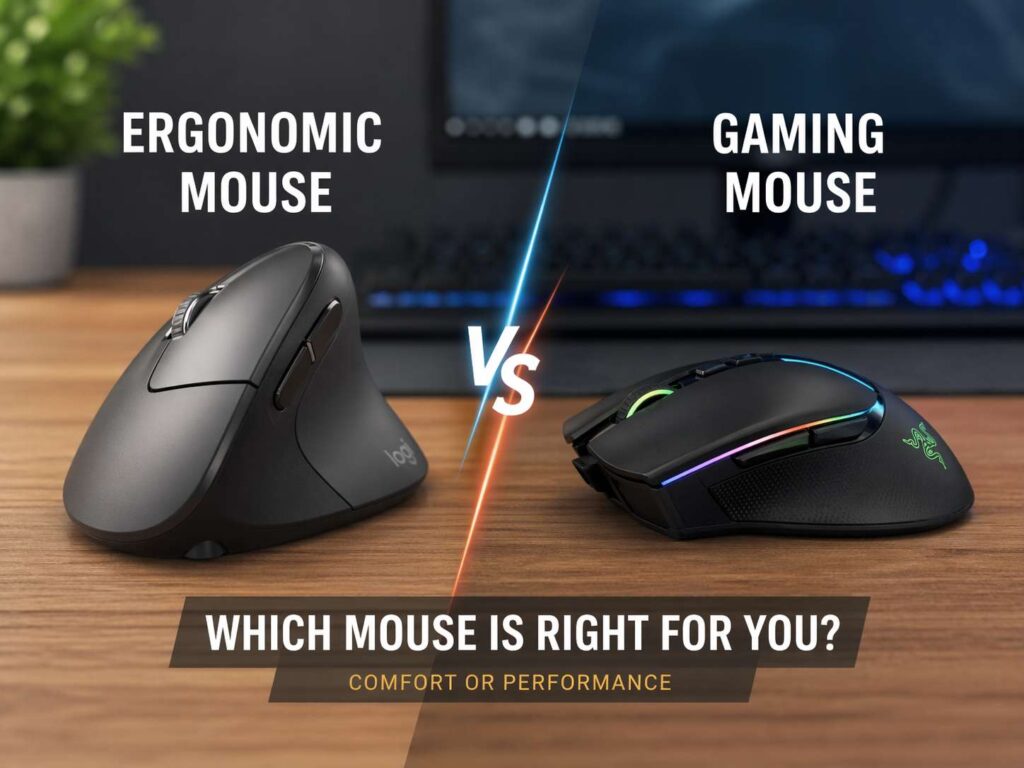
These two mouse types aim at different needs. An ergonomic mouse tries to keep your hand and wrist in a calmer position through long hours at a desk. A gaming mouse tries to keep movement quick, clicks sharp, and tracking fast. Both can work for everyday use. Still, one usually fits your routine better than the other.
So which one should you buy? Buy the one that matches the task you do most. That simple rule saves time, money, and a lot of trial and error.
What an ergonomic mouse is made for
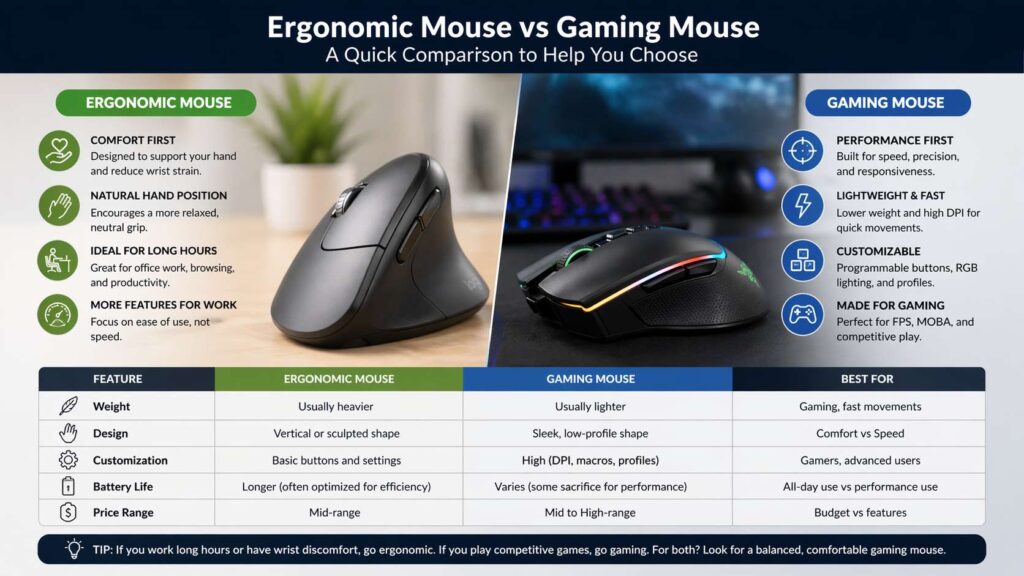
An ergonomic mouse puts comfort first. The shape often supports your hand more fully, and the angle tries to keep your wrist from flattening too much on the desk. That change can matter a lot during office work, study sessions, editing, design work, or any task that keeps your hand on the mouse for hours.
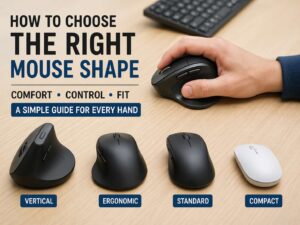
Many ergonomic models use a taller body, a thumb rest, or a slanted design. Vertical mice take that idea even further. They place your hand in a handshake-like position instead of the usual palm-down grip. For many people, that feels more natural after a short adjustment period.
This is why ergonomic mice show up so often in searches like best mouse for wrist pain, mouse for office work, best mouse for carpal tunnel, and vertical mouse for productivity. People usually want less strain, not more features. They want a shape that feels easier to hold at 9 a.m. and still feels fine at 5 p.m.
A broader comfort comparison helps here. This guide on vertical mouse vs regular mouse gives more context on how shape changes daily use.
What a gaming mouse is made for
A gaming mouse starts from speed. The shell is often lighter, the feet glide more easily, and the sensor is tuned for fast and precise movement. Buttons usually feel crisp. Software support is often stronger too, so you can change DPI, polling rate, lift-off distance, button mapping, and profile settings.
That design works well in shooters, battle royale games, MOBAs, and fast action titles. Quick direction changes feel easier on a light gaming mouse. Fast swipes usually feel cleaner too. For competitive players, those small gains matter.
Gaming mice often attract buyers who search for terms like best FPS mouse, lightweight gaming mouse, best wireless gaming mouse, and gaming mouse for competitive play. Those searches tell the story. The buyer is chasing speed, low delay, and better control under pressure.
That said, gaming mice are not only for games. Many people use them for regular work and enjoy the fast feel. The downside is simple. A mouse built for speed does not always feel best in a long office session.
The biggest difference between ergonomic mouse vs gaming mouse
The main difference is not branding. It is purpose.
An ergonomic mouse tries to reduce strain during long use. A gaming mouse tries to support speed and precision during fast use.
That single difference affects almost every part of the design. Ergonomic mice usually have fuller shapes, steeper angles, and more support for the palm and thumb. Gaming mice usually have lighter shells, flatter profiles, and faster button feel. One aims for comfort over time. The other aims for control at speed.
Weight is another clear split. Ergonomic mice are often heavier. That extra size is part of the comfort-first design. Gaming mice are often much lighter. That lower weight helps with quick flicks and stop-start motion.
Button layout changes too. Many ergonomic mice keep things simple. You get left click, right click, scroll wheel, and a few side buttons. Gaming mice can go further with extra programmable buttons, software profiles, onboard memory, and faster switch feel.
The grip style changes as well. Ergonomic mice often guide the hand into one position. Gaming mice give you more freedom for palm grip, claw grip, or fingertip grip, based on the model.
Which mouse is better for office work
For most office users, an ergonomic mouse is the better choice.
Long workdays put more value on comfort than raw speed. Spreadsheets, browser tabs, documents, research, and email do not need ultra-light shells or esports sensors. They need a shape that feels steady and relaxed through repeated use.
That is where ergonomic designs shine. A good ergonomic mouse can reduce the cramped feeling that some people get from smaller flat mice. The hand sits more naturally. The wrist often feels less forced. The forearm may feel more relaxed too.
This does not mean every ergonomic mouse will fix pain. It means the design usually supports a more comfortable posture for desk work. That is a big difference over weeks and months.
Buyers who are new to this category should start with the basics. This short guide on what is a vertical mouse explains the idea clearly and helps first-time buyers decide if that style makes sense.
Which mouse is better for gaming
For serious gaming, a gaming mouse is the better tool.
That is true for one reason above all others. It is built for fast, repeatable control. The weight is lower. The sensor is tuned for quick movement. The clicks tend to feel sharper. The software often gives you more control over sensitivity and button mapping.
In fast games, those features are easier to notice. Flick shots feel easier. Rapid turns feel cleaner. Lift-offs can feel lighter. Long sessions still matter, yet competitive play puts more value on speed than on wrist angle.
A gaming mouse can still feel comfortable. In fact, some gaming mice use right-handed shapes that fill the hand quite well. Still, the main goal stays the same. Speed comes first.
That makes gaming mice a stronger fit for FPS players, esports fans, and anyone who wants fast response over long-hour desk comfort.
Which one is better for wrist pain
An ergonomic mouse usually makes more sense for people who feel wrist strain during work. The shape is the key reason. A more natural hand position can feel easier to maintain through long daily use.
Yet comfort is not only about the mouse. Desk height matters. Chair height matters. Keyboard position matters. Grip tension matters. Many people squeeze the mouse too hard without noticing. Others keep the wrist bent or reach too far to the side. A better mouse helps, yet the full setup matters just as much.
This is where many buyers get stuck. They buy a gaming mouse for work, then wonder why their hand still feels tired. The answer is often simple. The mouse is fast and accurate, yet the shape does not support relaxed all-day use.
That said, a gaming mouse with a fuller right-handed shape can still work well for mixed use. It just will not feel the same as a true vertical or office-focused ergonomic model.
Can one mouse do both jobs well
Yes, up to a point.
A gaming mouse can handle office work. An ergonomic mouse can handle casual gaming. The gap shows up once you push each type into the job it was not built for.
A vertical ergonomic mouse may feel awkward in fast shooters. Quick flicks and rapid lift-offs can feel less natural on that kind of shape. At the same time, a very light esports mouse may feel tiring in long work sessions if your hand wants more support.
So the best all-round pick is usually not the most extreme model in either direction. It is often a middle-ground mouse with a comfortable right-handed shape, moderate weight, solid sensor performance, and enough support for daily work.
That is a strong answer for buyers who search best mouse for work and gaming, ergonomic gaming mouse, or gaming mouse for office use. A balanced model can cover both jobs well enough. It just will not beat a dedicated ergonomic mouse for comfort or a dedicated gaming mouse for pure competitive speed.
How to choose the right mouse for your routine
Start with your real schedule, not your ideal one.
If you work at a desk for eight hours and play for one hour at night, buy for work first. An ergonomic mouse will usually serve you better. If you play fast games every evening and only do light browsing or short tasks during the day, buy for gaming first. A gaming mouse will make more sense.
Next, think about how your hand feels now. Do you feel wrist pressure, finger fatigue, or forearm tension? If yes, comfort should move to the top of your list. Do you care more about aim, tracking, and fast movement? Then speed should move higher.
After that, think about grip. Larger hands often prefer fuller shapes. Smaller hands may like shorter mice with easier reach. Palm grip users often like more support. Claw and fingertip grip users often like lighter, tighter shells.
Then look at your desk space. A trackball or vertical mouse may help in a tighter workspace. A large mouse pad helps a gaming mouse feel better, especially at lower sensitivity.
Price matters too. A lot of people overpay for features they never use. Office users do not need advanced gaming software and ultra-high polling rates. Competitive players do not need a heavy office mouse with a dramatic vertical angle if speed is the main goal. The best buy is the one that matches your daily pattern.
Common search terms tied to this topic
Buyers often search this topic in several different ways. That matters for shopping and research. Common searches include ergonomic mouse vs gaming mouse, vertical mouse vs gaming mouse, best mouse for wrist pain, best mouse for office work, gaming mouse for work, best mouse for FPS, ergonomic gaming mouse, and best mouse for work and gaming.
These phrases point to the same core question. People want to know which mouse feels better, works better, and fits their real routine. That is why the answer is rarely one-size-fits-all. The right choice depends on hours of use, grip style, desk habits, and whether comfort or speed matters more in your day.
Final verdict
An ergonomic mouse is the better choice for office work, long desk sessions, and buyers who care most about wrist comfort. A gaming mouse is the better choice for fast reactions, lighter movement, sharp clicks, and competitive play.
For mixed use, the safest pick is often a comfortable gaming mouse with a fuller right-handed shape, or a mild ergonomic model that does not go too far into vertical design. That middle ground works well for many people.
Still, the simplest buying rule stays the same. Choose the mouse for the job you do most. If your day is full of work, buy comfort first. If your day is full of games, buy speed first. That choice usually leads to the better experience in the long run.