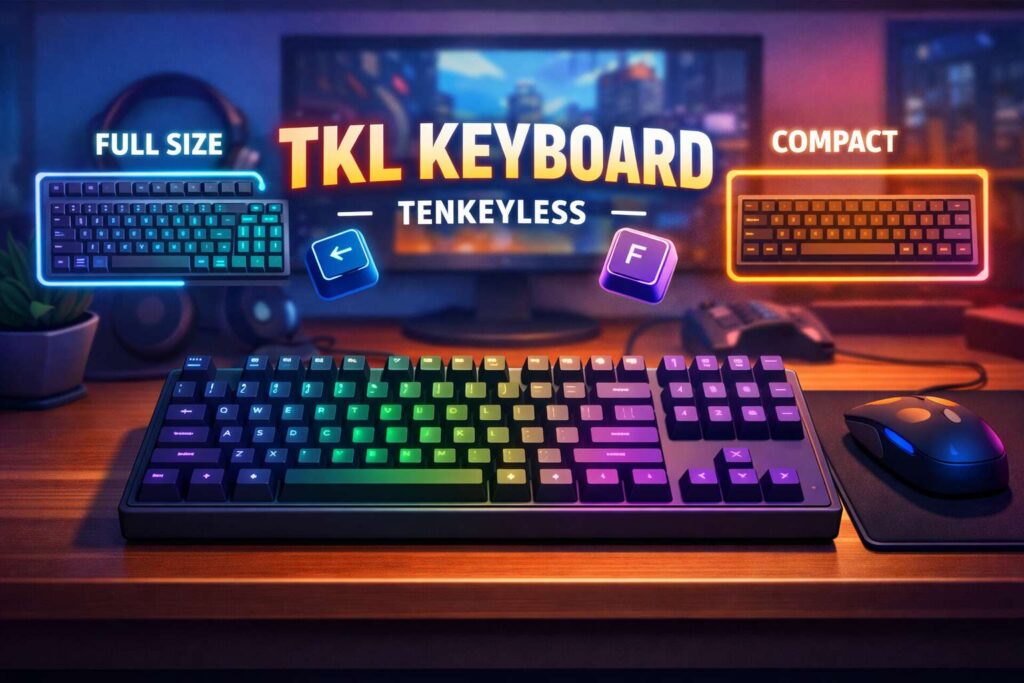
A TKL keyboard is a tenkeyless keyboard. It keeps the main keys that people use every day, but it removes the number pad on the right side. You still get the letters, the top number row, the function keys, the arrow keys, and the navigation keys. That simple layout change makes a real difference on your desk.
Many people see TKL and wonder what it actually means. The answer is simple. TKL stands for tenkeyless. The “ten keys” in the name refer to the numeric keypad that full-size keyboards place on the far right. Once that section is gone, the keyboard gets narrower and easier to place on smaller desks.
This size has become very popular for a reason. It gives you more room than a compact mini keyboard, but it takes less space than a full-size board. For many users, that balance feels just right. You keep the familiar layout, and you lose the part that often goes unused.
What does TKL keyboard mean?
The term TKL means tenkeyless. In plain language, it means a keyboard without the number pad. That is the whole idea.
A full-size keyboard usually comes with the typing area in the center and a separate numpad on the right. A TKL keyboard removes that numpad and leaves the rest of the main layout in place. So the board stays easy to use from day one.
This is why TKL keyboards appeal to so many people. They do not force a big adjustment period. Most users can switch from a full-size keyboard to a TKL model and feel comfortable almost right away.
Some brands and shoppers call a TKL keyboard an 80% keyboard. That term points to the same general layout. You may see people search for “TKL keyboard meaning,” “tenkeyless keyboard,” “80 percent keyboard,” or “what is a TKL keyboard.” In most cases, they want the same answer.
What keys does a TKL keyboard have?
A TKL keyboard still includes almost all the keys most people use throughout the day. You get:
- The full letter section
- The top number row
- The function row
- Arrow keys
- Navigation keys like Insert, Delete, Home, End, Page Up, and Page Down
The only major part missing is the dedicated numpad.
That detail matters. A TKL keyboard does not feel tiny in the way a 60% keyboard can feel. It still has the structure many people know well. The spacing between the main groups of keys often stays familiar too, so the board feels natural for work, study, and gaming.
Why do people like TKL keyboards?
Desk space is the first big reason. A TKL keyboard takes up less room, so your setup feels cleaner. That extra space helps on small desks, shared desks, and home office setups where every inch matters.
Mouse room is another major reason. With a full-size keyboard, your mouse sits farther to the right. That wider reach can feel awkward after long sessions. A TKL keyboard brings the mouse closer to your body, and that often feels more comfortable.
Gamers like this layout for the same reason. More open space on the right side means more room for mouse movement. That can feel better in shooters, action games, and fast competitive titles.
Many users like the simple look too. A TKL board often makes the desk look less crowded. The setup feels tidy, but it still looks serious and practical.
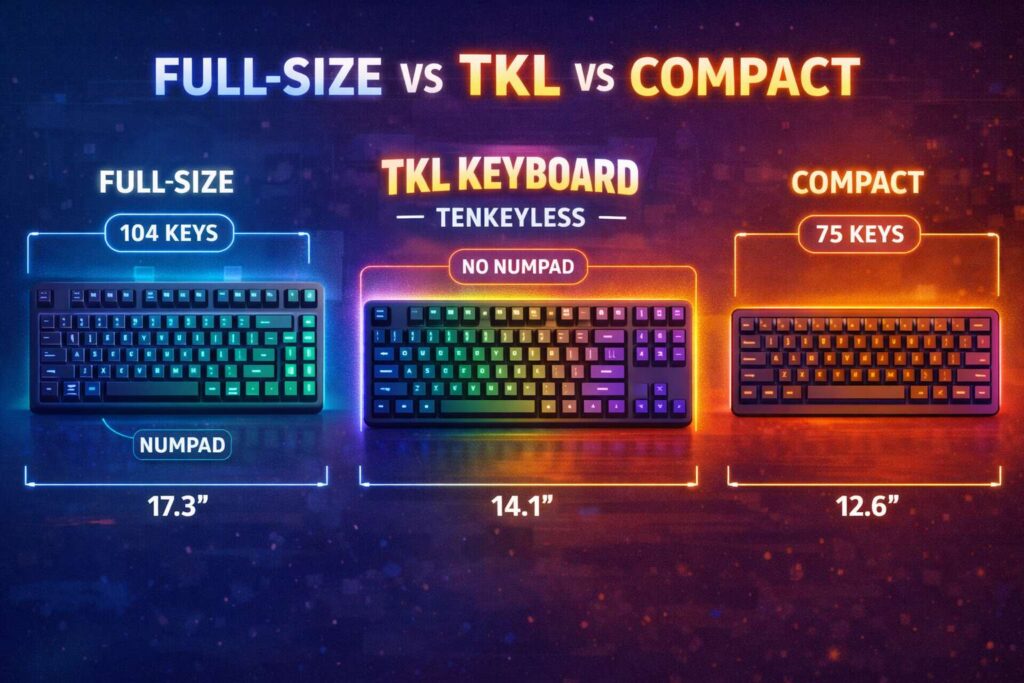
TKL vs full-size keyboard
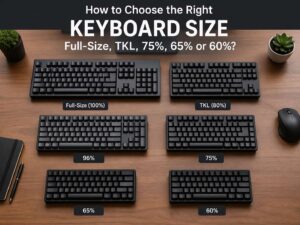
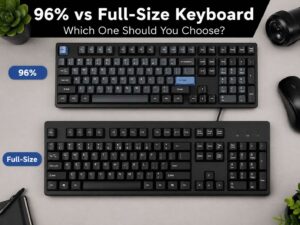
The biggest difference between a TKL keyboard and a full-size keyboard is the numpad. A full-size model keeps it. A TKL model removes it.
That change sounds small, yet it affects daily use more than many buyers expect. A full-size board works very well for people who enter numbers all day. Finance workers, data entry staff, and spreadsheet-heavy users often move faster with a numpad. For them, a full-size layout still makes a lot of sense.
A TKL keyboard fits people who rarely touch that section. Many users type emails, write documents, browse the web, edit photos, play games, or code for hours without using the numpad at all. In that case, a full-size board adds width but not much value.
There is still a way to enter numbers on a TKL keyboard, of course. You use the number row above the letters. That works well for normal use. The main loss is speed and convenience for frequent numeric entry.
TKL vs 75% keyboard
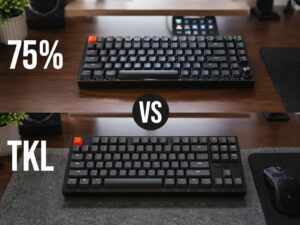
A TKL keyboard is compact, but it is not the smallest common layout. A 75% keyboard goes a step further and packs the keys closer together.
That tighter shape saves more space. It can look sleek and modern, and it often works well for travel or very small desks. Still, the layout usually feels denser. The keys may sit closer to one another, and the navigation area can feel more compressed.
A TKL keyboard keeps a more open and traditional feel. Many buyers prefer that. The board looks cleaner than a full-size keyboard, yet it does not feel cramped.
For a closer look at the smaller option, read this 75 keyboard size guide. It helps show where TKL sits in the middle of the keyboard size range.
TKL vs 96% keyboard
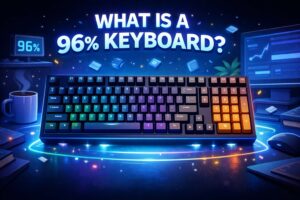
A 96% keyboard takes a very different route. It tries to keep almost all the keys from a full-size layout, but it squeezes them into a tighter frame. That means you still get a numpad on many 96% models, but the layout feels more condensed.
Some people love that mix. They want the number pad, but they do not want the full width of a traditional keyboard. A 96% board can solve that problem.
The trade-off is layout familiarity. A TKL keyboard feels more standard to many users. A 96% keyboard can take more time to learn since the key placement often changes to save space.
For that reason, TKL often feels safer for first-time keyboard buyers. People who want a compact board with a more familiar layout usually settle into it faster.
You can compare that format in this 96 keyboard size guide. It is useful for buyers who want more keys without going all the way back to full-size.
Is a TKL keyboard good for gaming?
Yes, a TKL keyboard is very good for gaming. In fact, this is one of the most common reasons people buy one.
The smaller width leaves more room for mouse movement. That matters a lot in games that need fast aim and wide hand motion. Many players do not need a numpad during gameplay, so removing it feels like a smart trade.
A TKL board still keeps the function row, arrow keys, and many extra keys that some smaller layouts remove. That makes it easier for players who want a compact setup without giving up useful controls.
Fast-paced games pair especially well with TKL boards. First-person shooters, battle royale games, action titles, and many competitive games fit this layout very well. Strategy players or simulator fans may still prefer more keys, but a large number of gamers find TKL easy to live with.
Is a TKL keyboard good for typing and office work?
For many people, yes. A TKL keyboard works very well for typing, office tasks, and daily computer use.
The layout stays familiar, so there is less friction. You can move from a laptop or full-size keyboard to a TKL board without much trouble. That is one reason this format works well for mixed use. It can handle work during the day and gaming at night.
Typing comfort depends on more than size, of course. Switch type, key spacing, case shape, wrist position, and desk height all play a role. Still, TKL gives many users a very comfortable starting point.
Office workers who spend a lot of time in spreadsheets may feel the loss of the numpad more strongly. That is the main group that needs to think carefully before buying one. For writers, students, programmers, designers, and general home users, TKL often feels like a very sensible choice.
Mechanical TKL keyboard or membrane TKL keyboard?
You can find both types, but mechanical TKL keyboards get most of the attention.
Mechanical boards use individual switches under each key. That gives them a more distinct feel and often a longer service life. Many people like the stronger feedback, the cleaner keypress, and the wider range of switch choices.
Membrane TKL keyboards usually cost less. They can be quieter too. For basic office use, a membrane model may do the job just fine.
Mechanical models give buyers more room to choose a typing feel. Some switches feel smooth and light. Others feel more tactile. Some sound loud and sharp, and others stay muted. That range makes mechanical boards more appealing for enthusiasts and frequent typists.
Noise matters here. A loud clicky keyboard can annoy people in shared rooms. A quieter switch type often fits better in work spaces, bedrooms, or family areas.
What should you check before buying a TKL keyboard?
Layout comes first. Make sure the key arrangement matches what you already use. Small layout changes can slow you down at first, so it is smart to check this early.
Connection type matters too. Some TKL keyboards are wired only. Others offer Bluetooth, wireless dongles, or both. A wired board suits people who want a simple setup with no charging. Wireless models help keep the desk cleaner.
Build quality is worth checking as well. A solid case, stable keycaps, and good stabilizers can make a keyboard feel much better every day. Cheap boards often look fine in photos, but they can feel hollow or shaky during use.
Hot-swap support is another useful feature. That lets you change switches without soldering. People who like to tune the feel of their keyboard often look for this.
Backlighting, software, battery life, and wrist angle all matter too. Not every buyer needs those extras, but they can improve daily use in a real way.
Who should buy a TKL keyboard?
A TKL keyboard fits a wide range of users. It is a strong pick for:
- Gamers who want more mouse space
- People with small or medium desks
- Users who type a lot
- Buyers who want a cleaner setup
- Anyone who rarely uses a numpad
- People who want a compact keyboard without a cramped layout
A full-size keyboard still makes more sense for users who spend hours entering numbers. A 96% board may suit people who want compact size and still need a numpad. A 75% keyboard suits buyers who want something even smaller.
TKL works best for people who want balance. That is its biggest strength. It trims the layout without making the keyboard feel strange.
Final thoughts
A TKL keyboard removes the numpad and keeps the keys most people use every day. That gives you more desk space, a cleaner setup, and a mouse position that often feels more natural.
For many buyers, it hits the sweet spot. Full-size boards feel too wide. Smaller boards can feel too tight. TKL lands right in the middle, and that is why it stays so popular.
It works well for gaming, typing, office tasks, study, and general home use. The layout feels familiar, the size feels practical, and the trade-off makes sense for a huge number of people.
That is the simple answer to the question: what is a TKL keyboard? It is one of the most useful keyboard sizes you can buy.