
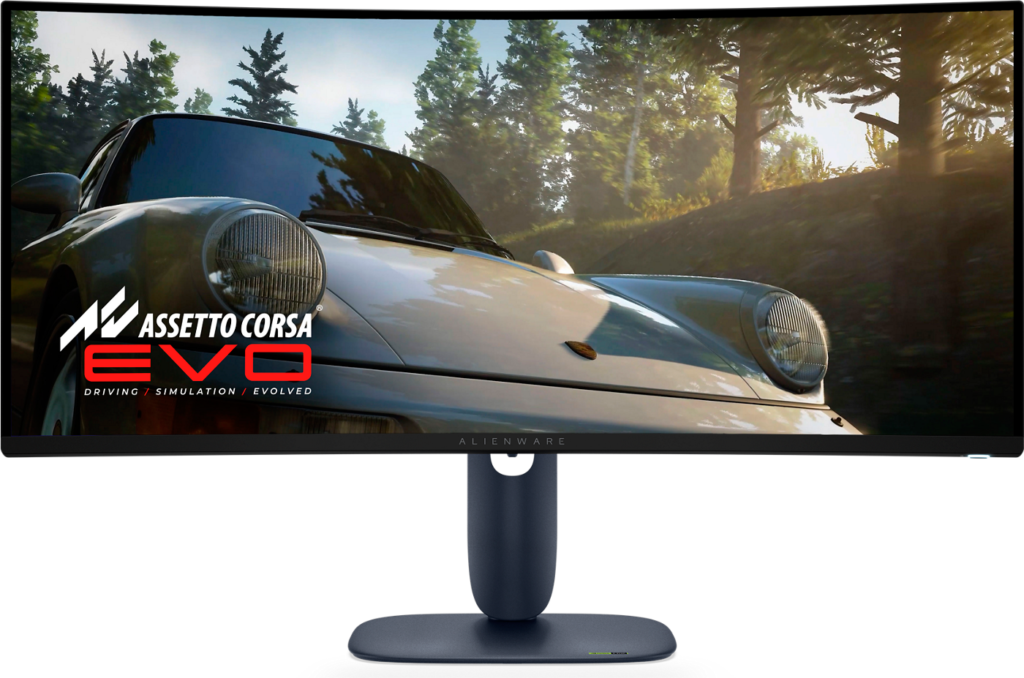
Dell Alienware AW3425DW: Specs, Price, Pros & Cons
Alienware now sells three ultrawides whose names differ by a letter or a digit, and knowing which is which saves real confusion. The model with an M at the end of its name is the cheaper version built on a VA panel. The one whose year digits have ticked over is the newer, brighter OLED. This one sits between them: an OLED ultrawide from the previous model year that remains on sale beside its replacement.
That position is its main argument. Buyers get the same kind of panel as the newest model, with the same wide, curved shape and near-instant response, without paying for the latest round of brightness improvements. For a player whose games are mostly bright and fast rather than dark and cinematic, the difference between the two is harder to see than the difference in price.
The ultrawide shape is a commitment worth thinking through. Most PC games now support it, but not all, and those that do not leave black bars at the sides. Games consoles output a standard widescreen picture, so a console on this monitor uses only the middle of the panel. Films shot in wide cinema ratios fill it far better than a normal monitor does, while ordinary video and most video calls do not.
It also takes a great deal of desk, both in width and in the depth needed for the curve to work, and the extra width comes without extra height: vertical room for a long document is roughly what a much smaller standard monitor offers.
Taken as a set, the three Alienware ultrawides let a buyer trade between cost, panel type and brightness. This is the middle answer, and for many desks the most sensible one.
Category strengths
Where the Dell Alienware AW3425DW beats the median
- A slightly bigger screen ?34" (86.36 cm) vs 32" (81.28 cm) (median)
Where the Dell Alienware AW3425DW trails the median
- Lower peak brightness ?1,000 nits vs 1,300 nits (median)
- A lower pixel density ?110 ppi vs 140 ppi (median)
- Much slower USB-C charging ?15 W vs 90 W (median)
How this VS Score was computed
Score 51: each known spec is measured against the median of OLED gaming monitors, 32 inches and up (13 products), then weighted; 50 means level with that median. In classes of six or more, a value beyond the class’s 10th–90th percentile range counts as that limit, so one extreme product cannot set the scale. 57% of the scoreable weight could be used; unknown values, features not applicable to this class and proxies (battery capacity where a rated life exists) add or remove nothing.
| Specification | This product | Cohort median | Score weight | Points moved |
|---|---|---|---|---|
| USB-C | Yes | 77% of the class have it | 0.5 | +25.0 |
| Peak brightness | 1,000 | 1,300 | 0.8 | −9.6 |
| Pixel density | 110 | 140 | 0.5 | −5.5 |
| Screen size | 34 | 32 | 1.2 | +3.6 |
| USB-C power delivery | 15 | 90 | 0.05 | −1.9 |
| Panel type | OLED | OLED | 0.8 | +0.0 |
| Refresh rate | 240 | 240 | 1.2 | +0.0 |
| Response time | 0.03 | 0.03 | 0.8 | +0.0 |
| Contrast ratio | 1,500,000 | 1,500,000 | 0.6 | +0.0 |
| DCI-P3 coverage | 99.3 | 99 | 0.6 | +0.0 |
| HDR | True Black 400 | True Black 400 | 0.5 | +0.0 |
| Adaptive sync | G-Sync Compatible | G-Sync Compatible | 0.6 | +0.0 |
| HDMI ports | 2 | 2 | 0.4 | +0.0 |
| DisplayPort inputs | 1 | 1 | 0.4 | +0.0 |
Not scored: Resolution (unknown: not scored); Color depth (unknown: not scored); Local dimming (unknown: not scored); Local dimming zones (unknown: not scored); Variable refresh rate (standard for the class (100% have it)); Motion blur reduction (unknown: not scored); Input lag (unknown: not scored); Height adjustment (standard for the class (100% have it)); Tilt (standard for the class (100% have it)); Swivel (standard for the class (100% have it)); Pivot (unknown: not scored); USB hub (standard for the class (85% have it)); Built-in speakers (unknown: not scored); Headphone output (unknown: not scored); KVM switch (unknown: not scored); Webcam (unknown: not scored); Microphone (unknown: not scored); Ethernet (unknown: not scored); Picture-by-picture (unknown: not scored).
Editor’s note
The AW3425DW takes the same QD-OLED technology as Alienware's flat 27-inch model and stretches it into a 34-inch ultrawide with an 1800R curve. Whether that is an upgrade or a sidegrade depends entirely on what you do at the desk.
For immersion in racing and flight games, and for anyone who works with timelines (video editors, audio producers, traders watching many windows), the 21:9 shape is useful. The curve at 1800R is pronounced enough to keep the far edges at a consistent distance without distorting straight lines badly.
The panel is fast and contrasty: 240 Hz, 0.03 ms response, 99.3% DCI-P3, DisplayHDR True Black 400, G-Sync Compatible and FreeSync Premium Pro.
The trade-off is sharpness. At 3440 x 1440 across 34 inches you get 110 pixels per inch, noticeably coarser than the 166 ppi of the 27-inch 4K model. Text is fine but not crisp, and if you read and write for a living rather than game, that difference is felt daily. As with any QD-OLED, full-screen brightness is modest, and there are no speakers.
Connectivity is gaming-focused: two HDMI 2.1, one DisplayPort 1.4, and a USB-C limited to 15 W.
Buy it if games and wide timelines are the point, and you sit close enough for the curve to work.
The 27-inch AW2725Q is the better buy if text sharpness matters more than width. Look at an ultrawide IPS if you need higher sustained brightness or want to spend less for the same screen area.
Specifications
Quality bars show where each figure sits between the lowest and highest of the 13 OLED gaming monitors, 32 inches and up this VS Score is measured against.
Picture
Gaming
Ergonomics & design
Connectivity
Features
Sources and verification
Where the specifications come from
- Datasheet or manualdell.com
- Independent testingrtings.com
Verification
- First published
- Specifications last checked
- Sheet completeness
- 25 of 42 specifications verified; the rest show as Unknown and are never estimated or scored
- Page type
- Product specification page — Compiled from the manufacturer’s published specifications and the cited sources; this is not a hands-on test.
- Basis
- Research-based: specifications and editorial text were compiled from the documents listed here and the manufacturer’s published data. We have not tested this unit ourselves; where independent measurements are mentioned they belong to the linked publication.
Where to buy
Prices and availability may change. Check the retailer before buying. We may earn a commission on purchases.
Price history
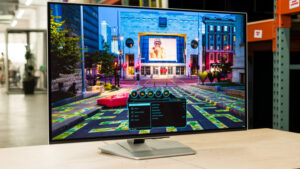
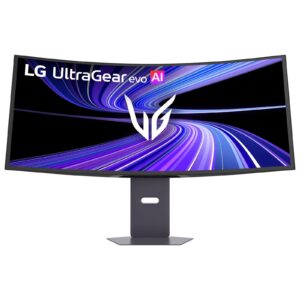
Monitors with similar specs to the Dell Alienware AW3425DW
Ratings & reviews
No reviews yet. Be the first to share your experience.
The bottom line
The Dell Alienware AW3425DW earns a VS Score of 51, above the median of the 13 OLED gaming monitors, 32 inches and up it is measured against (a score of 50 is level with that median).
- Who it’s for
- Sim racers, flight-sim players and anyone who lays out timelines or many windows side by side, seated near enough that the curve wraps the view.
- Who should look elsewhere
- People who mostly read and write, who will notice the softer text, and laptop owners hoping to charge their machine through the monitor.
- The trade-off that matters
- Width over sharpness: the ultrawide canvas is the whole appeal, and it is bought with visibly softer text than a smaller high-resolution OLED gives.
- The main alternative
- Dell Alienware AW3426DW: the newer version of this ultrawide with a brighter panel and a higher refresh rate, worth the extra cost if HDR films and dark games fill your evenings.
The VS Score is calculated from the weighted specifications above, each measured against the median of comparable OLED gaming monitors, 32 inches and up — a shortlisting guide, not a substitute for your own priorities. See how we score.





