
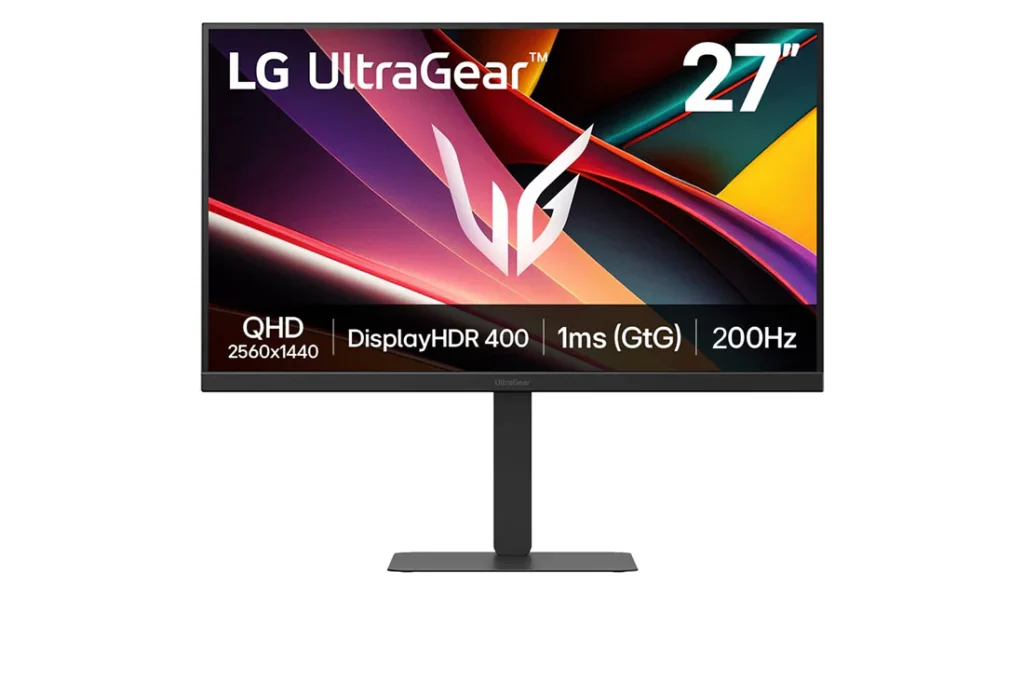
LG UltraGear 27G610A-B: Specs, Features, Pros & Cons
LG's UltraGear badge covers everything from entry-level panels to OLED flagships, and this sits firmly at the plain end of it. There is no self-emissive panel, no type-C input, no built-in hub, no speakers and no keyboard-and-mouse switch. What you are buying is a gaming panel on a stand, and the absence of everything else is a large part of why it costs what it does.
The panel is an in-plane switching type, and that choice sets the character of the whole monitor. Colors hold up when you are not sitting square to it, brightness stays even from edge to edge, and text renders cleanly for desktop work. The cost is contrast. Blacks read as dark gray in a dim room next to a VA or self-emissive screen, and there is no local dimming to rescue them. If you play with the lights off and care about shadow detail, this is the wrong panel technology and no menu setting will change that.
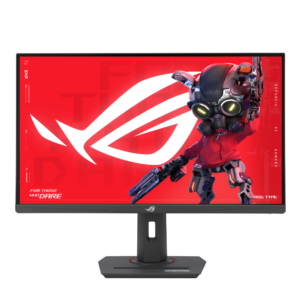
Where money has clearly gone beyond the panel is the stand. It tilts, swivels, raises and rotates into portrait, a full set of adjustments that monitors at this price routinely trim back to tilt alone. It also takes a standard VESA mount if you would rather put it on an arm and reclaim the desk space.
The inputs suit a desk with a PC and a console on it: two TV-style inputs at the current standard alongside a PC-style one. There is a headphone output but no speakers, so audio needs its own arrangement. Anyone hoping to drive a laptop down a single cable should look at a monitor with a powered type-C input instead, because the omission here is deliberate.
Category strengths
Where the LG UltraGear 27G610A-B beats the median
- A higher refresh rate ?200 Hz vs 180 Hz (median)
Where the LG UltraGear 27G610A-B trails the median
- A lower color depth ?8 bit vs 10 bit (median)
- No USB hub ?
How this VS Score was computed
Score 49: each known spec is measured against the median of IPS gaming monitors, 27 to 31 inches (29 products), then weighted; 50 means level with that median. In classes of six or more, a value beyond the class’s 10th–90th percentile range counts as that limit, so one extreme product cannot set the scale. 68% of the scoreable weight could be used; unknown values, features not applicable to this class and proxies (battery capacity where a rated life exists) add or remove nothing.
| Specification | This product | Cohort median | Score weight | Points moved |
|---|---|---|---|---|
| USB-C | No | 24% of the class have it | 0.5 | −24.0 |
| Height adjustment | Yes | 79% of the class have it | 0.4 | +20.0 |
| Adaptive sync | FreeSync | G-Sync Compatible | 0.6 | −15.0 |
| Swivel | Yes | 64% of the class have it | 0.2 | +10.0 |
| Built-in speakers | No | 31% of the class have it | 0.2 | −9.6 |
| Refresh rate | 200 | 180 | 1.2 | +7.2 |
| Color depth | 8 | 10 | 0.3 | −3.0 |
| USB hub | No | 50% of the class have it | 0.05 | −2.2 |
| Pivot | Yes | 75% of the class have it | 0.02 | +1.0 |
| Screen size | 27 | 27 | 1.2 | +0.0 |
| Resolution | 1440p | 1440p | 1.2 | +0.0 |
| Panel type | IPS | IPS | 0.8 | +0.0 |
| Response time | 1 | 1 | 0.8 | +0.0 |
| Peak brightness | 400 | 400 | 0.8 | +0.0 |
| Contrast ratio | 1,000 | 1,000 | 0.6 | +0.0 |
| HDR | DisplayHDR 400 | DisplayHDR 400 | 0.5 | +0.0 |
| Pixel density | 109 | 109 | 0.5 | +0.0 |
| HDMI ports | 2 | 2 | 0.4 | +0.0 |
| DisplayPort inputs | 1 | 1 | 0.4 | +0.0 |
Not scored: DCI-P3 coverage (unknown: not scored); Local dimming (not applicable: only 17% of this class have it); Local dimming zones (unknown: not scored); Variable refresh rate (standard for the class (100% have it)); Motion blur reduction (unknown: not scored); Input lag (unknown: not scored); Tilt (standard for the class (100% have it)); USB-C power delivery (unknown: not scored); Headphone output (standard for the class (86% have it)); KVM switch (not applicable: only 0% of this class have it); Webcam (not applicable: only 0% of this class have it); Microphone (not applicable: only 0% of this class have it); Ethernet (not applicable: only 0% of this class have it); Picture-by-picture (unknown: not scored).
Editor’s note
The 27G610A-B occupies a useful middle ground between mainstream 165 Hz monitors and more expensive 240 Hz models. Its 27-inch QHD IPS panel runs at 200 Hz, giving competitive games noticeably smoother motion while preserving the sharper desktop space of 1440p. For many midrange PCs, that rate is a more realistic target than 240 or 360 Hz at native resolution.
LG advertises 1 ms response and DisplayHDR 400 support, but buyers should read those as capability labels rather than guarantees of high-end HDR. The IPS panel's native contrast is limited, there is no local dimming, and dark scenes will not resemble OLED or Mini-LED. Overdrive should be adjusted to avoid bright trails, especially when frame rate drops. The matte coating is practical under room lighting.
Two HDMI inputs and one DisplayPort 1.4 input cover a desktop plus consoles, with FreeSync Premium for variable refresh. The stand is unusually flexible at this tier, offering height, tilt, swivel, and pivot adjustment, and the chassis supports a 100 x 100 mm VESA mount. A headphone output is present, but there is no USB hub, USB-C, speaker system, KVM, webcam, microphone, or Ethernet.
Choose the 27G610A-B for fast QHD gaming on a sensible budget and for anyone who values an ergonomic stand. Skip it if meaningful HDR, built-in audio, laptop power delivery, or extensive USB connectivity is required. Console buyers should confirm supported resolution and refresh combinations for their system. As always with LG's similar model names, check that a retailer lists 27G610A-B exactly and is not substituting an older 165 or 180 Hz UltraGear.
Specifications
Quality bars show where each figure sits between the lowest and highest of the 29 IPS gaming monitors, 27 to 31 inches this VS Score is measured against.
Picture
Gaming
Ergonomics & design
Connectivity
Features
Sources and verification
Where the specifications come from
- Official product pagelg.com
- Independent testingrtings.com
Verification
- First published
- Specifications last checked
- Sheet completeness
- 34 of 42 specifications verified; the rest show as Unknown and are never estimated or scored
- Page type
- Product specification page — Compiled from the manufacturer’s published specifications and the cited sources; this is not a hands-on test.
- Basis
- Research-based: specifications and editorial text were compiled from the documents listed here and the manufacturer’s published data. We have not tested this unit ourselves; where independent measurements are mentioned they belong to the linked publication.
Monitors with similar specs to the LG UltraGear 27G610A-B
Ratings & reviews
No reviews yet. Be the first to share your experience.
The bottom line
The LG UltraGear 27G610A-B earns a VS Score of 49, below the median of the 29 IPS gaming monitors, 27 to 31 inches it is measured against (a score of 50 is level with that median).
- Who it’s for
- Fast QHD gaming on a mid-range PC, especially on a desk that needs a properly adjustable stand or room for a console next to the computer.
- Who should look elsewhere
- Laptop owners wanting one-cable charging, dark-room players who care about shadow detail, and anyone expecting the monitor to supply sound.
- The trade-off that matters
- A smooth, sharp panel on an unusually good stand, stripped of every extra that would add cost and nothing that affects the picture.
- The main alternative
- LG UltraGear 27G61ZB-B: the same hardware sold through Amazon without the HDR badge, so buy whichever of the two is cheaper on the day.
The VS Score is calculated from the weighted specifications above, each measured against the median of comparable IPS gaming monitors, 27 to 31 inches — a shortlisting guide, not a substitute for your own priorities. See how we score.





