An ergonomic keyboard is not magic. It will not fix a bad desk, a chair that sits too low, or a monitor that makes you lean forward all day. Still, the right keyboard can make a real difference if your current setup bends your wrists, crowds your shoulders, or pushes your mouse too far away.
Wrist pain is not the only reason to buy an ergonomic keyboard. Typing for hours is another. So is a wide keyboard that makes the mouse hard to reach, or months of laptop work that leave the neck, wrists, and shoulders tense.
So, is an ergonomic keyboard worth buying? Yes, if it fixes a real comfort problem. No, if it only looks interesting and your current setup already feels fine.
What an Ergonomic Keyboard Is Meant to Fix
A normal keyboard keeps both hands close together. That position works for short typing sessions. After a full workday, though, it can feel tight. Your wrists may bend inward. Your shoulders may roll forward. Your right arm may stretch too far to reach the mouse.
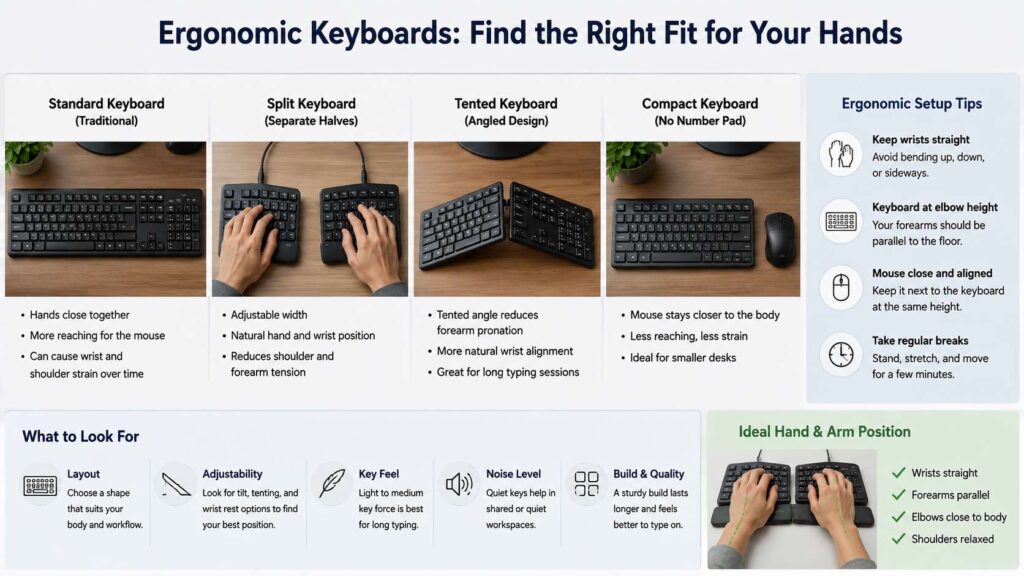
An ergonomic keyboard tries to reduce those problems. It changes the shape, angle, height, or layout of the keys. Some models split the keys into two halves. Others curve the layout. Some raise the middle of the board. Compact models remove the number pad and bring the mouse closer.
The main goal is simple: keep your wrists straighter, your arms calmer, and your shoulders more relaxed.
That matters more than the label on the box. A keyboard can call itself ergonomic and still feel wrong for your hands. At the same time, a plain compact keyboard can improve comfort if it fixes your mouse reach.
For a deeper comparison, this guide on ergonomic keyboard vs regular keyboard explains the core layout differences in a simple way.
Signs You Should Buy an Ergonomic Keyboard
The clearest sign is discomfort that shows up during typing. Wrist pain, finger fatigue, forearm tightness, and hand stiffness all deserve attention. Numbness or tingling needs extra care, so do not ignore it.
Another sign is shoulder strain. This often comes from a wide keyboard. A full-size board has a number pad on the right side, so the mouse moves farther away. That small reach can repeat hundreds of times per day. After weeks or months, your shoulder may feel tired for no obvious reason.
A third sign is heavy daily typing. Writers, programmers, editors, support agents, students, and office workers can hit thousands of keystrokes in one day. If you type for 4 to 8 hours, small setup problems grow fast.
Laptop-only work is another clue. A laptop keyboard locks the screen and keys into one position. If the screen sits at eye level, the keyboard often sits too high. If the keyboard sits low enough, the screen often sits too low. A separate keyboard solves that tradeoff once you use a stand or external monitor.
Desk space matters too. If your mouse sits near the edge of the desk or far from your body, your keyboard may be too wide. In that case, a compact ergonomic keyboard can help more than a large split model.
Who Gets the Most Value From One
An ergonomic keyboard gives the best value to people who type every workday. It suits users who write emails, create reports, code, manage spreadsheets, answer chats, or work in long browser sessions.
It can help remote workers too. Home desks often use mixed gear. A kitchen chair, a tall desk, and a laptop can create a rough setup. A separate keyboard can improve the typing position fast, especially with a laptop stand.
People with broad shoulders often like split keyboards. A standard keyboard pulls the hands close together. A split model lets each hand sit farther apart, so the arms can rest in a more natural line.
People with forearm rotation discomfort often like tented keyboards. Tenting raises the center of the keyboard or each half of a split board. This puts the hands closer to a handshake position.
Compact keyboard fans can gain comfort too. Removing the number pad leaves more room for the mouse. That shorter reach can feel better during long work sessions.
If your main goal is long typing comfort, you may also want to compare the features in this guide to the best keyboard for typing all day.
Who Should Skip It For Now
Not every desk needs an ergonomic keyboard. If you type for short sessions and feel no discomfort, you can wait. A new keyboard will not always improve a setup that already works.
Skip the purchase if your desk height is the real problem. A keyboard that sits too high can bend the wrists upward. A better keyboard may still feel wrong at that height.
Pause the purchase if your chair does not support a relaxed arm position. Your elbows should sit near your sides. Your shoulders should not lift toward your ears. Fix that first.
A person who uses the number pad all day should think carefully too. Many ergonomic keyboards remove it. That helps mouse placement, but it can slow spreadsheet work. A separate number pad is a smart middle ground.
People who dislike layout changes should avoid extreme designs at first. A fully split or column-staggered board can feel strange for days or weeks. A compact, low-profile, or Alice-style keyboard feels easier for most first-time buyers.
Which Type of Ergonomic Keyboard Fits Your Problem?
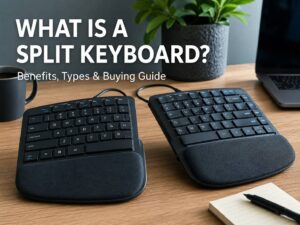
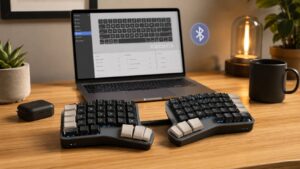
A split keyboard works best for shoulder width and wrist angle. It separates the left and right key groups. Some split boards stay in one piece. Others come as two separate halves. The separate-half style gives more control, but it takes more adjustment.
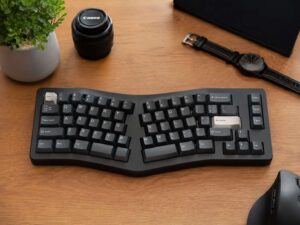
An Alice keyboard uses a gentle angled layout. It keeps the keyboard in one piece, so it feels familiar. This style suits people who want a softer change.
A tented keyboard raises the middle. That design can reduce forearm twist. Some models use a fixed tent angle. Better models let you change the angle.
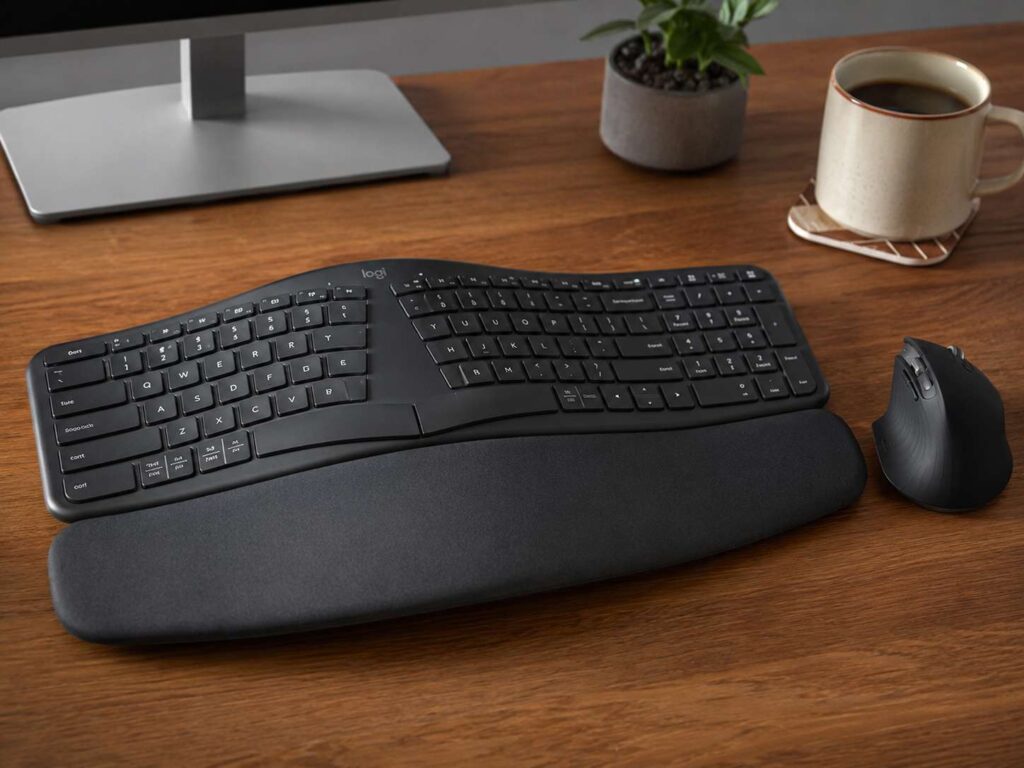
A compact ergonomic keyboard removes the number pad. This helps if your mouse sits too far away. For your shoulders, this change can matter more than the key shape itself.
A low-profile ergonomic keyboard lowers the front edge and key height. This can help people who bend their wrists upward on tall mechanical keyboards.
A keyboard tray can help too. It lets the keyboard sit lower than the desk surface. That can be useful if your desk is too high.
The Mouse Can Make or Break the Setup
A keyboard upgrade can fail if the mouse still sits too far away. The keyboard and mouse work as one desk system. If one part forces your arm out of position, the whole setup suffers.
Keep the mouse close to the keyboard. Keep it on the same level. Let your upper arms rest near your body. Try not to reach forward or sideways during normal use.
A compact keyboard often fixes this fast. The mouse moves closer, so your right shoulder works less. That single change can make the desk feel more comfortable within one day.
Mouse shape matters too. A small mouse can cramp the fingers. A tall vertical mouse can feel great for some users, but it can feel slow for others. The best choice is the one that keeps your wrist calm during real work.
What Features Matter Before You Buy
Start with layout size. Full-size keyboards take the most space. Tenkeyless, 75 percent, and compact split layouts leave more room for the mouse.
Check the front height. A tall front edge can push the wrist upward. Low-profile boards often feel better for long typing.
Look at the tilt. Many keyboards raise the back edge. That can make the wrists bend upward. A flat position often works better. You may prefer a slight negative tilt, where the front edge sits a bit higher than the back.
Check the key feel. Heavy switches can tire the fingers. Light to medium keys work better for long writing sessions. Quiet switches help in shared rooms.
Look at the palm rest. A soft rest can help during pauses, but your wrists should not press hard into it during active typing. Rest the base of the palm lightly, then lift the hands as you type.
Check key placement. Some ergonomic keyboards move Enter, Backspace, Ctrl, Alt, or the arrow keys. That can slow work at first. A familiar layout reduces the learning curve.
Pick a model with a return window if possible. Fit is personal. A keyboard that helps one person can annoy another.
How Much Should You Spend?
Budget ergonomic keyboards can work well for basic office use. They often use simple split shapes and membrane keys. They are a good starting point if you want better posture without a high price.
Mid-range models usually offer better build quality, wireless support, quieter keys, and a cleaner layout. This price range fits most buyers.
Premium models make sense for heavy typists. They may offer full split design, tenting kits, programmable keys, hot-swappable switches, and better materials. These features matter more if you type all day and want full control.
Do not pay extra for looks alone. Lighting, complex macros, and unusual layouts do not matter if the board fails at comfort.
A Quick Desk Test Before You Buy
Try this simple check.
Sit as you normally work. Relax your shoulders. Keep your elbows near your sides. Place your hands on the keyboard.
Now look at your wrists. Do they bend inward? Do they bend upward? Do your shoulders feel tight?
Move the keyboard closer. Then move the mouse closer. Flatten the keyboard if it has rear feet raised. Type for 10 to 20 minutes.
If your wrists feel straighter and your shoulders feel calmer, your old setup was part of the problem. At that point, an ergonomic keyboard has a good chance of helping.
If nothing changes, look at the chair, desk height, screen position, and mouse first.
Is an Ergonomic Keyboard Worth It for Wrist Pain?
An ergonomic keyboard can help with wrist pain if the pain comes from poor typing position. It can reduce awkward wrist angles and improve hand placement. It can also reduce mouse reach if you choose a compact model.
Still, pain can come from many causes. A keyboard is only one part of the setup. Breaks, posture, workload, mouse shape, chair height, and desk height all matter.
If pain lasts, gets worse, or comes with numbness, get proper medical advice. A new keyboard can support comfort, but it cannot replace care for a real injury.
Best Choice for Most People
Most first-time buyers should start with a compact ergonomic keyboard or a gentle Alice-style layout. These designs improve hand and mouse position without a steep learning curve.
Choose a full split keyboard if your shoulders feel crowded or your wrists bend inward. Pick a tented keyboard if your forearms feel twisted on a flat board. Choose a low-profile model if tall keys make your wrists bend upward.
The right keyboard should feel calm after the adjustment period. Your hands should land on the keys without strain. Your mouse should sit close. Your shoulders should stay relaxed. Your wrists should stay straight.
That is when an ergonomic keyboard is worth buying. It pays off when it fixes a problem you can feel every workday.
Final Verdict
An ergonomic keyboard is worth buying if you type for long hours, feel wrist or shoulder strain, use a laptop as your main computer, or reach too far for the mouse. It makes the most sense when the design solves a clear desk problem.
It is not worth buying just for the word ergonomic. Fix chair height, desk height, screen position, mouse placement, and typing posture first. Then choose the keyboard shape that matches your actual issue.
For most users, the best ergonomic keyboard is not the strangest one. It is the one that keeps the wrists straight, brings the mouse closer, and makes long typing sessions feel easier.