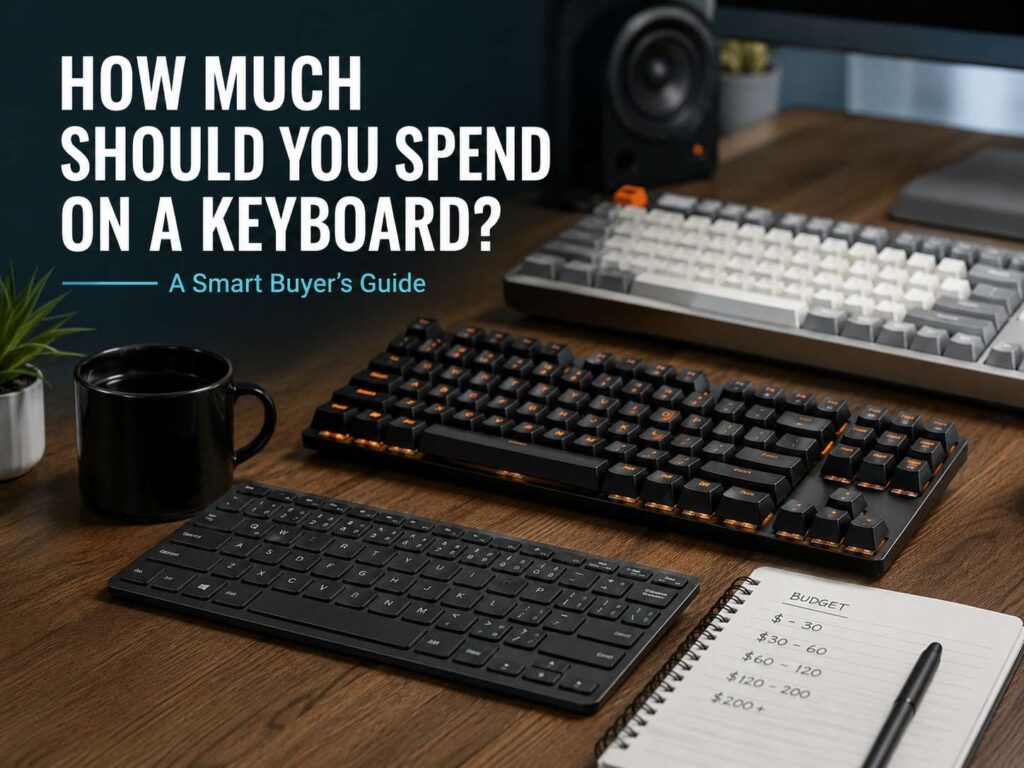
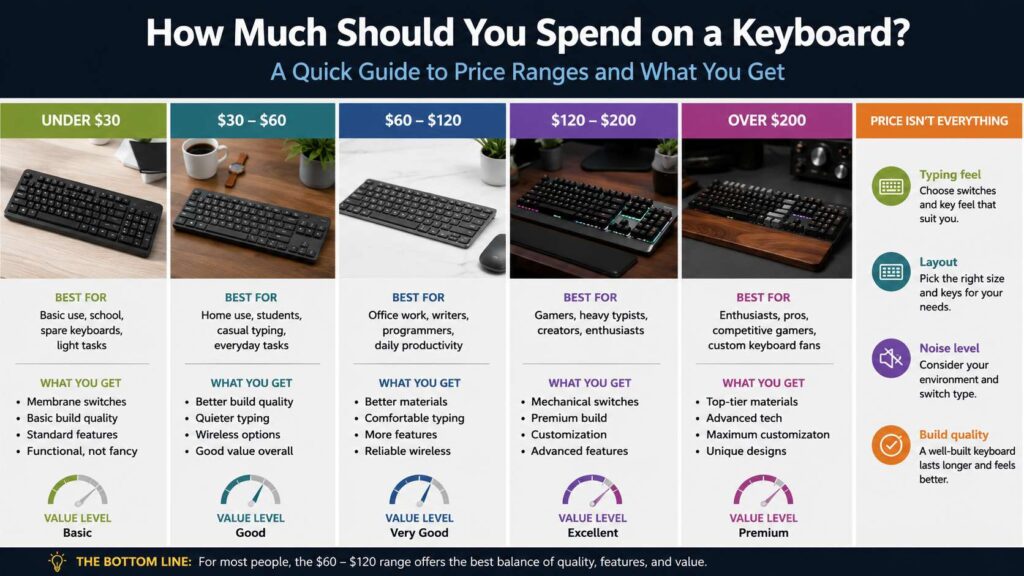
A keyboard seems like a simple buy at first. Then the prices start to stretch in every direction. Some basic models cost less than $25. Better office keyboards often land near $60 to $120. Mechanical keyboards can reach $150, and premium gaming models can pass $200 fast.
So, what is the right amount to spend? Most people get the best value between $50 and $120. That range gives you better comfort, stronger build quality, and more useful features without pushing into luxury pricing.
Your best budget depends on how you type. A keyboard for short messages does not need the same build as one for coding, writing, gaming, or full workdays. Use this guide to match your money to the way you use your desk.
A Keyboard Is a Tool You Touch Every Day
Your keyboard affects your hands more than most desk gear. You press the keys thousands of times during a normal workday. Poor spacing, stiff keys, weak build quality, or a sharp typing angle can make that daily routine feel rough.
A cheap keyboard still gets the job done. Many low-cost models work fine for browsing, school tasks, and quick emails. But low price often means thin plastic, shaky keys, more rattle, and less comfort.
A better keyboard feels cleaner under your fingers. It can help you type with fewer mistakes, sit more comfortably, and keep your desk setup tidy. That matters more than bright lights or flashy branding.
Treat your keyboard like a daily work tool. Spend more if you use it for hours. Save money if it only handles light tasks.
Under $30: Best for Light and Basic Use
The under-$30 range works best for casual use. It fits shared family computers, media PCs, backup desks, school laptops, and light home tasks.
Most keyboards in this range use membrane switches. They feel soft and quiet, but they can feel mushy too. The cases often feel light, and the printed letters can wear down faster.
There is still value here. Look for a full-size layout, basic spill resistance, and a simple USB connection. Wireless models exist at this price, but the connection and battery life can vary.
This budget makes sense for short emails, web browsing, streaming controls, and spare setups. It does not make sense for long typing sessions.
Expect function, not comfort. That is the trade.
$30 to $60: A Strong Budget Range for Home Setups
The $30 to $60 range gives you a better starting point. You can find a good everyday keyboard here, especially for home use.
You can get stronger key stability, quieter typing, cleaner layouts, and better wireless options. Some entry-level mechanical keyboards land in this range during sales too.
Students, casual users, and home office buyers should look here first. A $50 keyboard often feels much better than a $15 model, especially after a few weeks of daily use.
Search for a layout that fits your desk. Check the key spacing. Pick a model with good battery life if you want wireless. Read the return policy too, since key feel is personal.
This range gives enough quality for daily typing without asking you to pay premium prices.
$60 to $120: The Best Range for Most People
The $60 to $120 range is the sweet spot for daily typing. It gives you better build quality, cleaner switches, stronger wireless support, and more comfort features.
Many popular office keyboards sit here. You can find slim wireless boards, quiet typing models, multi-device keyboards, and better mechanical options.
This budget fits office workers, students, writers, programmers, and anyone who spends several hours at a desk. You do not need the most expensive model. You need the right shape, key feel, and layout.
A good keyboard in this range should feel steady. The keys should not wobble too much. The case should not bend under normal typing. Wireless models should connect without constant dropouts.
This is the safest place to spend. It feels like a real upgrade without turning into a hobby purchase.
$120 to $200: Best for Heavy Typing, Gaming, and Better Build
The $120 to $200 range suits people who care more about feel, sound, speed, and long-term comfort. This is where many stronger mechanical keyboards start to shine.
You often get aluminum cases, hot-swappable switches, better keycaps, foam inside the case, smoother stabilizers, and better software support. Some keyboards give you both wired and wireless modes.
This range fits programmers, writers, gamers, and keyboard fans. It can feel like a major step up from a basic office board.
For gaming, this price range can make sense if you want faster switches, better control, and stronger build quality. For typing, it helps if you care about sound, key travel, and switch feel.
Spend with care here. A $160 keyboard is not always better than a $90 one. Features only matter if they help your daily use.
Over $200: Premium Boards and Special Features
Keyboards over $200 serve a narrower group. This range includes premium mechanical boards, magnetic switch gaming keyboards, custom-style models, and high-end wireless boards.
The extra money often goes toward finer details. These can include aluminum frames, gasket mounts, magnetic Hall effect switches, adjustable actuation, rapid trigger settings, premium keycaps, and deeper software control.
Competitive gamers can benefit from rapid trigger and adjustable actuation in fast games. Keyboard fans may enjoy the sound, feel, and build quality.
Most office users do not need to spend this much. A $250 keyboard will not make a spreadsheet easier if a $100 keyboard already fits your hands.
Spend over $200 only for a feature you understand and plan to use.
Mechanical vs Membrane: What Should You Pay For?
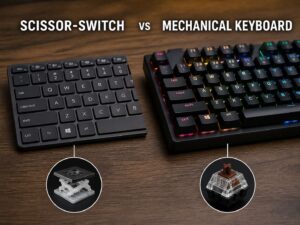
Mechanical keyboards usually cost more, but they often feel better. Each key has its own switch. That gives a more direct press, stronger feedback, and a cleaner typing feel.
Membrane keyboards cost less and often make less noise. They work well for shared rooms, basic office work, and casual typing.
Pick mechanical if you type a lot, game often, or care about how each key feels. Pick membrane or low-profile scissor keys if you want quiet typing, a slim shape, and a lower price.
A good mechanical keyboard often starts around $60 to $80. Better models usually sit between $100 and $180. Premium versions cost more, but you may not need them.
Switch type matters. Linear switches feel smooth. Tactile switches give a small bump. Clicky switches make more noise. For office use, quiet tactile or quiet linear switches make the most sense.
Full-Size, TKL, 75 Percent, or Compact?
Keyboard size changes both comfort and value. A full-size keyboard includes a number pad. This layout works well for finance, spreadsheets, data entry, and office tasks.
A TKL keyboard removes the number pad. It saves desk space and keeps your mouse closer to your body. That can make long desk sessions feel more comfortable.
A 75 percent keyboard keeps the function row and arrow keys in a smaller body. This layout saves space but does not feel too limited.
A 60 percent or 65 percent keyboard works well for small desks, gaming setups, and travel. The trade is clear. You lose some dedicated keys, so shortcuts and office work can feel slower.
Choose the size that fits your routine. Do not pay more for a compact board just because it looks cleaner.
Wireless, Wired, or Both?
Wireless keyboards cost more, but they keep your desk cleaner. They also help if you switch between a desktop, laptop, tablet, and phone.
Bluetooth works well for office tasks. A USB receiver often gives a steadier connection. Wired keyboards still make sense for gaming, low input delay, and zero battery concerns.
For most daily users, wireless is worth a small price jump. Look for USB-C charging, long battery life, and multi-device support.
Gamers should check wired mode, polling rate, and software settings. Office users should care more about comfort, battery life, and connection stability.
Features That Are Worth Paying For
Some keyboard features improve daily use. Others just raise the price.
Pay more for:
Comfortable key spacing
A layout that fits your work
Stable keys
Good switches
Quiet typing for shared rooms
USB-C charging
Multi-device support
Strong key legends
A natural typing angle
A clear return policy
Skip features that you will not use:
Bright RGB lighting
Macro keys with no real purpose
Tiny screens on the keyboard
Oversized gaming styling
Ultra-high polling rates for normal typing
Premium materials that do not improve comfort
Backlighting can help in dim rooms. RGB can look nice, but it should not lead the purchase.
How Much Should Office Workers Spend?
Office workers should usually spend $60 to $120. This range gives the best balance of comfort, quality, and price.
A quiet keyboard matters in shared spaces. Low-profile keys can feel familiar if you use a laptop often. Multi-device support helps if you move between a work laptop and a personal computer.
People who work in spreadsheets need a number pad. Others may prefer a TKL or 75 percent layout, since it frees up mouse space.
Avoid loud clicky switches for office work. They can distract people nearby and make video calls feel messy.
Your full desk setup matters too. If you are planning a better work area, pair the keyboard budget with your mouse budget. This guide on how much you should spend on a mouse in 2026 can help you balance the cost across both.
How Much Should Gamers Spend?
Casual gamers can spend $50 to $100 and get a good keyboard. Look for good switches, anti-ghosting, a strong case, and a layout that leaves room for wide mouse movement.
Competitive gamers can spend $120 to $220. At that price, rapid trigger, adjustable actuation, high polling rates, and onboard profiles start to matter.
The keyboard will not replace practice or a good mouse. Spend more only if the feature fits the games you play. Magnetic switches help most in fast shooters and rhythm games. They matter less for slow strategy games or casual play.
A solid $90 keyboard can beat an overbuilt $220 board with features you never touch.
How Much Should Writers and Programmers Spend?
Writers and programmers should aim for $80 to $180. Typing feel matters here. Layout matters too.
A poor keyboard can make long sessions feel tiring. A good one can make the work feel smoother and more controlled.
Tactile switches often suit writing because the small bump confirms each key press. Quiet linear switches can work well too. Programmers often like TKL and 75 percent layouts because they keep arrow keys and function keys close.
Hot-swappable switches are useful if you want to change the feel later. Better keycaps can improve texture, sound, and grip.
Noise matters as much as feel. If you work near other people, choose quieter switches. For a more peaceful setup, this guide to noise-canceling headphones in 2026 can help you plan the rest of your desk gear.
Cheap Keyboard vs Expensive Keyboard: What Really Changes?
The main changes are feel, sound, stability, materials, and features.
A cheap keyboard usually works fine at first. Over time, the keys may wobble more. The case may flex. The typing feel may become less pleasant.
A better keyboard often feels steadier. The keys press more cleanly. The sound feels less hollow. The layout usually feels more refined.
Expensive keyboards can feel smoother and sound deeper. Some give you advanced gaming controls or custom switch options. Still, price does not guarantee comfort.
Your hands matter more than the spec sheet. A slim $90 keyboard may suit you better than a heavy $220 mechanical board. Match the keyboard to your daily habits, not to the loudest product claim.
The Best Budget for Most People
Most people should spend $50 to $120 on a keyboard. That price range covers good wireless models, strong office keyboards, and entry-level mechanical boards.
Spend under $50 for light use. Spend $60 to $120 for daily work, school, and home office tasks. Spend $120 to $200 for serious typing, gaming, coding, or better mechanical feel. Spend over $200 only for premium features that matter to you.
A smart keyboard budget is not about buying the most expensive model. It is about buying the right tool for the way you type.
Final Verdict: Spend for Comfort First
A keyboard should feel good every day. Start with your main use, then set the budget around that.
For casual use, $30 to $60 is enough. For work and daily typing, $60 to $120 gives the best value. For gaming, writing, coding, or a better mechanical feel, $120 to $200 makes sense. Premium boards above $200 suit people who know exactly what they want.
The best keyboard is not always the priciest one. It is the one that fits your hands, your desk, your noise level, and your daily routine.