
Logitech Wave Keys: Specs, Features, Pros & Cons
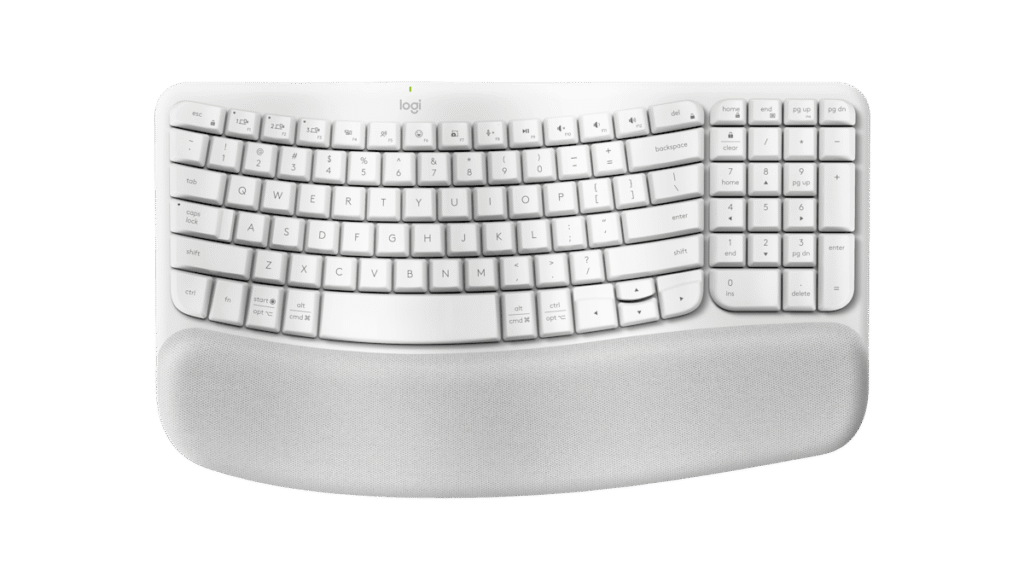
Logitech's Wave Keys sits in the gap between an ordinary flat keyboard and a true split. The key rows follow a gentle wave across the board while the whole thing stays in one piece, so the letters are where your fingers already expect them and the change you feel is in the angle of the wrists.
That puts it at the mild end of the ergonomic scale. A split board spreads your hands further apart and asks for weeks of slower typing in return, and this one asks for an afternoon. The cushion along the front edge is part of the frame, so it cannot drift or be left behind in a drawer.
Around that shape it is a conventional Logitech office keyboard, which is a compliment here. The full-size layout keeps the number pad, the legends cover both Windows and Mac, and the top row doubles as media keys. It pairs with up to three computers through Logitech's receiver or Bluetooth, remapping runs through the maker's software, and the batteries are the disposable kind, so the keyboard never goes on a charger. It does not attempt much else. The switches are membrane and soft, nothing lights up, there is no cable mode, and neither onboard profiles nor sound dampening are part of the package.
Its intended reader types all day, has started to notice it in the wrists by late afternoon, and does not want the keyboard itself to become a project. That buyer gets relief from the first morning. Anyone whose shoulders ache as well as their wrists may eventually want the wider stance of a split, and the Wave Keys is a sensible step before that commitment.
Category strengths
Where the Logitech Wave Keys beats the median
- Much longer battery life ?26,280 h vs 325 h (median)
Where the Logitech Wave Keys trails the median
- No hot-swappable switches ?
- No sound dampening ?
- No onboard profiles ?
- Fewer connection options ?
- No rotary knob ?
How this VS Score was computed
Score 26: each known spec is measured against the median of all keyboards (101 products), then weighted; 50 means level with that median. In classes of six or more, a value beyond the class’s 10th–90th percentile range counts as that limit, so one extreme product cannot set the scale. 50% of the scoreable weight could be used; unknown values, features not applicable to this class and proxies (battery capacity where a rated life exists) add or remove nothing.
| Specification | This product | Cohort median | Score weight | Points moved |
|---|---|---|---|---|
| Battery life | 26,280 — capped at the class’s upper range (1,600) | 325 | 0.6 | +30.0 |
| Hot-swappable | No | 61% of the class have it | 0.6 | −28.8 |
| Rapid trigger | No | 25% of the class have it | 0.5 | −24.0 |
| Adjustable actuation | No | 24% of the class have it | 0.4 | −19.2 |
| Switch technology | Membrane | Mechanical | 1 | −17.0 |
| Sound dampening | No | 76% of the class have it | 0.3 | −14.4 |
| Backlight | None | RGB | 0.3 | −14.4 |
| Onboard profiles | No | 89% of the class have it | 0.3 | −14.4 |
| Connection | 2 | 3 | 0.8 | −13.6 |
| Rotary knob | No | 53% of the class have it | 0.2 | −9.6 |
| Bluetooth devices | 3 | 3 | 0.3 | +0.0 |
Not scored: Actuation force (unknown: not scored); N-key rollover (unknown: not scored); Analog input (not applicable: only 14% of this class have it); Polling rate (unknown: not scored); Wired latency (unknown: not scored); Wireless latency (unknown: not scored); Front height (unknown: not scored); Battery capacity (unknown: not scored); USB passthrough (not applicable: only 4% of this class have it); Keycap material (unknown: not scored); Programmable keys (standard for the class (99% have it)); Media controls (standard for the class (97% have it)); Configuration software (standard for the class (95% have it)).
Editor’s note
The Wave Keys is Logitech's attempt to make an ergonomic keyboard that does not look like medical equipment, and it mostly succeeds.
The wave shape is gentler than a true split board: the key rows curve but stay in one piece, so getting used to it takes hours. Paired with it is a cushioned palm rest with three layers of memory foam. If your wrists ache by mid-afternoon, that combination helps, and it does so without asking you to relearn typing.
Practically, it is a full-size layout with a number pad in 376 x 219 mm, weighs 750 grams, and runs on two AAA batteries that Logitech rates for up to 36 months, long enough to forget it takes batteries at all. It connects over a Logi Bolt receiver or Bluetooth Low Energy, with Easy-Switch for up to three devices, and Logi Options+ handles key remapping and Flow with a compatible mouse. The keys are dual-printed for Windows and Mac, and the F-row doubles as media controls.
The switches are membrane, so the feel is soft and quiet rather than crisp. That suits typing all day and will disappoint anyone who has used a mechanical board. There is no backlighting at all, which is a real omission on a keyboard aimed at long working hours. There is no wired option, and the palm rest is fixed in place, so the footprint is what it is.
Buy it if you type for a living, want wrist relief, and are not attached to mechanical switches.
Skip it if you work in the dark, want a mechanical feel, or need a compact desk footprint. A true split board will also relieve more strain if you can commit to relearning.
Specifications
Quality bars show where each figure sits between the lowest and highest of the 101 keyboards this VS Score is measured against.
Switches & typing
Performance
Layout & size
Connectivity
Build & sound
Features
Sources and verification
Where the specifications come from
- Official product pagelogitech.com
- Independent testingrtings.com
Verification
- First published
- Specifications last checked
- Sheet completeness
- 20 of 34 specifications verified; the rest show as Unknown and are never estimated or scored
- Page type
- Product specification page — Compiled from the manufacturer’s published specifications and the cited sources; this is not a hands-on test.
- Basis
- Research-based: specifications and editorial text were compiled from the documents listed here and the manufacturer’s published data. We have not tested this unit ourselves; where independent measurements are mentioned they belong to the linked publication.
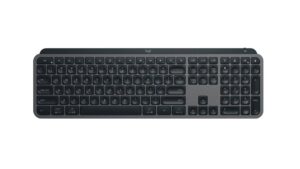
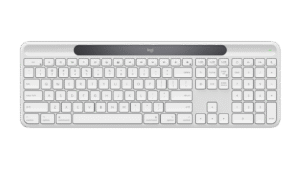
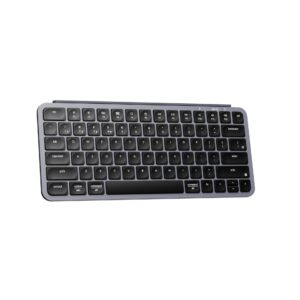
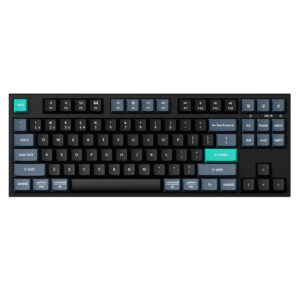
Keyboards with similar specs to the Logitech Wave Keys
Ratings & reviews
No reviews yet. Be the first to share your experience.
The bottom line
The Logitech Wave Keys earns a VS Score of 26, below the median of the 101 keyboards it is measured against (a score of 50 is level with that median).
- Who it’s for
- An all-day typist whose wrists ache by mid-afternoon and who wants relief without relearning to type or switching to a split board.
- Who should look elsewhere
- People who work in dim rooms should look elsewhere, since nothing is backlit. It is also wrong for mechanical fans and small desks.
- The trade-off that matters
- The palm rest is fixed to the frame, so the board takes a large, permanent footprint whether or not you want the cushion there.
- The main alternative
- Razer Pro Type Ergo: a true split with a fixed tilt, for more relief if you can spend a two weeks relearning where the keys are.
The VS Score is calculated from the weighted specifications above, each measured against the median of comparable keyboards — a shortlisting guide, not a substitute for your own priorities. See how we score.





