The short answer
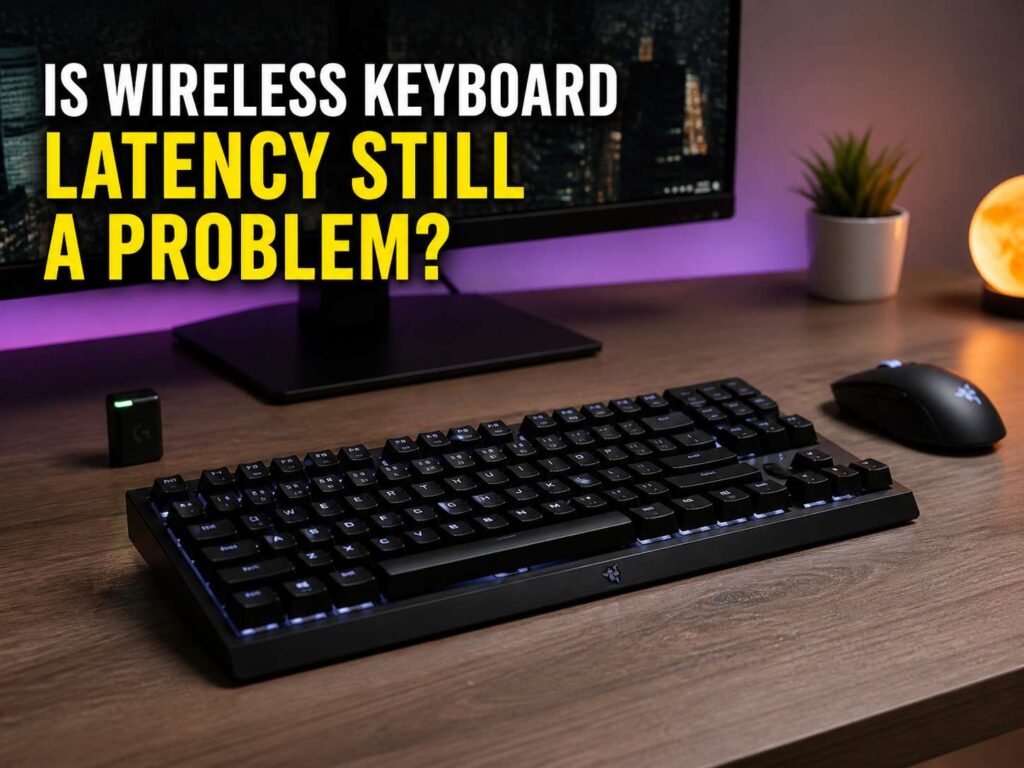
Wireless keyboard latency is not a big problem for most people in 2026. For office work, school work, writing, coding, browsing, and casual gaming, a good wireless keyboard feels fast. You press a key, and the action shows up right away.
Still, wireless delay has not vanished from every setup. A cheap Bluetooth keyboard can feel slow. A crowded desk can cause dropouts. A weak battery can make input less stable. Competitive players can also notice small delays in fast shooters, rhythm games, and esports titles.
So the real question is not whether every wireless keyboard has lag. The better question is simple: which wireless keyboard are you using?
A good 2.4 GHz wireless gaming keyboard with a USB receiver can feel very close to wired. Bluetooth works well for laptops, tablets, phones, and travel. Yet Bluetooth still puts comfort, battery life, and easy device switching ahead of raw speed in many models.
Why wireless keyboards used to feel slower
Older wireless keyboards often focused on battery life first. Speed came second. Many models used slower wireless chips, weaker receivers, and basic software. That worked fine for emails, but it often felt poor in games.
Gamers noticed delayed movement. Writers noticed missed first key presses after the keyboard woke from sleep. Some keyboards dropped inputs on busy desks. Back then, a wired keyboard felt safer.
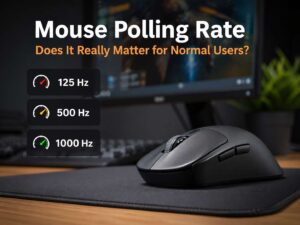
Modern wireless keyboards are much better. Gaming brands now tune their 2.4 GHz receivers for faster input and stronger stability. Many models support 1000 Hz polling. Some premium boards go higher.
That sounds technical, but the idea is simple. A higher polling rate lets the keyboard report input more often. Still, polling rate is only one part of the story. Switch design, firmware, receiver placement, battery level, and software all affect how fast the keyboard feels.
For a deeper look at this topic, see this guide on whether keyboard polling rate and latency matter.
What keyboard latency actually means
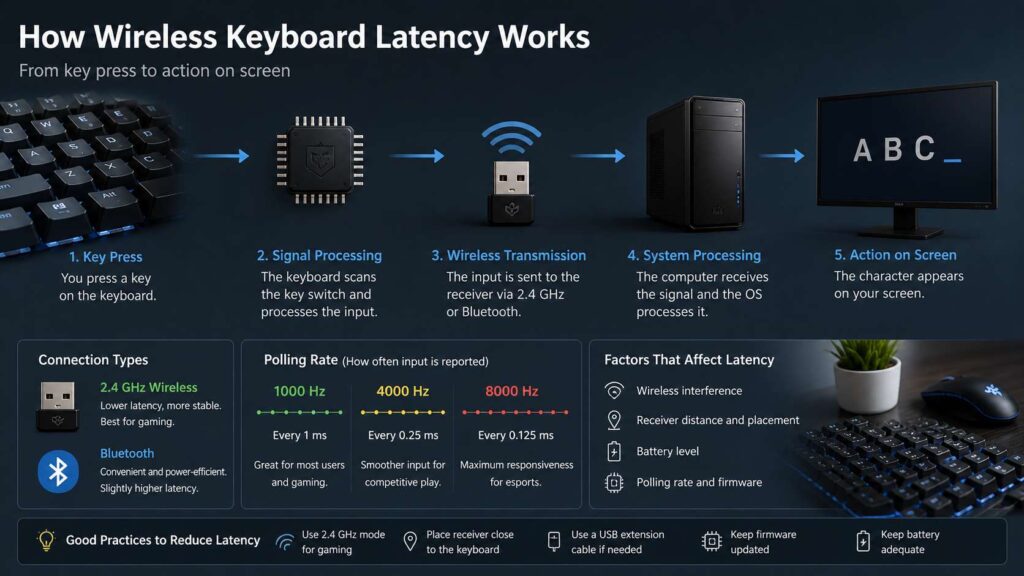
Keyboard latency is the delay between pressing a key and the computer receiving that input. The delay comes from several small steps.
The switch detects the press. The keyboard scans the key matrix. The controller processes the input. Then the keyboard sends the signal through USB, Bluetooth, or a 2.4 GHz receiver. After that, the operating system and app process the command.
For typing, this delay rarely stands out. The keyboard only needs to feel instant, steady, and accurate. For gaming, the full input chain matters more. A fast keyboard will not fix a slow monitor, low frame rate, poor game settings, or bad internet.
Polling rate gets a lot of attention, and it does matter. A 1000 Hz keyboard reports input every 1 millisecond. A 4000 Hz keyboard reports input every 0.25 milliseconds. An 8000 Hz keyboard reports input every 0.125 milliseconds.
Still, those numbers do not tell the full story. A well-built 1000 Hz keyboard can feel better than a poorly tuned keyboard with a higher number on the box.
Bluetooth vs 2.4 GHz wireless keyboards
Bluetooth and 2.4 GHz wireless keyboards serve different users.
Bluetooth works best for clean desks, travel, tablets, phones, and multi-device setups. Many Bluetooth keyboards let you switch between a laptop, tablet, and phone with one shortcut. That makes them useful for students, office users, and people who work across several screens.
Still, Bluetooth often feels less direct than 2.4 GHz. It can add more delay. It can wake slowly after sleep. It can also behave oddly with some laptops, USB hubs, or power-saving settings.
A 2.4 GHz keyboard usually feels faster. It uses a dedicated USB receiver. That receiver creates a more direct connection between the keyboard and the computer. Gaming brands often tune this mode for lower delay and better signal strength.
So the simple rule is clear. Use Bluetooth for comfort and flexibility. Use 2.4 GHz for gaming and lower input lag.
Is 1000 Hz polling enough?
Yes, 1000 Hz polling is enough for most people. It gives a 1 millisecond polling interval, which sits below what most users notice during normal typing.
A 1000 Hz wireless keyboard works well for office work, writing, coding, school work, and most games. It also uses less battery than very high polling modes. That matters if you use the keyboard every day and dislike constant charging.
Higher polling rates make more sense for a smaller group of users. Fast shooters, rhythm games, and esports titles benefit the most. Players with 240 Hz, 360 Hz, or faster monitors have a better chance of noticing the difference.
Even then, higher polling is not magic. Your monitor, game frame rate, mouse, PC performance, and reaction time all matter too. For most buyers, switch feel, layout, battery life, build quality, and stable wireless matter more.
Why some Bluetooth keyboards still feel slow
Bluetooth keyboards often use power-saving behavior. That helps battery life, but it can create a short delay after idle time. You press a key after a break, then the keyboard wakes up first. The key press can feel late or even get missed.
Some laptops also manage Bluetooth power in the background. That can add small delays or random connection drops. A weak internal Bluetooth chip can make things worse.
This is why two Bluetooth keyboards can feel very different. One can feel smooth for daily work. Another can feel sleepy and inconsistent, even on the same desk.
Battery level matters too. A low battery can create missed keys, delayed input, or unstable pairing. So before you blame Bluetooth itself, charge the keyboard and test again.
Does wireless latency matter for typing?
For normal typing, wireless latency rarely matters. Your typing speed, key feel, wrist position, keyboard angle, and layout matter more.
A writer who types 70 words per minute presses hundreds of keys each minute. That sounds fast, but it still does not require esports-grade latency. The keyboard only needs to register each press cleanly.
A bad wireless keyboard can still hurt the experience. Missed letters, double inputs, slow wake, and random disconnects break focus. These problems feel like latency, but they often come from weak firmware, poor battery handling, or signal trouble.
For long writing sessions, comfort wins. Pick a layout you like. Choose switches that feel good. Look for strong wireless reviews. Then check battery life and software support.
Does wireless latency matter for gaming?
Wireless latency matters more in gaming, but modern 2.4 GHz gaming keyboards have mostly solved the old problem.
For single-player games, RPGs, strategy games, racing games, and casual shooters, a good wireless keyboard feels fast. You will often notice frame rate, monitor refresh rate, mouse shape, and game performance before keyboard delay.
For competitive games, every part of the setup matters. A low-latency keyboard helps, but it only works as one part of a clean system. You still need steady frames, a fast display, a good mouse, and proper game settings.
A 2.4 GHz wireless keyboard with 1000 Hz polling or higher is the safe choice for gaming. Place the receiver close to the keyboard. Use the included extension cable if the brand provides one. That small step can improve stability more than many people expect.
The same logic applies to mice too. A good wireless mouse can now feel extremely fast, but setup quality still matters. This comparison of a wireless mouse vs wired mouse explains that trade-off in more detail.
Common causes of wireless keyboard lag
Wireless keyboard lag often comes from setup problems, not the keyboard alone.
A USB receiver plugged into the back of a metal PC case can lose signal strength. A crowded USB hub can cause trouble too. Thick desks, monitor arms, metal frames, routers, and other wireless devices can add noise.
Low battery can create delay or missed inputs. Some keyboards reduce performance near the end of the charge. Old firmware can cause unstable behavior. Extra software can also create conflicts with macros, lighting, profiles, or sleep settings.
Sleep mode creates another common issue. Some keyboards save power after a short idle period. The first key press wakes the keyboard instead of typing. That feels like lag, but it is really a wake delay.
Move the receiver closer. Charge the keyboard. Update the firmware. Turn off deep sleep or raise the sleep timer in the keyboard app. Then test again in wired mode. These steps fix many wireless keyboard lag complaints.
How to choose a low-latency wireless keyboard
Start with the connection type. For gaming, choose 2.4 GHz with a USB dongle. For work across several devices, Bluetooth makes sense. For the most flexible setup, choose a keyboard with Bluetooth, 2.4 GHz, and wired USB.
Next, check the polling rate. 1000 Hz is a strong baseline for gaming. 4000 Hz and 8000 Hz target competitive players with fast monitors. Those higher settings can drain the battery faster, so use them only where they help.
Look at the receiver design too. A good keyboard often includes a USB extender or receiver dock. Place it near the keyboard, not behind the PC.
Firmware support matters. A brand that updates firmware can fix latency bugs, battery drain, pairing issues, and sleep problems.
Then check the switches. Linear switches often feel faster for gaming. Tactile switches feel clearer for typing. Hall effect switches add adjustable actuation on some gaming boards, which lets you change how early a key press registers.
Battery life also matters. A keyboard that lasts for weeks at 1000 Hz feels easier to live with than one that needs frequent charging at 8000 Hz.
Best settings to reduce wireless keyboard input lag
Use 2.4 GHz mode for gaming. Keep Bluetooth for travel, tablets, phones, or quick laptop switching.
Plug the receiver into a front USB port or use the extension cable. Keep the receiver close to the keyboard and away from metal barriers.
Set the polling rate to 1000 Hz first. Test higher settings after that. If 4000 Hz or 8000 Hz drains too much battery, return to 1000 Hz.
Update the keyboard firmware and receiver firmware. Some keyboards need both updates for the best wireless performance.
Turn off deep sleep or extend the sleep timer. This helps if the first key press fails after a break.
Keep the keyboard charged above 20 percent. Low charge can create strange wireless behavior on some models.
Test the keyboard in wired mode. If the problem stays, the issue likely sits in software, switches, game settings, or the PC. If the problem goes away, the wireless setup needs attention.
Wired vs wireless keyboard in 2026
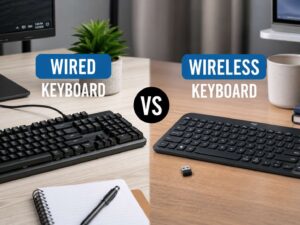
A wired keyboard still gives the simplest setup for raw reliability. You plug it in, and it works. No battery. No receiver. No pairing. No signal noise.
Wireless gives a cleaner desk, easier laptop use, and more freedom. In 2026, that no longer means obvious lag with a good 2.4 GHz keyboard.
For a fixed desk setup, wired still makes sense. For a laptop desk, shared workspace, or clean gaming setup, wireless feels better. For competitive play, both a top 2.4 GHz board and a wired board can work well.
Budget also matters. A cheap wired mechanical keyboard can feel better than a cheap wireless one at the same price. Low-cost wireless models often hide weak firmware behind nice photos and vague claims.
Who should still buy wired?
Buy wired if you hate charging devices. Buy wired if your keyboard never moves. Buy wired if you play tournaments on shared PCs, where wireless pairing can waste time.
Wired also makes sense for budget buyers. You often get better switches, stronger build quality, and fewer connection worries for the money.
For office users, wired removes one more thing from the troubleshooting list. That matters in shared workstations, schools, and business desks.
Still, wireless no longer needs a warning label. A quality 2.4 GHz keyboard now gives speed, comfort, and a clean setup in one package.
Final verdict
Wireless keyboard latency still exists, but it is no longer a major problem for most buyers.
For normal users, Bluetooth feels fine for typing, browsing, school work, and office tasks. For gaming, 2.4 GHz wireless is the better pick. For serious esports, choose a proven low-latency board with 1000 Hz polling or higher, then place the receiver close to the keyboard.
Do not buy only by polling rate. A keyboard with stable firmware, strong wireless, good switches, and sensible battery life will feel better every day.
The best answer for 2026 is simple. Wireless keyboard latency can still show up in weak products or poor setups. With the right keyboard and a clean connection, wireless feels fast enough for work, play, and competitive gaming.