Mouse weight matters, but not in the same way for everyone. A light mouse can feel quick, easy to lift, and less tiring during fast movement. A heavier mouse can feel steady, calm, and more natural for long work sessions.
So, the real question is not “Is a lighter mouse always better?” The better question is this: does the mouse weight fit your hand, grip, desk space, and daily use? For gaming, the answer can affect aim and reaction time. For office work, it can affect comfort, wrist strain, and how relaxed your hand feels after a long day.
Focusing only on grams can lead to the wrong choice. Shape, balance, mouse feet, grip style, and sensitivity all change how heavy a mouse feels. A 60g mouse can feel poor if the shape cramps your hand. At the same time, a 100g mouse can feel smooth if it supports your palm well.
This guide keeps things practical. You will learn what mouse weight means, how it affects gaming, how it affects work, and which weight range makes sense for your setup.
What Mouse Weight Really Means
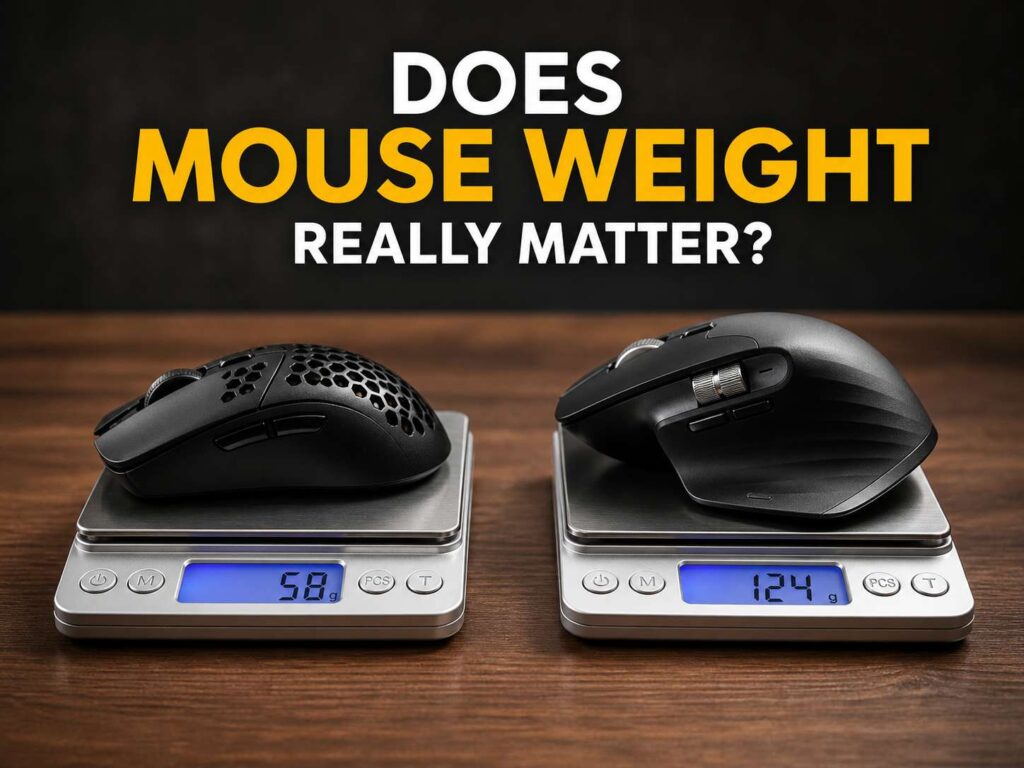
Mouse weight is measured in grams. Most brands list the total weight of the mouse body. Wireless mice may weigh more than wired models due to the battery, shell structure, and extra internal parts. Some gaming mice now sit under 60g, and many office mice sit closer to 90g, 120g, or more.
Still, the number on the box does not tell the full story. Weight balance matters too. A mouse can weigh 75g but feel nose-heavy. Another mouse can weigh 90g and feel easier to move due to better balance and smoother feet.
The mouse pad changes the feel as well. A rough cloth pad adds drag. A smooth hybrid pad makes the same mouse feel lighter. Worn mouse feet can make movement feel slow, even if the mouse itself has a low weight.
For that reason, mouse weight works best as a guide, not a final answer. It helps you narrow your choices, then shape and comfort finish the decision.
Why Lightweight Mice Feel Faster
A lighter mouse needs less force to move. That helps with fast starts, quick stops, and repeated corrections. In fast games, your hand does this over and over. You flick toward a target, stop the mouse, adjust your aim, then track the next movement.
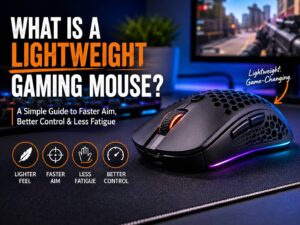
For this reason, many FPS players prefer lightweight mice. A mouse in the 50g to 70g range can feel easier to move across a large mouse pad. It can also reduce fatigue during long gaming sessions, mainly for players who use low sensitivity.
Low sensitivity needs wider arm movement. A heavy mouse makes those wide swipes feel slower. A light mouse lets you move with less effort, so your hand and arm stay fresher.
That said, lighter is not always better. You may overshoot targets at first or feel less control during small aim corrections. The hand needs time to adjust, mainly if you switch from a heavy office mouse to an ultralight gaming mouse.
Why Heavier Mice Still Make Sense
A heavier mouse can feel more stable. That extra mass can calm small hand shakes and make slow cursor moves feel smoother. For office work, photo editing, video timelines, spreadsheets, and browsing, that steady feeling can help.
Plus, heavier mice often come with larger shells and more features. Many productivity mice include extra buttons, larger scroll wheels, thumb rests, and longer battery life. These parts add weight, but they can make daily work easier.
A heavier mouse can also suit palm grip better. Your hand rests on the mouse, so the shell supports more of your palm. If the shape fits well, the extra weight may not feel like a problem.
Still, too much weight can tire your wrist. This becomes clear on small desks, rough mouse pads, or setups where you lift the mouse often. If your wrist feels sore after a few hours, weight may be part of the issue.
Best Mouse Weight Ranges for Most Users
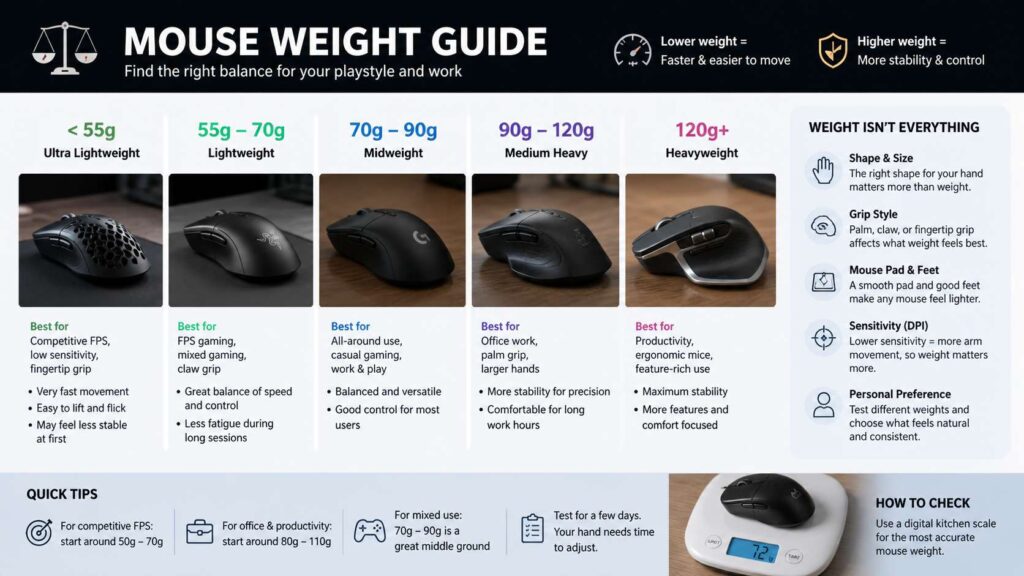
Mouse weight is personal, but clear patterns exist. Use these ranges as a simple starting point.
| Mouse weight | Best for | Feel |
|---|---|---|
| Under 55g | Competitive FPS, fingertip grip, low sensitivity | Very fast, easy to lift, more sensitive to small movement |
| 55g to 70g | FPS gaming, mixed gaming, claw grip | Light, quick, still controlled |
| 70g to 90g | Casual gaming, work and gaming, medium hands | Balanced, familiar, less twitchy |
| 90g to 120g | Office work, palm grip, larger hands | Stable, supportive, better for slow cursor control |
| Over 120g | Feature-rich productivity mice | Very steady, slower for fast gaming |
These ranges do not replace hand feel. They only help you shop smarter. A good 80g mouse can beat a poor 55g mouse if the shape suits your hand better.
Does Mouse Weight Matter for Gaming?
Mouse weight matters most in fast games. First-person shooters reward quick movement, clean stopping, and accurate micro-corrections. A lighter mouse can help with all three.
For games like Valorant, Counter Strike 2, Apex Legends, Fortnite, and Overwatch 2, a mouse near 50g to 70g is a good target. This range gives speed without making the mouse feel too hollow. Players who use fingertip grip often go lighter. Players who use palm or relaxed claw grip often prefer a little more weight.
For MMO, MOBA, strategy, and casual games, weight matters less. Extra buttons, shape, scroll feel, and software profiles can matter more. An MMO player may prefer a heavier mouse with many side buttons over a lighter mouse built for esports.
Next, think about sensitivity. Low sensitivity users move the mouse more, so lower weight helps. High sensitivity users move the mouse less, so weight becomes less noticeable. Desk size matters too. A large mouse pad makes a light mouse feel more useful. A tiny desk limits wide movement, so shape and comfort matter more.
Does Mouse Weight Matter for Office Work?
For office work, comfort matters more than raw speed. You click, drag, scroll, switch tabs, edit documents, and move across windows for hours. A mouse that feels relaxed can save your hand from strain.
A lightweight mouse can help if you lift your mouse often or work from a small desk. It can also help people with smaller hands. Less weight means less effort during repeated movement.
At the same time, a medium or heavier mouse can feel better for long writing, browsing, and spreadsheet work. It gives the pointer a calm feel. It can also support the palm better if the shell has the right shape.
For most office users, a mouse between 80g and 110g feels comfortable. Users who prefer compact mice may like 60g to 80g. Users who love full-size ergonomic mice may prefer 110g or more.
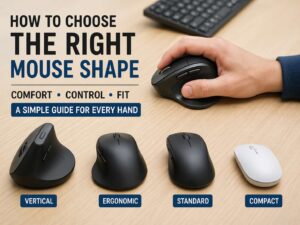
If comfort is your main goal, shape deserves the first look. A helpful place to start is this guide to the best mouse shape for your hand, since hand size and grip style often matter more than the number of grams.
Grip Style Changes the Best Mouse Weight
Grip style has a big effect on mouse weight. The same 70g mouse can feel perfect for one person and awkward for another.
Palm grip works well with medium and heavier mice. Your hand rests on the mouse, so the shell carries more of the weight. A larger body can feel more natural here.
Claw grip works well with light and middleweight mice. Your fingers stay ready for quick movement, but the palm still touches part of the shell. Many claw grip users like 55g to 80g.
Fingertip grip works best with small, light mice. The fingers control most of the movement, so lower weight helps. A heavy mouse can feel slow with this grip.
Hand size matters too. A small ultralight mouse can feel cramped in a large hand. A large heavy mouse can feel clumsy in a small hand. So, do not shop by weight alone. Match the weight to the shape and grip.
Ergonomic Mouse vs Gaming Mouse Weight
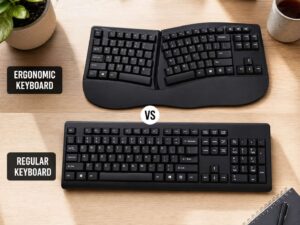
Gaming mice and ergonomic mice follow different goals. A gaming mouse usually cuts weight to improve speed. An ergonomic mouse often adds size and support to improve comfort.
That does not mean one type is better. It means each one serves a different job. A gaming mouse suits fast aim, low delay, and quick movement. An ergonomic mouse suits long hours, a relaxed grip, and better wrist position.
If you work during the day and game at night, the choice gets harder. A lightweight ergonomic-style gaming mouse can be a good middle ground. Look for a shape that supports your palm but stays under 90g if you want one mouse for both tasks.
For a deeper comparison, this guide on ergonomic mouse vs gaming mouse can help you decide which design fits your routine better.
DPI, Sensitivity, and Weight Work Together
DPI changes how far the cursor moves on screen. Mouse weight changes how much effort your hand uses. These two things work together, but they do not replace each other.
A high DPI setting can make a heavy mouse move farther with less desk movement. Still, the mouse keeps the same mass. Your hand still needs to start it, stop it, and correct it.
A low DPI setting gives more control for many gamers, but it needs more desk movement. That is where a lighter mouse helps. You can move farther with less strain.
For office use, very high DPI can feel jumpy. A medium DPI setting with a comfortable mouse weight usually feels better. The goal is simple: your pointer should land where you expect without hand tension.
Balance and Mouse Feet Matter Too
Weight alone does not decide how smooth a mouse feels. Balance plays a major role. A rear-heavy mouse can feel awkward during lifts. A front-heavy mouse can feel harder to stop. A well-balanced mouse feels more natural, even if it weighs a bit more.
Mouse feet matter too. Smooth PTFE feet reduce drag. Worn or dirty feet add friction. Dust on the mouse pad can create the same problem.
So, if your current mouse feels heavy, check the simple things first. Clean the mouse pad. Wipe the sensor area. Check the feet for wear. Then test a smoother surface. You may find that friction, not weight, caused the problem.
Cable drag can also make a wired mouse feel heavier. A flexible cable helps. A mouse bungee can help too. Wireless mice avoid cable drag, but they add battery weight.
How to Test the Right Mouse Weight
Start with your current mouse. Find its weight online or place it on a kitchen scale. Then write down what feels wrong.
If your wrist feels tired, try a lighter mouse. If your aim feels shaky, try a slightly heavier mouse or lower your sensitivity. If your palm floats in the air, try a taller shell. If your fingers squeeze the sides, try a wider shape.
After that, test one change at a time. Keep the same DPI, same mouse pad, and same desk position for several days. A new mouse can feel strange at first. Your hand needs time to adjust to weight, shape, coating, and glide.
A good test lasts at least three normal sessions. One short test in a shop or during the first day can mislead you.
Common Mistakes to Avoid
Chasing the lowest weight can work for FPS gaming, but it can fail for office work or palm grip. A 45g mouse is not better if your hand feels tense.
A heavy mouse chosen for control can struggle in fast games. Stability helps, but too much weight slows fast aim. The mouse starts to feel planted in the wrong way.
Ignoring shape is the biggest mistake. A mouse that fits your hand well will feel lighter and easier to control. A bad shape will feel tiring, even with a low weight.
The mouse pad gets ignored too. A rough pad makes movement slower. A smooth pad makes the same mouse feel faster. Before replacing your mouse, check the surface under it.
Final Verdict: Is Mouse Weight Really Important?
Mouse weight is important, but it is not the whole story. For gaming, it can affect speed, aim control, and fatigue. For work, it can affect wrist comfort and cursor stability. Still, shape, grip style, balance, and mouse pad friction matter just as much.
Most FPS gamers should start near 55g to 70g. Most office users should start near 80g to 110g. People who want one mouse for work and play should look near 70g to 90g.
Pick a mouse that feels natural after a long session, not just one that looks good on a spec sheet. Your hand should stay relaxed. Your pointer should feel predictable. That is the real sign that the weight is right.