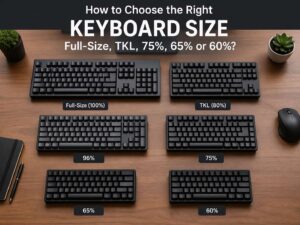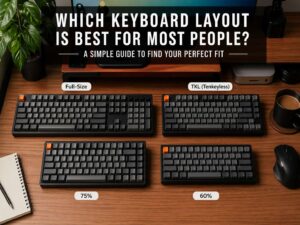
A 96% keyboard gives you almost everything from a full-size keyboard, yet it takes up less room on your desk. You still get the number pad, arrow keys, and top function row. The layout just pulls those sections closer together, so the board feels tighter and more space-friendly.
That simple idea is the main reason people search for this layout. You may want a smaller keyboard without giving up useful keys. A 60% board can feel too stripped down. A TKL board saves space, but it removes the number pad. A 96% keyboard lands in the middle, so it often feels like the practical choice for work and daily use.
If you have seen terms like 96 percent keyboard, 1800 compact keyboard, or compact full-size keyboard, you are usually looking at the same general family. The names can shift from brand to brand, but the goal stays the same. You get full-size function in a smaller frame.
What is a 96% keyboard?
A 96% keyboard is a compact version of a full-size keyboard. It keeps nearly all the keys you use every day, but it cuts out the empty gaps between key sections. The result is a keyboard that feels familiar, yet looks tighter and takes up less horizontal space.
On a normal full-size keyboard, there is usually clear separation between the main typing area, the arrow keys, the navigation cluster, and the number pad. On a 96% layout, those blocks move much closer together. In some cases, a few less-used keys shift position or disappear. Still, the main experience stays very close to full size.
That is the appeal of this layout. It does not ask you to relearn everything from scratch. You still have the number pad for spreadsheets and fast number entry. You still have the function row for shortcuts. You still have dedicated arrow keys, which matter a lot in office work, editing, and general navigation.
Why the 96% name confuses people
The name sounds precise, but the market does not treat it like a strict engineering standard. Some brands use 96% for keyboards with slightly different key counts. Others use 1800 compact for a nearly identical layout. Then some stores use both names for the same product type.
So the percentage should not be the only thing you look at. The layout photo matters more. The key count matters more too. If two keyboards both say 96%, one may have a slightly different right-side layout, a moved Delete key, or a tighter nav cluster.
That can confuse first-time buyers. Still, the core idea stays easy to understand. A 96% keyboard is basically a compact full-size keyboard with the numpad still attached.
Is a 96% keyboard the same as an 1800 compact keyboard?
In many cases, yes. These two terms often point to the same layout family. Some enthusiasts treat them as slightly different labels, but most shoppers can think of them as close relatives that serve the same purpose.
Both layouts aim to keep the number pad and function row in a shorter body. Both layouts reduce wasted space. Both layouts appeal to users who want a smaller desk footprint without giving up the keys found on a full-size board.
So if you search for a 96 keyboard layout and see results for 1800 compact boards, that is normal. The naming changes, but the benefit stays the same.
What keys are on a 96% keyboard?
Most 96% keyboards keep the keys people care about most:
- Alphanumeric keys
- Function row
- Arrow keys
- Number pad
- Core modifier keys like Ctrl, Alt, Shift, and Fn
That is a huge part of the appeal. Smaller layouts often remove the number pad or push many functions into secondary layers. A 96% keyboard usually avoids that problem.
Still, a few less-used keys may move or disappear. Print Screen, Scroll Lock, Pause, or Insert may shift to a new spot or move to a function layer. The exact layout depends on the brand and model, so product images are worth checking before you buy.
That trade feels fair. You keep the keys that matter most, and you lose little in return.
How a 96% keyboard feels in daily use
In day-to-day use, a 96% keyboard feels much closer to full size than most compact layouts do. Your hands still find the number pad. Your fingers still reach the arrow keys without a layer shortcut. The top row still sits in the usual place. That makes the adjustment period shorter.
The big difference is spacing. The layout feels denser. On a full-size board, each section has more breathing room. On a 96% keyboard, the right side can feel packed at first. Arrow keys may sit very close to the number pad. The nav keys may sit in a tighter column. That can throw off muscle memory for a few days.
Then you settle in. Once your hands learn the new spacing, the board often feels natural. In fact, some people end up liking the tighter shape more, since it wastes less room.
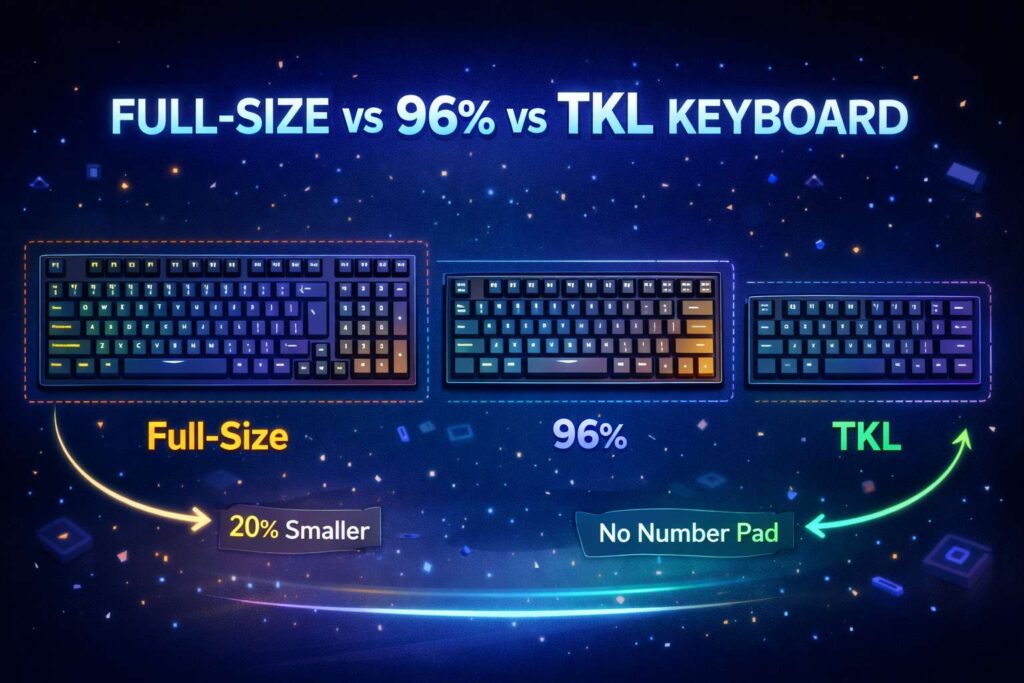
96% keyboard vs full-size keyboard
A full-size keyboard gives you every standard key in a traditional layout with full spacing between sections. It is comfortable and familiar, but it takes up more desk space.
A 96% keyboard keeps nearly the same function, but it trims the overall footprint. That means you get more room for your mouse, notebook, audio gear, or just a cleaner desk setup.
So which one is better? It depends on what annoys you more. If you want wide spacing and a classic layout, full size still wins. If you want a numpad and want more room on your desk, 96% often makes more sense.
96% keyboard vs TKL
A TKL keyboard removes the number pad. That saves a good amount of space, and the extra mouse room helps in games. Yet for office users, accountants, students, and anyone who enters numbers often, losing the numpad can be frustrating.
That is where a 96% keyboard stands out. You still save space, but you do not give up the numpad. So it works well for people who want a more compact board without losing productivity features.
If you rarely touch the numpad, TKL may still be the better fit. If you use it all the time, 96% is usually the smarter pick.
96% keyboard vs 75% keyboard
A 75% keyboard is even smaller. It keeps the function row and arrow keys, but it drops the numpad. That makes it a good choice for people who want a cleaner, tighter layout and do not need dedicated number entry.
If you want a closer look at that format, this guide on what is a 75% keyboard covers the key differences in a simple way.
The main gap between 75% and 96% is easy to spot. The 96% layout keeps the numpad. The 75% layout does not. So the better pick depends on your routine. If you type numbers often, 96% has a clear edge. If you want maximum space savings with strong everyday function, 75% can look more appealing.
Who should buy a 96% keyboard?
This layout fits several types of users very well.
Office workers are a strong match. A numpad helps with spreadsheets, budgets, reports, and general number entry. Students in finance, engineering, business, or data-heavy courses can benefit too. Then there are home users who want one keyboard for everything, from email to gaming to work tasks.
A 96% keyboard is a smart choice for people who:
- Use the number pad often
- Want a smaller board than full size
- Still want arrow keys and function keys
- Do not want to rely on layers for basic functions
- Share one keyboard across work and personal use
This layout is less ideal for users who want the smallest possible board or who care a lot about wide spacing between key groups. For those people, a TKL or 75% keyboard may feel better.
Main benefits of a 96% keyboard
The biggest benefit is balance. You get strong functionality without the bulk of a full-size board. That alone makes the layout attractive.
Desk space is another major win. A shorter keyboard can improve comfort, especially if you use a mouse a lot. Your mouse hand sits closer to your body, and that can make long sessions feel a bit easier.
Then there is the learning curve. A 96% layout asks for less adjustment than a 60% or 65% board. You still have dedicated keys for many common tasks, so the layout feels less disruptive.
There is another upside too. The 96% category now offers a lot of choice. You can find wired models, wireless models, hot-swappable boards, low-profile options, and gaming-focused designs. That variety makes it easier to find one that matches your budget and typing style.
Drawbacks to know before you buy
No keyboard layout is perfect, and the 96% format has a few trade-offs.
The tighter spacing is the first one. Some people love it. Others need time to adjust. If your hands are deeply used to a classic full-size keyboard, the compact right side may feel cramped at first.
Key placement can be another issue. Some keys move from the spots you expect. That is not a dealbreaker, but it can slow you down for a week or two.
Keycap compatibility needs attention too. A 96% board may use a few non-standard key sizes, depending on the model. So if you plan to swap keycaps later, check layout support before buying a set.
Mechanical vs membrane on a 96% keyboard
Layout is only one part of the buying decision. Switch type matters too. You will still need to choose between mechanical and membrane, or between different mechanical switch types.
For a cleaner breakdown, this guide on mechanical vs membrane keyboard explains the main pros and cons in plain language.
In short, a 96% keyboard can use either design. Many popular 96% boards use mechanical switches, which appeal to people who want a more precise and customizable feel. Membrane models exist too, and they usually cost less. So layout and switch type are separate choices, even though buyers often think about them at the same time.
What to check before buying a 96% keyboard
A few quick checks can save you from a bad purchase.
Look at the exact layout image first. Do not rely only on the product title. Next, check whether the keyboard is wired, wireless, or both. Then look at switch type, hot-swap support, software, and operating system support.
You should check:
- Key layout and key count
- ANSI or ISO format
- Switch type
- Hot-swap support
- Wired or wireless connection
- Battery life on wireless models
- Software for remapping
- Keycap compatibility
These details matter more than buzzwords. A keyboard can look great in photos and still feel wrong for your workflow if the layout or switches do not suit you.
Search terms people use for this layout
Users do not always search for one exact phrase. They often type related terms into Google, and many of those searches lead to the same layout type.
Common searches include:
- 96% keyboard
- 96 percent keyboard
- 96 keyboard layout
- compact full-size keyboard
- 1800 compact keyboard
- keyboard with numpad
- smaller full-size keyboard
- compact mechanical keyboard with numpad
That matters for shopping and for research. If you are comparing models, try more than one search phrase. You will often find better results that way.
Final thoughts
A 96% keyboard is one of the most practical keyboard layouts on the market. It keeps the keys you need every day, but it trims the size enough to make a real difference on the desk.
For users who want a numpad, arrow keys, and function row in a tighter shape, it is a very easy layout to recommend. The design is not tiny, and it is not minimal. That is exactly why it works so well. It gives up very little, yet it still saves space.
If you want a keyboard that feels close to full size without taking over your desk, a 96% layout is a strong place to start.