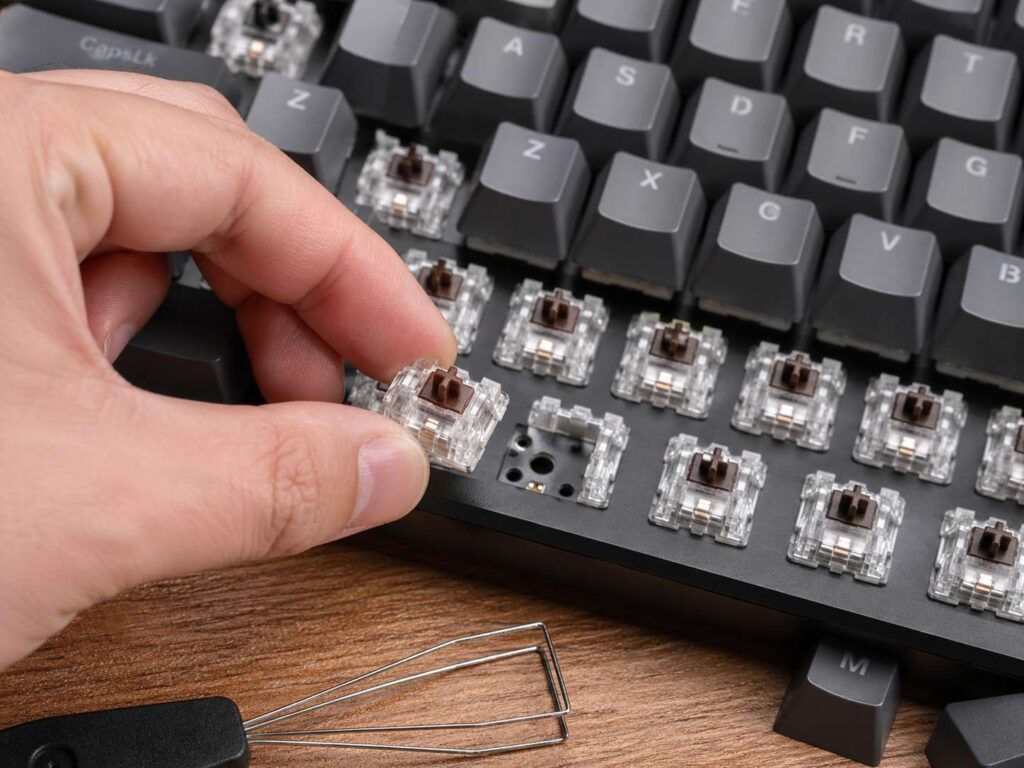
What Hot-Swappable Really Means
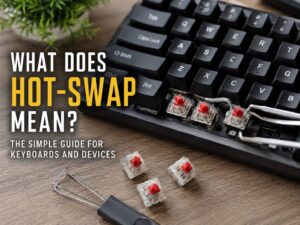
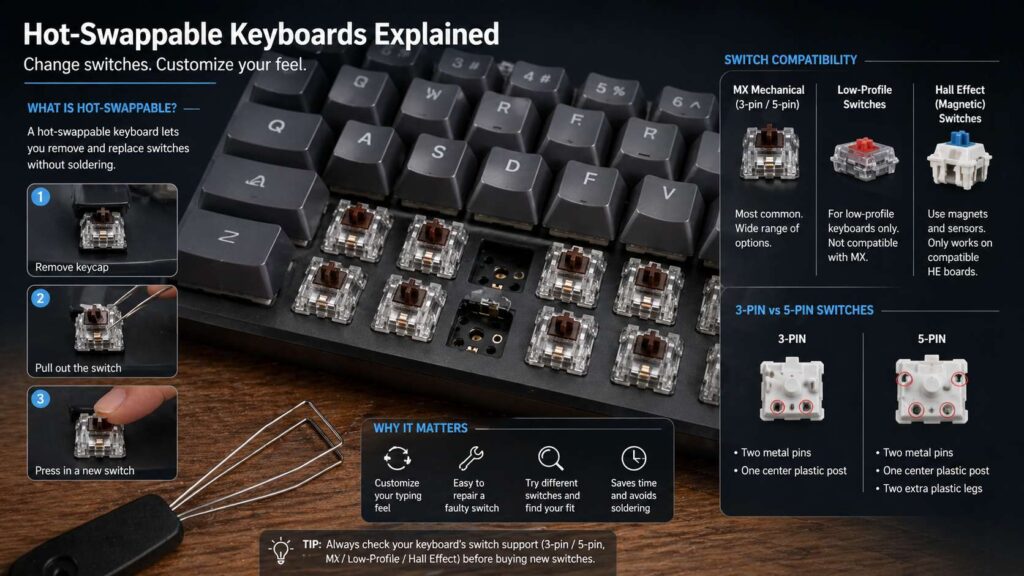
A hot-swappable keyboard lets you remove and replace the switches without soldering. That is the main idea. You take off the keycap, pull out the switch, then press a new switch into the socket.
That sounds simple, and with a good keyboard, it is simple. You can change the typing feel, fix a faulty switch, or test a few switch styles on the same board. For example, you can swap a stiff switch for a lighter one. You can replace a scratchy switch with a smoother one. You can also move from loud clicky switches to quieter silent switches.
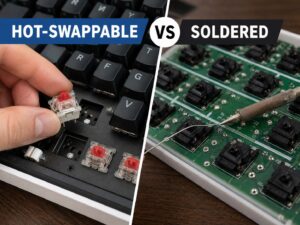
This feature matters most on mechanical keyboards. Each key has its own switch under the keycap. On a soldered keyboard, that switch sits fixed to the circuit board. To remove it, you need a soldering iron, solder wick, and steady hands. On a hot-swappable mechanical keyboard, the PCB uses sockets. Those sockets hold the switch pins, so you can change switches without solder.
So, hot-swappable does not mean the keyboard can use every switch made. It does not mean the layout changes. It means the keyboard lets you replace switches through sockets instead of solder joints.
Why Hot-Swappable Keyboards Became So Popular
Mechanical keyboards have moved far beyond basic typing. Many people now care about switch weight, key sound, travel distance, stem wobble, and long-session comfort. A hot-swappable keyboard makes those changes easier.
For example, a gamer may start with red linear switches, then test lighter linear switches for faster taps. A writer may start with brown tactile switches, then move to quieter tactile switches for late work sessions. An office user may replace loud blue switches with silent switches to keep the room calmer.
This feature also helps buyers avoid regret. Switch choice changes the whole keyboard feel. A board with heavy switches can tire your fingers. A board with very light switches can cause accidental presses. Hot swap gives you a second chance without forcing you to buy another keyboard.
That is the real appeal. You buy the keyboard once, then tune the feel later.
Hot-Swappable Does Not Mean Every Switch Fits
This part confuses many buyers. Hot-swappable does not mean universal. The socket type, switch pin layout, plate cutout, keyboard firmware, and switch technology all matter.
Most standard hot-swappable mechanical keyboards use MX-style switches. These include common switches from brands such as Cherry MX, Gateron, Kailh, Akko, Outemu, TTC, and several others. Many full-size MX-style switches use either 3 pins or 5 pins.
A 5-pin switch has two metal pins and three plastic pins. A 3-pin switch has two metal pins and one center plastic post. Many 5-pin hot-swap PCBs accept both 3-pin and 5-pin switches. Some cheaper boards support only 3-pin switches. You can trim the extra plastic legs from a 5-pin switch, but beginners may not want that hassle.
Low-profile switches create another issue. A low-profile hot-swappable keyboard usually needs low-profile switches from a matching family. Standard MX switches do not fit a low-profile board. The height, shape, and pin placement differ.
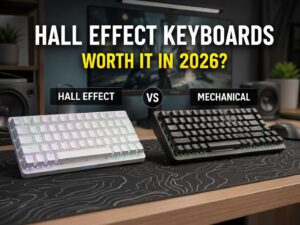
Magnetic keyboards need even more care. These boards use Hall Effect switches, not standard metal-contact mechanical switches. Some support hot swap, but only with compatible magnetic switches. A normal MX switch will not work in a magnetic PCB. For a deeper comparison, see this guide on Hall Effect vs mechanical keyboard.
For that reason, you should check exact switch support before buying.
3-Pin vs 5-Pin Switches
The 3-pin and 5-pin labels describe the bottom of the switch.
A 3-pin switch has two metal contact pins and one center plastic mounting post.
A 5-pin switch has two metal contact pins, one center plastic mounting post, and two extra plastic stabilizing legs.
Those two extra plastic legs help the switch sit straighter on the PCB. They matter more on plateless builds or softer keyboard designs. On many regular keyboards with a metal, FR4, or polycarbonate plate, both 3-pin and 5-pin switches can feel stable.
For beginners, a 5-pin hot-swappable keyboard offers the easiest path. It accepts more switches, and it avoids trimming switch legs. That makes shopping less stressful.
A 3-pin hot-swappable board can still work well. Many popular switches come in 3-pin versions. Still, the switch pool becomes smaller, and 5-pin switches need extra work.
Mechanical Hot Swap vs Hall Effect Hot Swap
A standard mechanical switch uses metal contacts. You press the key, the stem moves, and the switch registers the press.
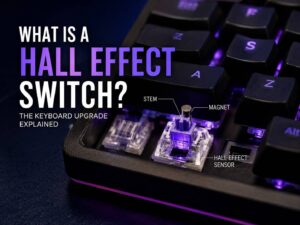
A Hall Effect switch works in a different way. It uses a magnet and a sensor. The keyboard reads the magnet position, then detects how far the key has moved. This allows features like adjustable actuation and rapid trigger on many gaming boards.
Both types can support hot swap, but they do not mix freely.
A mechanical hot-swappable keyboard needs mechanical switches. A Hall Effect hot-swappable keyboard needs compatible magnetic switches. Some magnetic boards only support one exact switch family, so the switch choice can feel narrow.
This matters if you plan to test many switch types. A normal MX hot-swappable board often gives you more freedom. A Hall Effect board often gives you stronger gaming features, but less switch variety.
Who Should Care About Hot-Swappable Keyboards
Keyboard beginners should care first. A first mechanical keyboard can feel great on day one, then less perfect after a week. The switches may feel too loud, too heavy, too soft, or too sharp. Hot swap gives you room to adjust.
Gamers should care too. Switch feel can affect control. A lighter linear switch can feel faster for repeated taps. A heavier switch can reduce accidental key presses. Magnetic keyboards can add features like rapid trigger, but switch support needs closer checking.
Writers and coders get real value from hot swap. Long typing sessions expose every small problem. A scratchy switch gets annoying. A loud switch can distract people nearby. A switch with the wrong weight can tire your fingers.
Office users should care for one simple reason: noise. Silent linear and silent tactile switches can make a keyboard much calmer. That helps in shared rooms, home offices, and late-night setups.
Keyboard hobbyists care the most. They test switches, springs, keycaps, plates, foam, and stabilizers. Hot swap saves time and reduces solder work.
Who Can Skip Hot Swap
Not every buyer needs this feature.
A casual user who already likes the keyboard feel can skip it. A standard membrane keyboard or a basic mechanical keyboard can work fine for email, browsing, and light typing.
Budget buyers can skip it in some cases. A good soldered keyboard can feel better than a cheap hot-swappable keyboard. Hot-swap sockets do not fix rattly stabilizers, thin keycaps, hollow sound, or weak case build.
People who never plan to change switches can skip it too. Still, hot swap helps with repairs. One failed switch takes minutes to replace on a hot-swappable keyboard. On a soldered board, the same repair needs more tools and more care.
If you are still unsure whether a mechanical board makes sense for your setup, this guide on do you really need a mechanical keyboard can help you decide before spending more.
What to Check Before Buying One
Look for clear wording in the product listing. Search for terms like hot-swappable mechanical keyboard, hot swap switches, MX-style switch support, 3-pin and 5-pin support, and solderless switch replacement.
Then check the switch type. The board should say MX-style, low-profile, optical, or magnetic. Do not guess from photos alone.
Next, check pin support. A 5-pin socket gives more switch options. A 3-pin socket still works, but it limits your choices.
Check the socket quality too. Kailh-style hot-swap sockets appear on many custom keyboards. Cheap sockets can loosen or fail faster, mainly after rough switch pulls.
The layout matters as well. A 60 percent, 65 percent, 75 percent, TKL, 96 percent, or full-size keyboard changes key placement. Hot swap will not fix a layout you dislike.
LED direction can matter too. North-facing LEDs can create keycap interference with some Cherry profile keycaps. South-facing LEDs often suit keyboard hobby users better.
After that, check the tools in the box. A weak switch puller can bend pins or scratch the plate. A solid metal switch puller makes the job easier.
Software support matters for a different reason. Hot swap changes the feel. Software changes key functions, macros, layers, and lighting. The two features solve different problems.
Common Mistakes to Avoid
The first mistake is pulling switches too hard. Release the top and bottom switch clips first. Then pull straight up. Bent pins can happen fast.
The second mistake is forcing a switch into the socket. Check the metal pins before installing. Straighten bent pins first, then press the switch in with even pressure.
The third mistake is buying optical or magnetic switches for a normal mechanical board. These switch types are not drop-in replacements for standard MX mechanical sockets.
Another common mistake is ignoring stabilizers. Big keys like Space, Enter, Backspace, and Shift use stabilizers. Switch swaps will not fix a rattly spacebar.
Many buyers also judge switches by color alone. Red, brown, blue, yellow, black, and silver can mean different things across brands. Check actuation force, travel distance, sound, and switch type before buying a full set.
The Real Benefits
The biggest benefit is choice. A hot-swappable keyboard lets you change the feel without replacing the board.
The next benefit is repair. One bad switch does not ruin the keyboard. You can replace that single switch in a few minutes.
Hot swap also helps you learn what you like. A small switch tester gives a rough idea, but it does not feel the same as typing a full page on your own keyboard. Testing switches on your real board gives a better result.
Resale value can improve too. Many buyers prefer hot-swappable keyboards, since they can tune the board after purchase.
Comfort may improve as well. A lighter switch can reduce finger fatigue. A quieter switch can make work less distracting. A more tactile switch can make typing feel clearer.
The Downsides
Hot swap has trade-offs.
Sockets can wear out after many switch swaps. Most users will never reach that point, but hobby users should work carefully.
Cheap sockets can pop off the PCB. This risk rises if you pull switches roughly or push bent pins into the socket.
Some keyboards advertise hot swap but support only one switch type. This happens often with optical, low-profile, and magnetic keyboards.
Price can rise too. A budget board with better keycaps, better stabilizers, and a solid case may beat a weak hot-swappable model. The socket feature matters, but the whole keyboard still needs good parts.
Best Buyer Match
Buy a hot-swappable keyboard if you want room to grow. It suits people who care about typing feel, gaming control, sound, repairs, and long-term use.
Pick a 5-pin MX-style hot-swappable keyboard for the widest switch choice. Pick a Hall Effect keyboard if you want gaming features like adjustable actuation and rapid trigger. Check magnetic switch support before buying, since compatibility can be narrow.
Pick low-profile hot swap only if you want a thinner keyboard and accept fewer switch choices. These boards can feel clean and portable, but they do not offer the same switch range as standard MX boards.
A hot-swappable keyboard does not make every keyboard better. It makes the right keyboard easier to keep, tune, and repair. That is why the feature matters.
Final Verdict
Hot-swappable means you can change keyboard switches without soldering. That simple feature gives beginners, gamers, writers, coders, and keyboard hobbyists more control.
The best choice for most people is a hot-swappable mechanical keyboard with MX-style 5-pin support. It gives broad switch choice and keeps repairs simple. Hall Effect hot swap suits gamers who want magnetic switch features, but compatibility can be narrow.
Before you buy, check the switch type, pin support, socket design, layout, and LED direction. A good hot-swappable keyboard can last longer than a fixed-switch board, since you can replace the part that shapes the whole typing feel.